


Powered by AI
Request tracking template
Use a request-tracking workflow template to organize, prioritize, and manage incoming work across teams. This customizable tracking workflow helps everyone understand what needs to happen next and who is responsible for each task.

![[Templates] Request tracking (hero image)](https://assets.asana.biz/transform/3449112a-a068-4d43-ab41-c9d7d3d67470/Request-tracking-Workflow-Package?io=transform:fill,width:2560&format=webp)
Powered by AI
Request tracking template
Use a request-tracking workflow template to organize, prioritize, and manage incoming work across teams. This customizable tracking workflow helps everyone understand what needs to happen next and who is responsible for each task.


Organize requests to resolve them on time, every time
Asana’s request-tracking workflow template provides your team with a straightforward way to manage incoming work requests in a single centralized location. All submissions go through the same intake system. You can see what needs attention, who is responsible for each task, and how each item progresses toward completion. With automation and AI support, you spend more time on high-value work instead of manually sorting requests.
Collect each request with a ready-made tracking workflow.
A built-in request form and a unique ID for each submission ensure a standard request-tracking process, while team-only comments keep internal discussions private and give your team a single place to coordinate next steps.
Respond to requests faster without adding extra work to anyone’s day.
AI auto-names each request, prompts requestors for missing information, and drafts responses so your team spends less time chasing details and more time taking action.
Organize every request with custom statuses.
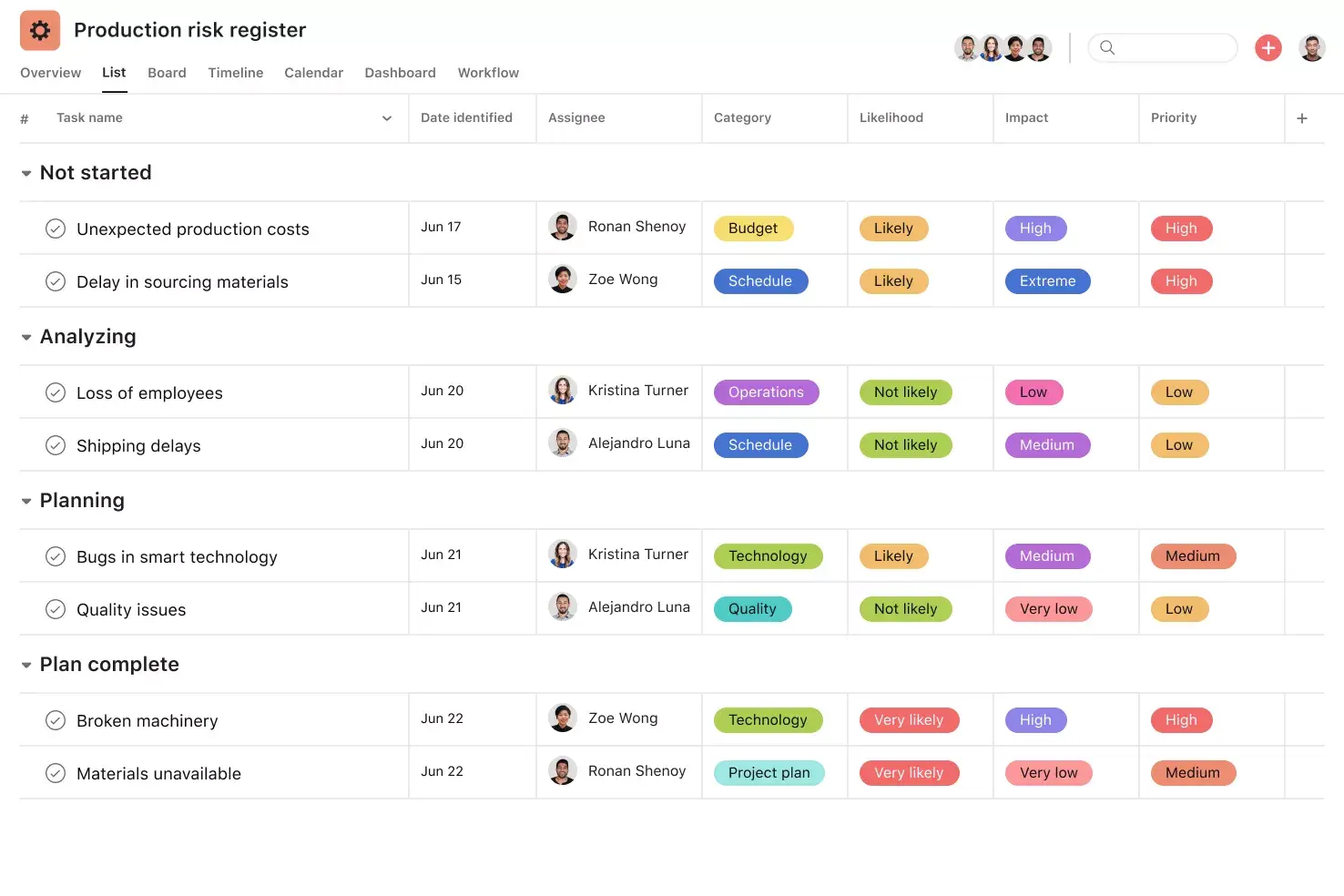
Custom status types help your team categorize requests and follow progress from intake to completion.
Never lose track of deadlines or next steps.
Rules automatically assign due dates based on request type, helping you manage workload and timelines with less manual effort.
Monitor progress and performance in one place.
A performance dashboard displays request volume, turnaround times, and trends, providing you with a real-time view of how requests move through your workflow.
When to use request-tracking templates
A request-tracking template helps you manage ongoing requests from internal teams, clients, and stakeholders. Requestors share key information upfront, which allows reviewers to decide what actions to take next and how to prioritize each request. A template provides a reliable request-tracking process for facility requests, operational tasks, IT support, creating social media assets, onboarding new team members, and any new project.
With an Asana work request template, you can:
Streamline how you manage incoming project requests throughout the day.
Replace emails, chats, and spreadsheets with an all-in-one work intake process that captures everything in a single place.
Assign and schedule work, set task dependencies, delegate resources, and track progress through each work request’s lifecycle.
Teams across industries rely on work request form templates to execute ongoing requests and deliver high-quality work without delays.
How to use a work request-tracking template
Asana’s request-tracking template gives your team a simple way to collect, review, and manage incoming work requests in one location. It works like a teammate who organizes each submission and guides it through review, triage, execution, approvals, and reporting.
Collect requests with a form
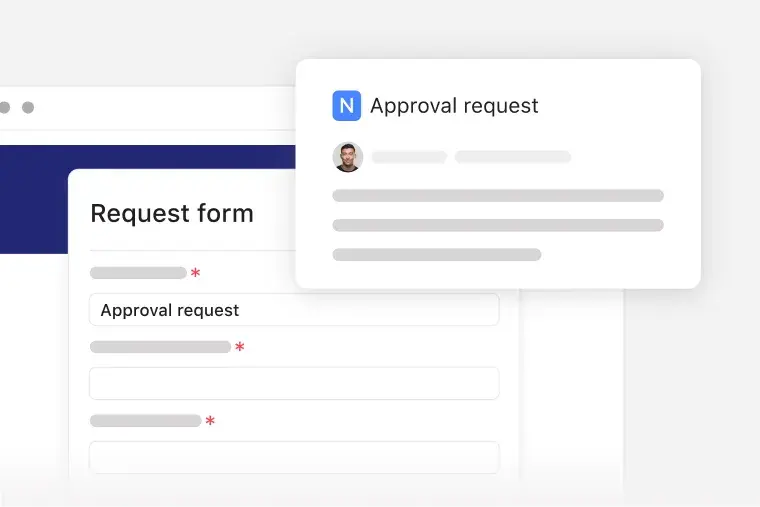
Use the work request form or project intake form to gather contact details, summaries, and any required information for each submission. Each request receives a unique ID, allowing teams to track and reference items. If someone submits a facilities repair request, the form captures location details so the team knows exactly where to begin.
Review and qualify requests with AI
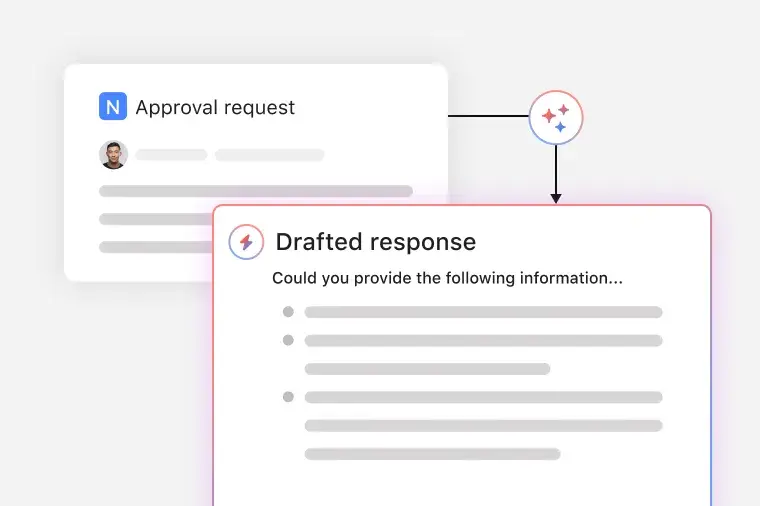
AI names each incoming request, identifies missing information, and drafts responses to speed up intake. AI assistance reduces manual sorting and helps teams process requests in the correct order. If a requestor leaves out required fields, AI can ask follow-up questions before starting work.
Organize requests by status
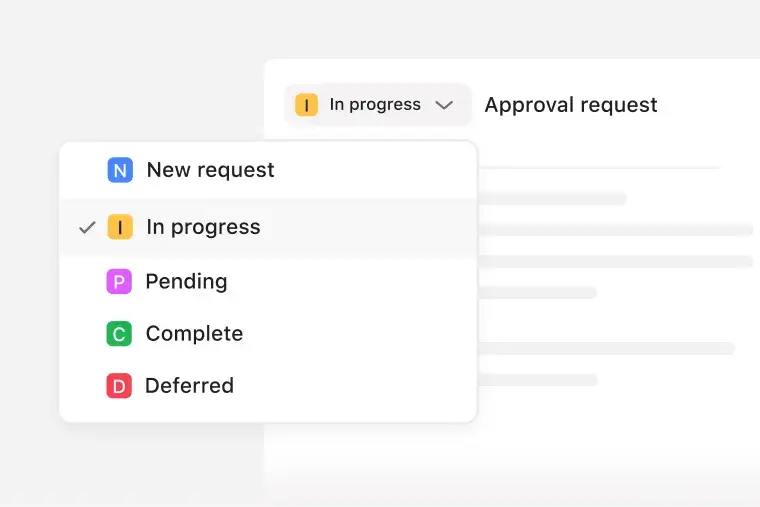
Use the status field to sort items into stages such as new, in progress, pending, or complete. Custom status types give teams a view of what needs attention and what has moved forward. If a marketing request is pending approval, the status shows exactly where it stands in the approval process.
Automatically set due dates for requests
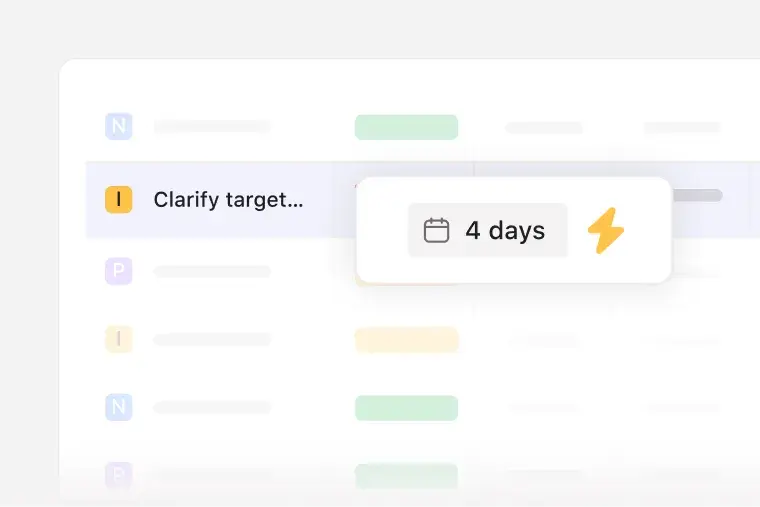
Assign rules that set due dates based on request type. Automation and prioritization keep work on schedule and prevent delays across teams. If a service request always requires a 3-day turnaround, the rule adds the due date immediately.
Track progress with dashboards
Use the performance dashboard to review request volume, completion trends, and bottlenecks. These metrics help teams understand how work moves and where to optimize the intake process flow. If a monthly spike in design requests appears, the dashboard makes the pattern easy to spot.
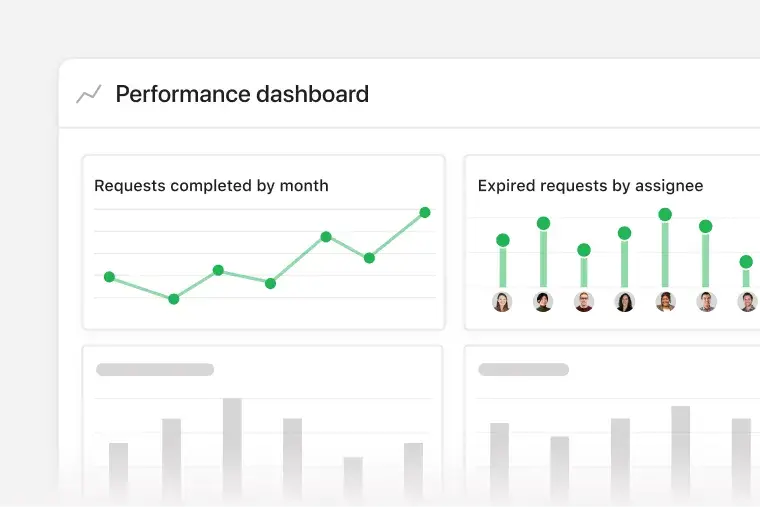
Asana’s request-tracking template gives teams a single place to collect, review, and complete incoming work. It steps in like a teammate who organizes requests, prompts next steps, and moves requests through your workflow. AI handles intake tasks like naming requests and gathering missing details, and rules keep work moving without extra manual updates. Dashboards show workload and timing so teams understand progress at every stage.
Transform how your team manages request-tracking workflows with Asana AI.
Review work requests with AI. AI reviews each submission and helps you understand the project proposal's scope, timelines, and next steps.
AI auto-names each request. AI reads each submission and generates a unique project name, so your list is easy to scan.
AI follows up for missing information. AI sends a follow-up message when key information is missing.
AI drafts responses. AI suggests replies based on the request form’s details and status. You can review, personalize, and send each message in a few clicks.
Customers that use Asana templates to work



![[Logo] Affirm](https://assets.asana.biz/transform/5c33f186-151e-4999-b0b5-4081f236b3cd/Affirm_logo-svg?io=transform:fill,width:2560&format=webp)





Related templates

![[Templates] Event planning (Card image)](https://assets.asana.biz/transform/78e1727d-905a-4ee5-baa6-9dd141f5a3c6/Template_EventPlan_Thumb?io=transform:fill,width:2560&format=webp)

![[Templates] Cross Functional Project Plan (Card image)](https://assets.asana.biz/transform/60887a05-0b92-49c2-a6e7-f1ace41c5596/TG23-web-thumbnail-041-editorial-resource-management-static-2x?io=transform:fill,width:2560&format=webp)

Frequently asked questions
A request intake workflow is a step-by-step process that helps teams collect the information they need before beginning a new project. Teams use request trackers to gather the details, evaluate project ideas, and set deadlines.
To write a clear work request, describe the work you need, explain why it matters, and include any relevant context. A strong request includes your name and team, a summary of the desired outcome, the priority level, the deadline, and any supporting files or links.
A work request is the initial ask, where someone identifies a need and submits it for review. A work order is the approved, formalized version of that request, with an assigned owner, a confirmed deadline, and an official status.
Teams that handle ongoing requests, such as operations, IT, facilities, human resources, and project management offices, use tracking workflows to manage request volume and organize tasks. These teams depend on standardized project intake processes to sort requests, route work to the right owner, and meet deadlines. Any team that receives frequent submissions benefits from a request-tracking template.
Request-tracking templates improve processes by providing teams with a framework for categorizing and delegating work from the moment a request arrives. Request trackers help teams organize resources and complete tasks on time and within budget. You can also use request intake forms to document details and map relationships in a flowchart format.