8 best campaign management software for marketing teams

85% of Fortune 100 companies choose Asana¹






Summary
Campaign management software helps marketing teams plan, organize, and track campaigns from one shared workspace. Instead of relying on email threads, spreadsheets, and one-off status updates, teams can use campaign management tools to assign work, set deadlines, manage approvals, and track progress. The right software also helps marketers manage the many details involved in modern campaigns, from social posts and email sequences to paid ads, content assets, and product launches. In this guide, we’ll compare the best campaign management software for organizing campaign work, improving workflows, and reporting results.
Transform Your Marketing Operations
See how leading marketing teams use Asana to streamline planning, automate processes, and accelerate campaign delivery. Watch our demo to learn proven strategies for standardizing workflows and scaling your marketing impact across teams and agencies.
What does campaign management software do?
Think of campaign management software as the structural skeleton of your marketing department. At its core, it is designed to plan, execute, track, and analyze marketing initiatives across multiple channels from a single interface.
You might have a great idea, but without a central system, it often gets lost between a strategy meeting and the actual launch. Campaign management software enables a creative director to see the status of a video edit, a CMO to monitor budgets, and a copywriter to know exactly when their draft is due. It transforms a group of talented individuals into a synchronized unit.
Key features of campaign management software
The best tools don’t just offer a digital to-do list; they provide a comprehensive environment for growth. When you’re vetting platforms, look for these campaign management features:
Centralized communication: This eliminates the "where did we talk about this?" problem. All feedback, approvals, and files are stored inside the task or campaign they belong to.
Workflow automation: Automation is the secret sauce of scaling. If a task moves from "In Progress" to "Review," the software should automatically notify the editor and update the project timeline.
Asset management: Marketing is visual. You need a way to store, version, and retrieve high-res images, videos, and copy docs without digging through a cluttered Google Drive.
Omnichannel integration: A campaign isn't just an email; it's a social post, a landing page, and a set of Google Ads. The tool should be able to communicate with these platforms to retrieve performance data.
Reporting and analytics: You shouldn't have to wait until the end of the month to see if a campaign is working. High-end software provides dashboards that track KPIs (Key Performance Indicators) against your original goals.
Comparison table: Top campaign management software platforms
Platform | Best for | Key feature |
Asana | All-in-one management | AI-powered workflows |
Wrike | Campaign intake forms | Dynamic request forms |
Workfront | Approval workflows | Advanced proofing tools |
Airtable | Content marketing | Relational databases |
Monday.com | Visual management | Customizable boards |
Trello | Simple task tracking | Kanban board system |
ClickUp | Small teams | Flexible all-in-one platform |
Smartsheet | Spreadsheet workflows | Advanced grid view |
How we evaluated the best campaign management tools
We evaluated each platform using a consistent set of criteria focused on how marketing teams plan, implement, and scale campaigns.
Scalability: Can the tool support growth from small teams to larger, cross-functional operations without requiring a full rebuild?
Usability: How quickly can teams adopt the tool and start executing without extensive training or setup?
Integrations: Does the platform connect with common tools for communication, design, CRM, and analytics?
Campaign management: Does the tool support marketing-specific workflows, including asset management, timeline tracking, and cross-channel coordination?
We prioritized tools that offer fast execution, scale with team growth, and integrate naturally into existing workflows.
1. Asana: Best all-in-one campaign management
Asana is a sophisticated, AI-powered marketing automation platform. It’s designed for teams that need to see the big picture and the individual tasks simultaneously.
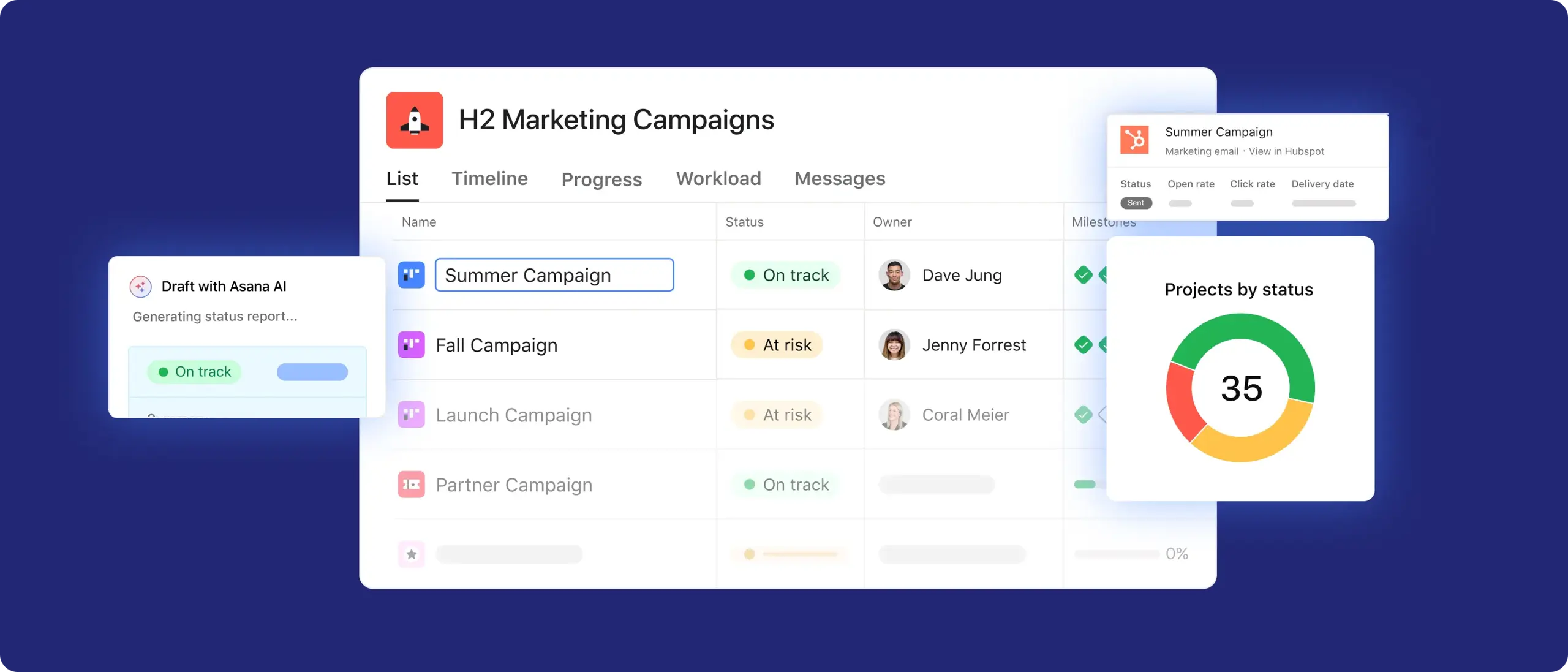
Asana earns the top spot because of its versatility. Its AI teammates and AI workflows are game-changers for campaign managers. It can automatically identify bottlenecks in your workflow or summarize lengthy comment threads so you can get up to speed in seconds. The portfolios feature lets leadership view the health metrics of multiple campaigns at once, while the workload view ensures no single team member is overwhelmed by too many deadlines. It is the most balanced marketing tool available, offering automated workflows and AI campaign planning without sacrificing a user-friendly, intuitive interface.
Pros and cons
Pros: Exceptional UI; robust automation rules; highly flexible views (List, Board, Timeline, Gantt); seamless integration with Slack, Google Drive, and more.
Cons: The "Business" tier (required for advanced features) can be pricey for very small teams; the sheer number of features can be overwhelming if not properly configured.
2. Wrike: Best for campaign intake forms
Campaign planning often starts with untidy requests from stakeholders, creative teams, and channel owners. Wrike standardizes intake processes with request forms that capture campaign details, asset needs, deadlines, and priorities. Teams can turn those requests into projects, assign owners, create timelines, and monitor progress as work moves through planning, production, and review. Wrike is especially useful for teams that manage a steady volume of incoming campaign requests and need a more structured way to organize the work.
Pros and cons
Pros: Customizable request forms; built-in proofing and approvals; useful dashboards and reports; helpful for repeatable campaign workflows.
Cons: Setup can take time for teams with detailed workflows; smaller teams may not need the more advanced features; pricing can increase as teams add proofing, automation, or enterprise needs.
3. Adobe Workfront: Best for complete approval workflows
Campaign approvals can involve creative leads, legal reviewers, brand teams, executives, and external stakeholders. Adobe Workfront helps large teams manage those review steps with structured workflows for campaign briefs, creative assets, feedback, and final approvals. Teams can route work to the right reviewers, monitor deadlines, document decisions, and manage production timelines for high-volume campaigns. Workfront is a good fit for organizations that need detailed approval processes, especially teams already using Adobe tools for creative production.
Pros and cons
Pros: Approval and proofing workflows; useful for detailed intake processes; resource management for larger teams; good fit for teams using Adobe tools.
Cons: More complex than lightweight project management tools; implementation can require admin support and process planning; may be too much software for small teams or simple campaign calendars.
Explore Asana's campaign management features and capabilities
Asana is the leading software for project management, according to G2. See all your work in one place so you can prioritize what matters most.
4. Airtable: Best for content marketing campaigns
Content marketing requires tracking many variables: author, publication date, SEO keywords, asset status, and distribution channels. Airtable allows you to build a custom base that handles this perfectly. Its power lies in linked records, where you can connect a writer to 10 articles, and any change to the writer's profile updates across all of them. Airtable provides a level of data integrity that standard project management tools can’t touch.
Pros and cons
Pros: Infinite customization; beautiful Gallery views for visual assets; powerful Interface Designer for creating custom stakeholder dashboards.
Cons: Steeper learning curve than Asana or Trello; requires time to build your marketing campaign management system before it’s useful.
5. Monday.com: Best for visual campaign management
Monday.com is essentially a colorful, highly interactive canvas. It’s built for teams that find traditional lists boring and need a visual pulse on their work. Every row is a task, and every column is a data point (status, date, person, budget, priority). The visual feedback is instant: seeing a sea of Green status boxes gives the team a psychological win. Its Workspaces allow different departments (Creative, Media Buying, Strategy) to have their own environments while still rolling team segmentation into a single campaign overview.
Pros and cons
Pros: Ease of use; ample template center; build custom automations without code.
Cons: Can become cluttered with too many columns; pricing is based on seats in groups, which can be annoying for teams of a specific size (e.g., needing 3 seats but paying for 5).
6. Trello: Best for simple campaign task organization
Sometimes, complexity is the enemy. For a small business launching a simple campaign, you don’t need a database or a CRM; you need to see what’s "To Do," "Doing," and "Done." Trello’s card-based system is so intuitive that you can onboard a new hire in five minutes. It’s perfect for managing a content calendar or a small-scale product launch where visual simplicity is the priority.
Pros and cons
Pros: Practically zero learning curve; generous free tier; Power-Ups allow you to add features (like a calendar or voting) only when you need them.
Cons: Not suitable for complex, multi-layered campaigns; lacks native high-level reporting features.
7. ClickUp: Best campaign management for small teams
Small teams often have to wear many hats. ClickUp accommodates this by offering docs, chat, tasks, and goals in one place. You don’t need a separate subscription for a wiki (like Notion) or a chat tool (like Slack). For a small marketing agency, having the "Everything View" lets a founder see every task across client campaigns with a single click.
Pros and cons
Pros: Highly customizable; built-in time tracking and screen recording; affordable.
Cons: The interface can feel busy and overwhelming, and occasional performance lags due to the sheer number of features.
8. Smartsheet: Best for spreadsheet-based campaigns
If your marketing team is currently running everything out of Excel, Smartsheet is your logical next step. It looks like a spreadsheet but functions like a high-powered project management engine. Many data-heavy marketing teams (like those in finance or enterprise tech) prefer the grid view. Smartsheet takes that familiar grid and adds file attachments, discussions, automated alerts, and Gantt charts. It is particularly strong in resource management, allowing you to see whether your graphic designer is over-allocated across five global campaigns.
Pros and cons
Pros: Familiar interface for spreadsheet lovers; powerful Critical Path features for complex project timelines; enterprise-grade security.
Cons: Less creative or fun than tools like Monday.com or Asana; can feel rigid for teams used to more fluid workflows.
How to choose the best campaign management software for your team
Choosing software isn't about finding the one with the most features; it’s about finding the one your team will actually use. A $50,000 enterprise SaaS platform is worthless if your team reverts to using WhatsApp and sticky notes because the software is too hard to use.
Read: Best task management software for teamsIntegration with your existing tech stack. Your campaign tool should act as the brain, but it needs the right connections to get work done. If your team uses Slack for communication and Figma for design, choose a tool with native integrations. The goal is to streamline context switching and keep your team within the same tool.
Customer service and community resources: When issues come up, you need support fast. Look for platforms with active communities, such as forums or learning hubs. A strong user base makes it easier to find tutorials, templates, and practical solutions from other teams.
Take your next marketing campaign further
The best software is ultimately the one that fades into the background, allowing your team’s creativity to take center stage. Whether you choose the all-in-one power of Asana, the data-rich environments of Airtable or Brevo, the key is consistency.
Pick a tool, commit to it for at least one full campaign cycle, and watch how much more headspace your team has when they aren't constantly asking "what's next?" Your next great campaign isn't just about the big idea; it's about the machine that brings it to life.
Try Asana now


FAQs about campaign marketing software
For a team of 1–3 people, yes. Tools like Trello, Asana, and ClickUp offer generous free versions that cover basic task management. However, you will eventually hit a ceiling when you need advanced automation, the ability to see multiple projects in portfolios, or advanced security features. Think of free versions as a "trial run" for your workflow.
Most modern tools use native integrations or APIs; you simply go to an app marketplace in the software and click Connect to add tools such as Slack, Gmail, or Salesforce. For more niche connections, use tools like Zapier or Make to connect your apps and automate workflows. For example, when a new lead is tagged in HubSpot, a task is created in Asana.
Look for campaign management software that gives your team visibility, keeps work in one place, and can scale as your campaigns grow.
Visibility: See who owns each task, what’s in progress, and what’s due next.
Centralization: Keep assets, updates, and the latest versions in one place without switching tools.
Scalability: Manage a handful of campaigns or dozens without the system breaking down or slowing your team.
Yes, small teams can use enterprise-level tools, but they often introduce more complexity than the team needs. These platforms usually require setup, maintenance, and ongoing management, which can slow down adoption and delay real work. Many of their advanced features go unused, while the added structure creates friction in day-to-day tasks. For most small businesses, lightweight tools strike a better balance by offering functionality without requiring dedicated admin support. Enterprise tools make more sense when you expect rapid growth or need advanced reporting, permissions, or compliance features.
Project management and campaign management software both help teams organize and deliver work, but they differ in their level of focus. Project management tools handle general task execution, while campaign management tools are built for marketing workflows, performance tracking, and campaign-specific data.
Project management software: General-purpose tools used to plan, assign, and track tasks across any type of project.
Campaign management software: Marketing-focused tools to manage marketing strategies and track campaign performance metrics like conversions, CPL, and ROAS, and coordinate assets, channels, and spend.