Action items: Definition, how to write, and examples


85% of Fortune 100 companies choose Asana¹






Summary
It's the end of a successful project kickoff meeting, and your team members are ready to carry out everything that was decided. But how do you know exactly what to do once the meeting is over? This is where clearly communicated action items come into play.
Optimizing your tech stack for the AI era
From security risks to productivity loss, app sprawl may be costing you more than you think. Our latest guide reveals the true impact of an oversized tech stack and provides strategies to optimize your IT spend. Don't let hidden costs hold you back:
What is an action item?
An action item is a specific task that arises from a meeting, assigned to a clear owner with a defined deadline, to move a project toward its goal. Think of action items as action-oriented to-dos that help your team achieve its goals. They're just as crucial to project management as effective meetings are.
Action items can be part of a larger action plan or to-do list, and they help you track decisions made during a meeting. They can range from simple to complex, for example:
Simple: Send a follow-up email to a stakeholder
Complex: Create a Gantt chart for an entire advertising campaign
Tracking-focused: Document meeting decisions as a deliverable or asset
What are the benefits of using action items?
If you're a project manager looking to track progress on your project, there are a few ways that monitoring action items can benefit your team.
Action items help keep projects organized
A good project manager will send out a list of action items after a meeting to ensure that everyone is on the same page about next steps. Some project managers organize their action items based on meeting minutes or meeting notes to categorize their tasks. When writing action items this way, they can clearly indicate what action items correspond to a specific talking point on the meeting agenda.
Action items keep team members accountable
Action items help you capture the to-dos associated with meeting decisions in real time as you discuss them. Assigning a dedicated person to create the action item list and follow up with task owners ensures the entire team knows exactly what they're responsible for. If you use project management software, you can also automate this process, assigning action items to team members as the meeting progresses.
Action items keep track of the work that's being done
Action item tracking is a helpful tool for managing your team's workload. It lets managers see what their team is working on, whether they have the bandwidth to take on more work, and how long each action item takes to complete. Over time, this data helps you plan similar projects more accurately, so you know exactly how many resources you need.
Consider recoding action items in an action log template. It provides a simple way to see what's been done, what's pending, and who's responsible for each follow-up.
When to use action items
Action items are helpful in any meeting or situation where your team makes decisions that need follow-up. Here are three common cases where action items are especially useful.
Project management
Whether you’re starting a new project or working through a complex one, action items turn decisions into clear tasks. They help your team move from planning to completion by linking each task to an owner and a deadline. This is especially helpful when several teams need to work together.
Strategic planning
When leadership teams engage in strategic planning and set goals or define priorities for the quarter, action items turn those high-level plans into work your team can act on. Instead of leaving a planning session with a general direction, you leave with specific tasks assigned to the right people, each with a clear deadline. This bridges the gap between strategy and day-to-day work.
Team meetings
Regular team meetings, like weekly check-ins or brainstorming sessions, often lead to ideas and decisions that need follow-up. Creating action items during or right after these meetings makes sure important conversations end with clear next steps. This also helps avoid repeating the same discussions.
How to create action items: the 4 W's
Strong action items have four main parts. They make it clear who is responsible, what needs to be done, when it should be finished, and why it matters.
Component | Question it answers | Example |
Who | Who is responsible for this task? | Daniela (lead engineer) |
What | What specific action needs to happen? | Patch the login page bug |
When | When is the deadline? | Two weeks from today |
Why | Why does this task matter? | Blocks the next product release |
Who
Who is responsible for this action item? If anybody has any questions surrounding this specific task, to whom should they go? This is a good opportunity to use a RACI chart to identify the task owner and who else is involved in the decision-making process.
Read: What is a project stakeholder analysis and why is it important?What
What action needs to happen for this task? Good action items start with verbs, so it’s clear what to do. For example, instead of writing "Content calendar," write "Brainstorm content calendar topics." When you write the task, think about what information will help the task owner start right away. Include details like:
Reference materials: Link to relevant documents, briefs, or previous work
Dependencies: Note any tasks that need to be completed first
Scope: Clarify what's included and what's not to prevent unnecessary back-and-forth
When
When do the action items need to be finished? When setting deadlines, consider other project needs and the task owner’s current workload. Make sure the deadline is realistic for both the team and the project.
Why
Why is this action item important? Sharing the purpose helps the owner make better decisions while working on the task. Even a short note about why the task matters can prevent confusion and cut down on follow-up questions.
Examples of clear action items
Action items are important, but it takes practice to clearly state what needs to be done after a meeting. Here are some examples of how teams create action items:
Engineering action item example
The development team finds a critical bug. After discussing solutions in a meeting, they decide Daniela will fix it because she handled a similar issue before and understands the problem well. She will finish the fix by the next product update in two weeks.
Action item: Patch bug.
Task owner: Daniela
Deadline: Two weeks from today.
HR action item example
The people team needs to standardize onboarding before new team members join soon. They agree to finish an onboarding presentation outline together, due two weeks before the new hires start. Then, Kabir will create the presentation slides based on the outline one week before the new hires begin.
Action item #1: Outline the onboarding process presentation.
Task owner: The people team
Deadline: Two weeks before the new hire starts
Action item #2: Complete the new onboarding presentation deck based on the outline the team created
Task owner: Kabir
Deadline: One week before the new hires start
Design action item example
The marketing and design teams meet to review the first round of a brand redesign. The marketing team shares feedback on the early designs, and the design team will have two weeks to make changes based on that feedback.
Action Item: Edit round one of brand redesigns.
Task owner: Brand redesign team
Deadline: August 10, the next meeting date
Common mistakes when creating action items
When done well, action items can help your team's workflow, knock out to-dos on your task list, and speed up your project progress. However, when action items aren't clearly defined, it can cause major headaches.
Here are a few common mistakes to avoid when creating action items:
Vague action items
When a task doesn't have all the information you need to complete it, you're blocked from getting started. Instead, you have to source information or follow up with stakeholders, which adds to the 60% of time knowledge workers already spend on busywork. A clearly defined "what" in every task eliminates this confusion and prevents unnecessary back-and-forth.
Not setting a deadline
If you don't set a deadline, tasks can be pushed off indefinitely to the point where they fall through the cracks. If an action item is essential to completing a project, it's crucial that you set a precise due date. An action item can quickly get lost without a due date.
Not assigning a task to a team member
If a task doesn’t have a clear owner, it might be forgotten. Assign it to the person best suited for the job. If they’re too busy, check who else on the team can take it. With an owner, someone is always responsible for getting it done.
How to track action items
Creating action items is just the first step. Without a good way to track them, even clear tasks can be missed. Here are some tips to help you keep action items on track:
Use a central tracking tool: Keep all action items in a single, shared location rather than scattered across emails, notebooks, or chat threads. A work management tool makes it easy for everyone to see progress in real time.
Review action items regularly: Set aside time during recurring team meetings to check in on open action items. This keeps tasks visible and encourages accountability.
Update status as work progresses: Encourage task owners to mark action items as in progress or complete so the whole team has an accurate picture of where things stand.
Connect action items to larger goals: When your team can see how individual tasks contribute to broader project goals, they're more likely to stay motivated and follow through.
Manage action items with Asana
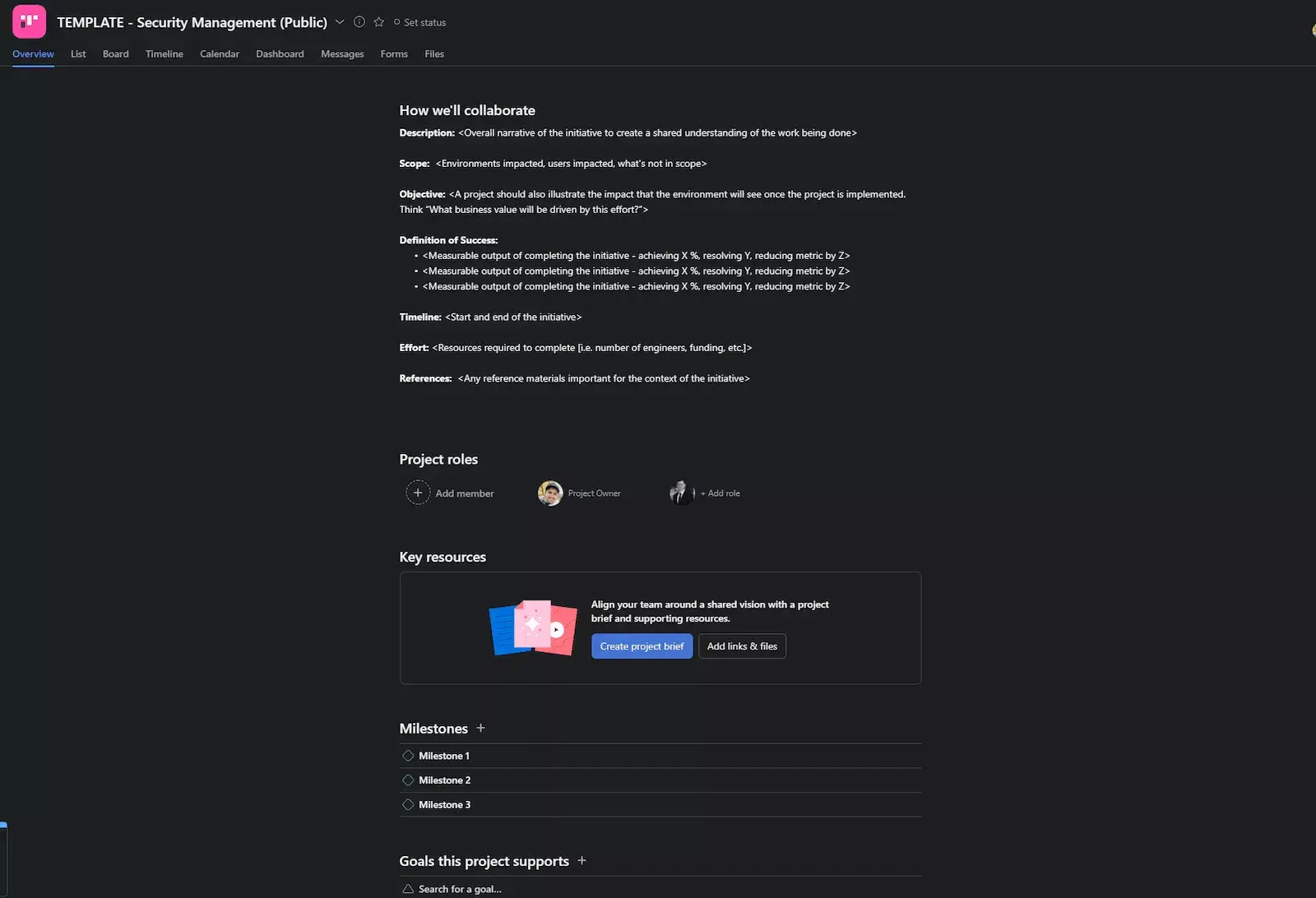
Creating action items is easy, but sharing them with your team can be hard if your work is scattered. A good work management tool can help with this. A work management tool like Asana helps your team track project tasks, meeting notes, and files in one place. You can link tasks to bigger goals and save your process as a template. Create your own template to keep action items simple and organized.
Ready to turn your meeting conversations into real progress? Get started with Asana and give your team a single place to create, assign, and track every action item.
How to effectively manage your team’s workload
Learn how to leverage work management to distribute work more effectively.
Frequently asked questions about action items
Action items are sometimes called follow-up tasks, next steps, to-dos, or takeaways. The term you use may vary depending on your team or industry, but they all refer to the same concept: a clearly defined task with an owner and a deadline that comes out of a meeting or discussion.
An action item is a specific type of task that originates from a meeting or discussion and is tied to a decision that was made. A task is a broader term for any piece of work, so every action item is a task, but not every task is an action item.
To prioritize action items, focus first on action items that block other team members from making progress and those with the nearest due dates. If the list still feels overwhelming, delegate to team members with available bandwidth or adjust timelines where possible.