


Project time tracking: log hours where the work already happens
Project time tracking connects each logged hour to a specific task, adding up real worked time to a project's running total. Asana is project time tracking software that keeps hours inside the same plan your team already works from.
Why project hours never add up

Time gets logged somewhere the work isn’t
A designer logs six hours to "Client X website" in a timer app. The plan has 14 tasks under that name, so your tracker can't show which of them ran long.

Estimates and actuals never meet
Your team scoped a launch at 40 hours and spent 71. The overrun didn't show up until the project wrapped, and by then the next launch was already quoted at 40. That's what happens when estimates live in the project plan and actuals live in a separate time tool.

You find out the project lost money after it shipped
A retainer client is 30% over scope by week six, but you don't hear about it until invoicing flags the gap in month two. At that point, the project is too far along to steer. The trouble starts when billable and non-billable hours get mixed together, and rates sit in a finance system your delivery team can't see.
How Asana works for project time tracking
As project time tracking software, Asana keeps every hour inside the task it belongs to. The estimate for that task sits right beside it. From there, the hours feed the reports and budgets that come after, along with the plan for your next project.
Track time on the task, not in a second app
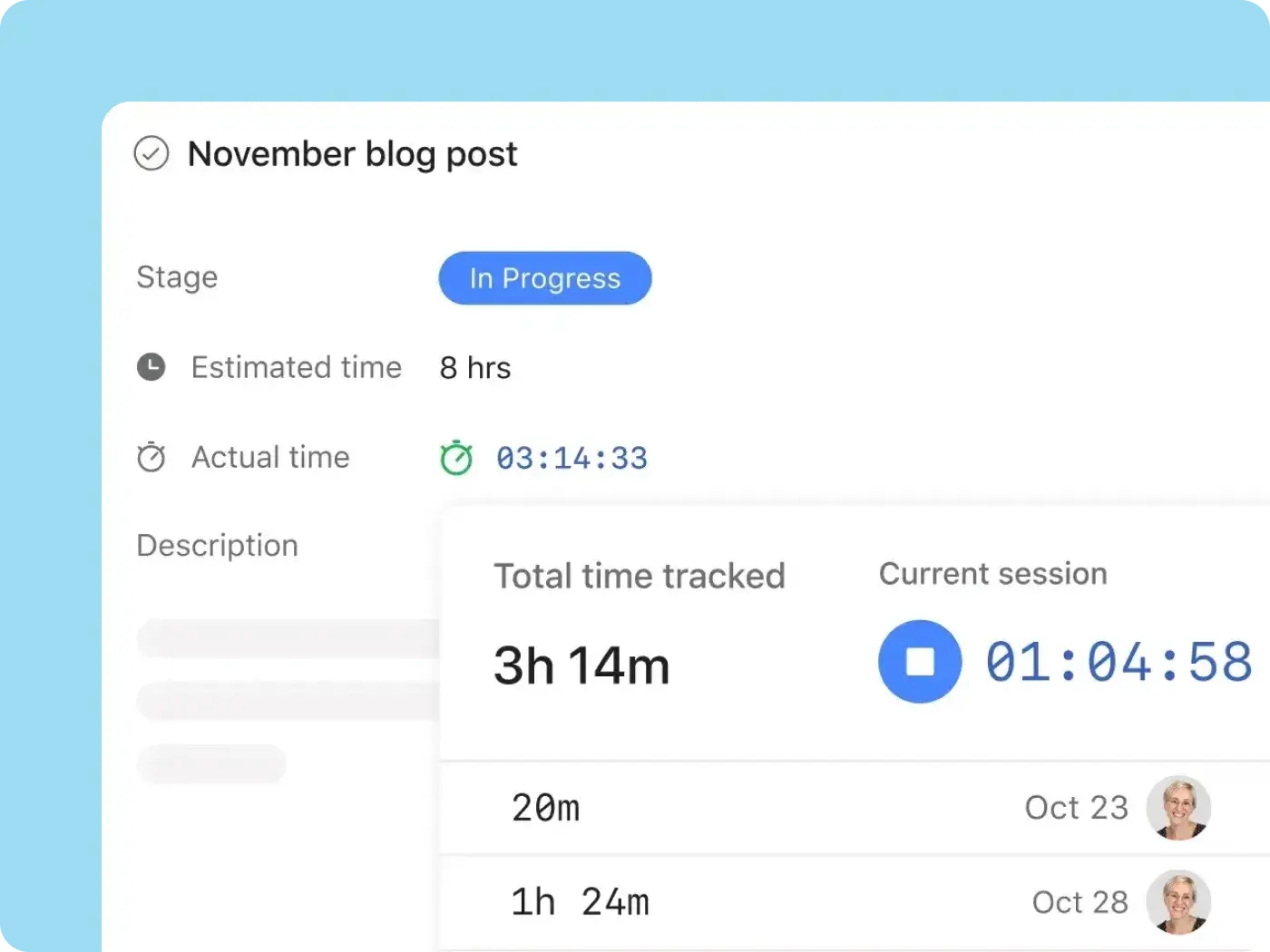
Turn on time tracking in any project, and each task gets an estimated time field and an actual time field. You fill in the actual time by starting the built-in timer or entering hours by hand, and any time logged on subtasks adds to the parent task's total.

Compare estimated time to actual time on every project
Say the launch you scoped at 40 hours hits 35 with half the tasks still open. You'll see it on a project reporting dashboard, where a chart compares estimated time to actual time by assignee or by section. There's still room to adjust scope or staffing. Once the project wraps, that same chart becomes the starting point for your next quote.

See billable hours and project budget in one place
The Timesheets and Budgets add-on is where hours turn into money and you track billable hours separately from non-billable ones. User rates per project convert each hour into cost and track it against the budget, which means you'll spot an overrun while the project is still running. Approvals and invoicing exports live in the same place, and you only buy seats for the people who submit timesheets.

Plan the next project from real capacity, not guesswork
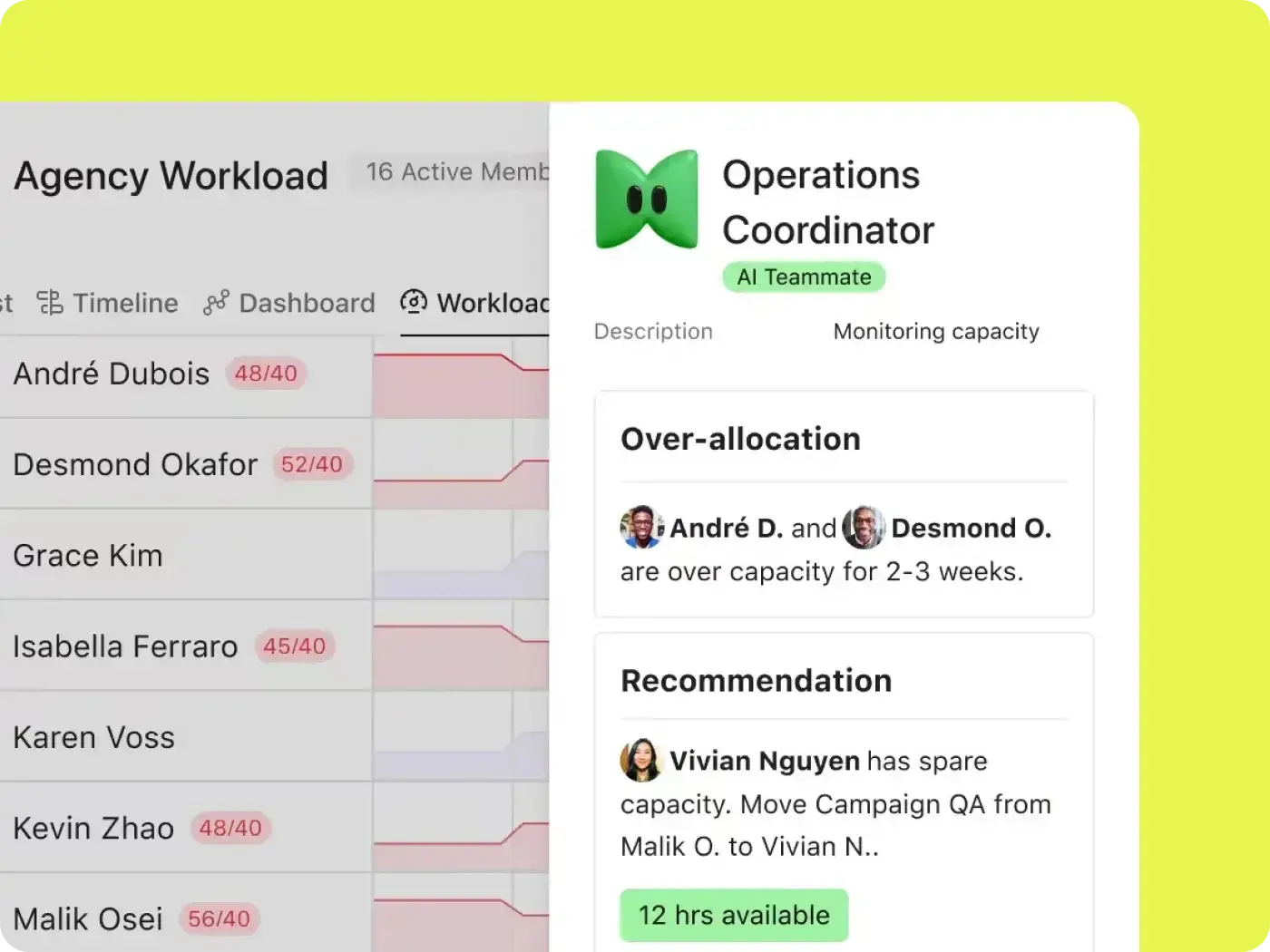
A separate timer has no view of the plan, and its hours stop being useful once the invoice goes out. In Asana, the same hours feed workload views that show who has room and who's already full. Your next staffing plan starts from your past project management time tracking.

Built for the teams whose projects are priced in hours
If your team bills clients by the hour or answers to a fixed project budget, every logged hour ends up in a conversation about money. Asana helps teams have that conversation earlier.

![[Team - Agency] Hero Image](https://assets.asana.biz/transform/bd8fb516-1527-40d9-a49d-1978e69c189e/-16_9-Hero-Agency-Lo-Fi?io=transform:fill,width:2560&format=webp)


![[Teams - Os] PMO Intake (image)](https://assets.asana.biz/transform/52e2b46b-6cdf-41f7-bb18-e20cd55b27fb/ops-pmo-intake-mid-fi?io=transform:fill,width:2560&format=webp)
Gain visibility into project time and scope
A client asks for a fourth round of revisions, and your designer logs the hours to the same catch-all timer project as everything else. You don't see the margin those extra rounds cost until the invoice goes out. In Asana, your team logs time on the specific deliverable, with billable and non-billable hours kept apart. When revisions outrun the scope, you have the numbers for a change order before the extra work is done.
Asurion's teams reached 89% utilization by tracking time and effort in Asana
Asurion's cross-functional training and content teams support 1,100 employees. They log time and effort in Asana and pull that project time tracking data into Power BI to plan how to allocate people across initiatives. Projects now start 37% faster, and teams deliver more work with fewer bottlenecks.


Having a centralized system for intake and project tracking has streamlined how we manage resources and meet deadlines.Meg Rabinowitz
Sr. Manager Instructional Design, Asurion
Start tracking project time where the work happens
It's the last Friday of the month, and your project report is already done with Asana. Turn on time tracking for your next project and let your tool do the math for you. Start free today, and by month end you'll know exactly what that project cost.
Frequently asked questions about project time tracking
Project time tracking is the practice of recording the hours a team spends on specific project work, so those hours can be compared to the estimate and budget for that project. It's organized by project and task, which sets it apart from employee time tracking by shift or workday. In Asana, your team logs time directly on the task.
The best way to track time is to log it on the individual task instead of against a project name, because that's the only way to compare the hours with the estimate for that work. Track time as the work happens, too, since hours rebuilt from memory at the end of the week are rarely accurate. In Asana, the timer sits on the task, so there's no separate app to open.
The best software for tracking project hours depends on whether your hours need to connect to the project plan. Dedicated timers capture hours well but sit outside the work. Project management software like Asana keeps hours next to the estimates and budgets they're measured against. For a side-by-side look at more tools, see our guide to the best project time tracking software.
Yes. Several dedicated time trackers offer free tiers, and some connect to the project tool your team already uses. In Asana, built-in time tracking is part of the Advanced plan and above, and Starter teams can opt for the add on. Teams on the Personal or Starter plan can connect a third-party tracker from the app directory or start with a free timesheet template. See Asana pricing for current plans.
It does. Turn on time tracking in a project, and each task gets estimated time and actual time fields. Your team can run the built-in timer or log time by hand. If you break the work into subtasks, Asana adds those hours to the parent task's total. A chart on the project dashboard then compares the two. Time tracking comes with the Advanced plan and above.
Yes, you can track billable hours in Asana with the Timesheets and Budgets add-on. It separates billable from non-billable time and applies user rates per project, turning hours into cost against the budget. Because the add-on is licensed per user, you only buy seats for the people who submit those timesheets. It's available to add on to Starter, Advanced, Enterprise, and Enterprise+ plans.
They can. All three appear in Asana's time tracking integrations directory, and a team that has standardized on one can keep it while still running the work in Asana. However, the built-in option is simpler when the goal is comparing hours to the estimates in your plan, because the numbers never leave the task.
For project time, Asana can be used as a replacement for a dedicated time tracking tool. Asana tracks hours on the tasks they belong to and measures them against the estimate and the budget, all inside the plan. That's the advantage over a separate tool. Asana doesn't handle attendance, payroll clock-in, or automatic activity capture, so if your team needs those, a dedicated time tracker is the right choice.