


AI for Project Management: How Asana Makes it Work
Managing across teams comes with a coordination tax — late updates, stalled decisions, no single source of truth. Asana's AI for project management fixes that, turning fragmented signals into clear priorities, powered by the Asana Work Graph©: a living map of every task, dependency, and goal across your org.
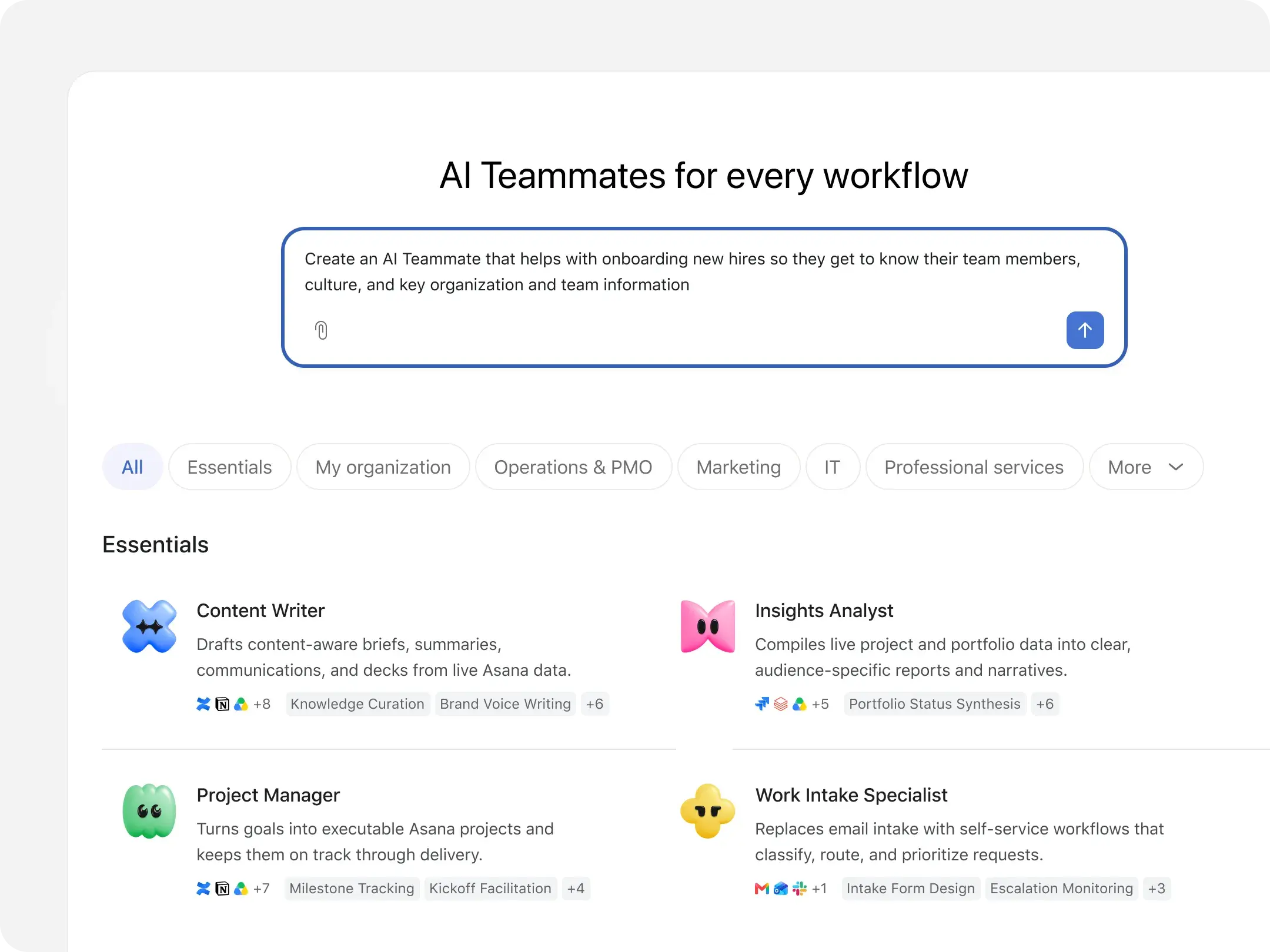
How AI solves common project management problems

Projects often fall behind before anyone notices
One team uses spreadsheets, another relies on Slack, and a third depends on weekly meetings. By the time you compile updates, the information is already out of date. A deliverable that seemed on track last Friday may become this Friday’s fire drill.

Reporting takes time from actual work
You spend Monday morning checking projects, asking owners for updates, and rewriting details for different stakeholders. Your report explains what happened, but producing it takes time you could have spent preventing the next delay.

Teams spot risks too late to act
One stalled approval can bring dependent tasks to a standstill, while an overloaded specialist might struggle to keep up with too many urgent assignments. Project managers often don’t spot these problems until they miss a key deadline.
How Asana uses AI to keep your project on track
Asana organizes your tasks, deadlines, owners, and dependencies — then puts AI to work on top of it. Bottlenecks get flagged early, updates generate automatically, and your projects stay on track without the manual overhead.
Know which projects need you
Use Asana AI and predictive analytics to review task completion, milestone progress, blockers, and workload distribution.
See which projects are on track and which need attention without asking every lead for an update.
![[Dash] Feature highlight (Asana Dash knows what’s stuck and which AI Teammate to call in)](https://assets.asana.biz/transform/8586b3c3-e095-4905-a6bf-11bf44014b5c/dash-asset-asana-dash?io=transform:fill,width:2560&format=webp)
Status updates that write themselves
Begin the week with a project status report that Asana AI generates from current task and milestone data.
With AI Studio, you can run recurring reporting workflows and create stakeholder summaries, so you only review the draft, add context, and send.
Identify risks faster
AI Teammates review dependencies while Workload Management shows each person’s task load.
Spot multiple over-capacity team members, approval delays, or schedule changes before they risk a milestone. Then reassign tasks, adjust scope, or reschedule.
![[Product UI] Workload management in Asana (Workload)](https://assets.asana.biz/transform/04f7d02f-1ce7-48dc-91d4-d17f2d3b3f9e/inline-generic-workload-2x?io=transform:fill,width:2560&format=webp)
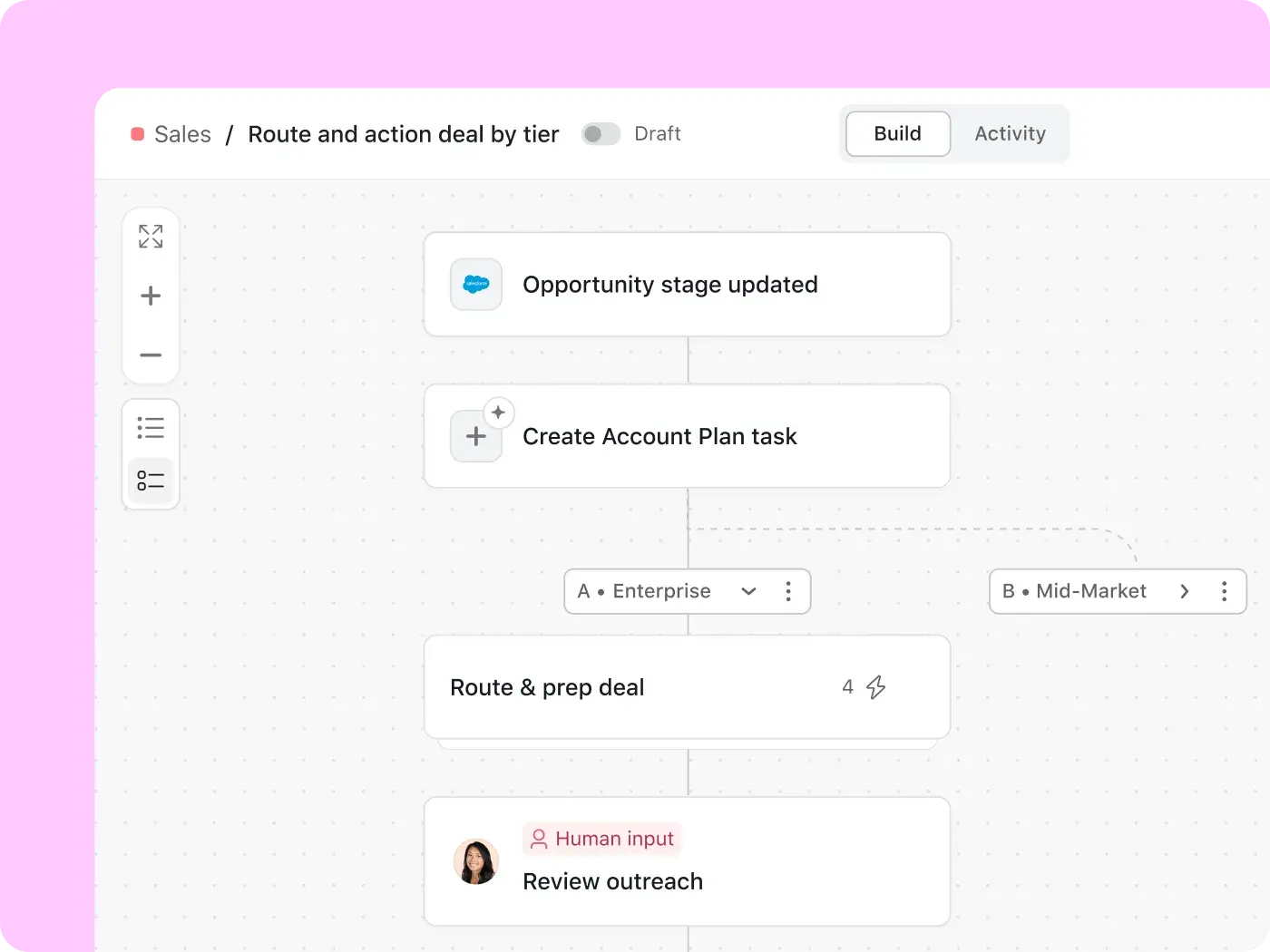
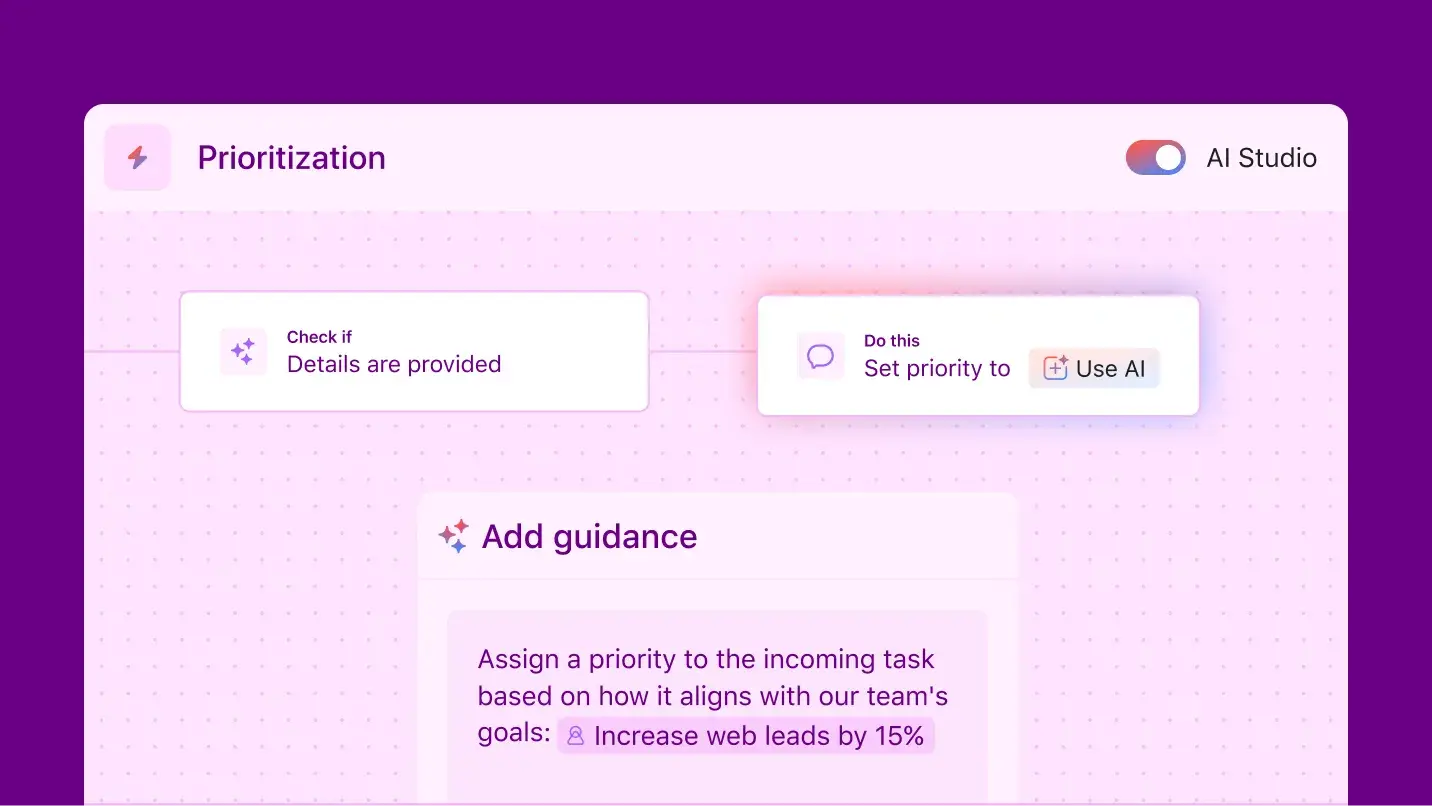
Automate workflows without coding
With AI Studio, automate intake, routing, approvals, escalations, and notifications with no-code workflows.
Add a trigger and plain-language instructions, and everything runs automatically.
AI Studio can then review requests, assign them, and notify requesters.
Put AI agents to work
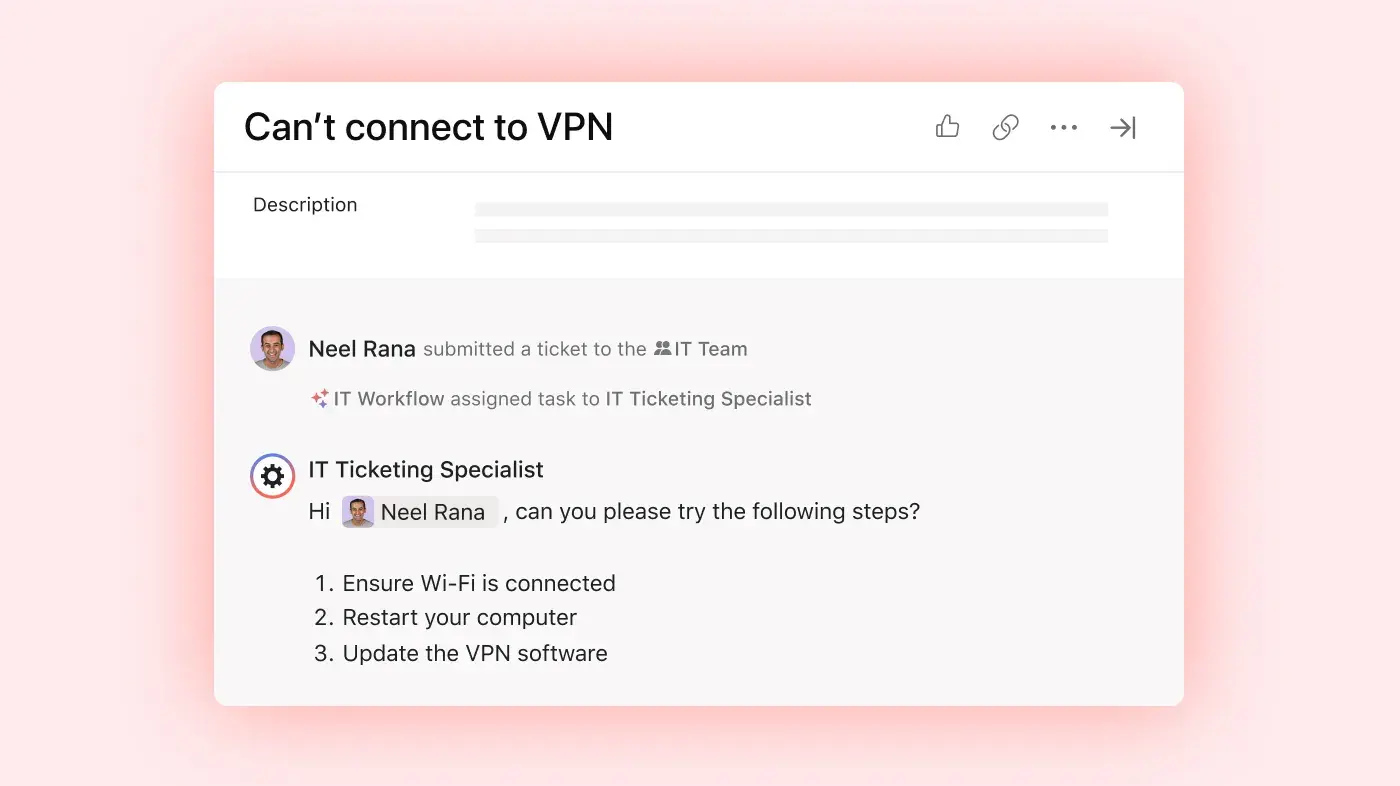
Asana AI Teammates handle multi-step assignments such as research, risk reviews, project planning, and reporting, using your team’s project context and permissions.
Use them to conduct complex tasks, share results, and involve team members at key checkpoints.
Agentic AI for project management does the work while your project leads can focus on decisions that require human judgment.
Asana AI. Built for every team

![[Teams] Marketing - Connect marketing goals to shifting business needs](https://assets.asana.biz/transform/30579e0b-1cb9-4ae4-95cc-b2c484e8efff/teams-marketing-accordion1-goals?io=transform:fill,width:2560&format=webp)

![[Teams] Operations (share image)](https://assets.asana.biz/transform/4ee3fb81-de64-4e85-91f8-34177eb1df2f/WEB-PNG-teams-operations-hero-1x1-en_us?io=transform:fill,width:2560&format=webp)
![[Team] IT (hero)](https://assets.asana.biz/transform/fbc64774-129b-4bef-908b-c0c63b70d64e/WEB-PNG-teams-it-hero-1x1-en_us?io=transform:fill,width:2560&format=webp)
Less triaging. More time managing what matters.
You're the connective tissue between briefs, stakeholders, and delivery — and the coordination never stops
When a brief lands, Asana AI checks it for completeness, routes it to the right team member based on current capacity, and builds the project timeline — automatically
AI-drafted status updates go to stakeholders on schedule, keeping you out of the inbox and focused on delivery
Asana AI helped Morningstar save $600,000 annually


Previously, it took two weeks to review a request and gather the information we needed to proceed. Now we can eliminate time spent on manual back-and-forth because Asana AI identifies and captures the information we need right off the bat.Kim Hirsch
Director of Product Management, Morningstar Retirement
$600K+
saved annually
~15,000
hours saved annually by the Research team alone
2 weeks
cut from request to review timelines
Ready to put AI to work on your projects?
Less time on status updates. More time on the work that matters. Asana AI handles the routine so your team can focus on the results.
Frequently asked questions about AI for project management
AI for project management means using machine learning to help teams plan more efficiently, automate routine tasks and updates, monitor risks, and generate project reports. In Asana, AI leverages live project information, including owners, due dates, dependencies, and milestones, so teams can act on the same information they use to manage the project. Asana offers these capabilities to any team without requiring AI expertise.
Begin by identifying a task in your project life cycle that consumes the most time or delays decision-making. Many teams start with status updates, intake routing, or risk management. In Asana, configure this initial workflow, include a human checkpoint for oversight, measure outcomes, and expand once the team is confident in the process.
Artificial intelligence relies on the quality of project data and the guidance your team provides. Incomplete tasks, inconsistent use, or over-automation can lead to poor outcomes or eliminate necessary human judgment. Asana mitigates these risks with structured data, precise permissions, and human checkpoints, but teams still need to define workflows and review key outputs.
No. GenAI can streamline workflows, draft updates, route routine tasks, and flag risks at a scale one person can't manage manually. However, project managers are still needed to set priorities, oversee resource management and strategic alignment, and take responsibility for outcomes. Asana AI provides them with more time and better information to support these data-driven decisions.
The best AI project management tool should use up-to-date project data, respect existing permissions, and involve people in decisions that require judgment. Asana integrates AI Studio, AI Teammates, and Dash with your team’s existing tasks, projects, and portfolios. Explore the complete set of Agentic Work Management features for more information.
Yes, Asana's AI partners do not use customer data to train their models and must delete customer data after each query. AI follows Asana's permission model and accesses only information currently available to the user. For details on data processing, residency, SOC 2, GDPR, and other certifications, review Asana Trust & Security.
If you're comparing free AI tools for project management, note that Asana's Personal plan does not include Asana AI. Asana offers AI on paid plans, and AI Studio Basic is available on Starter, Advanced, Enterprise, and Enterprise+ plans. AI Teammates and Dash may require additional access or purchase. Refer to Asana pricing for current plan details and credit limits.