Asana acquiert StackAI : tous vos workflows collaboratifs entre équipes et agents IA, réunis au même endroit.En savoir plus
ASANA OU MS PROJECT
Développez les capacités de vos équipes grâce au pouvoir d’Asana
Connectez et gérez le travail de toutes vos équipes pour améliorer la collaboration, la visibilité et l’efficacité.


Plus de 170 000 équipes* font confiance à Asana, des startups aux entreprises du classement Fortune 100

![[Logo] Goodrx – IA](https://assets.asana.biz/m/464cae48ddeaf94a/original/WEB-AI26-buyer-goodrx-logo.svg)







Qu’est-ce qui différencie Asana et MS Project ?
FONCTIONNALITÉS
IA conçue pour les équipes
Les AI Teammates d'Asana sont des agents IA alimentés par le Work Graph. Ils comprennent donc les objectifs, les projets et les dépendances de votre équipe dès le départ, et chaque action de l'IA est visible et vérifiable. En savoir plus.
Onboarding structuré et conseils pour une adoption rapide
Asana combines an intuitive interface with comprehensive onboarding, in-app guidance, templates, checklists, and Asana Academy training, enabling teams to scale from task tracking to enterprise portfolio management within a single platform. Learn more
Cross-functional visibility across projects
Asana connects communication and project updates in one place. Comments, file sharing, and a centralized inbox keep teams aligned, and tasks can live in multiple projects to enable cross-functional visibility and organization-wide collaboration. Learn more
Plus de 400 intégrations pour des activités associées
Asana offers 400+ integrations with popular tools like Slack, Microsoft Teams, Google Drive, and Salesforce, enabling teams to connect workflows across projects and departments and scale collaboration efficiently. Learn more
Contrôles Advanced de gestion des ressources
Asana emphasizes ease of use with visual workload views, real-time capacity planning, and flexible task management, making it easy for teams to balance work and track effort in real time. Learn more
Project and workflow customization
Asana offers multiple native project views—including list, board, timeline, and calendar—along with advanced customization through custom fields, rules, and templates, enabling teams to tailor workflows and manage work with greater flexibility. Learn more
Des rapports intuitifs à l'échelle de l'organisation
Les équipes peuvent suivre les objectifs, les portefeuilles et les indicateurs de performance pour des milliers de projets et de tâches, grâce à des tableaux de bord et des indicateurs qui font le lien entre stratégie et mise en œuvre.
Pourquoi nos clients préfèrent Asana


I've used Trello, Smartsheet, MS Project, and other platforms similar to Asana. I must say that it's by far the simplest to absorb and make your own but still align with your primary platforms for email and calendar.
Asana is very simple and intuitive to use. Additionally, our team members appreciate the dashboard, as it helps us easily visualize the status of our projects. We have also integrated Asana with Outlook Calendar, which has been a lifesaver for us.

« Avec Asana, la gestion et le suivi des OKR sont facilités. L'ensemble de notre entreprise sait quelles sont les principales priorités et peut planifier, suivre et rendre compte du travail en conséquence. Nous avons gagné en efficacité, ce qui nous permet de mettre à exécution nos initiatives et d’évoluer plus rapidement. »
- Dian Rosanti, Gestion de produit

« Au fil de l'expansion de Zoom, la nécessité d'acquérir une visibilité globale sur nos activités s'est faite de plus en plus pressante, dans l'optique de hiérarchiser les tâches et prendre les bonnes décisions commerciales. » Nous avions besoin de visibilité, de responsabilisation, de cohérence en ce qui concerne la réalisation du travail, mais aussi de partager nos connaissances entre équipes. »
– Ariel Chavan, directeur chargé de la sécurité
Asana offre aux équipes des processus flexibles et évolutifs
Découvrez comment Asana aide les équipes de toute taille à personnaliser leurs projets, à connecter leurs outils et à rendre compte de la progression, le tout au même endroit.
- Automation and AI
- User experience and usability
- Team collaboration
- Integrations and scalability
- Workload management

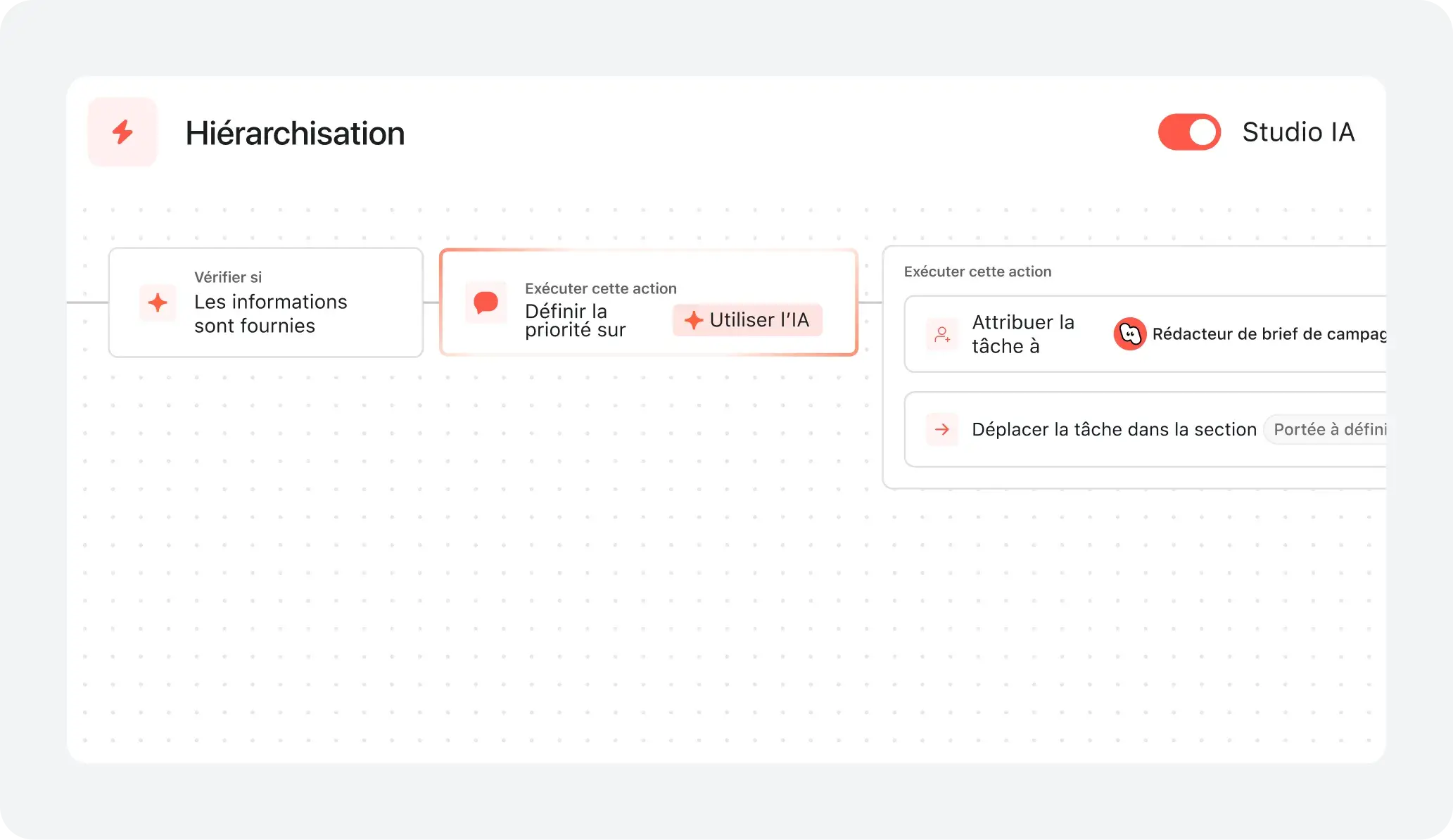
AI your whole team can actually use
Asana AI Teammates understand your goals, projects, and dependencies from day one—Microsoft’s Copilot relies on manual prompts, whereas Asana Teammates proactively understand your Work Graph.
Asana AI Teammates build shared memory that compounds across your whole team—Microsoft’s AI is session-based; once the chat ends, the context vanishes rather than building team-wide intelligence.
Every AI action is visible in your activity log, just like a human teammate—MS Planner attributes AI actions to individual users, blurring the line between human and automated work.
Structure work with an adaptable interface
Asana provides a modern, visually intuitive interface with customizable project views, including lists, boards, calendars, and timelines, so teams can organize work in the way that fits their process best.
Users can instantly switch between project views and configure saved tabs for each project to support clarity, prioritization, and efficient task management across the organization.
Microsoft Project and Microsoft Planner rely on a more complex scheduling-based interface, while Asana provides multiple project views that are flexible, accessible, and scalable across teams of all sizes.
Sync teams with live conversations & file sharing
Asana brings all project communication together with native task comments, project messages, and structured status updates, so teams can collaborate in real time without switching between tools.
Files, feedback, and conversations are directly linked to tasks and projects, making it easy to track progress, clarify next steps, and ensure everyone stays aligned, even as teams scale or work across departments.
MS Project and MS planner require teams to rely on separate tools like Teams or SharePoint for communication, whereas Asana keeps conversations, files, and updates directly within projects, making collaboration easier and providing full project visibility.
Connect 400+ integrations for scalable workflows
Asana connects with over 400 apps, including Slack, Google Workspace, Salesforce, and Tableau, so teams can automate handoffs and centralize work in one place.
Teams reduce manual updates and keep work in sync by linking Asana to marketing, analytics, and IT tools.
MS Project and MS Planner are limited to Microsoft-only integrations, while Asana supports 400+ integrations across a wide range of business apps.
Manage team capacity and optimize assignments
Asana’s workload dashboard provides a clear, visual overview of team bandwidth, making it easy to spot over-capacity members and rebalance assignments in real time.
Customizable workload views and color-coded indicators help teams prevent burnout and maintain balanced task distribution across multiple projects.
MS Project and MS Planner require separate setups and complex grids for resource tracking, while Asana provides built-in workload visibility across projects so teams can monitor capacity and manage assignments efficiently.
Ce que les experts pensent d'Asana
Asana est l’une des plateformes de gestion du travail les mieux notées par les analystes du secteur et les entreprises.

Nommé leader dans le rapport Forrester Wave : Outils de gestion du travail collaboratif 2025


Leader en matière de gestion collaborative du travail dans le Magic Quadrant 2025 de Gartner pour la troisième année consécutive
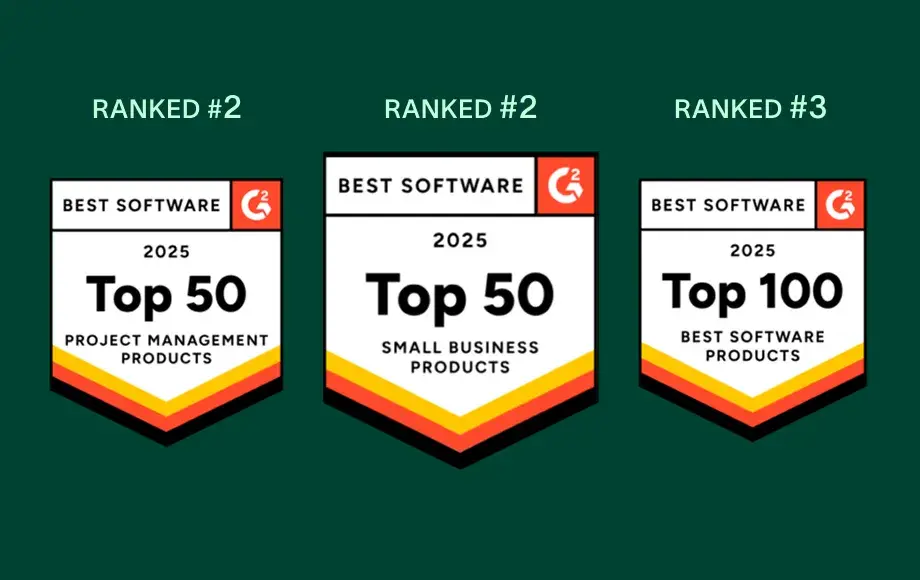
Leader dans le domaine des logiciels de gestion du travail et d'OKR avec plus de 12 000 avis d'utilisateurs


Taille de l’entreprise
Marché intermédiaire
Secteur
Technologies
Nous cherchons à tisser des liens profonds avec nos clients, tout en maintenant une approche homogène et cohérente. Asana nous aide à y parvenir. Nous y connectons Zendesk, Zoom, Slack et notre propre plateforme, faisant d'Asana une source de référence sur laquelle nous pouvons compter pour travailler efficacement et rassembler toutes les équipes.
Kevin Weiss
Vice-président de la réussite client, Retail Media, Skai


FAQ
How easy is it for my team to switch from Microsoft Project to Asana?
What onboarding resources does Asana provide for new users?
Can Asana integrate with Microsoft Teams, Salesforce, or other tools we use?
Is Asana suitable for non-technical users or teams new to project management?
What support does Asana offer for change management and adoption?
Rejoignez 85 % des entreprises classées au palmarès Fortune 100 qui utilisent Asana**
** Chiffre exact en décembre 2025, comprend les utilisateurs gratuits et payants.