


Project portfolio management software that shows every project in one view
Your portfolio review runs on last month’s slides, rebuilt by hand and out of date before leadership sees them. Project portfolio management (PPM) software gives leaders one view of every project’s status, risk, and resourcing, so they can prioritize against strategy. PPM software from Asana builds that view from live project data, showing each initiative’s health, owner, and progress in a single portfolio.
Why portfolio visibility breaks down at scale
Slide decks and spreadsheets can work when you’re managing a handful of projects, but they quickly become harder to maintain as portfolios grow. They weren’t designed for project portfolio management, which requires a clear, up-to-date view of progress across projects.

Portfolio status is a monthly reconstruction
Some status reports look like a stack of project managers’ updates pasted into a deck. By the time those updates make it into the quarterly review, they may already be out of date. Six projects show green, even though two are already running late. With no current view of project progress, leadership ends up making decisions based on stale data.

Priorities and capacity never meet
When someone approves new projects without seeing who will do the work, the three priority initiatives land on the same team in the same quarter. Nobody spotted the overlap at approval; as a result, all three priorities slip through the cracks.

Projects drift from strategy
When projects aren’t tied to the goals they support, teams can lose sight of what matters most. A low-priority project might take up an entire quarter while more strategic work sits on the back burner. On paper, your strategy is funded. In practice, your people are busy working on something else.
This is what project portfolio management software should fix. Here’s how Asana does it.
How Asana works as project portfolio management software
Many project portfolio management tools sit apart from the work and need to be fed every month. Asana doesn’t. Every project already has an owner, due dates, and progress that your teams update as they work. Your portfolio view builds from those same details.
Roll up every project into one live portfolio
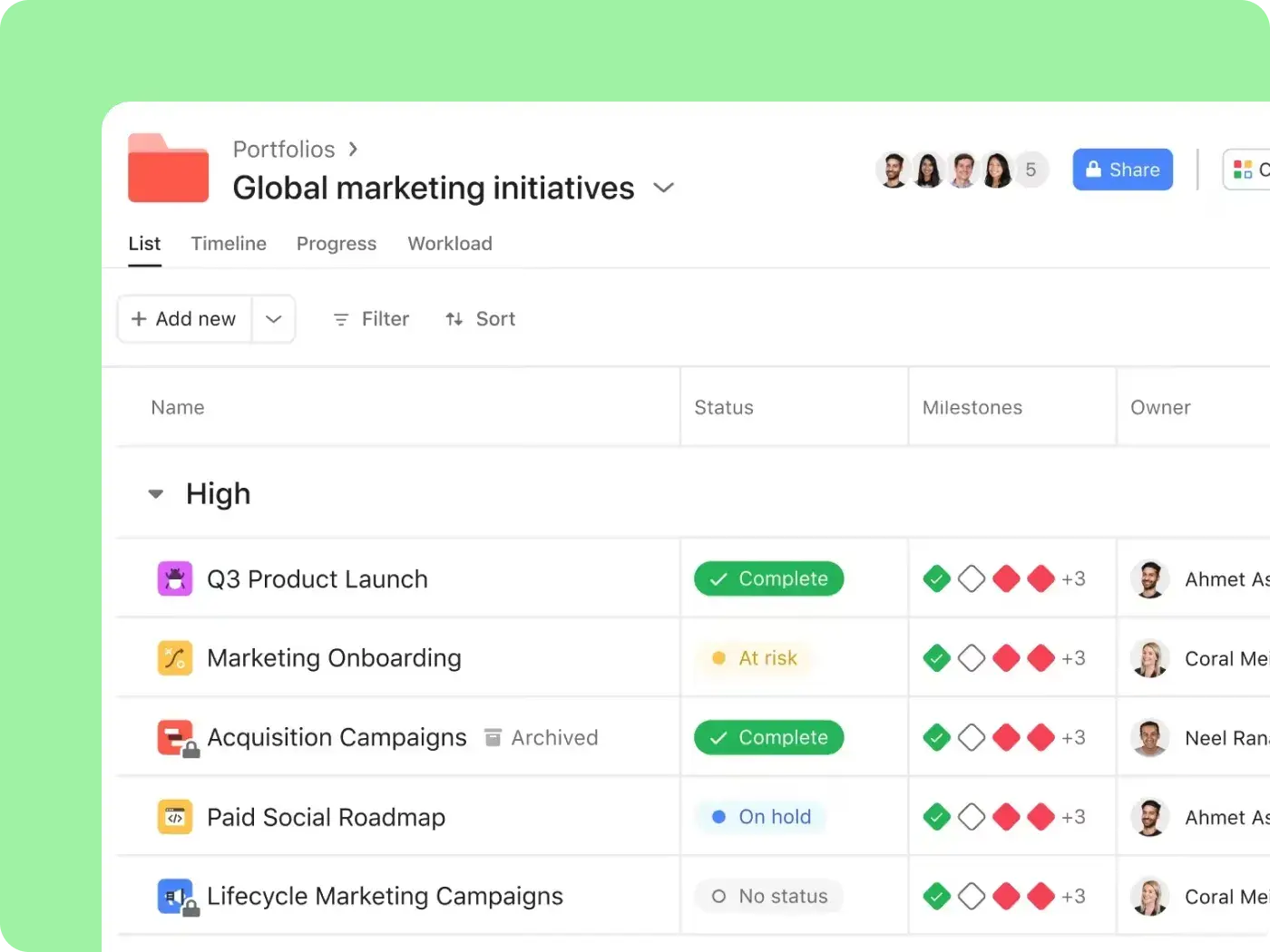
Portfolios puts every project’s health, owner, dates, and progress in one view. Progress updates as your teams complete tasks. Sort by priority or health to see which projects need attention first. Project owners post status updates within each project, which roll up to the portfolio for leadership to read.

Balance capacity across the portfolio
Before you approve the next initiative, open Workload, which shows you how busy each person is, based on the work and capacity you’ve set up. You might see three priority initiatives stacking up on one team before anyone commits. On the Enterprise plan, capacity planning extends the Workload view across your whole organization.

Connect every project to company goals
In Goals, you link projects and portfolios to the company objectives they support. Open any goal to see the work behind it. Your goal progress updates automatically from that work, so nobody needs to calculate it by hand. And when a project can’t point to a goal, you’ll know before it takes over a team for a quarter. Your strategy gets funded in practice, not just on paper.

Report to leadership without the deck
When an executive asks what’s on track, what’s at risk, and which teams are over capacity, you can answer from live data. Dashboards chart project status, on-time delivery, and active work across the portfolio. Smart status drafts a portfolio update from the latest work and flags risks and blockers. You review and edit the draft before you share it. The monthly deck rebuild turns into a quick edit.

Built for leaders accountable for every project
Project portfolio management software has to work for everyone responsible for the portfolio. Here’s how Asana supports the three roles that own PPM.



Stop rebuilding the deck
You spend days assembling portfolio status for leadership, and it’s dated before the meeting starts. With Portfolios and Dashboards in your program management software, you do a live roll-up of every project, so your team’s time goes to decisions.
Coupa increased total time savings by 658% in three years and saved about 135 workdays a year.
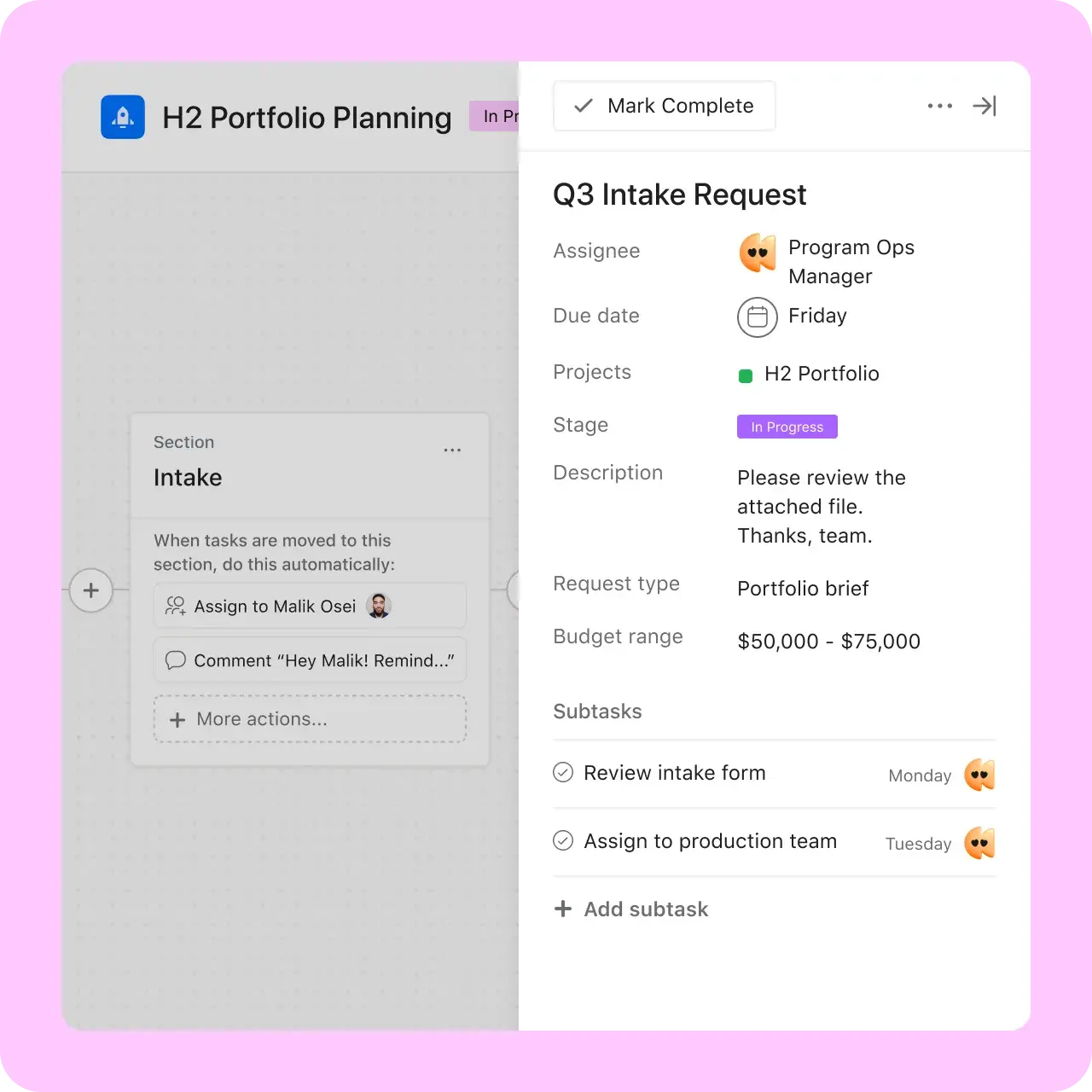
Coupa makes cloud software that helps organizations manage spending across procurement, supply chain, and finance. Its PMO runs project intake, priority scoring, the organizational roadmap, and in-flight portfolios in Asana, with dashboards that track project status and progress.


Using Asana for our project intake and prioritization process, organizational roadmap, and in-flight project tracking has been game-changing. We can take projects from request to delivery quickly and scale at pace with our business.Maya Khalidi
Manager, PMO, Coupa
See your whole portfolio in Asana
Picture your next portfolio review. Nobody spent the week rebuilding slides. Every project’s status is already current because it comes straight from the work. When someone proposes a new initiative, you can see which teams have room before you say yes. And every project on the screen points to the goal it serves.
Frequently asked questions about project portfolio management software
Project portfolio management software helps organizations see, prioritize, and resource many projects together, so leaders can fund the work that best serves strategy. Unlike a single-project tool, PPM software compares projects against each other and against company goals. Asana does this with portfolios built from live project data. Learn more in our guide to project portfolio management.
Portfolio managers typically use either a dedicated PPM suite or a work management platform. Enterprise PMOs with rigorous financial governance often opt for a dedicated suite. Cross-functional organizations increasingly use platforms like Asana, where portfolios roll up from the projects that teams already run. Your choice depends on whether you need deep financial controls or live visibility across teams.
Yes. Asana covers the core of project portfolio management. With Portfolios, you can see the status, progress, and owners of every project in a single view, and connect that work to company goals. It also supports approaches such as lean portfolio management, helping you cut waste across your portfolio.
Project management software tracks one project’s tasks, owners, and dates. Portfolio management software looks across many projects to prioritize them, balance resources, and check their fit with strategy. Asana does both from the same data. The tasks your teams update in each project feed the portfolio view leadership sees.
Yes, Asana is enterprise PPM software for portfolio visibility, status roll-ups, capacity, and goal alignment across many teams. Coupa, for example, runs portfolios for its roughly 1,000-person Value Services organization in Asana. If you need financial portfolio modeling, scenario planning, or formal stage-gate governance, a dedicated PPM suite is the better fit.
The Advanced plan includes Portfolios, Goals, and portfolio-level Workload for $24.99 mo./per user, billed annually. Upgrade to Enterprise for organization-wide workload and capacity planning across every team. Neither requires a separate add-on. See Asana pricing for the full breakdown and current plan details.
Yes. The Jira Cloud integration syncs issues and fields between Jira and Asana in either direction, so engineering work shows up in the same portfolio. The Microsoft Teams app lets people view tasks, projects, status updates, and portfolios without leaving Teams. Rules can also post updates to a Teams channel automatically.
Yes. Asana has a SOC 2 Type 2 report and ISO/IEC 27001 certification, plus ISO standards for cloud security and privacy. With the Enterprise plan, admins get single sign-on with SAML, two-factor authentication, and permission controls. Data residency and an audit log API are available as add-ons or with an Enterprise+ plan, and Enterprise Key Management is also available. See the Asana Trust Center for details.