


AI automation tools to take the busywork off your team, with Asana
You lose time routing incoming requests by hand and chasing project updates, especially when each new assignment adds another round of follow-ups to your day. Asana pairs Rules you set up with AI that reads incoming requests and acts on them. This helps you build no-code workflows with AI Studio and assign defined tasks to AI Teammates with the context they need to get started. So that way, an AI automation can categorize a new campaign request, route it to the right owner, and assign an AI Teammate to draft a creative brief for your review.
Why your team still spends its day on busywork

Repetitive manual work no one should be doing
You copy the details from an intake form into a tracker, then assign the request manually. If each request takes 10 minutes to sort, 48 requests consume an eight-hour workday before anyone starts the actual work.

Updates and reporting done by hand
You spend two hours gathering project updates from chat threads and spreadsheets for a weekly report. By the time you send it, priorities have shifted, leaving stakeholders with an outdated picture.
AI automation software takes on this repetitive coordination, and Asana brings it into the projects you already manage.

Work is stuck waiting on a handoff
You submit a finished design for review, but feedback arrives days later, after your project sits idle waiting for someone to notice it. You then rush to make the requested changes as your launch date approaches.
How AI automation tools work in Asana
Keep repetitive coordination moving inside the projects you already manage. Asana combines configured Rules with AI-powered workflows that interpret incoming information and carry out defined tasks. With AI task management, you choose where automation takes action and where a person reviews the result, keeping the work and its context together in one place.
Automate routine steps with smart workflows
Move incoming work to the right person with AI automation software in Asana. An AI-powered workflow reads a submitted request and identifies its category, then a Rule assigns it to the appropriate owner. When a designer marks an asset ready for review, workflow automation assigns the task to the designated reviewer, making the next step and its owner clear.

Hand whole tasks to AI teammates
Delegate a defined job to an AI Teammate with access to the relevant project context. For example, ask it to turn intake information into a business requirements document. The AI Teammate prepares the draft within your workflow, where you review the output and provide feedback before it’s passed to the technical team.

Build no-code AI workflows with AI Studio
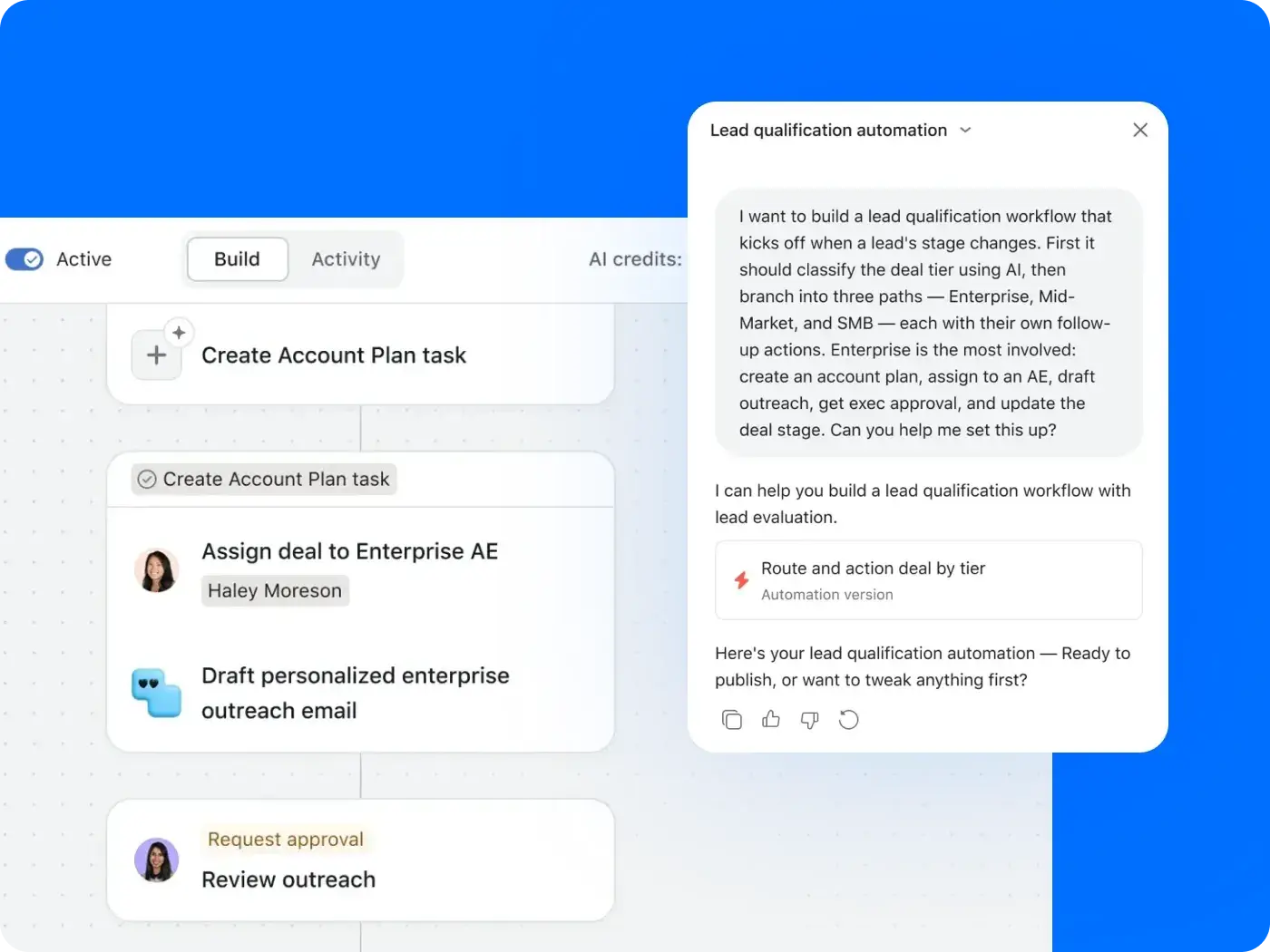
Build an onboarding process without writing code. Describe the workflow you want in AI Studio, then adjust the generated steps visually. Use Asana as your AI automation platform to turn a new-hire request into assigned onboarding tasks, with approval steps wherever you need someone to review the work.

Automate updates—built into the work, connected to your stack
Prepare project updates faster with Smart status. In your project overview, select “Draft with AI” to create an update from the project’s activity, then review and edit it before posting. Connect Asana with tools such as Slack to notify the right channel when a task finishes. You choose the trigger and action when setting up the Rule.

Make more time for the work that matters

![[Teams] Operations (share image)](https://assets.asana.biz/transform/4ee3fb81-de64-4e85-91f8-34177eb1df2f/WEB-PNG-teams-operations-hero-1x1-en_us?io=transform:fill,width:2560&format=webp)
![[Teams] Marketing (share image)](https://assets.asana.biz/transform/36811008-2c6c-4594-9a15-2fed22f8876f/WEB-PNG-teams-marketing-hero-1-1x1-en_us?io=transform:fill,width:2560&format=webp)
![[Teams] IT (share image)](https://assets.asana.biz/transform/f37d20ef-979d-48d9-a855-df0bd9cbc601/WEB-PNG-teams-it-hero-1x1-en_us?io=transform:fill,width:2560&format=webp)
Operations and service teams
As request volume grows, you spend more of your day sorting incoming work and checking who should handle it next. AI automation tools in Asana help you categorize requests and route them to the right owner through configured workflows, keeping the details attached to each task. That gives you more time to address requests that need your judgment, such as an urgent order with missing information, and improve the processes behind your daily operations.
Washmen achieves 90% faster claim resolution with an automated AI production loop
Washmen, a UAE textile-care service, used Asana AI Teammates to research item values and prepare compensation reports, with a chain of AI agents designed to escalate high-risk items to the right person. Washmen reported a drop in average claim-resolution time from two to three days to six hours and a 40–50% reduction in manual work across operations.


AI Studio and AI Teammates has transformed how we collaborate, turning complex workflows into intelligent, automated actions and allowing our teams to focus on delivering an unparalleled experience to our customers.Jad Halaoui
Co-founder and COO, Washmen
Put your busywork on autopilot
Start with one process you repeat every week, such as campaign intake, and build an Asana workflow that routes new requests to the right owner as they arrive. Next week, you could open your project to find requests already assigned and a campaign brief drafted by an AI Teammate ready for your review, giving you more time to resolve blockers and keep the campaign moving.
Frequently asked questions about AI automation tools
AI automation tools use AI to handle tasks such as categorizing requests and drafting documents. They interpret unstructured information to guide actions beyond predefined “if this, then that” rules. In Asana, you use AI Studio to build these workflows, and AI Teammates take on the drafting.
You can use AI Studio to categorize incoming requests and route work to the right owner. AI Teammates handle defined tasks, such as drafting a brief, while Smart status helps prepare project updates for review.
Workflow automation uses predefined triggers and actions to move work forward, such as assigning a submitted form to a designated reviewer. AI automation interprets the form’s written details to categorize the request or draft a response as part of that process. Asana combines rules-based actions with AI-powered steps through AI workflow automation.
Yes, some AI automation tools offer free tiers with usage limits. You can create a free Asana account, while AI Teammates and AI Studio require a paid plan. Check Asana pricing for current feature availability. You can also compare the best AI automation tools to find an option that fits your budget and workflow.
In AI Studio, you configure workflows that use project data to route work and trigger actions. Assign steps such as document drafting to AI Teammates and set approval requirements for when you need human review. Your workflows run inside Asana, with visibility into AI actions.
Both. Asana is a work management platform with built-in AI automation that helps you coordinate projects and automate project tasks, such as routing a campaign request to the right owner. Tasks stay connected to project instructions and deadlines. To automate actions across separate apps, you can connect Asana to tools such as Zapier or Make.
Yes. Asana AI follows access permissions that limit the information it can use, and administrators control AI access. Asana does not use, or allow its AI partners to use, customer data to train the generative AI models powering Asana AI. Read our AI principles to learn about our broader approach to responsible AI.
Yes. Asana connects with tools you already use, including Slack and Google Drive. What you can automate depends on the connection. For example, set up a Rule to notify a Slack channel when a task finishes. Explore Asana integrations to see what works with your tools.