


ASANA A MS PROJECT
Rozwiń możliwości swoich zespołów dzięki Asanie
Połącz ze sobą pracę wszystkich zespołów i zarządzaj nią, aby uzyskać lepszą widoczność, wydajność i współpracę.


Ponad 170 tys. zespołów* ufa Asanie – od startupów po firmy z listy Fortune 100

![[Logo] Goodrx - AI](https://assets.asana.biz/m/464cae48ddeaf94a/original/WEB-AI26-buyer-goodrx-logo.svg)







Jak wypada Asana w porównaniu z MS Project?
FUNKCJE
AI stworzona dla zespołów
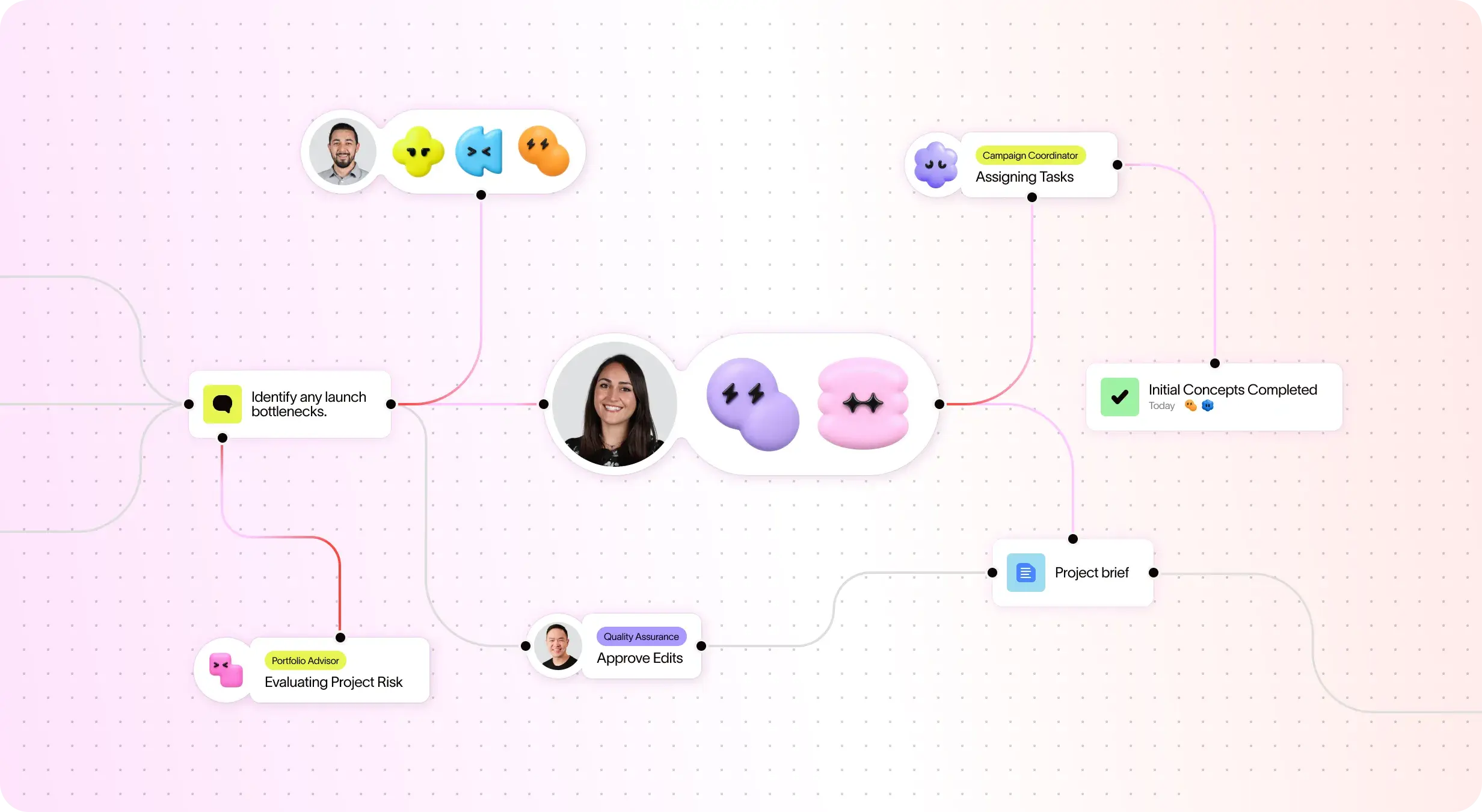
Asana AI Teammates to agenci AI wspierani przez wykres pracy, dzięki czemu od pierwszego dnia rozumieją cele, projekty i zależności Twojego zespołu, a każde działanie AI jest widoczne i możliwe do sprawdzenia. Dowiedz się więcej.
Uporządkowane wdrażanie i wskazówki ułatwiające szybkie rozpoczęcie pracy
Asana łączy intuicyjny interfejs z kompleksowym wdrożeniem, wskazówkami w aplikacji, szablonami, listami kontrolnymi oraz szkoleniami w Akademii Asany, umożliwiając zespołom skalowanie działań.
Cross-functional visibility across projects
Asana connects communication and project updates in one place. Comments, file sharing, and a centralized inbox keep teams aligned, and tasks can live in multiple projects to enable cross-functional visibility and organization-wide collaboration. Learn more
Ponad 400 integracji do połączonej pracy
Asana oferuje ponad 400 integracji z popularnymi narzędziami, takimi jak Slack, Microsoft Teams, Dysk Google i Salesforce, umożliwiając zespołom łączenie przepływów pracy między projektami i działami oraz efektywne skalowanie współpracy. Dowiedz się więcej
Zaawansowane funkcje zarządzania zasobami
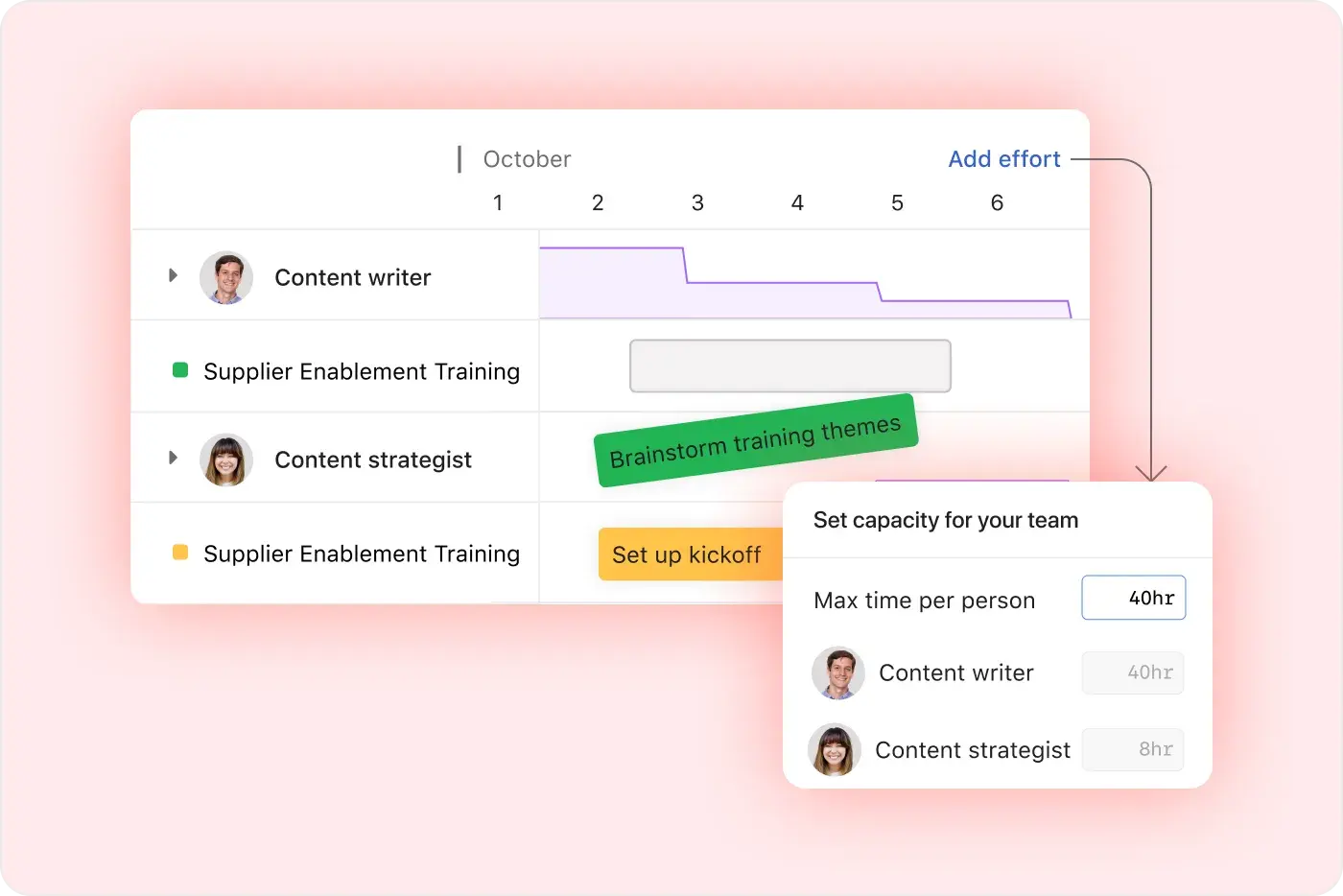
Asana emphasizes ease of use with visual workload views, real-time capacity planning, and flexible task management, making it easy for teams to balance work and track effort in real time. Learn more
Project and workflow customization
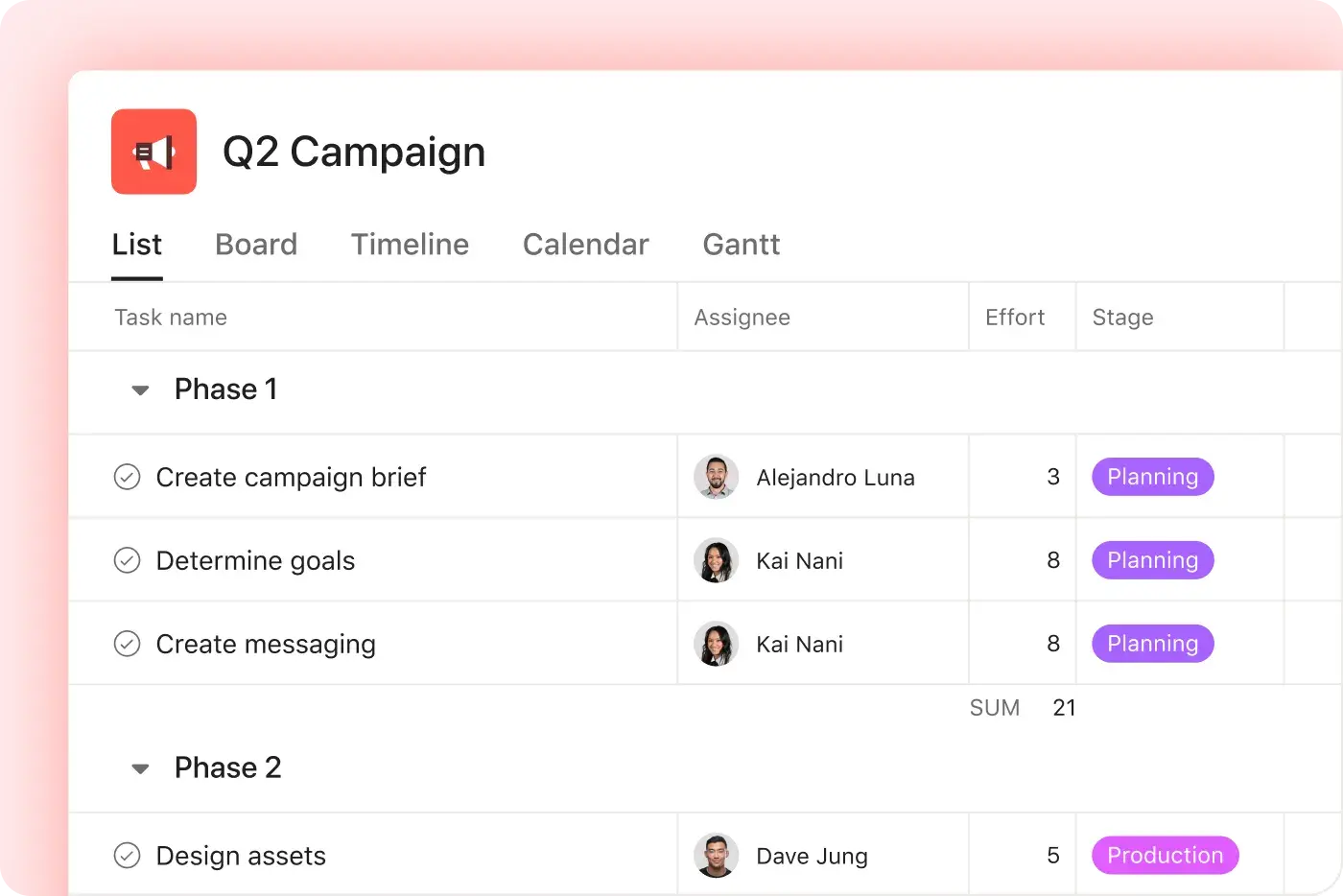
Asana offers multiple native project views—including list, board, timeline, and calendar—along with advanced customization through custom fields, rules, and templates, enabling teams to tailor workflows and manage work with greater flexibility. Learn more
Intuicyjne raportowanie w całej organizacji
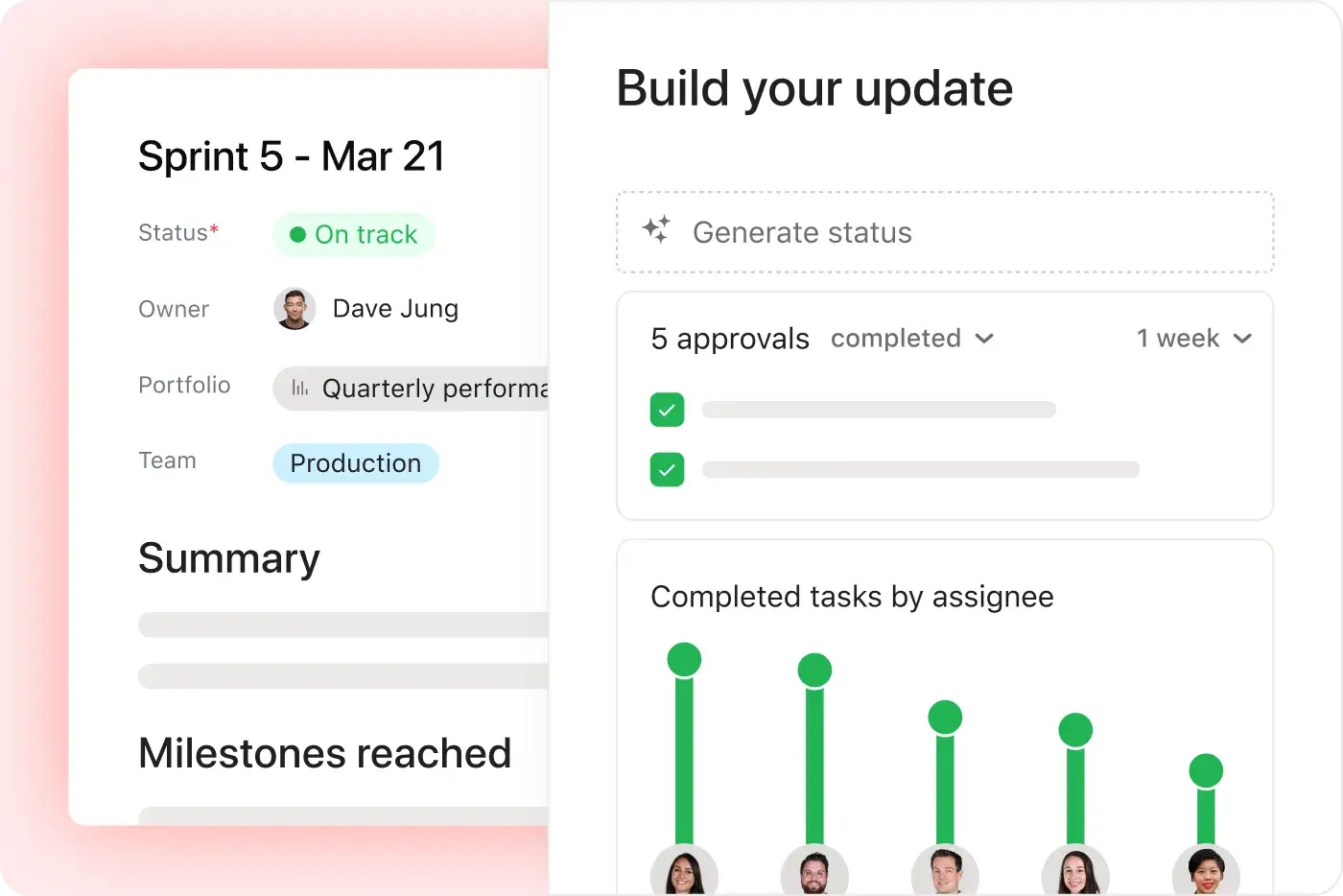
Zespoły mogą monitorować cele, portfolio i wskaźniki wydajności w odniesieniu do tysięcy projektów i zadań, korzystając z pulpitów nawigacyjnych i statystyk, które łączą strategię z wykonaniem. Dowiedz się więcej
Dlaczego nasi klienci preferują Asanę


I've used Trello, Smartsheet, MS Project, and other platforms similar to Asana. I must say that it's by far the simplest to absorb and make your own but still align with your primary platforms for email and calendar.
Asana is very simple and intuitive to use. Additionally, our team members appreciate the dashboard, as it helps us easily visualize the status of our projects. We have also integrated Asana with Outlook Calendar, which has been a lifesaver for us.

Asana ułatwia zarządzanie OKR-ami i ich monitorowanie. Wszyscy w naszej firmie znają kluczowe priorytety i mogą odpowiednio planować, monitorować oraz raportować przebieg swojej pracy. To znacznie zwiększyło naszą wydajność, dzięki czemu możemy szybciej działać i skalować.”
- Dian Rosanti, Zarządzanie produktem

„Wraz z rozwojem naszej firmy zależało nam na uzyskaniu pełnego obrazu wszystkich działań w celu ich skutecznej priorytetyzacji i podejmowania trafnych decyzji biznesowych.” Potrzebowaliśmy widoczności, Odpowiedzialności i spójności w sposobie, w jaki realizowane są zadania i projekty, a także możliwości współdzielenia wiedzy między zespołami”.
— Ariel Chavan, dyrektor ds. bezpieczeństwa
Asana wspiera zespoły, oferując elastyczne i skalowalne przepływy pracy
Dowiedz się, jak Asana pomaga zespołom każdej wielkości dostosowywać projekty, łączyć narzędzia i raportować postępy – wszystko w jednym miejscu.



![[Porównanie – Monday] Zakładka „Funkcje” (integracje i skalowalność)](https://assets.asana.biz/transform/2090e635-5343-4f52-a1ee-4e4a04a8f67e/compare-monday-fy26-features-integrations?io=transform:fill,width:2560&format=webp)
AI your whole team can actually use
Asana AI Teammates understand your goals, projects, and dependencies from day one—Microsoft’s Copilot relies on manual prompts, whereas Asana Teammates proactively understand your Work Graph.
Asana AI Teammates build shared memory that compounds across your whole team—Microsoft’s AI is session-based; once the chat ends, the context vanishes rather than building team-wide intelligence.
Every AI action is visible in your activity log, just like a human teammate—MS Planner attributes AI actions to individual users, blurring the line between human and automated work.
Co o Asanie mówią eksperci
Asana jest oceniana przez analityków branżowych i organizacje korporacyjne jako wiodąca platforma do zarządzania pracą.

Projects are spread across tools and inboxes
Lider w zakresie zarządzania współpracą przez trzy lata z rzędu

No shared view of progress and deadlines
Lider w dziedzinie oprogramowania do zarządzania pracą i OKR-ów z ponad 12 000 recenzji użytkowników

Status updates eat the week
Every Friday, you chase updates and paste them into a deck. Then Monday's check-in runs on Friday's information, because that's the last time anyone pulled it all together. It's stale before anyone reads it. Across every project you run, manual reporting turns into a second job.
This is exactly what we built Asana to fix.


Wielkość firmy
Średni rynek
Branża
Technologia
Naszym celem jest budowanie głębokich relacji z klientami w jednolity, spójny sposób. W tym właśnie pomaga nam Asana. Używamy integracji z Zendesk, Zoom, Slack i naszą własną platformą, dzięki czemu Asana staje się głównym źródłem informacji, na którym polegamy podczas realizacji działań i współpracy międzyfunkcyjnej.
Kevin Weiss
Wiceprezes ds. sukcesu klienta, Media detaliczne, Skai


Często zadawane pytania
Switching from Microsoft Project to Asana is straightforward for most teams, thanks to Asana’s intuitive interface and comprehensive onboarding resources such as Asana Academy and ready-to-use templates. Most users can learn Asana in just a day or two, enabling even non-technical team members to become productive quickly through step-by-step onboarding guidance.
Microsoft Project, by contrast, typically requires more extensive training and ongoing maintenance, which can slow down adoption for teams that want to move quickly. Asana’s simpler setup and user-friendly workflows reduce onboarding friction, helping teams transition faster without relying heavily on specialized project management expertise.
Asana provides new users with a robust onboarding experience that includes the Asana Academy for self-paced learning, live training sessions, and a library of ready-to-use templates and checklists for project management and task management. These resources are designed to help teams of all backgrounds quickly adopt the platform, reduce the learning curve, and standardize onboarding across departments.
Microsoft Project does not offer comparable built-in onboarding resources and often requires users to rely on external documentation or third-party training. Asana’s centralized learning ecosystem makes it easier for teams to ramp up consistently, without added complexity or specialized support.
Asana integrates with over 400 business tools, including Microsoft Teams, Salesforce, Slack, Google Drive, and many more, so your team can connect work across platforms without disruption. This broad integration ecosystem supports workflow automation, cross-functional coordination, and tool consolidation for both technical and non-technical users through Asana’s core project management capabilities and platform-wide features.
Microsoft Project is primarily limited to the Microsoft ecosystem and often requires additional workarounds or add-ons to connect with non-Microsoft tools. Asana’s wider integration network makes it easier for organizations with diverse tech stacks to unify workflows and reduce manual handoffs as teams scale.
Asana is designed to be user-friendly and intuitive, making it easy for non-technical users and teams new to project management to get started quickly. Most people can learn the basics in a day or two, supported by step-by-step onboarding resources, ready-to-use project templates, and the My Tasks view, with additional training available through the Asana Academy.
Microsoft Project is often complex for beginners and typically requires more time and technical knowledge to use effectively. Asana’s simpler workflows and built-in guidance make it easier for new users to manage tasks, stay organized, and adopt project management practices without a steep learning curve.
Asana offers robust support for change management and adoption through a combination of onboarding resources, professional services, and a global partner network. Teams benefit from guided onboarding, training, and expert-led change management to ensure a smooth transition, especially for those moving from legacy project management software like Microsoft Project.
Unlike Microsoft Project, which does not explicitly offer change management support, Asana’s partner ecosystem and onboarding resources are designed to accelerate adoption and reduce risk for new users.
Dołącz do 85% firm z listy Fortune 100, które korzystają z Asany**
**Według stanu na grudzień 2025 r.; obejmuje użytkowników bezpłatnych i płatnych.