


Planificación de recursos eficiente
Asegúrate de que el personal adecuado trabaje en las tareas clave de la empresa en todos los niveles de tu organización.
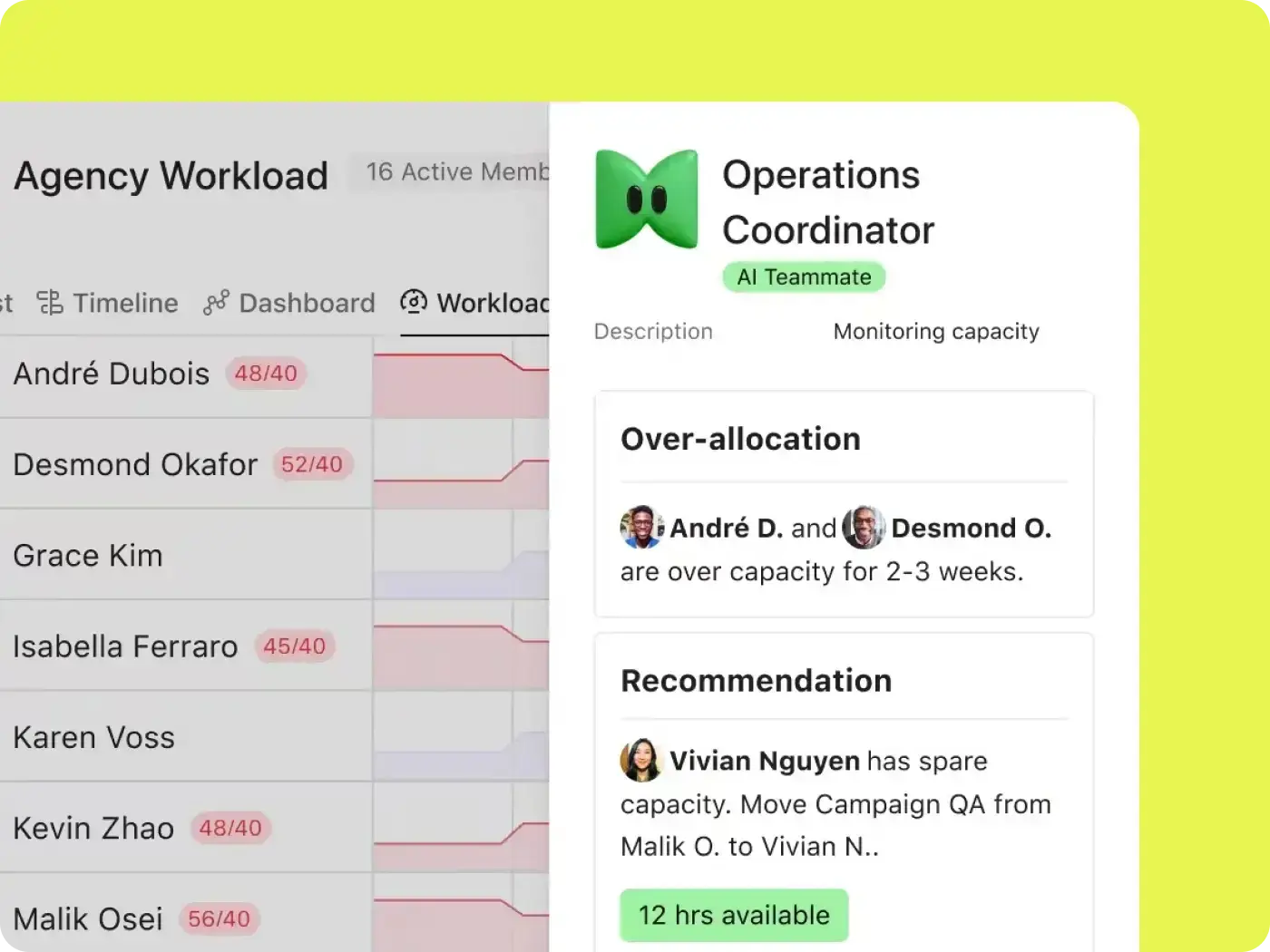
Why allocating people gets harder as projects multiply

Supervisa la capacidad
Realiza una planificación de recursos y visualiza cómo trabajan los equipos y qué recursos están disponibles en toda tu empresa.

Evita el agotamiento laboral
Reequilibra las cargas de trabajo con una planificación de recursos para que nadie tenga demasiado trabajo, o muy poco.

Modifica el rumbo rápidamente
Satisface las necesidades cambiantes del negocio con recomendaciones inteligentes gracias a la planificación de recursos.
How Asana works as a resource management tool
In Asana, every task has an owner, a due date, and an estimate of the effort it takes. The resource management features build your staffing view from those details, so project resource management happens where your projects already live. Here's how that plays out.
Iniciativas clave de asignación de personal
Con la planificación de recursos, asigna personal sin problemas a las nuevas solicitudes de proyectos. en función de la capacidad del equipo, para que las iniciativas prioritarias obtengan los recursos necesarios.
Visualiza las tareas actuales y futuras en tu planificación de recursos, de modo que sepas quién es responsable y de qué tarea, en las iniciativas principales.

Equilibra y planifica los recursos
Transfiere fácilmente el trabajo entre las personas para reequilibrar las cargas laborales del equipo
Pide a la IA que identifique qué flujos de trabajo están demorados y necesitan un impulso adicional en tu planificación de recursos.

Basa tus decisiones en los datos
Ayuda a los equipos a realizar un seguimiento del tiempo sin problemas en la misma plataforma que usan para trabajar.
Usa los datos de seguimiento del tiempo para optimizar los flujos de trabajo al comparar los cronogramas con las estimaciones originales.

Report on allocation across teams and portfolios
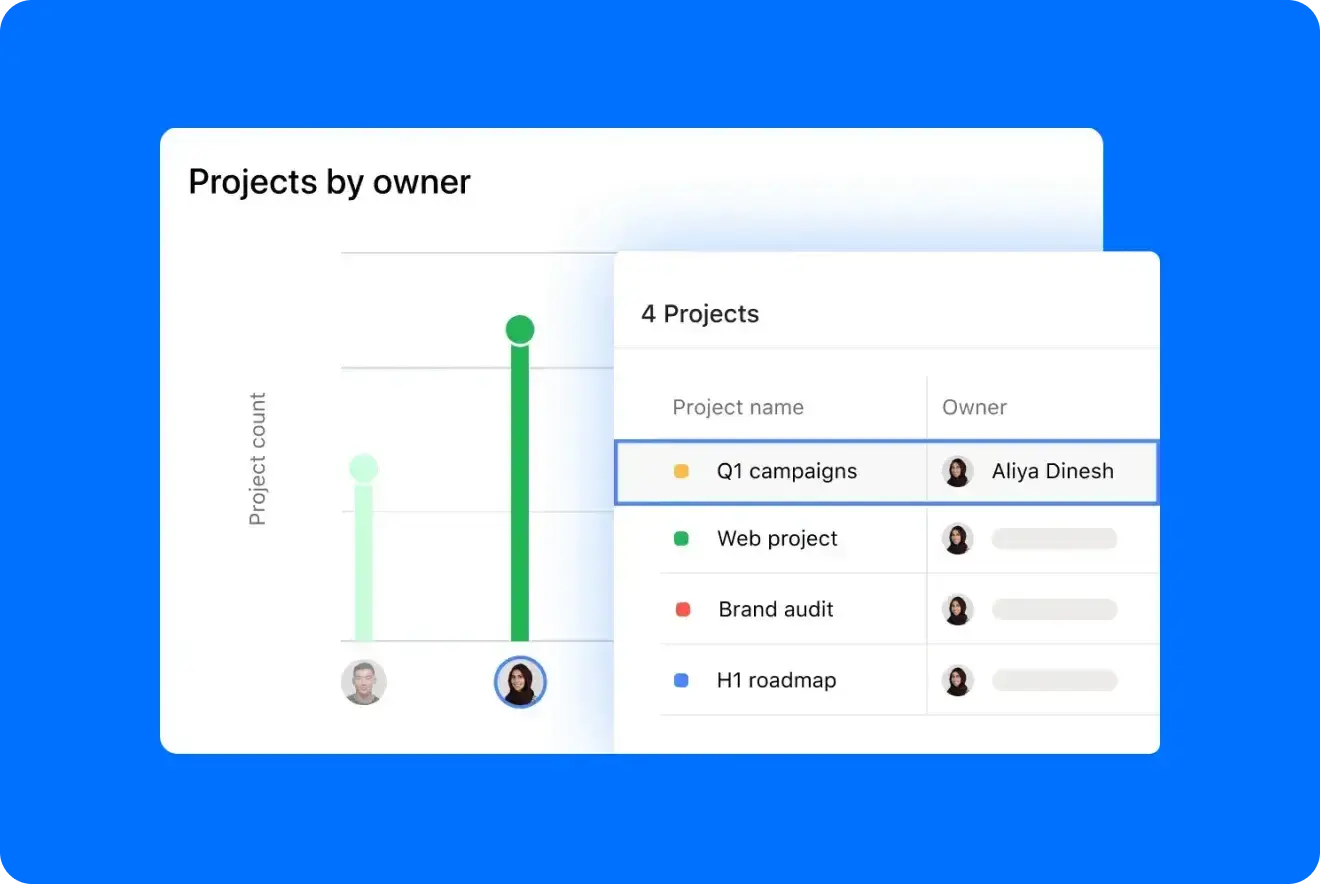
When leadership asks why your team needs another hire, show them. Portfolios and reporting dashboards roll allocation up across projects and teams, so you can point to where people are stretched and where there's room. There's no separate report to build first. Together, these resource management tools give you the numbers for a hiring request, or for saying no to the next project.
Purpose-built for the teams that decide who does the work
Staffing looks different depending on who's doing it. Here's how teams use Asana project resource management software.

![[Equipo - Agencia] Imagen principal](https://assets.asana.biz/transform/bd8fb516-1527-40d9-a49d-1978e69c189e/-16_9-Hero-Agency-Lo-Fi?io=transform:fill,width:2560&format=webp)

![[Equipos - SO] Recepción de solicitudes de la PMO (imagen)](https://assets.asana.biz/transform/52e2b46b-6cdf-41f7-bb18-e20cd55b27fb/ops-pmo-intake-mid-fi?io=transform:fill,width:2560&format=webp)

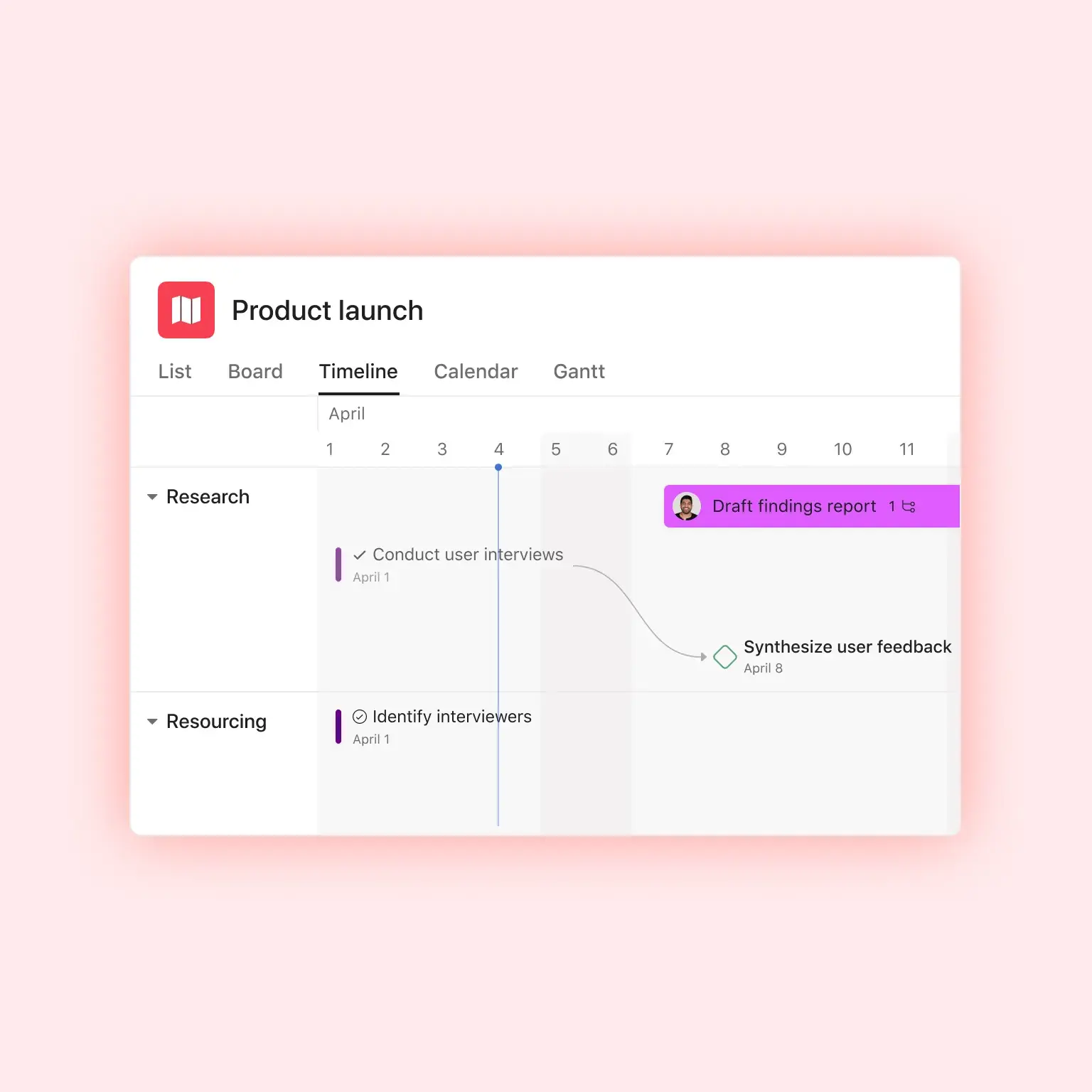
Every project in a single view
When utilization is your business model, one idle consultant or wrong assignment shows up in your margin, and the staffing spreadsheet is out of date by Wednesday. Asana puts every client project in one view, so account and delivery leads can staff each engagement against who's actually free. With the timesheets and budgets add-on, you can also separate billable hours and see how time tracks against each budget.
Asurion improved capacity planning and reached 89% team utilization with Asana
Asurion is a global technology care company serving more than 300 million customers. Its 1,100 people across training, content, media, and innovation teams use Asana to track utilization and bandwidth in real time, so managers can see who's available and where work is piling up. Projects now start 37% faster.

![[Estudio de caso] Asurion (compartir imagen)](https://assets.asana.biz/transform/7fd36f72-23bf-4f93-b431-a631334123e5/WEB-JPG_Customer-Story_Asurion?io=transform:fill,width:2560&format=webp)
Asana has completely changed the way our design team works. We now have full visibility into priorities, timelines, and workloads, which has helped us deliver higher-quality work faster—and with less burnout.Mike Evans
Sr. Manager Multimedia, Asurion
Know who’s free before you promise the work
The next time a project needs two people, you can skip the round of messages to project leads. Just open Workload, see who has room over the next few weeks, and check what else would shift if you moved someone.
Frequently asked questions about resource management tools
A resource management tool is software that tracks how your team's time is committed across projects and shows who has room before you assign new work. Unlike a spreadsheet, it updates as plans change and totals each person's workload for you. In Asana, that view is built from the updates your team already makes to their tasks, like reassigning work or pushing a due date.
Most teams use spreadsheets, dedicated scheduling tools, or a work management platform. With the first two, the staffing plan lives apart from the project plan, and you have to copy every moved deadline or new assignment over by hand. In a work management platform like Asana, the staffing view updates on its own whenever a task changes.
Resource management decides who does what work and when. Capacity planning looks at how much work your team can take on before you commit to it. You need both to make a good staffing call, and Asana supports both, including capacity-planning software to size up what your team can absorb.
You can track resource allocation across multiple projects by rolling every person's assignments into one view. But that only works if the work lives in one place. In Asana, each task carries an owner, dates, and an effort estimate, and Workload totals them per person across every project they're on.
You don't need a separate resource management tool if your team's work is already in Asana. Allocation comes from the assignments and effort on real tasks. A dedicated professional services tool can still make sense if you need deep billing, invoicing, or financial resource planning.
With the Advanced plan, you get Workload for $24.99 mo./per user, billed annually. Upgrade to Enterprise and you can see workload across your whole organization and plan your team's capacity. Neither requires a separate resource management add-on. See Asana pricing for the full breakdown.
The allocation view is only as accurate as what's in it. You don't need perfect estimates, though. Rough effort on the bigger pieces of work is enough to show who's overloaded. Start with hours or points on your largest tasks, then refine as you learn how long things actually take.
Yes. Allocation rolls up across projects and Portfolios, which lets an operations or PMO lead see the whole organization instead of one team at a time. When one team is stretched and another has room, you can move work between them.