


Level Agency powers the creative process with Asana AI Studio


85% of Fortune 100 companies choose Asana¹






Digital marketing firm Level Agency has built a reputation on a simple, powerful premise: “Good enough isn’t.” Their clients—from higher education institutions to fintech innovators—don't come to them for maintenance mode. They come for growth.
Level Agency understands that every minute spent on manual triage, data crunching, or staring at a blank page is a minute taken away from high-impact strategy. To bridge the gap between their ambitious strategy and client needs, Level Agency put Asana AI and AI Teammates to work alongside their creative, media, and operations teams.
“Our AI teammates don’t replace creativity; they eliminate the waiting,” said Myles Biggs, SVP of Agency Operations at Level Agency. “Instead of sitting in a queue for a couple of days, work starts the moment a task is created.”
Collaborative AI Teammates are here
Learn how AI Teammates deliver outcomes with the right context, checkpoints, and controls.
Starting creative work without the wait
Before adopting Asana AI Studio, Level’s creative team had a backlog problem. The more work they won, the longer requests sat waiting for review. As Level’s Director of Creative Operations, Eric Znamirowski’s schedule was so packed that he usually reviewed new briefs at the end of the day. That meant a simple question about missing footage or copy could delay a project by 48 hours.
To keep up with the volume without slowing down, Level used Asana AI Studio to build a smart triage workflow. By teaching the AI what a perfect brief looks like—based on three years of past experience—this system serves as a 24/7 review partner.
Here’s a look at how the new workflow operates.
Step 1: AI checks the work against the rules
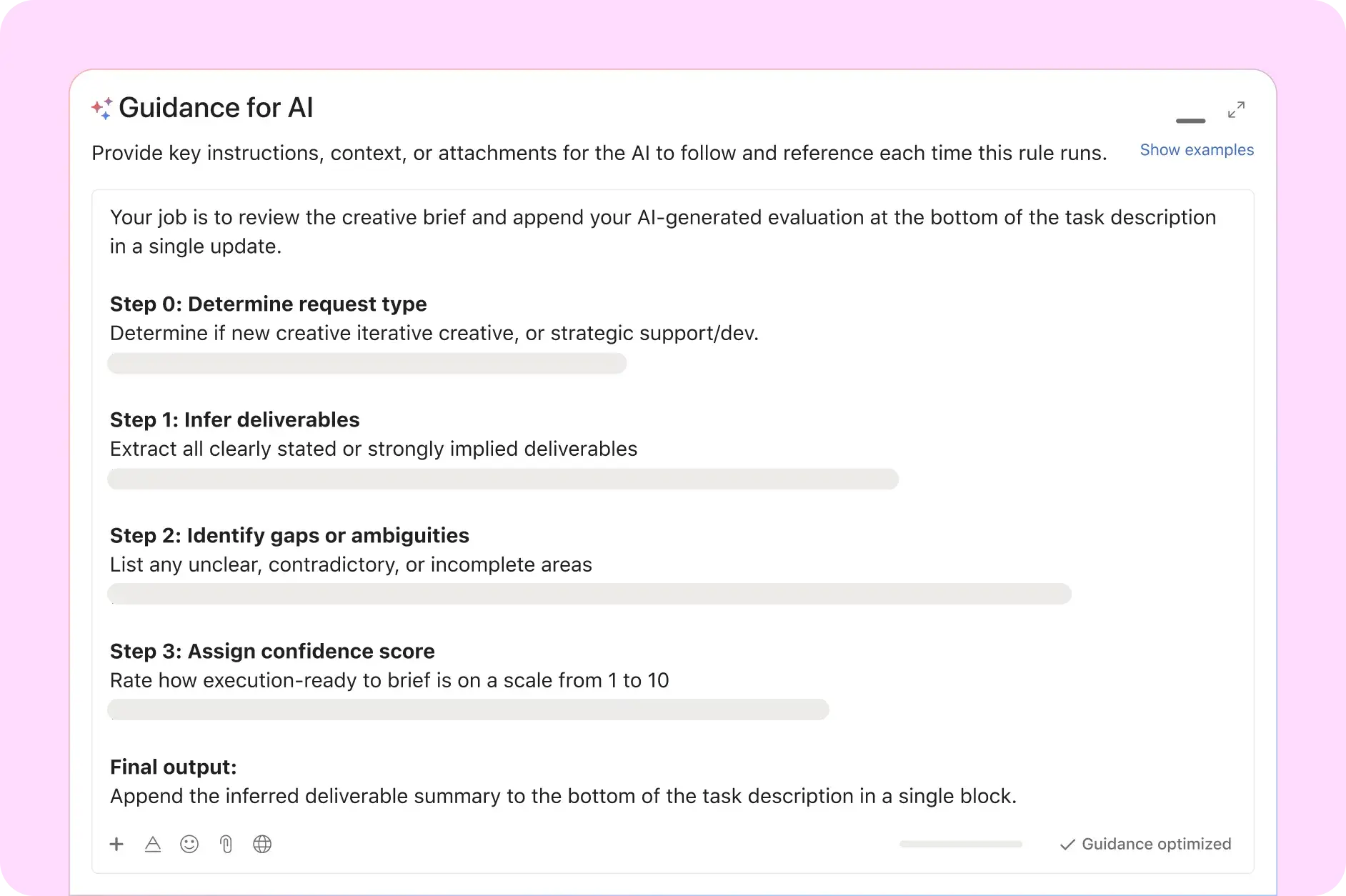
As soon as a brief is submitted, the AI reviews it against the team's established logic. Because the model was trained on years of historical examples, it knows exactly what each request needs, instantly scanning for specific blockers such as:
Missing assets: Identifying if video footage or key design files are missing from the attachment field.
Unclear requirements: Flagging vague instructions regarding copy needs or character counts.
Ambiguous context: Checking if the requestor failed to provide necessary background info for the campaign.
Step 2: AI asks for fixes immediately

If something is missing, the AI doesn't just flag it for review; it handles the correction itself. The workflow keeps the process moving by:
Commenting back instantly: The AI posts a comment to the submitter: “We noticed these pieces were missing. Can you clarify if this is right?”
Tagging the requestor: Ensuring the submitter sees the notification immediately.
Fixing in real-time: Allowing the submitter to update the brief while senior creatives focus on high-value work, so the task is actionable the moment they see it.
Step 3: AI organizes the project details
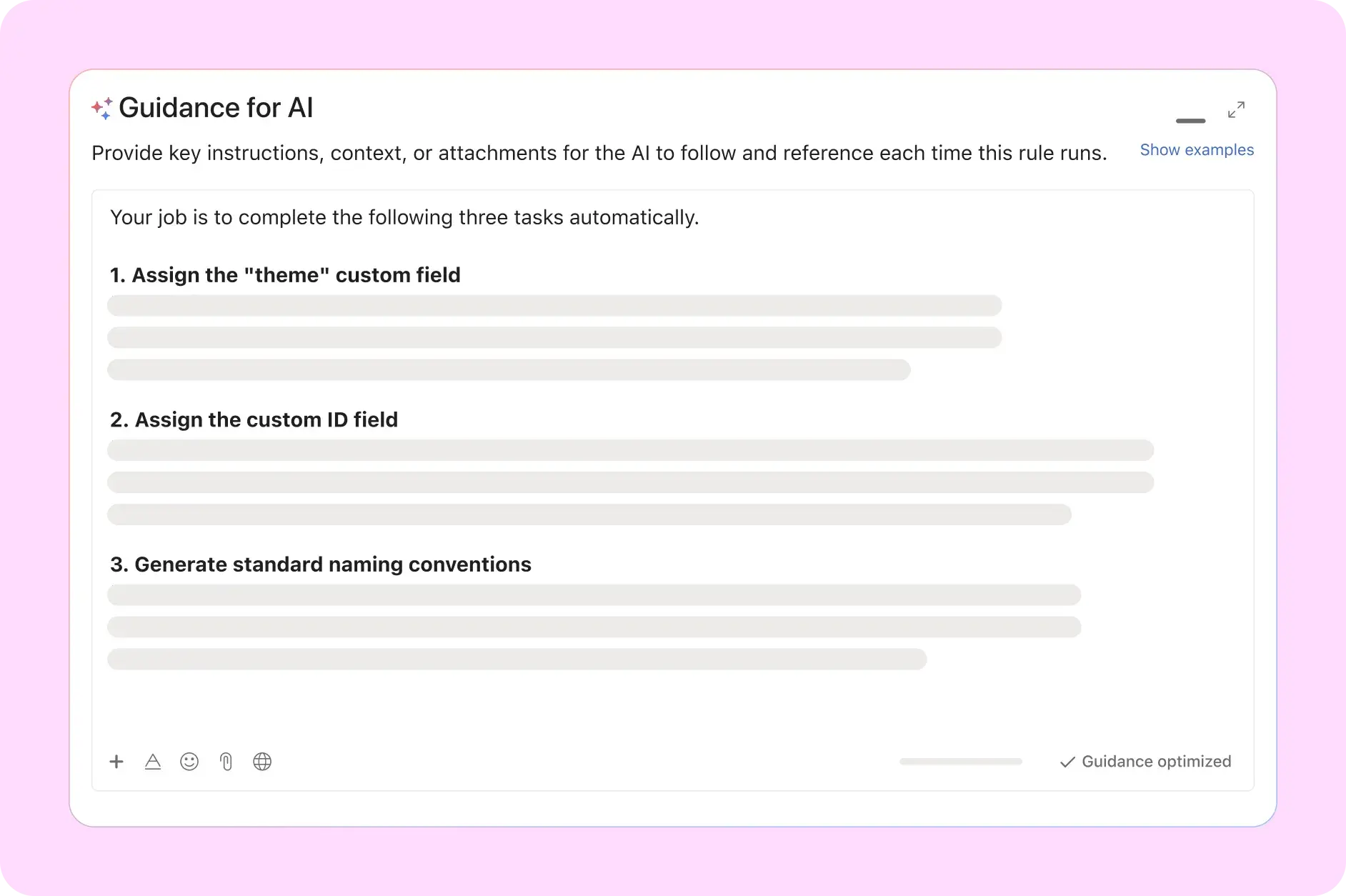
Once the brief is approved, the AI handles the administrative setup to keep the entire production pipeline organized. The workflow standardizes the task by:
Generating a custom ID: Creating a unique identifier based on the specific client code and the date of submission.
Applying themes: Tagging the task with the correct creative theme for sorting.
Creating file codes: Generating specific code names for the creative team to use when organizing assets in their Drive or digital asset management (DAM) system.
“I was the only Creative Ops person as the team grew, so Asana AI Studio essentially let me clone myself," said Eric. "This isn't just about saving time; it's about capacity. We can handle higher volumes of work without extra headcount because the AI handles the heavy lifting.”
Skipping the blank page to focus on strategy
Level’s next challenge was a creative one. Even with a perfect brief, copywriters often lost hours staring at a blinking cursor, trying to draft initial concepts from scratch. To get moving faster, Level introduced an AI creative teammate trained on specific client guidelines and successful campaign history.
This agent handles the first draft, giving human writers a running start instead of a blank page.
Here's how the AI creative teammate collaborates with humans.
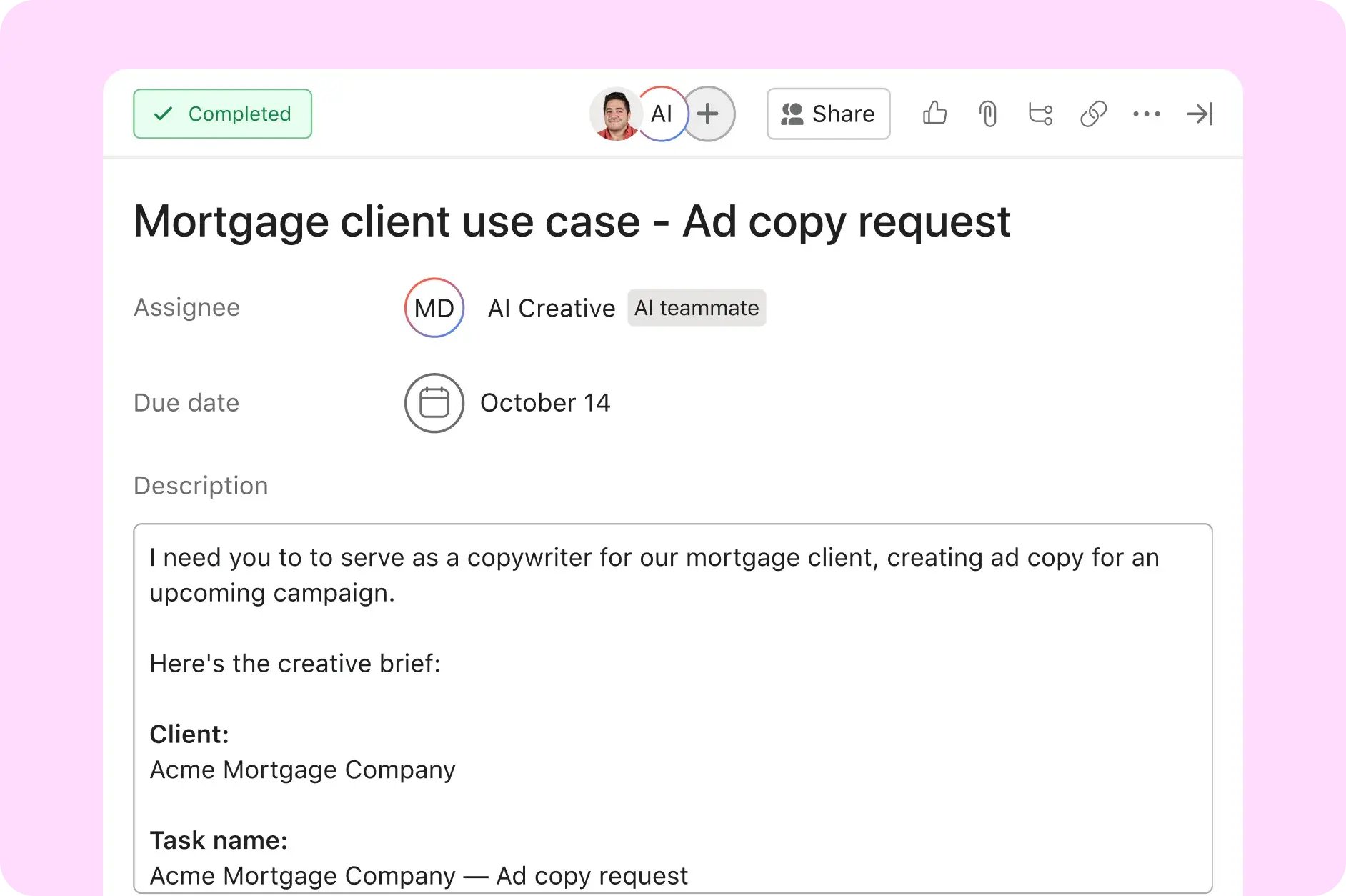
Step 1: AI reviews the strategy
Once a task is assigned, the AI creative teammate reads the creative brief and attachments. It acts on its own to understand the goal, referencing key strategic documents to ensure on-brand accuracy:
Brand guidelines: Checking the client’s specific tone of voice and style rules.
Client history: Reviewing past wins and successful campaigns to understand what has worked before.
Industry regulations: Ensuring the initial concepts adhere to any specific compliance needs for the sector.
Step 2: AI drafts options and explains its work
The agent goes to work immediately, generating a Google Doc filled with different copy concepts. In early tests, the AI produced 12 to 16 campaign-ready variations in under an hour. Crucially, it provides transparency by:
Drafting variations: Creating multiple options for headlines, angles, and body copy.
Documenting reasoning: Creating subtasks that explain why it chose certain angles so the team understands the logic behind the copy.
Linking outputs: Attaching the Google Doc directly to the Asana task for easy access.
Step 3: Writers focus on refinement, not first drafts

With the first draft done, human writers step in as editors. Rather than burning energy creating from zero, they refine the AI-generated concepts to ensure the final output is perfect. This shifts their role to focus on:
Selecting the best concepts: Curating the strongest options from the AI’s list.
Adding strategic nuance: Injecting the human touch and emotional resonance that AI might miss.
Final polish: Refining the copy to match the exact needs of the campaign.
“Our AI teammates don’t replace creativity. They eliminate the waiting," said Myles. "Instead of sitting in a queue for sometimes days, work starts the moment a task is created.”
Turning raw data into actionable insights
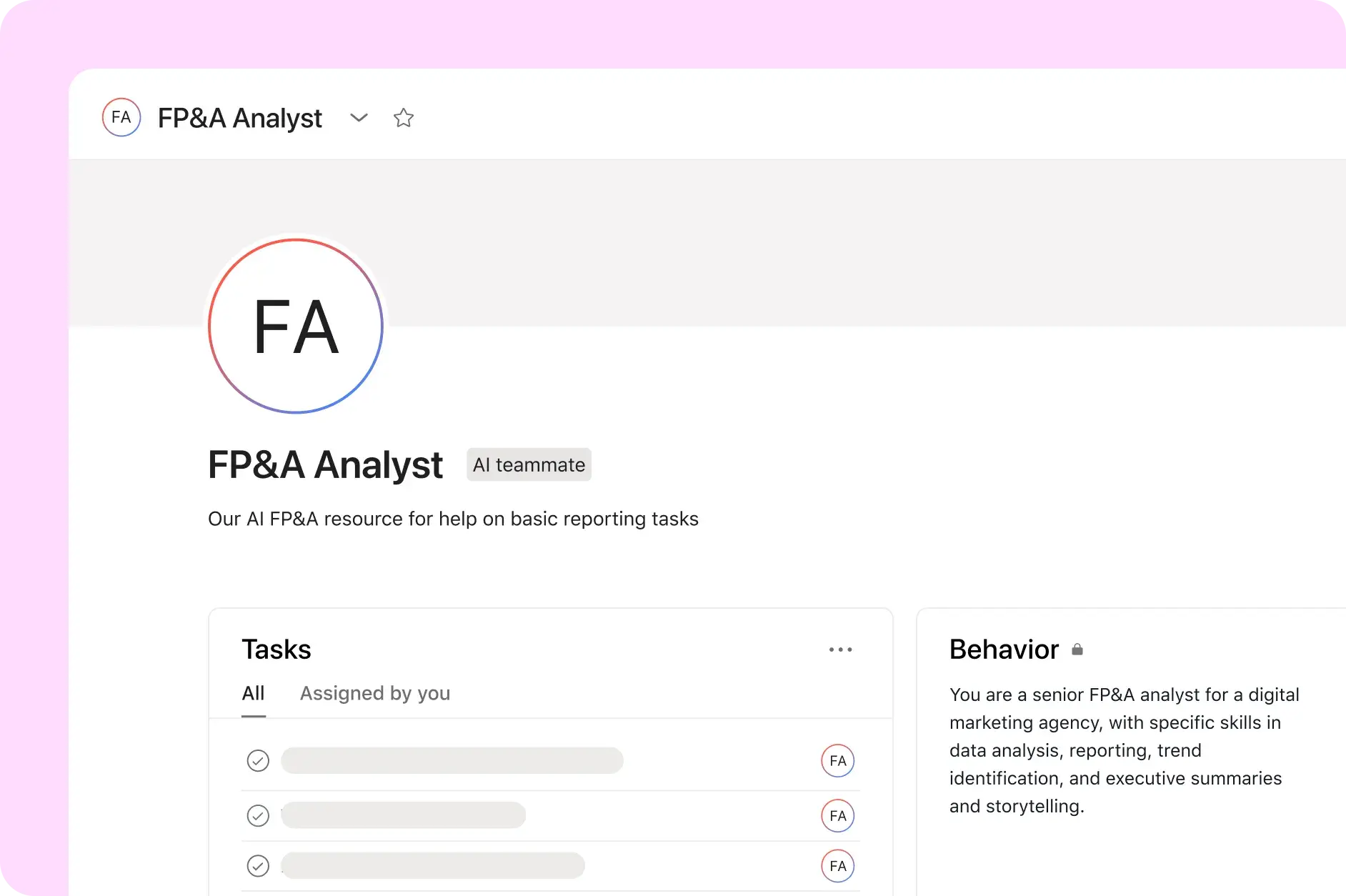
Beyond creative work, Level Agency uses AI Studio to bring new efficiency to their internal operations. The Finance and IT teams faced similar challenges with data-heavy, repetitive tasks that consumed valuable time. For the Financial Planning & Analysis (FP&A) team, reviewing monthly technology spend was a manual, line-by-line exercise.
Myles Biggs piloted an FP&A AI teammate to see if the technology could handle the heavy lifting of data crunching.
Step 1: AI reviews financial reports
The FP&A AI teammate scans the monthly technology spend report (e.g., for October). It automatically reviews the data to identify key financial indicators:
Forecast vs. Actuals: Comparing what was budgeted against what was actually spent.
Identifying variance: Flagging specific overages and underages.
Spotting anomalies: Highlighting spending patterns across different departments that look unusual.
Step 2: AI acts autonomously to visualize data
The AI doesn't just read the data; it organizes it for the human team. In one instance, the AI teammate took agentic action to improve the report by:
Creating a new tab: Asking for (and adding) a new tab in the Google Sheet to perform its analysis without cluttering the raw data.
Charting variations: Visualizing system-by-system spend variations.
Grouping themes: Organizing next steps into themes by department and tool type.
Step 3: Humans focus on the "So what?"
Instead of spending hours building the chart, the finance team receives a "pre-read" analysis instantly. This allows them to skip the manual data entry and focus on high-value work:
Interpreting the data: Moving straight to the "why" behind the numbers.
Making decisions: Resolving budget issues based on intelligence, not manual labor.
Strategic planning: Using the time saved to focus on future forecasting.

The FP&A team was spending so much time on how to do the analysis that they didn't have enough time for what to do once the analysis is done. This shifts the focus back to business intelligence.”
Reinventing how work happens
Level Agency’s work with Asana AI Studio and Teammates is more than just a tech upgrade; it’s a shift in how they think about talent. The firm believes that the secret to success isn't treating AI like magic, but treating it like a new hire.
“You want to think about it like you would if you're onboarding an actual person,” says Biggs. “Just like a person, you have to train it, give it resources, and provide coaching.”
By bringing in AI agents to handle triage, drafting, and analysis, Level Agency is making collaboration more pleasant and productive.This is how they see the future of marketing execution—where humans define the strategy, and intelligent agents help them achieve it.
Collaborative AI Teammates are here
Learn how AI Teammates deliver outcomes with the right context, checkpoints, and controls.


