Work smarter: Asana + StackAI unleashed
AI is reshaping how work gets done, and the companies that harness it right will pull ahead. In this session, discover how Asana and StackAI come together to automate the document-heavy, back-office work that eats hours of manual time. See how leading organizations are deploying AI agents across workflows like contract review, intake processing, and compliance checks—no engineering required. Then watch it all in action with a live demo.
5:26 – No Code Agent Builder Interface
9:23 – RFP Generation Use Case Demo
12:09 – Building Agents With Ask AI
17:55 – Adding Multi-Step Output Generation
26:42 – Governance and Administrative Controls
Hello, everybody. Thank you for coming. I'm Jonathan. I'm the head of sales at Stack dot ai. Before we even get started, by show of hands, who knows about Stack dot ai or is familiar with what Stack dot ai does?
Stack dot ai team knows what Stack dot ai does. So it's good. Okay. Great. So I'll give a brief overview of of Stack dot ai.
So, basically, we are an enterprise orchestration platform to build, deploy, and govern AI agents at scale. So So we work with enterprises. We provide them access to the platform. And the idea is that enterprises can have an operating system through which they can build, deploy these agents, and drive significant transformations in their business in a secure and safe environment.
So I want to take a step back and just share some data on the industry of what we're seeing in the in the market. So there was a report that came out of MIT a few...
Now almost a year ago that explains that 75% of enterprises expect full scale AI adoption within a period of three years. And that's true. I'm sure you've met plenty of CIOs around here and other tech executives and and other executives. And they tell you, look, in three years, it's gonna be a complete...
There's gonna be a complete transformation in the market and we expect most jobs, you know, to be completely transformed by AI. However, around ninety five percent of AI pilots fail before they even reach product...
To production. And we've seen that working with different enterprises that there has been many challenges in deploying AI agents at scale. And it begs the question, why? Why is this happening?
Why is everybody so bullish about this technology and they're implementing AI and yet they never get the they never get the benefits. They never get to reap the benefits of of AI pilots. So the reason, I'll share a little bit of what we're seeing in the market and why I believe that this this happens. And the main reason is because deploying AI agents or deploying customized AI agents that streamline not only one part of the process but complete transformation of an entire back office workflow is hard, is challenging.
There are many components to why this is hard. A few reasons is because the AI landscape is constantly evolving. I've never seen any, you know, in my short career, I guess, I've never seen any technology be so transformational that literally every week, you have a new technology. So I remember when Claude came out with a new model.
A few weeks ago, everybody hopped in the Claude bandwagon and believed that Claude was gonna transform their business. A few weeks later, you know, Chad...
OpenAI came up with a new model and everybody hopped into that bandwagon. So every every week, there's a new model. The the AI the AI landscape is evolving. Now open source models are taking taking us in an entire different direction.
So the AI environment changes weekly and and teams really lack the expertise and they they shouldn't, you know, be...
They have the expertise to keep up with all of these changes when they're focused in their core business. Right? The second reason is because tech development or the development needed, the AI expertise and tech expertise needed to deploy these agents is is hard. Right?
So to build a successful AI agent, need to have components such as RAG, such as function calling if you wanna connect to different databases. You require inference specialist skills. And developing these agents in house drains engineering resources for those companies that have those resources. Companies that don't even have engineering resources, you know, even further.
Right? And a third reason is governance. So we're gonna focus a little bit more on this one today. But I don't know if you guys saw a report that came out a few weeks ago out of Uber that they had budgeted all...
They had an entire AI budget for the year and they blew up...
They blew through all of their AI budget within a matter of like a month or two. So why? Because they they didn't control. They didn't have the governance structures within the the deployment that made limits to how much people can consume.
That defined by teams, how much each team can consume and have, you know, all the all the restrictions necessary to make a a successful deployment. And then finally, proving ROI. So, you know, I'm I'm on the business side of things. I'm no...
I'm not an engineer. And for me, every every investment that I see my team making, there needs to be an ROI justification for that investment. So...
And and we've seen this as teams are struggling to show leadership what AI investments return. And the Uber example is is a perfect example. If you blow through tokens in a matter of two months, there's no ROI. There's no proven ROI.
So when we consider all of these components, when we developed the Stack AI, we had in mind all of these components and we created a platform and a go to market and deployment strategy that addresses all of these four components. And that statistic, we completely turned turned it around. So in our deployments, more than 80% of our deployments are successful and then we convert them into longer term partnerships. We seek clear ROI within a matter of few months with our customers.
And I'll share a little bit why...
The...
Our approach to that.
Stack dot ai, this is the interface of Stack dot ai. We'll show you a demo briefly after so you can get an idea of what Stack ai is. But then we provide our customers this drag and drop interface so they can connect very easily, natively no code, a business user, an IT user. It's very easy to build agents.
I have zero technical expertise and I've built agents for my team. But at the same time, it is technical enough for teams that have more technical expertise to build more customized agents. And at the same time, we have a lot of governance structures embedded within the platform that they make a deployment very successful where IT teams or AI teams can control observability, governance, analytics, and have all of those mechanisms in place where a deployment becomes successful. So for example, if you wanna deploy an agent for the HR team and only have the HR connect to Workday or to any of their HR systems, you can create that restriction within Stack.
And the sales team, when they're building agents, they can only have access to HubSpot, for example, or to other of of their go to market applications.
So you can maintain those groups' features divided which... And and so on and and many other features that we'll we'll talk about later.
When we started the company, we initially started only with the platform. So we deployed the platform to enterprises. Enterprises were building in the platform. They were deploying their AI agents.
And we did have initial traction and a lot of success. But shortly we realized that ultimately enterprises needed a lot more than just a platform. They could benefit from a team that supports them and helps them and is their partner in putting these AI agents into production. And that's one...
That's when we started an internal deployment company within Stack dot ai. So in all of our deployments, we provide our customers with an AI strategist which is like a dedicated partner, sits down with the company and with the stakeholders, maps all of the processes and helps and helps them develop a strategy of how we're gonna go from an initial three agents or three workflows into a complete transformation of the company. And alongside the AI strategist, we pair our customers with a forward deployed engineer which is an engineer that flies over to the customer's office or meets virtually with them and builds the integrations.
It's hands on with the customer and building the workflows and then actually delivering on those...
On that transformation. So we started with our model. We initially started with a custom POV. We like to call it POV, a proof of value.
We try to identify the top three use cases within a company. It can be in multiple teams, whether it be operations, mostly back office processes that are manual, tedious, repetitive. We set up a KPI for each use case. For example, we need to cut two hundred hours from this process.
And then by the end of the proof of value, the idea is that those agents are already in production driving massive business impact to those teams. And that's how we deliver that 80% result and and growing. Right? And then after those three agents, that same process, we translate it or we transfer it into different departments.
So we start with the operations team, then we go into the sales team and different departments. And ultimately, after a year working with customers, they have a full AI transformation in their company. With that, I wanna invite Alberto, our head of customer success to to to the stage and he'll give us a quick rundown of the platform and give us an example of a...
Give us an example of a of a workflow that actually touches on Asana. Because Asana and Stack AI, we work very well in tandem. So workflows get triggered in Asana. They go into the outer world, go into multiple systems and then land back in... Into Asana. So with that, Alberto.
Thank you, Jonathan. Thanks everyone. My name is Alberto. I lead the customer success team at Stack AI.
And I spend most of my time working with customers to understand what are the best use cases that we can take and we can build an agent and deploy that scale within their organizations. And today, we're gonna see it in action with a quick demo, specifically with one enterprise use case which is answering to an RFP, generating a draft for an RFP, which seems like a simple use case, but the reality is that you need to coordinate many different iterations of grabbing the data, reasoning on top of the data, connect to your knowledge within the company and generate final draft. And sometimes it can take days or even more if you need to coordinate an entire team.
So let's move on and let's let's take a look at the platform. So first what you can do is that you can go to stackai.com and once you log in on our platform with your account, the first thing you're going to see is a dashboard where you can see and track all the agents that have been built within your organization and that are used. And you can organize them in different folders for departments.
For example, you can have compliance, finance, legal. And from this dashboard, you can see what data they're connected to, who is running them, all the different information that you need to govern to make sure that all the agents are within your organization in a way that is controlled.
So if you are a final user, what you can do is that you can go to Nocta like view in the agent grid and you can directly click on an agent and use it. You don't need to know how it's been built. Instead, if you are an admin or a builder, you can click on one of the agents and you are going to be brought on this canvas which is the workflow builder, which is going load in a second, in which you see all different steps, can be input, can be model, can be output and every time you click on one of the nodes, a configuration panel is gonna open on the right so that you can configure it and you can add all the configurations that you need. So let's go on and let's build an agent for the RFP drafter.
So first thing, I can go in my folder. I can create a new project and the first thing you'll see is a set of industry specific templates that you can pick from. In this case, we're gonna create one from scratch. We're gonna call it the Asana RFP drafter.
And you are going to see in a second that when it loads, we see something very similar to before. But we are at an entry point. The very basic agent workflow you can build which is an input, a model and an output.
And then what you can do is that you can search across different types of nodes that can be inputs, models, triggers, outputs, and especially you can connect to more than 500 different applications so you can really build an agent that is an orchestrator across all the different technologies and platforms that you have in your company.
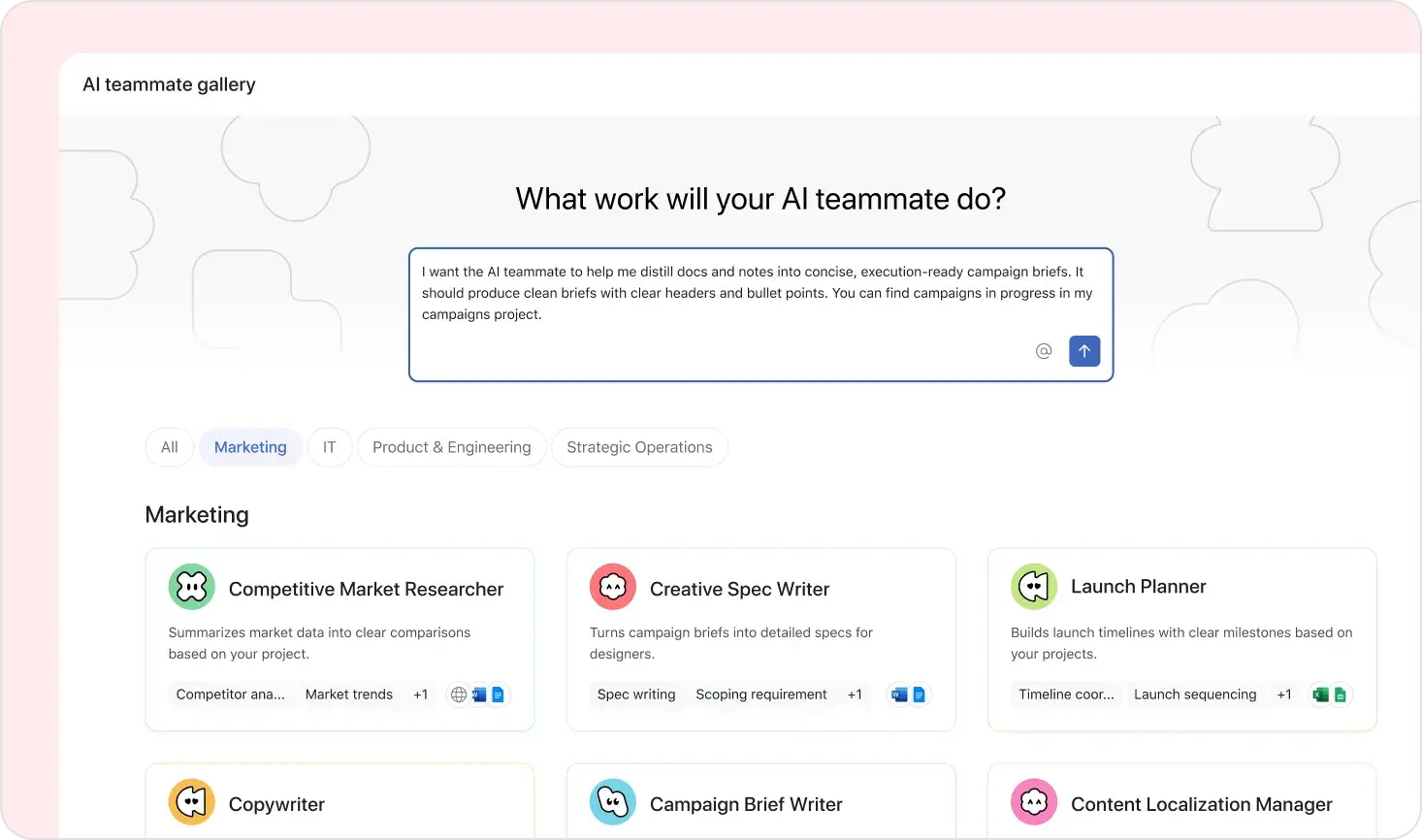
There are two ways to build an agent. You can either drag and drop and do it manually or we have directly an assistant embedded within our platform which is called Ask AI that you can simply pull up and ask a question in a conversational way to build whatever you need. So we can start it from here. Given our use case, can say, okay, I am building an AI workflow that receives an RFP in a PDF format, then uses an AI agent to read your RFP, connects to all the different data that I have within my systems, performs an action and draft a response.
And as soon as I'm going to click on submit, what's going to happen is that our Ask AI agent going to look within the platform at all the nodes and connections and integration to make sure that we pick the ones that make sense to use depending on your use case. So as soon as I click on apply workflow, what happens is that my initial nodes have been substituted because it was an initial from scratch And we still have input model output, but this time the input is for a file in which I am going to drop my PDF RFP. Then there is a model. We are going to talk about it in a second about all the different tools. And then we are going to draft the document that we need to respond to this RFP.
Let me just go back to the point.
Perfect. So here as we saw before, when you click on one of the nodes, basically you can see all this configuration panel. And especially for the model, the LLM, this is very powerful because we can provide a lot of tools that the model can use to complete the task. So first of all, we can select model provider. We are completely model agnostic so you can select your favorite model provider and your favorite model depending on the task that you have at hand. Then you have your instruction section in which you can write what the model should do as well as connect to the tools that you already saw before. We have more than 500 integrations and we are adding more so that you can connect directly to your systems depending on the type of use case that you are tackling.
Very important, we heard this morning about Rag, retrieval augmented generation. It's very easy to connect to a knowledge base within stack.ai without having to build the entire infrastructure that you would need for a RAC pipeline. So in this case, we are showing for example, we can connect to Google Drive, you can connect to SharePoint or whatever is your system that you use to to keep your file in. And in this way, the agent response is going to be based on real data from your company. So for this specific demo, we actually have a folder in Google Drive that we are going to use.
And then last but not least, you can connect to MCP servers. They are very popular today. You can connect essentially to any application. In this case we can add, for example, Asana to connect to what we heard this morning, our knowledge, the information, the work graph that we have within our company so that when I answer to an RFP I can see what's been done before.
Maybe we answered to a similar RFP before. As well as in this case we connected to HubSpot to see what the deal is about. So long story short, when you have a model, have so many different configurations that you can set up to really give more capabilities to the model so that you can use tools, connect to systems and even collect data from internally or externally. So let's move on.
Let's provide some instruction to our our model. And let's say, okay, we added some tools, so let's use them. First of all, you can use the HubSpot and Asana MCP servers to search for internal information or internal knowledge regarding this opportunity. And then we can also say, hey, we gave you the tool. Why don't you... You can also use the search on our knowledge base using the search knowledge base tool as well as the web search so that you can also collect information from outside. So we are ready.
You see before we still have the input model output. We have a couple more icons because we are connected to more systems. We are ready to test it. Very simple. So what we are going do, we are going to upload a file. We have a dummy file on a laptop of fictitious RFP.
Let's collect it. Let's get it. And again, this is the view of the builder, the person that builds the agent, you know. Then we are going see later when you expose it what you are going see.
I can take a look at my RFP and then when I click on run, it's going to start running the nodes from left to right and for example now it's parsing the document and then you can see here when it runs the model, you see all the tools that have been used. This is extremely important. We live in a world in which we don't want AI agents to be black boxes. You need to know what tool they use, what data they pick, why, so that you can always go back and have full traceability and observability of what's happening.
So now it's still running. You can see on the right it's starting to draft my document. Let's wait for a couple of seconds.
And while it continues, again, can see the icons. In this case, are connected to Google Drive, to Asana, to HubSpot and we also have some custom tools that we connected to. So let's give it a couple of seconds. Okay.
Now it's finished. And when I scroll to it, I can see that if I hover on some of the references, I can have citations pointing to the data that the model is using. Again, back to the observability and traceability. This is extremely important to avoid having a black box.
If someone asks a question, where is the data coming from, why, and you can see it was in your SharePoint or maybe in your Google Drive like in this case.
So building agents is an iterative procedure. Whenever we work with customer, the first thing we advise is always to start easy, input, monitor, output and then you can always add capabilities on top of that. So you keep control of what is going on. In this particular case, we have a model that generates a document and usually RFPs require a PowerPoint presentation. So why don't we go back to Ask AI and we ask whether we can add an additional node this time, not to replace, just to add, so that we can generate a PowerPoint.
Let me go ahead with demo.
Very similar to before, I open my Ask AI. If I want I can drag and drop. In this case I just want to communicate in a conversational way with the platform and I say please add a couple of new tools. I want an LLM that can generate a second output, specifically a slide deck.
And as soon as I click on submit, very similar to before, it's going to process, it's going to see, okay, depending on what it's asking, what are the different nodes that they have within the platform and it's going to add a new node. So you can see here, we have a new node, it's a slide deck generator, we didn't replace the one we had before, we directly connected it.
Similar to before, I go into it, maybe I have a particular choice of model that I want to pick. I click on it. In this case, is an anthropic model. I can add skills.
I connect again to tools. I can even connect to the outputs of previous nodes. For example, in this case, what I am doing is that I am also passing the original RFP that was coming from the previous node. Then I can just reference it in a very simple way by seeing what's coming in the node.
Great. So I am running it. I can run a subset of the agent and I can just see it. Again, like before, we can see exactly what are all the tools that are running, I have full visibility of what's going on.
And you see the power here. I'm giving the terminal tool. So the model now essentially has a dedicated computer that it can use to run tasks. For example, run code or in this case, prepare a PowerPoint presentation.
It's finished. I can see in my output. I'm gonna click on it and you can see that...
Let me check the time. Probably nine minutes, we ended up creating a draft and a presentation that we have for our RFP proposal. Nothing too fancy. Obviously, you can customize it.
You can add your own branding, your own style for your presentation, but you see how easy it's been with just two agents to create this. Okay. This is great, but I am a builder, am building it. Who are the people that are going to use it and how they can use this model?
They don't want to see the nodes, they just want to use it and see if it works when they need to respond to their So in stack dot ai, it's very easy to expose your agent to whoever needs to use it. And we have different interfaces depending on the use case. So first of all, you can publish it and then you are going to see an interface page which you can pick from different type of options. So for example, we can expose it as an API for our technical user that want to embed it into an application.
We can select a form for those users that just want to drop an RFP and get a response.
Or we can use the very traditional chat assistant that I am sure all of you are very much used to use with ChatGPT or with Cloud.
One important thing is that whatever is the interface that you decide to use, you can customize everything starting from the aesthetics, the branding, the coloring to make sure that it represents your brand, but especially the security and the governance. So you can select for example to put this agent behind SSO to select which person or group within this organization can have access to this agent. And this is fundamental. Stack dot ai is built on a very tight level of governance that allows to expose agents to the entire organization in a safe way, you know who is using what to make sure that yes, we build agents but we know where are they used and why and we have a full tight control on it.
Okay. This is great. We have an agent. It's exposed.
But how can we close the loop? So we heard this morning in the keynote about knowledge. You guys are using Asana. There is so much information.
For sure someone maybe already responded to a similar RFP, worked already with this company. Wouldn't it be nice that we connect all of this to Asana in a way that it can be triggered from there and go back there. So this is very easy. We have obviously a very tight integration with Asana.
And why don't we add a trigger that when I'm working, I don't need to go on Stack AI. I can go on Asana. I can create a task with an RFP, drop it there, and then kick off the entire agent.
So let me go back to Ask AI and we can say, hey, want this workflow to get triggered every time I add and assign a task to a specific project, maybe I have a project specific for this deal or this opportunity. And then I ask, okay, please update the workflow.
The first thing you're gonna see is that similar to before, it's gonna add a couple more nodes.
And here we have, for example, one trigger that whenever there is a new assign a task in a project, it triggers the entire workflow and then a couple of other nodes to get the attachment. Let's say that I don't want to use these nodes, so I can simply go and... First I connect obviously to the Asana workspace, but I can simply go and delete some of these nodes because what I want to do is that I want to get directly the information of the task and then I going to use the MCP server and the connection to Asana to collect the attachments, the notes and everything that I have there.
So here I deleted a couple of notes and then now I have the trigger going into my first agent. And what I am doing is that I can collect so many pieces from that task. So in this case, I am providing an instruction things like the project ID, the task ID, the resource ID. We have more than 190 different artifacts connection that we can take from directly from the Asana the Asana environment.
So here what I'm doing is that I'm getting that as an input and then I'm just going to add a brief sentence saying, hey, you have this information, use the Asana MCP to find the attachments attachments and especially write back in the comments when we have the final draft. So everything leaves in Asana. I'm going to do the same also for the second node, the one that is taking care of the PowerPoint presentation. Similar thing, it's very easy to reference previous nodes.
And then once this is done, I'm just going to make sure that also the second node is connected to the MCP. So I'm connecting to Asana. You're going see now that I'm connecting to the MCP and then I'm going to connect to the the my Asana workspace and to the project. All of these obviously you have authentication, you have the right level of role based access control so that in a safe way you can just connect to where you can connect within your organization.
So let's see what's happening here. Okay. Perfectly, connected and now I'm ready to kick it off. So in the final situation what I'm going to do is that this is going to be published, it's going to be hosted somewhere, you just drop a task in your Asana and it's going to start.
But now I want to test it. So what I can do is that I can connect it to my Asana and I can basically pull in some test data based on a dummy task that I can create. So now I am going on my Asana, I can create a task which is respond to this RFP. I can go into my attachments, add a dummy file, probably a file that is different from the one we saw before.
And then as soon as this is done, I just refresh it to make sure that we pull the sample data and then in real life you don't need to come here. Whenever you drop your RFP it's going to start and then when I'm ready, I can just kick it off. So let's select the task that's been added. You can see it's called respond to this RFP.
Let me fast forward a little bit.
Perfect. So what's happening here is that I clicked on run, collect the sample data, and now it's happening exactly the same thing that you saw before. So it's executing from the beginning, taking the RFP, generating a response and a deck. But the difference is that I am not dropping the RFP there, it's pulling it from Asana, from my system of records and then it's going to write it back.
While it runs, I see all the different tools and on the bottom right, you can also see all the different steps and nodes within your workflow. This is very important back to observability and traceability. Agents can become complex, can have multiple nodes. It's nice to have an easy way to know, okay, these are the steps that I'm following.
It's very easy.
Get the file, run the first model, run the second model and generate the response. So let's wait a couple of seconds for when it's going to finish.
Let me see if I can fast forward a little bit.
And then, yes, it's writing the file so we should be able in a second to take a look at our presentation. It should be similar to what we have done before. Perfect. It's completed. You can see, you can track obviously if there are any failures. And then here, I can simply click and I can go ahead and see the presentation and then we can go back to Asana to check if we actually wrote into the task.
Should be good.
Perfect. So here is the presentation that we just opened but now let's go back to Asana and let's see that we actually have it there.
So if I go back to my task, respond to this RFP, if I scroll down, there is going be the attachment as well as all the draft that I have created. Again, very simple, starting everything from our system of work and going back there with the additional information.
Okay. Now that we have this, the thing that you would do next is to publish it so that you don't need to click any button, it's going to just start whenever you have an RFP. And once it's published you still want control, you still want to see okay who is using this, how many tokens are being used. And if you want to have visibility you can absolutely have it. So what you can do is that you can go to the page we saw before, the dashboard, more for admins and builders and you can see a full trace of the previous runs, how much they take as well you can go back and see okay, which data am I connected to, Can I publish it into my agent grid? And you have a full control layer on top of the agents. So even if you have many hundreds, thousands of agents within the company, you know what's happening.
Thank you so much for your attention. You saw how in about twenty minutes we built an RFP generator starting from scratch.
This is an example of an agent that I think it took fifteen minutes to build, right, approximately.
Like, my team, we get dozens of RFP requests of proposals to bid on different projects. I have...
We have this agent in all of our Salesforce. Right? Every time that there's a proposal, we just upload it and we get an entire response. So what it took my team before an entire day to, you know, look at the requirements, go through every requirement and, you know, sometimes these RFPs are 20 or 30 pages long.
Now it takes just a few minutes. Right? So this is just an example of a a use case where there is significant ROI. Ultimately, like picture a world where you have hundreds of these agents in a company driving massive impact across the org.
Thanks, everyone. Thank you, everybody.