


Vindaris + Asana
Sync Asana tasks to strategic goals and surface execution risks before you miss your KPIs.
What is Vindaris?
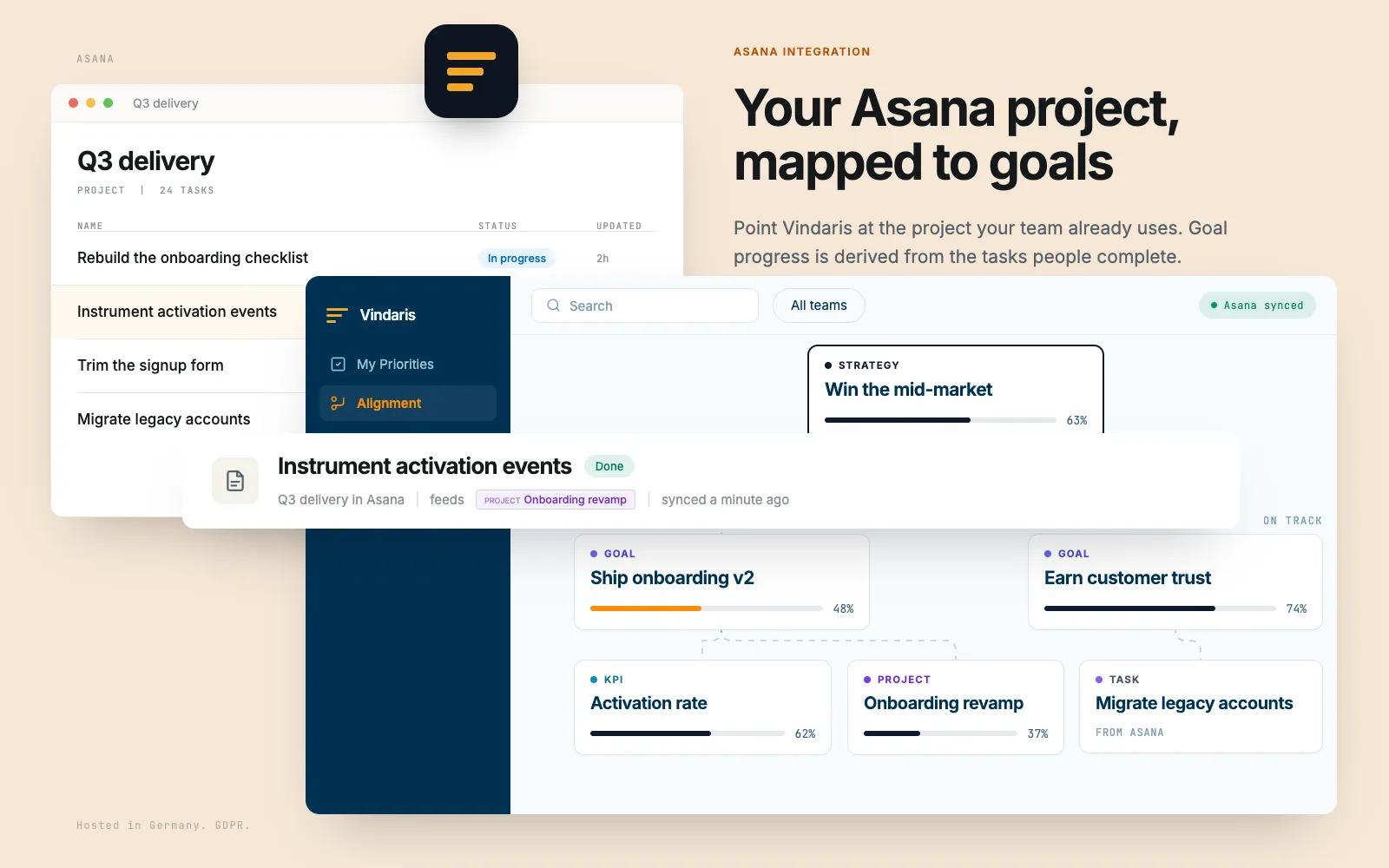
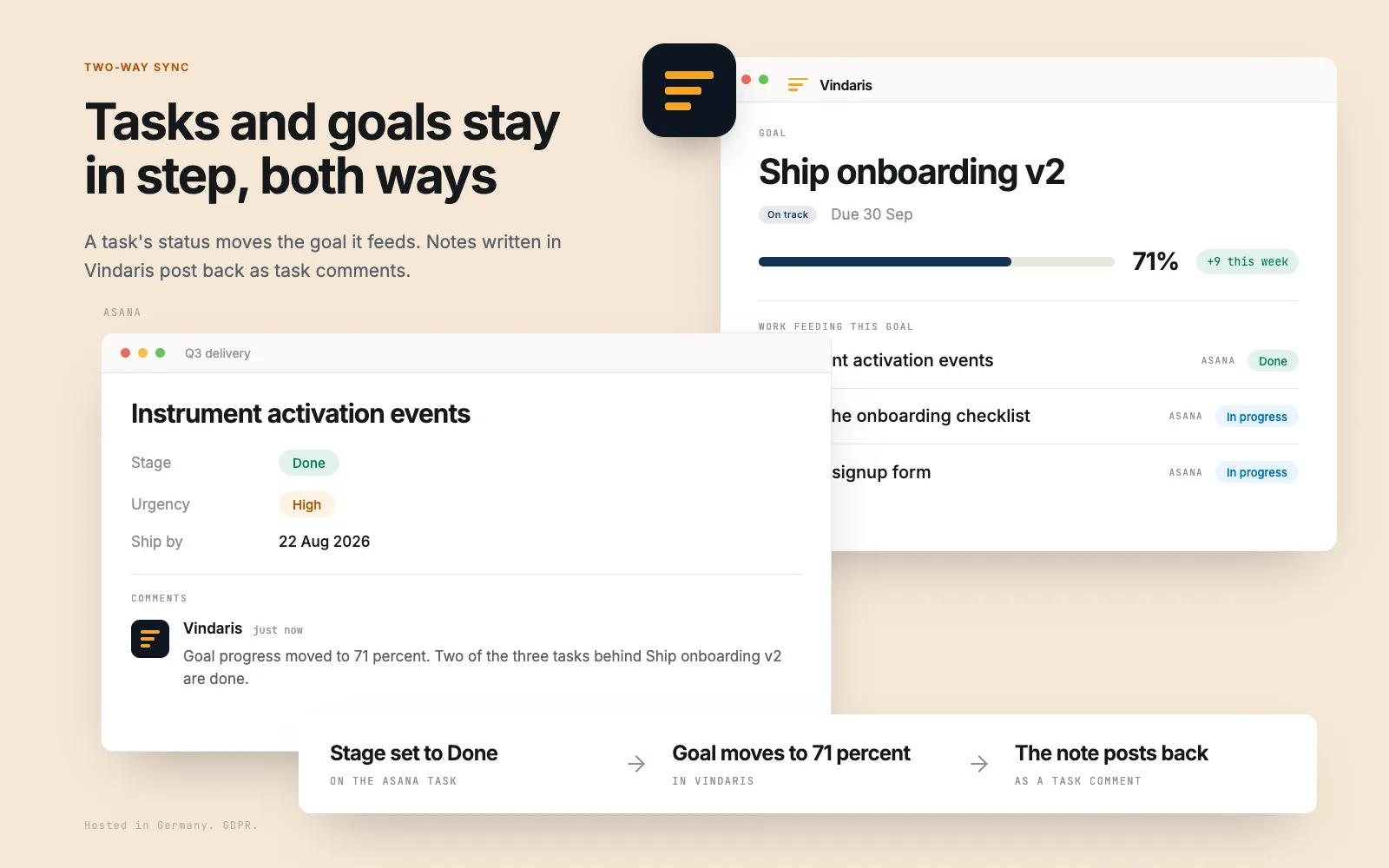
Vindaris connects Asana work to the goals it is supposed to move. Sync a project, or every task assigned to you across a workspace. Sections are read as statuses, custom fields come across with the task, and comments sync in both directions. Completion in either tool updates the other, so nobody maintains a second list.
Above that, Vindaris holds the strategy. Each task connects to the goal or KPI it feeds, progress is derived from the tasks that actually moved, and the Work Graph flags an objective whose Asana work has gone quiet against what its target needs. Your team keeps working in Asana. Leadership stops asking them for status.
Main Features:
- Tasks sync bi-directionally (completion, title, description, due dates)
- Asana sections are mapped to task status (In Progress, Review, Blocked, Done)
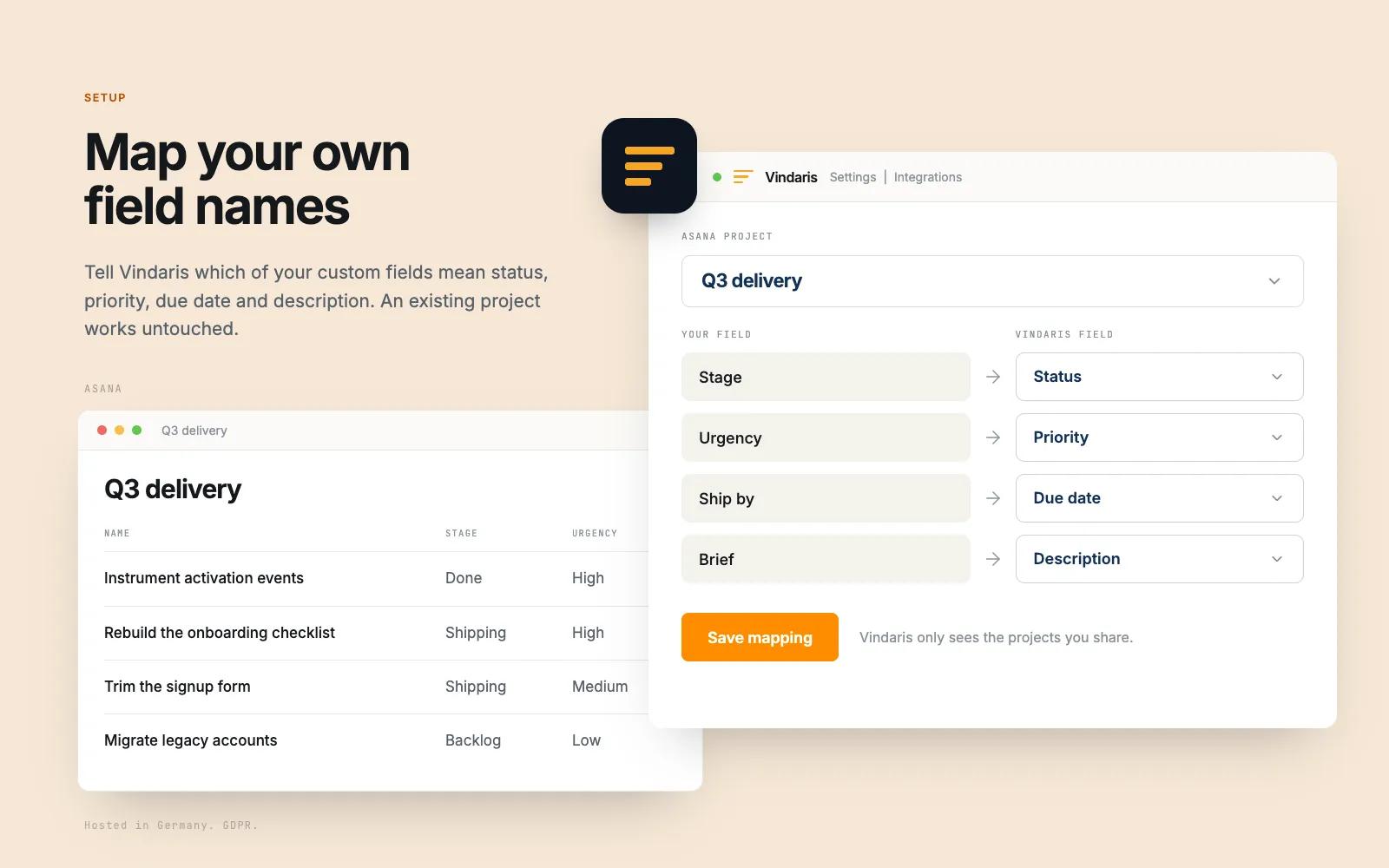
- Custom fields, including priority, are imported
- Comments sync between both tools in real time
How to connect Vindaris + Asana?
Prerequisites:
- An active Vindaris account (free trial available)
- An Asana workspace where you have member access
Steps:
- Sign up or log in at https://app.vindaris.com
- Go to Settings → Integrations → Asana
- Click "Connect Asana" — you will be redirected to Asana's authorization page
- Grant access and you will be returned to Vindaris
- Choose your sync scope:
- "My Tasks" syncs only tasks assigned to you
- "Project" syncs all tasks from a single Asana project you select
- "All Projects" syncs tasks across your entire workspace (up to 25 projects)
- Vindaris will begin importing your Asana tasks and linking them to your goals and KPIs
Learn more and get support
To learn more about using the Vindaris + Asana integration, visit Vindaris.
If you have questions, feedback, or need support, visit the Vindaris support page.
Asana does not endorse or certify apps built by third-party developers. If you encounter inappropriate content or behavior, please report it here. Otherwise, please contact the app developer for support.
Collaborate effortlessly with Asana
From the small stuff to the big picture, Asana organizes work so teams know what to do, why it matters, and how to get it done. It's free to get started, simple to use, and powerful enough to run your entire business. Learn more about Asana today.