


Keito + Asana
Track time in Keito directly from Asana tasks.
What is Keito?
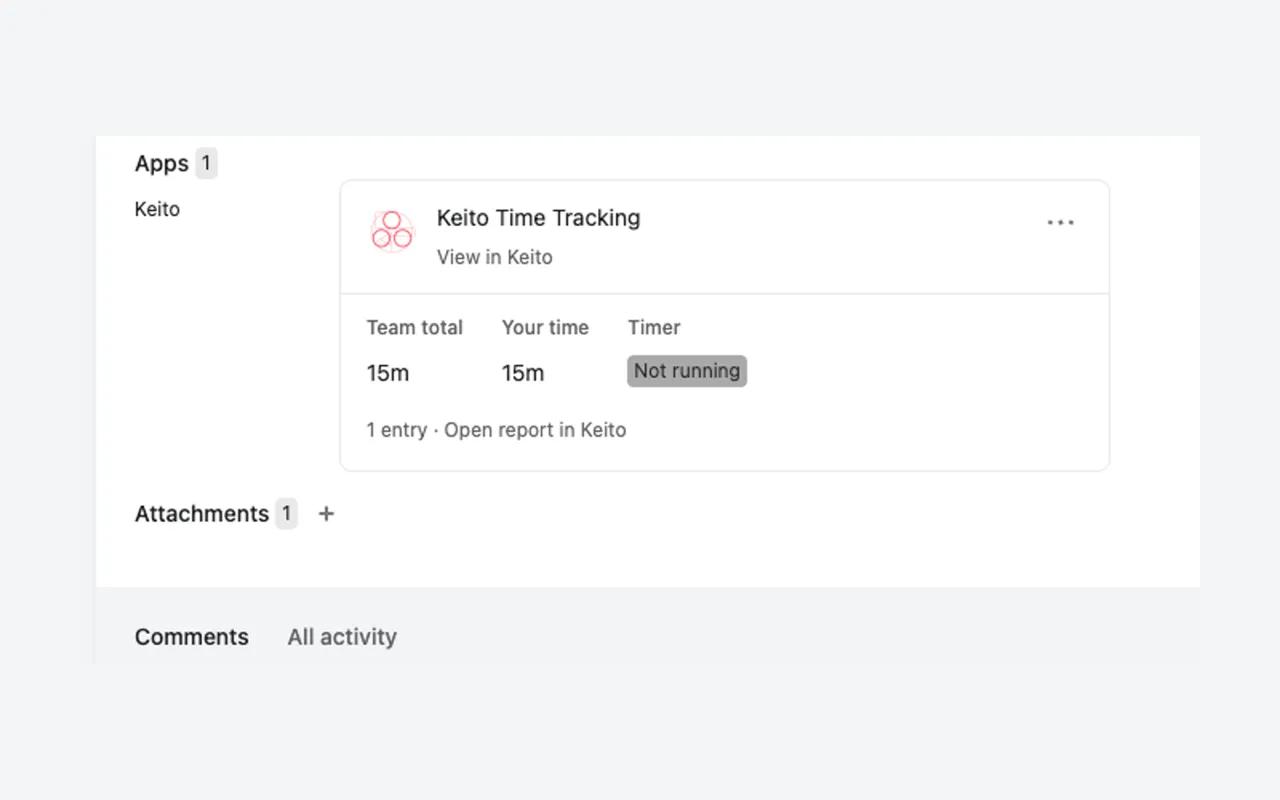
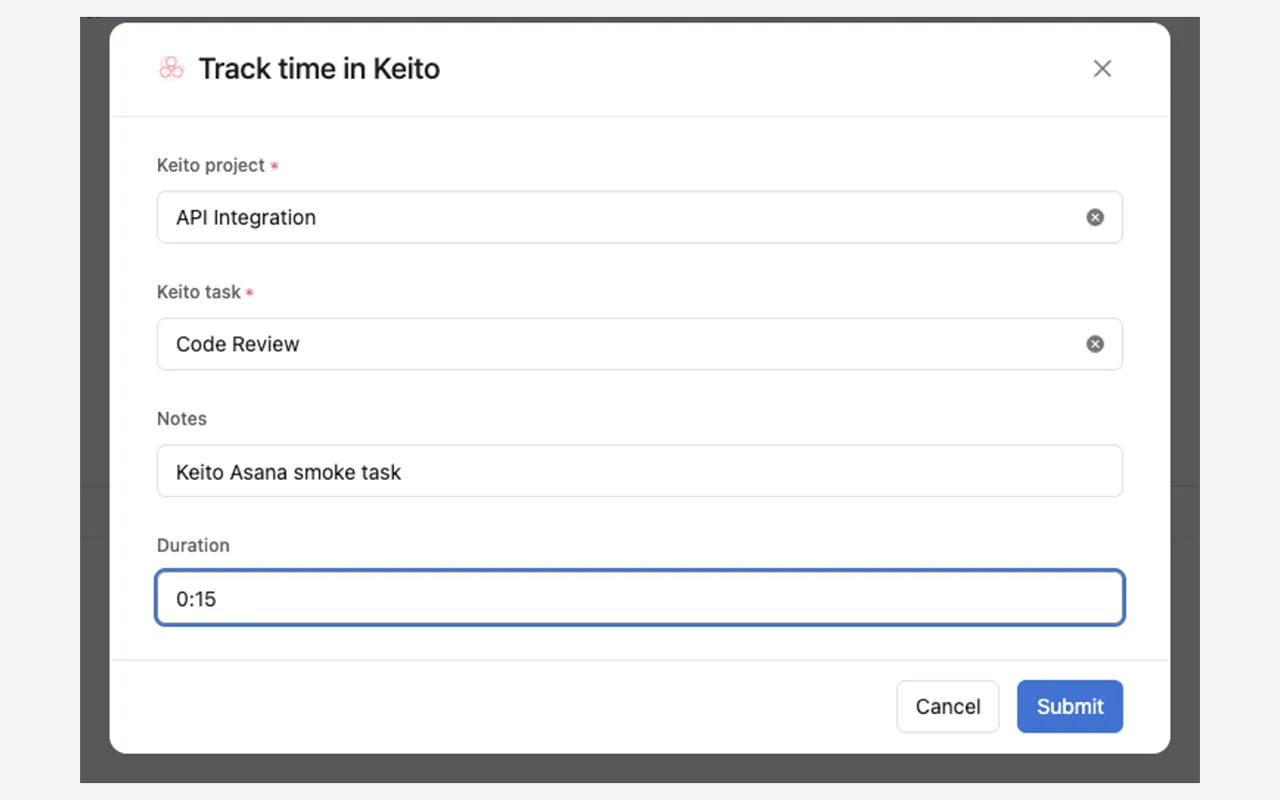
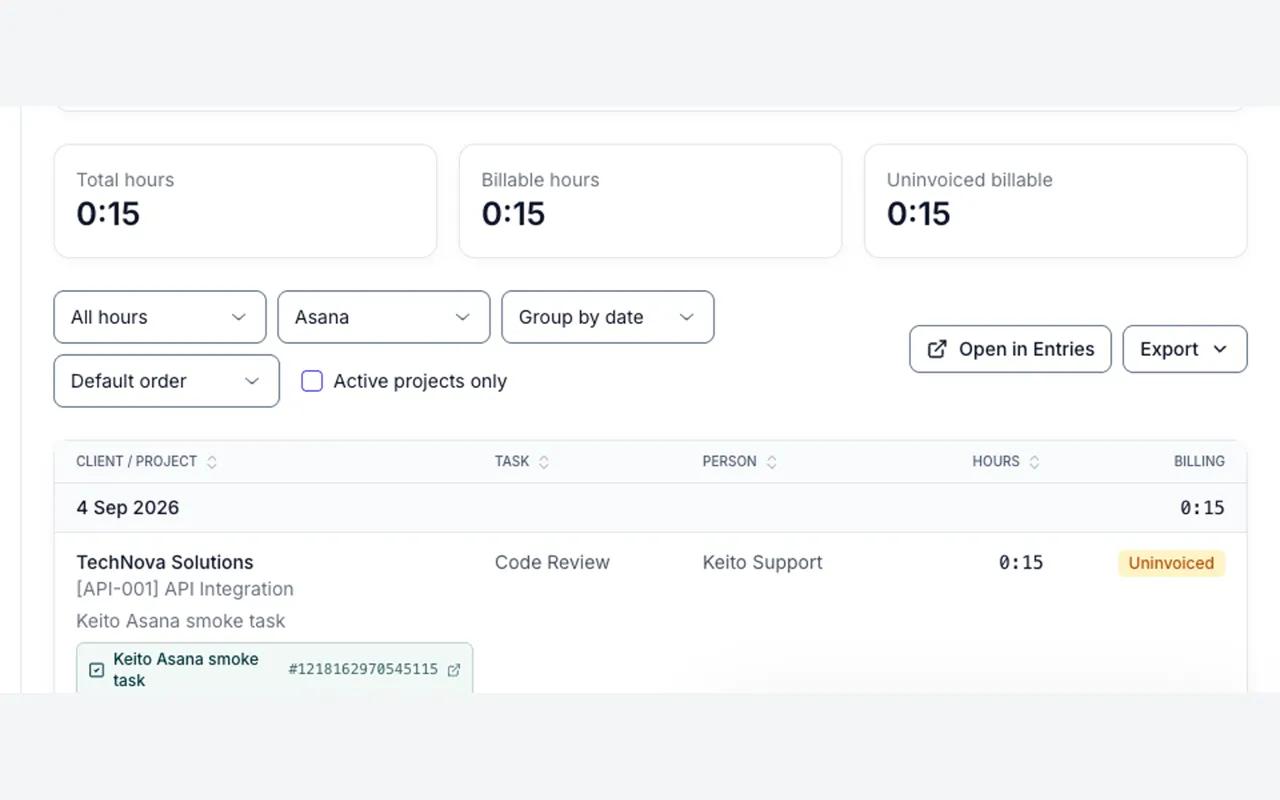
Keito brings time tracking back into the Asana task pane. Team members choose a Keito project and task, start or stop a timer, or log a manual duration without leaving their work. Keito remembers the successful mapping for the team, keeps a link to the original Asana item on every entry, and shows team and personal totals in a native widget. Entries follow the same permissions, billing rules, reports, approvals, and invoicing workflow as time captured in Keito. The integration uses Asana App Components, so there is no per-browser extension to install and the experience is available in supported Asana web and desktop clients.
How to connect Keito + Asana?
Prerequisites
- A Keito workspace on the Business plan (keito.ai).
- An Asana account. Time is stored only in Keito, the app never changes Asana's native time-tracking fields.
Setup steps
- As a Keito workspace owner or admin, go to Keito > Settings > Integrations > Asana and click "Add Keito in Asana".
- On the "Connect Keito to Asana" screen, click "Connect to Keito", allow the requested access, and sign in to Keito in the popup. When the popup closes, your Asana workspace is bound to your Keito workspace.
- Choose the Asana projects to add Keito to, or do this later from any project's Customize > Apps menu.
- Open a task in one of those projects and click Keito in the task pane. Choose the Keito project and task from the typeaheads, optionally edit the notes, enter a duration or leave it blank to start a timer, then submit. Keito attaches a "Keito Time Tracking" resource to the task, showing the team total, your time, and the timer state, with a link to the full report in Keito.
Learn more and get support
To learn more about using the Keito + Asana integration, visit the Keito documentation page.
If you have questions, feedback, or need support, visit the Keito support page.
Asana does not endorse or certify apps built by third-party developers. If you encounter inappropriate content or behavior, please report it here. Otherwise, please contact the app developer for support.
Collaborate effortlessly with Asana
From the small stuff to the big picture, Asana organizes work so teams know what to do, why it matters, and how to get it done. It's free to get started, simple to use, and powerful enough to run your entire business. Learn more about Asana today.