


Docupile EDRMS Pro + Asana
Securely import, organize, and manage your Asana project files with AI-powered folder sorting and document content classification.
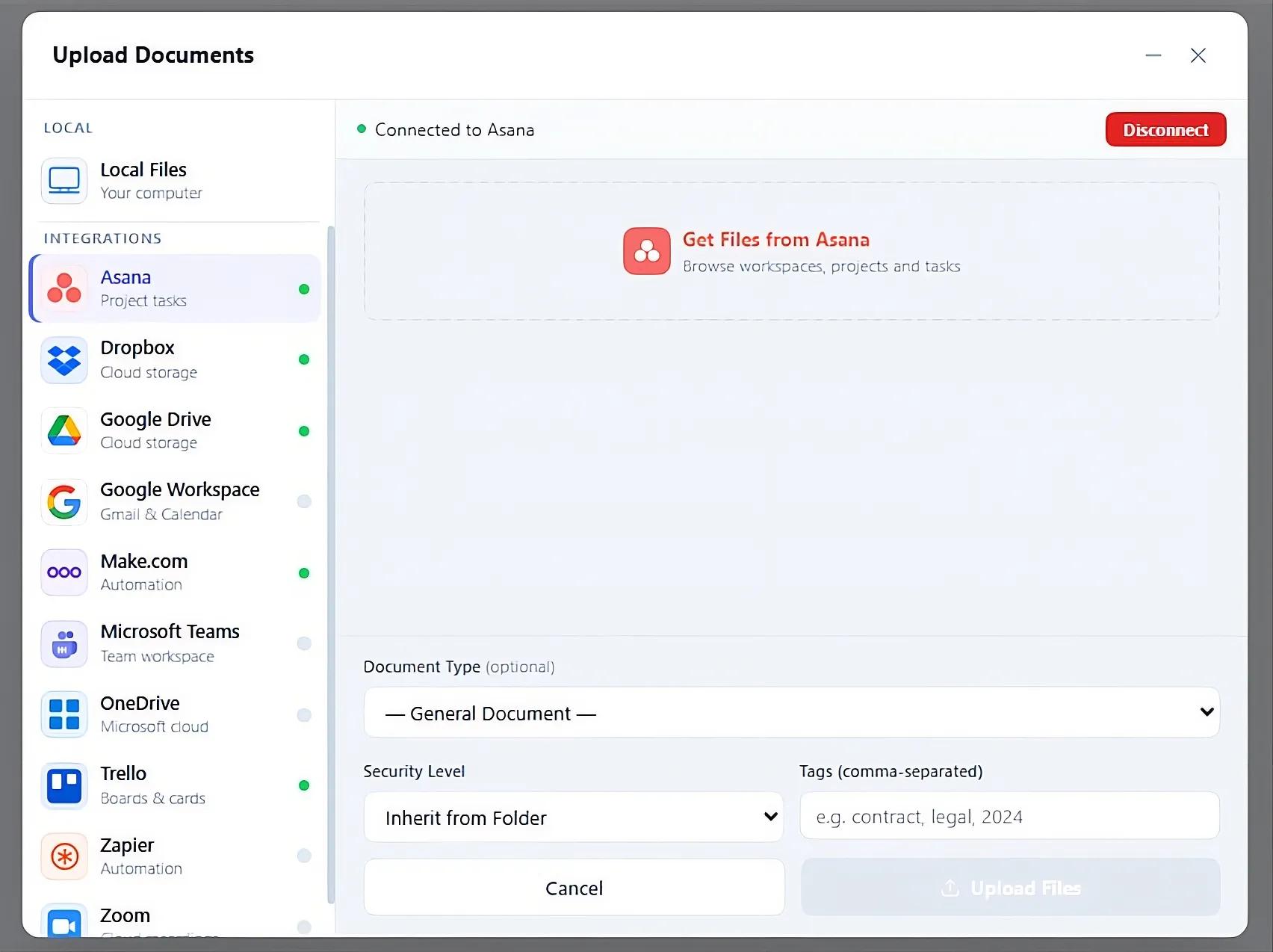
What is Docupile EDRMS Pro?
Docupile EDRMS Pro connects to Asana to import task attachments directly into your document repository. Browse workspaces, projects, and tasks, then pull files in with a click. Imported documents are automatically classified, renamed, and filed into the right folder using AI — no manual sorting needed.
Once inside Docupile, files get full document lifecycle management: version control, retention policies, legal holds, audit trails, and granular permissions. Built for teams that need Asana's task collaboration and enterprise-grade records management working together.
How to connect Docupile EDRMS Pro + Asana?
- Log in to your Docupile account.
- Navigate to Upload Documents and select Asana.
- Click Connect and authorize Docupile app using your Asana account.
- Browse your Asana workspace → project → task → attachments.
- Select the files you want to import and click Upload.
- Files are transferred into Docupile EDRMS, where AI automatically renames them, files them into the correct folder, and extracts metadata — no manual sorting needed.
Learn more and get support
To learn more about using the Docupile EDRMS Pro + Asana integration, visit Docupile.
If you have questions, feedback, or need support, visit the Docupile support page.
Asana does not endorse or certify apps built by third-party developers. If you encounter inappropriate content or behavior, please report it here. Otherwise, please contact the app developer for support.
Collaborate effortlessly with Asana
From the small stuff to the big picture, Asana organizes work so teams know what to do, why it matters, and how to get it done. It's free to get started, simple to use, and powerful enough to run your entire business. Learn more about Asana today.