


Zeroswitch + Asana
See all your tasks across all your workspaces, in one list.
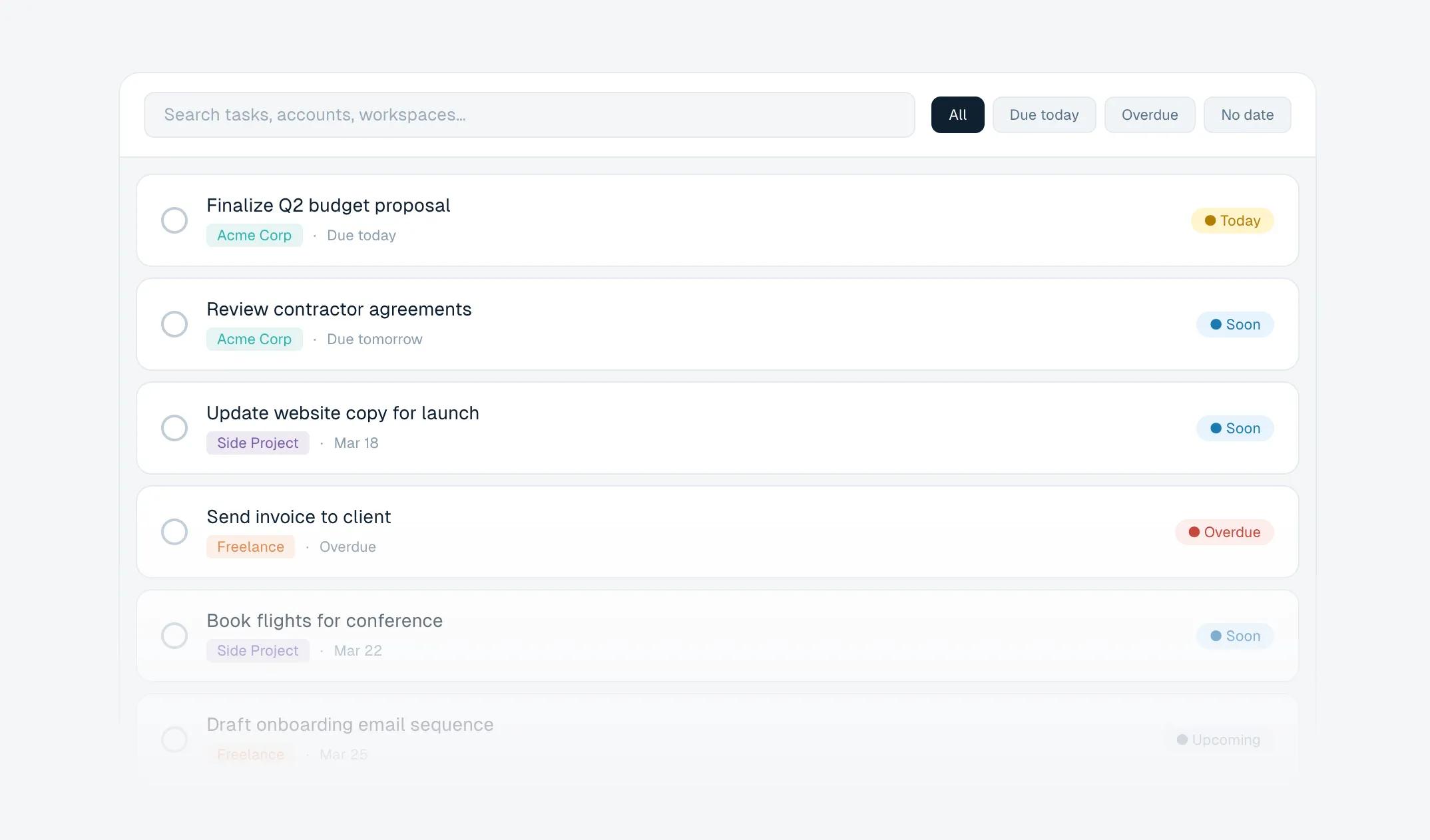
What is Zeroswitch?
Zeroswitch helps Asana users with tasks across multiple workspaces manage their task list in a single place. Asana only shows users their tasks one workspace at a time, requiring the user to switch to a different workspace to see tasks from that workspace. This is frustrating for users who work across multiple workspaces: consultants, freelancers, employees of large corporations, and those managing a personal or household workspace separate from their professional work. Zeroswitch lets users log into Asana with 2 clicks and instantly see and interact with their tasks across all workspaces in a single list, no switching workspaces required.
How to connect Zeroswitch + Asana?
- Open Zeroswitch in your browser.
- Click the “Connect Asana Account” button.
- You will be redirected to Asana to authorize the connection.
- Once authorization is complete, Zeroswitch will automatically load and display your tasks from all of your Asana workspaces in a single unified list.
Learn more and get support
To learn more about using the Zeroswitch + Asana integration, visit Zeroswitch.
If you have questions, feedback, or need support, visit the Zeroswitch support page.
Asana does not endorse or certify apps built by third-party developers. If you encounter inappropriate content or behavior, please report it here. Otherwise, please contact the app developer for support.
Collaborate effortlessly with Asana
From the small stuff to the big picture, Asana organizes work so teams know what to do, why it matters, and how to get it done. It's free to get started, simple to use, and powerful enough to run your entire business. Learn more about Asana today.