


WhatsApp by Whatsana + Asana
Automate Asana with WhatsApp. Create tasks, get updates, and customize everything with Rules.
What is WhatsApp by Whatsana?
Boost your productivity by connecting WhatsApp with Asana through Whatsana — the easiest way to turn conversations into action.
Create tasks from messages, get instant updates, and collaborate with your team without ever leaving WhatsApp. With full support for Asana Rules, you can automate task creation, assignments, and status updates to match your exact workflow.
Whether you’re managing client projects, coordinating teams, or tracking daily operations, Whatsana keeps your communication and project management in perfect sync.
Works with all Asana plans and WhatsApp versions, ensuring a fast, secure, and simple setup:
- Connect Asana.
- Choose projects.
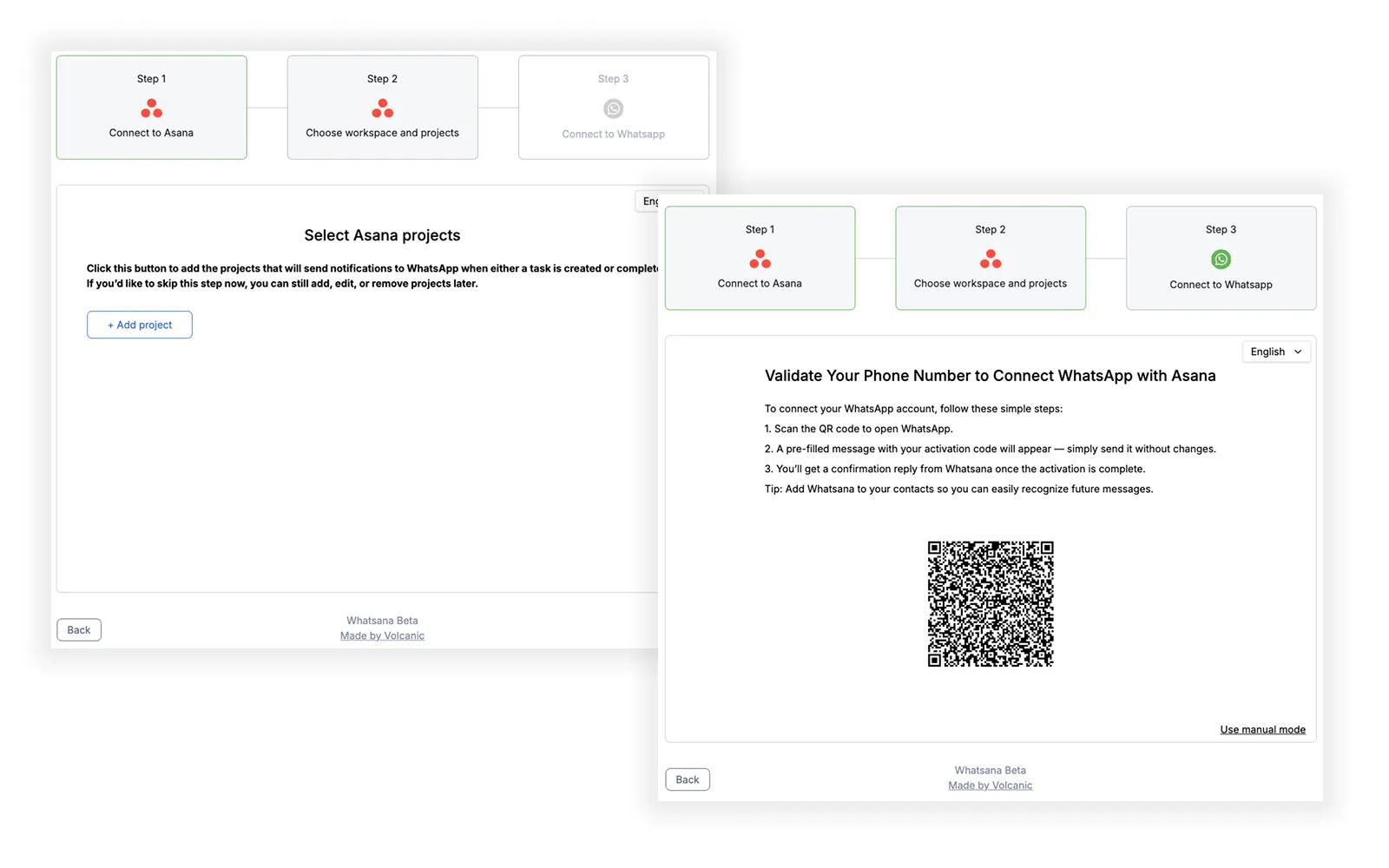
- Link WhatsApp and start automating.
Your team already talks on WhatsApp — now make every message count with Whatsana.
How to connect WhatsApp by Whatsana + Asana?
Prerequisites: WhatsApp account and Asana account
Installation and authorization: You can create the Whatsana account here or just add a new rule and use Whatsana app as an external action. In both cases you have to create the Whatsana account the same way.
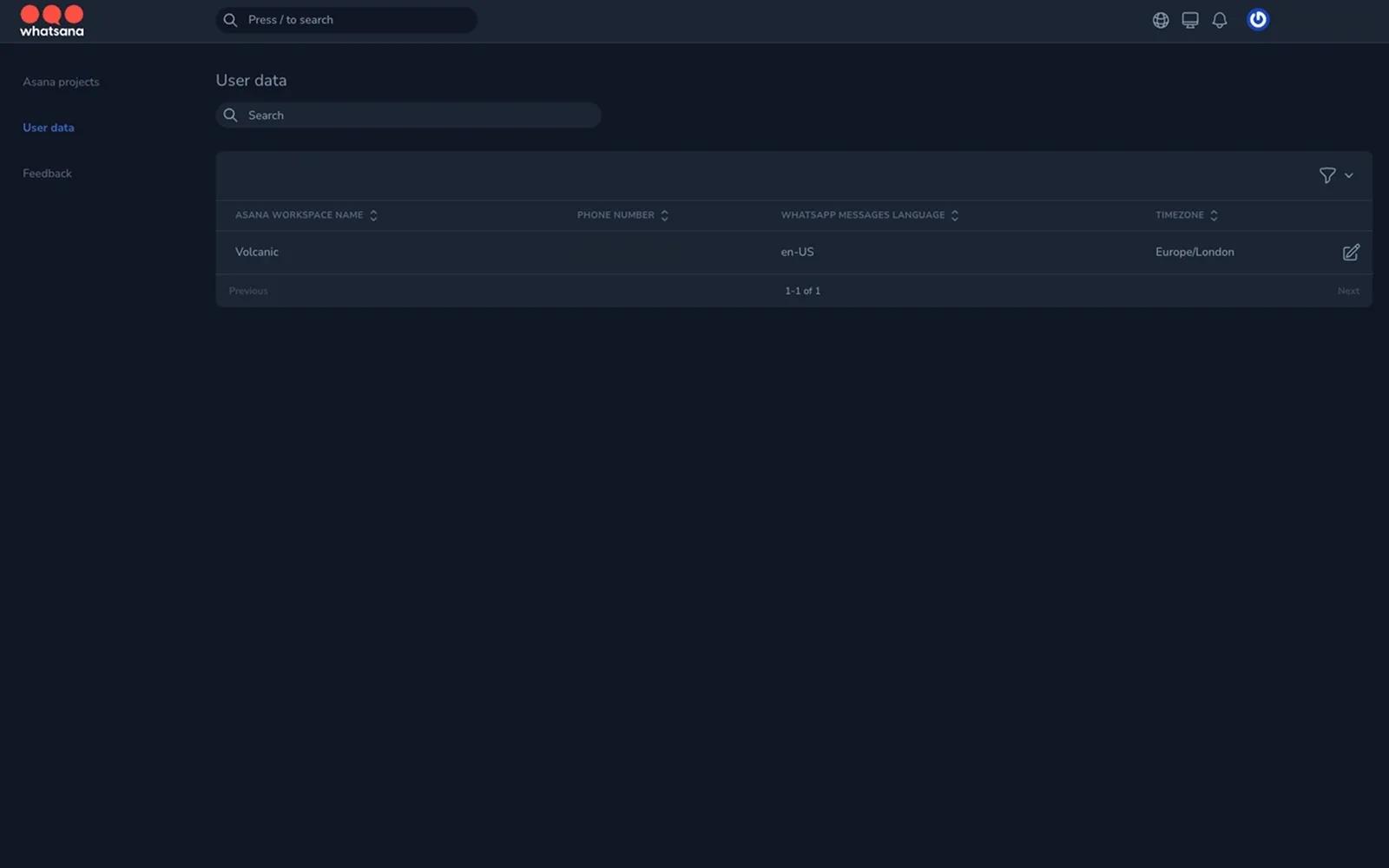
Configuration steps in Whatsana: In order to create Whatsana account you will need a WhatsApp phone number.
- If you create the account from scratch you have to connect to Asana, select the workspace and optionally select some project. Finally you have to connect the phone number by using the QR code.
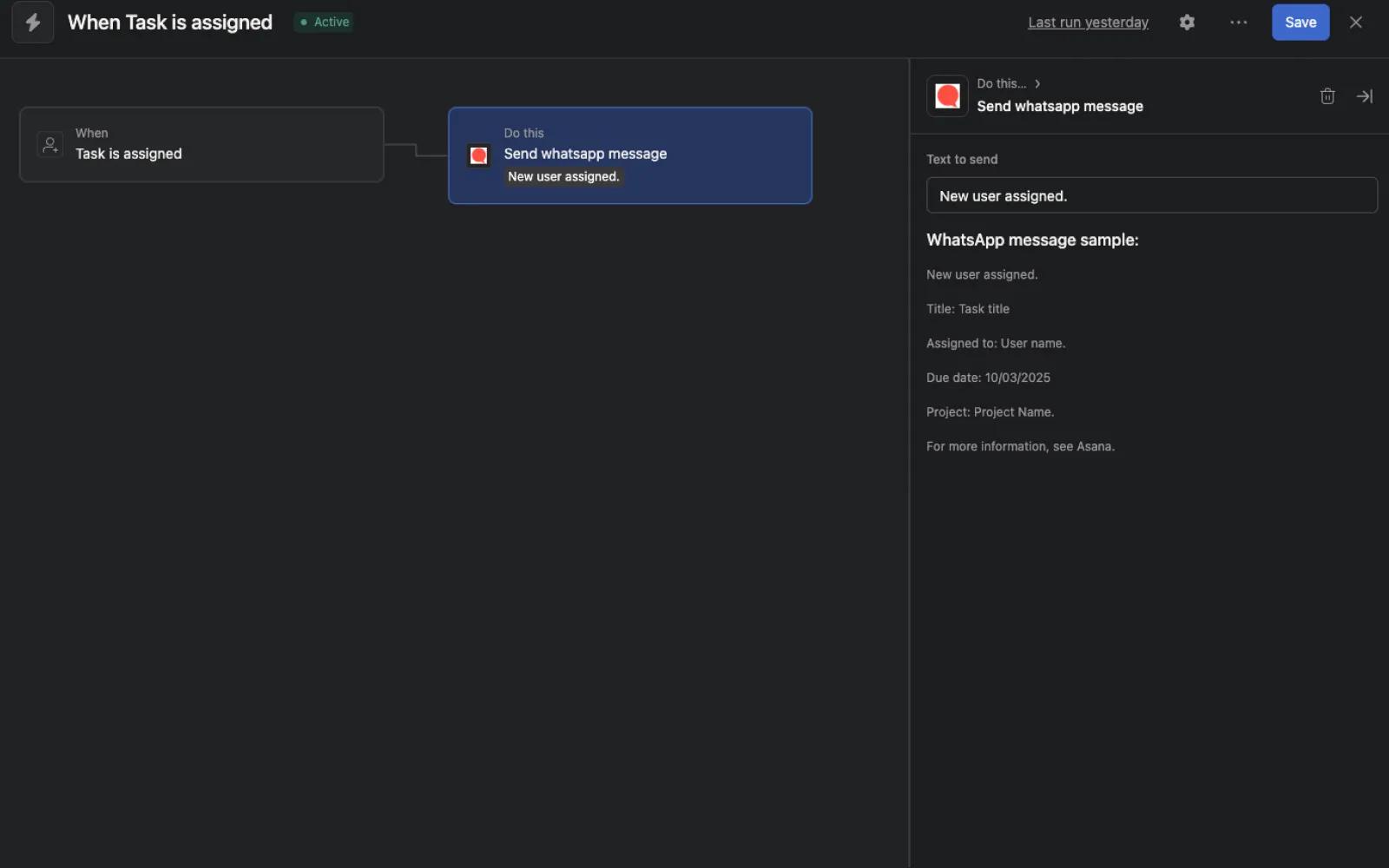
- If you create the account from Asana rules you only have to link your phone number with the QR code.
Usage guide:
- Once the process is complete every message you send to our whatsana service phone number will create an Asana task in My tasks.
- If you select some project in the configuration process you will receive updates (new tasks and completed tasks) from those projects in your WhatsApp.
- If you use Asana rules you will receive the updates in your WhatsApp.
Learn more and get support
To learn more about using the Whatsana + Asana integration, visit WhatsApp by Whatsana.
If you have questions, feedback, or need support, visit the Whatsana support page.
Asana does not endorse or certify apps built by third-party developers. If you encounter inappropriate content or behavior, please report it here. Otherwise, please contact the app developer for support.
Collaborate effortlessly with Asana
From the small stuff to the big picture, Asana organizes work so teams know what to do, why it matters, and how to get it done. It's free to get started, simple to use, and powerful enough to run your entire business. Learn more about Asana today.