


Task2Cal + Asana
Sync Asana tasks with Google Calendar in real time and in both directions for centralized scheduling and time blocking.
What is Task2Cal?
The app syncs tasks from Asana projects to your Google Calendar in real-time for centralized scheduling and time blocking. It also syncs your events (including your meetings) on Google Calendar to Asana for task management.
You can choose to sync all tasks (within a project or all projects), or just tasks assigned to you with your Google Calendar.
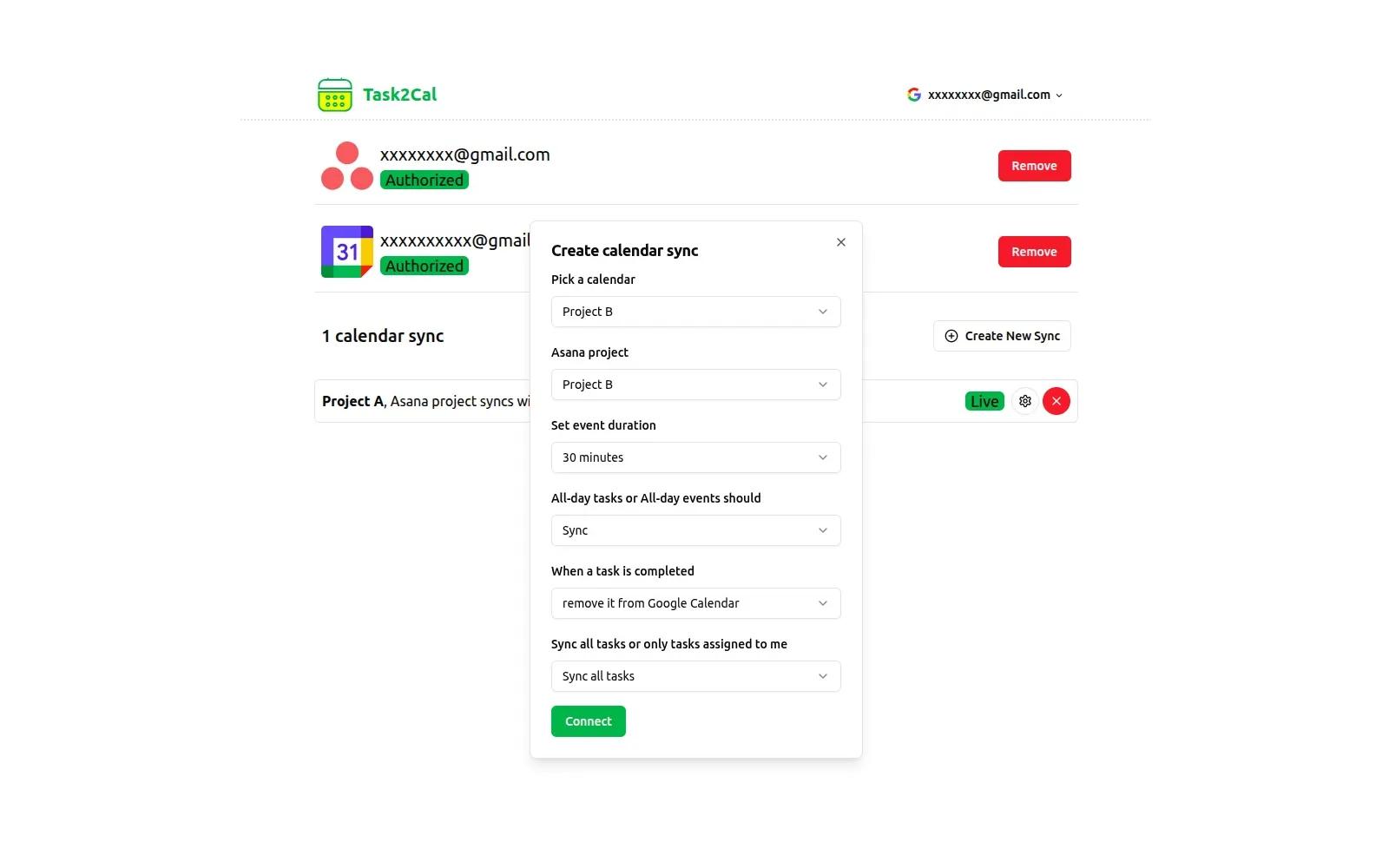
It provides various options to tweak your sync including default event duration, sync all-day tasks or not.
How to connect Task2Cal + Asana?
- Login to your Task2Cal account using your Google Account credentials.
- Click 'Connect Account' in lines having Asana and Google Calendar icons to grant Task2Cal access to Asana workspace and Google Calendar.
- Click 'Create New Sync' to open dialog to create a new sync between Asana Projects and Google Calendar.
- Specify how you’d like tasks to sync to your calendar in the settings, then submit.
You can choose one project or all projects in Asana to sync with a calendar, set default event duration for tasks from Asana or set to delete Google Calendar event when the task is completed.
Learn more and get support
To learn more about using the Task2Cal + Asana integration, visit Task2Cal.
If you have questions, feedback, or need support, visit the Task2Cal support page.
Asana does not endorse or certify apps built by third-party developers. If you encounter inappropriate content or behavior, please report it here. Otherwise, please contact the app developer for support.
Collaborate effortlessly with Asana
From the small stuff to the big picture, Asana organizes work so teams know what to do, why it matters, and how to get it done. It's free to get started, simple to use, and powerful enough to run your entire business. Learn more about Asana today.