


SiteSeam + Asana
AI website builder that turns forms, bookings, and quotes into actionable Asana tasks.
What is SiteSeam?
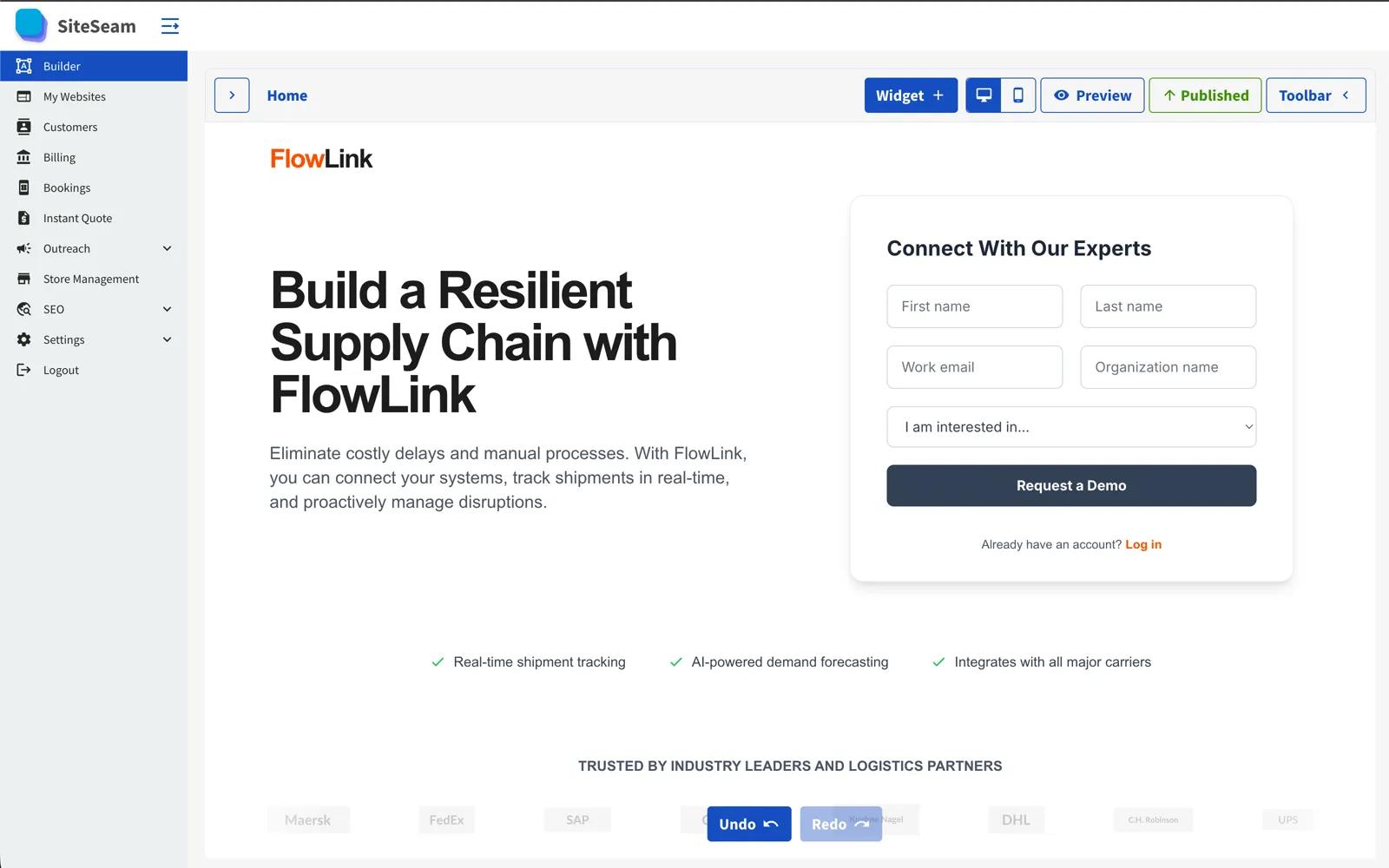
SiteSeam is an AI-powered website builder for small businesses and service professionals who need to launch quickly, capture leads, and turn website activity into organized work—without technical complexity or high monthly costs. Using guided AI prompts, SiteSeam generates complete, professional websites in minutes, including copy, imagery, calls-to-action, and a search-ready structure.
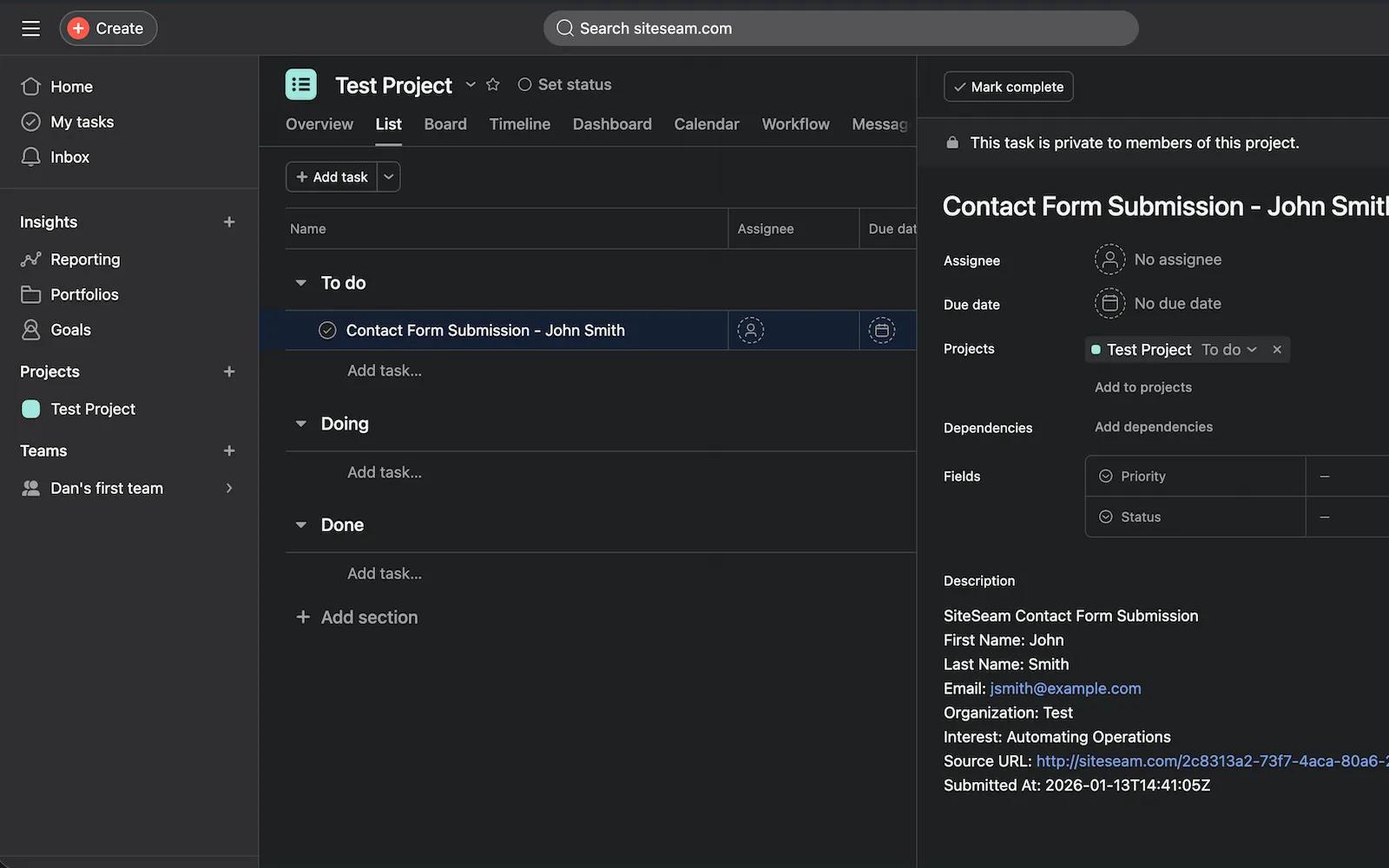
The SiteSeam + Asana integration automatically converts high-intent website activity into actionable Asana tasks. Contact form submissions, online bookings, and instant quote requests are sent directly to the Asana workspace and project you select. Each task includes customer details, submission data, and page context, enabling teams to follow up efficiently without leaving Asana.
This one-way integration supports common workflows such as managing sales inquiries, tracking booking requests, and organizing quote follow-ups alongside existing projects. All SiteSeam sites are optimized for SEO and performance, hosted on a fast CDN, and include built-in analytics. Pricing starts at under $10 per month.
How to connect SiteSeam + Asana?
-
Open Integrations in SiteSeam
- Log in to your SiteSeam dashboard.
- Go to Settings → Integrations.
- Search for Asana.
-
Connect Asana
- Click Connect Asana.
- Sign in to your Asana account.
- Approve access so SiteSeam can create tasks.
-
Select Workspace
- Choose the Asana workspace where tasks should be created.
- Click Save.
-
Select Project
- Choose the Asana project that will receive new tasks.
- Click Save to finish setup.
-
Add a Contact Form
- Go to Websites and click Edit on a page.
- Click Add Widget (+) and add a Contact Info or Subscribe form.
- Publish your changes.
-
Submit a Test Lead
- Fill out the contact form on your website.
- Submit the form to trigger the integration.
-
Confirm in Asana
- Open Asana.
- Go to the selected project.
- Confirm a new task appears with the submission details.
-
Manage the Connection (Optional)
- Open Settings → Integrations → Asana → List Connections.
- Change the workspace or project anytime.
- Reconnect if access needs to be refreshed.
Learn more and get support
To learn more about using the SiteSeam + Asana integration, visit SiteSeam.
If you have questions, feedback, or need support, visit the SiteSeam support page.
Asana does not endorse or certify apps built by third-party developers. If you encounter inappropriate content or behavior, please report it here. Otherwise, please contact the app developer for support.
Collaborate effortlessly with Asana
From the small stuff to the big picture, Asana organizes work so teams know what to do, why it matters, and how to get it done. It's free to get started, simple to use, and powerful enough to run your entire business. Learn more about Asana today.