


Sensra + Asana
Send approved project tasks from Sensra into Asana to turn client intake and scoped work into actionable delivery plans.
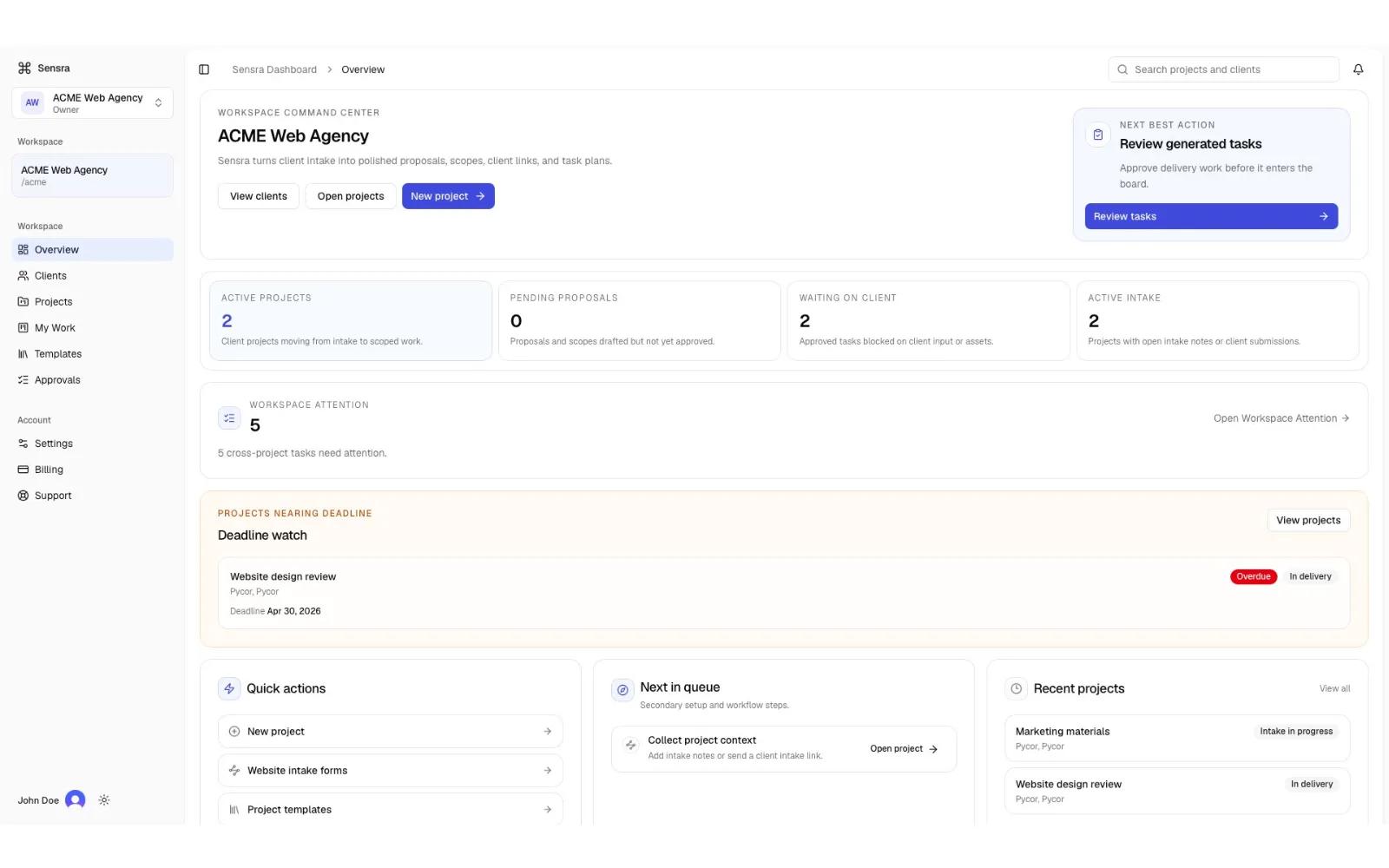
What is Sensra?
Sensra helps service businesses turn messy client intake into structured proposals, scopes of work, and review-ready project tasks.
Once a scope of work is approved in Sensra, teams can send approved tasks directly into Asana for execution and ongoing delivery management.
The integration is designed to support a clean handoff between planning and project execution:
- Sensra is used for client intake, proposal creation, scope definition, and task drafting
- Asana is used for delivery tracking, collaboration, and project execution
Users can:
- Connect their Asana workspace to Sensra
- Select an Asana project
- Export approved Sensra delivery tasks into Asana
- Preserve task structure and delivery context during the handoff process
This allows teams to avoid manually recreating scoped work in Asana after project planning is complete.
Sensra acts as the upstream planning layer before project management, helping teams move from client conversations to actionable Asana projects faster and with more consistency.
How to connect Sensra + Asana?
Prerequisites
Before connecting the integration, you will need:
- An active Sensra account
- An active Asana account
- Access to at least one Asana workspace and project
- A Sensra project with approved tasks ready to export
Connect Asana to Sensra
- Sign in to Sensra
- Open the workspace where you want to enable the integration
- Navigate to: Settings → Project Tools → PM Handoff
- Select “Connect Asana”
- You will be redirected to Asana’s authorization screen
- Approve the requested permissions
- After authorization, you will be redirected back to Sensra
- Your Asana workspace connection will now appear in the Connected Apps settings area
Send Tasks from Sensra to Asana
- Open a project in Sensra
- Ensure the project contains approved tasks
- Navigate to the project’s settings section
- Click on PM Handoff
- Choose “Asana”
- Select the destination Asana project
- Confirm the export
Sensra will create corresponding tasks in the selected Asana project.
What Gets Sent to Asana
Depending on the task configuration, Sensra may send:
- Task titles
- Task descriptions
- Delivery notes
- Structured task grouping/context from the approved scope of work
Only approved tasks are eligible for export to help ensure teams send reviewed and finalized work into Asana.
Additional help documentation can be found in the updated help article.
Learn more and get support
To learn more about using the Sensra + Asana integration, visit Sensra.
If you have questions, feedback, or need support, visit the Sensra support page.
Asana does not endorse or certify apps built by third-party developers. If you encounter inappropriate content or behavior, please report it here. Otherwise, please contact the app developer for support.
Collaborate effortlessly with Asana
From the small stuff to the big picture, Asana organizes work so teams know what to do, why it matters, and how to get it done. It's free to get started, simple to use, and powerful enough to run your entire business. Learn more about Asana today.