


Mission Control by Stranded + Asana
Turn recommended actions into Asana tasks and keep execution synced with Mission Control.
What is Mission Control by Stranded?
Mission Control helps marketing teams and agencies transform insights into action. Connect Asana to automatically send recommended actions from Mission Control into your team's workflow as actionable tasks.
Map Mission Control workspaces to Asana projects, assign ownership, set priorities, and track execution without leaving your operational workflow. Asana task completion can be synced back to Mission Control, creating a seamless connection between strategic recommendations and day-to-day execution.
Key features:
- Create Asana tasks directly from Mission Control recommended actions
- Map Mission Control workspaces to Asana projects
- Assign owners, priorities, and due dates automatically
- Keep execution aligned across teams and clients
- Sync task completion status back to Mission Control
Built for agencies, marketing teams, and organizations that need a faster path from insight to execution.
How to connect Mission Control by Stranded + Asana?
- In Mission Control, log in as a workspace owner, account admin, or authorized workspace admin.
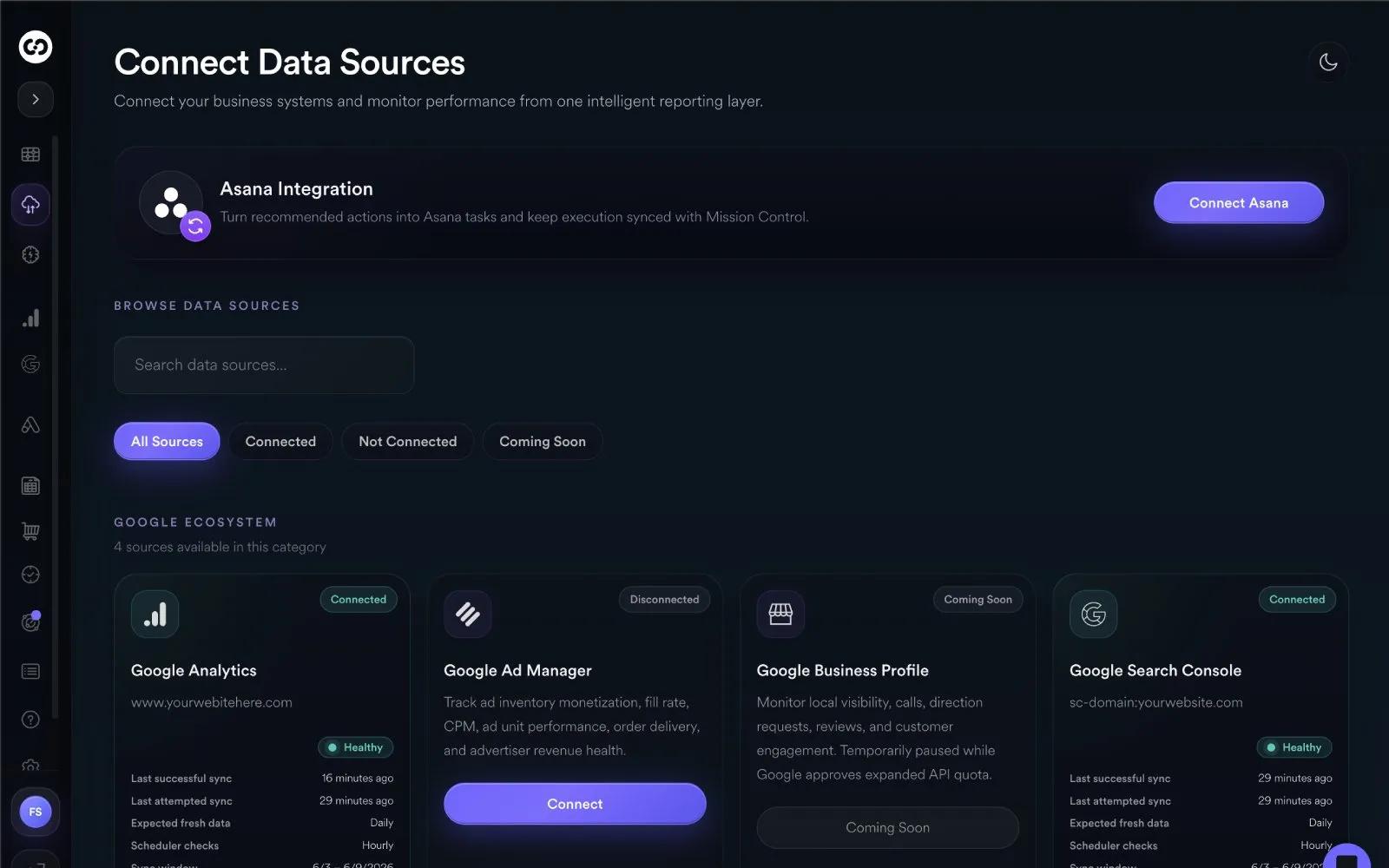
- Open Connect Data Sources.
- Select Connect Asana.
- Complete the Asana OAuth authorization flow.
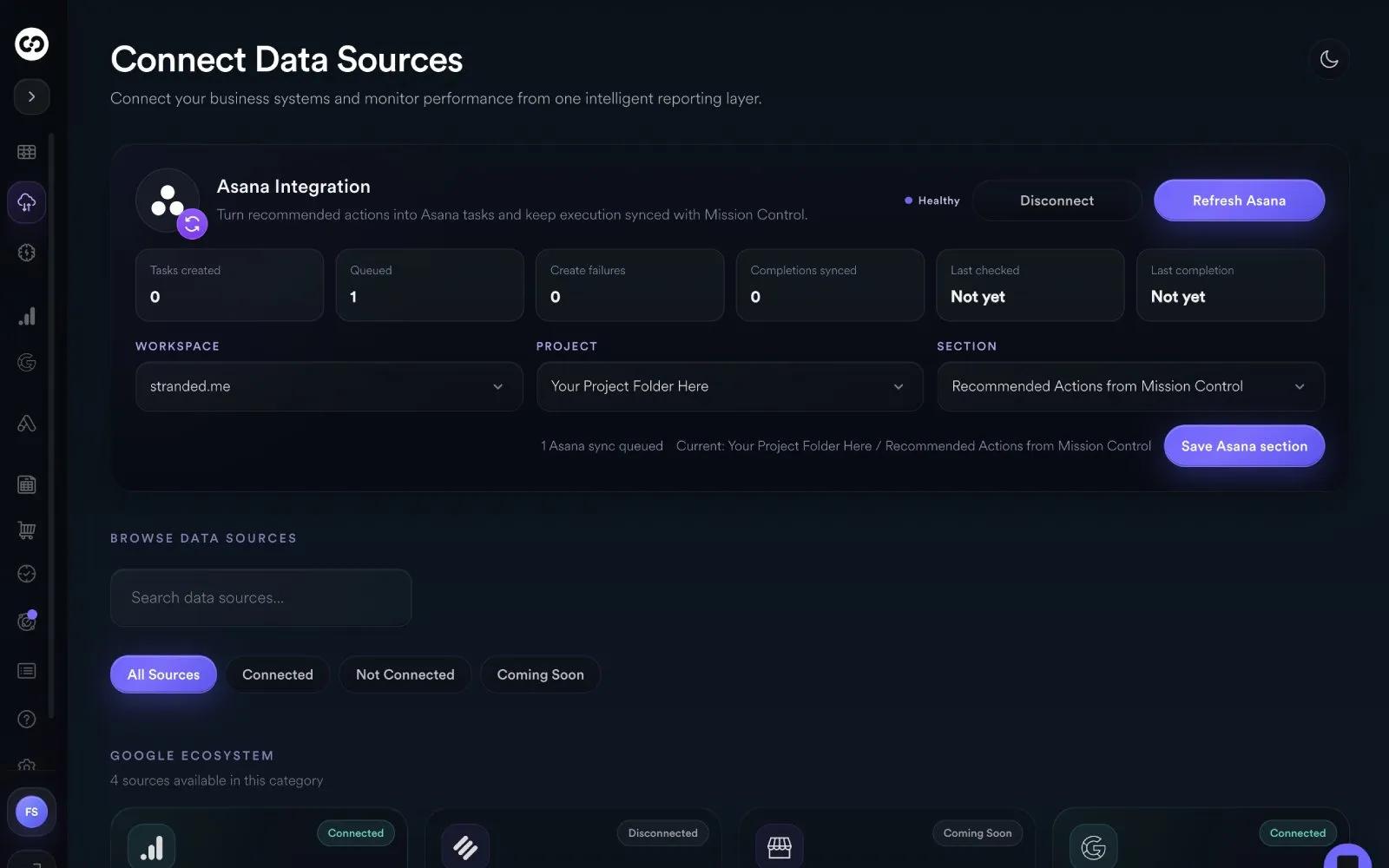
- After returning to Mission Control, choose the Asana Workspace, Project, and Section where Mission Control should create tasks.
- Save the Asana section mapping.
- Open a Recommended Action in Mission Control and click Assign.
- In the Assign Mission modal, choose an assignee, optional due date, priority, and notes.
- Select “Send to Asana.”
- Submit the mission.
Mission Control creates an assigned mission internally and immediately queues an Asana task creation job in the selected Asana section. The created Asana task includes the recommended action, workspace context, priority, assignee context, notes, and due date when provided.
Mission Control also checks Asana task completion status on a scheduled interval and syncs completed Asana tasks back to the corresponding Mission Control mission.
Learn more and get support
To learn more about using the Mission Control by Stranded + Asana integration, visit the Mission Control by Stranded website.
If you have questions, feedback, or need support, visit the Mission Control by Stranded support page.
Asana does not endorse or certify apps built by third-party developers. If you encounter inappropriate content or behavior, please report it here. Otherwise, please contact the app developer for support.
Collaborate effortlessly with Asana
From the small stuff to the big picture, Asana organizes work so teams know what to do, why it matters, and how to get it done. It's free to get started, simple to use, and powerful enough to run your entire business. Learn more about Asana today.