


Lazy Planner + Asana
Plan your Asana tasks in Lazy Planner with read-only access and one-click cloning.
What is Lazy Planner?
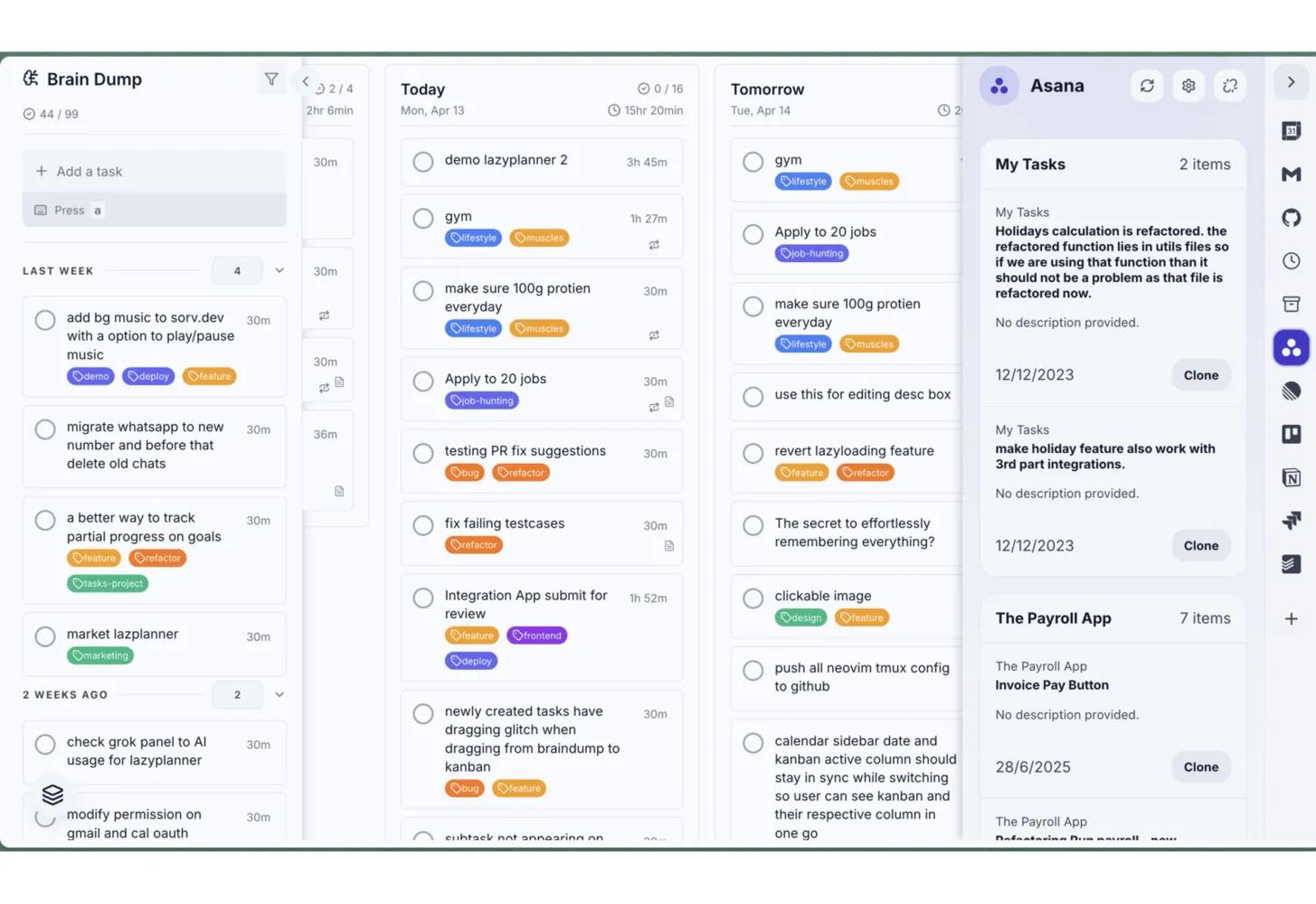
Lazy Planner connects to Asana and shows the tasks assigned to you in a read-only sidebar. Users can review task titles, notes, project context, tags, and open the original task in Asana. When they want to plan execution, they can clone an Asana task into Lazy Planner and organize it on their planner or calendar without writing back to Asana. This helps Asana users with personal planning, time blocking, prioritization, and turning assigned work into a realistic daily plan while keeping Asana as the source of truth.
How to connect Lazy Planner + Asana?
- Sign in to Lazy Planner or create an account.
- Open the Integrations sidebar and select Asana.
- Click Connect Asana and approve access to your Asana account.
- View the tasks assigned to you in Asana sidebar.
- Optional: click Clone on any Asana task to copy it into Lazy Planner, then place it on your planner. You can also timeblock it on the calendar sidebar too. All tasks displayed on calendar sidebar are exact same task displayed on kanban column for a particular date.
Learn more and get support
To learn more about using the Lazy Planner + Asana integration, visit Lazy Planner.
If you have questions, feedback, or need support, visit the Lazy Planner support page.
Asana does not endorse or certify apps built by third-party developers. If you encounter inappropriate content or behavior, please report it here. Otherwise, please contact the app developer for support.
Collaborate effortlessly with Asana
From the small stuff to the big picture, Asana organizes work so teams know what to do, why it matters, and how to get it done. It's free to get started, simple to use, and powerful enough to run your entire business. Learn more about Asana today.