


Journal + Asana
Bring in Asana context into Journal.
What is Journal?
Bring your Asana work into Journal so the Journal agent can act on it. Once connected, Journal securely reads your Asana tasks — pulling in the details, comments, assignees, projects, tags, due dates, and statuses that describe what you're actually working on. Instead of copying and pasting task details or switching tabs to remember context, you simply reference your work and Journal already understands it.
Connect your Asana account in a few clicks. Journal uses secure OAuth and only requests read access, so your tasks stay in Asana as the source of truth while Journal layers intelligence on top.
What you can do
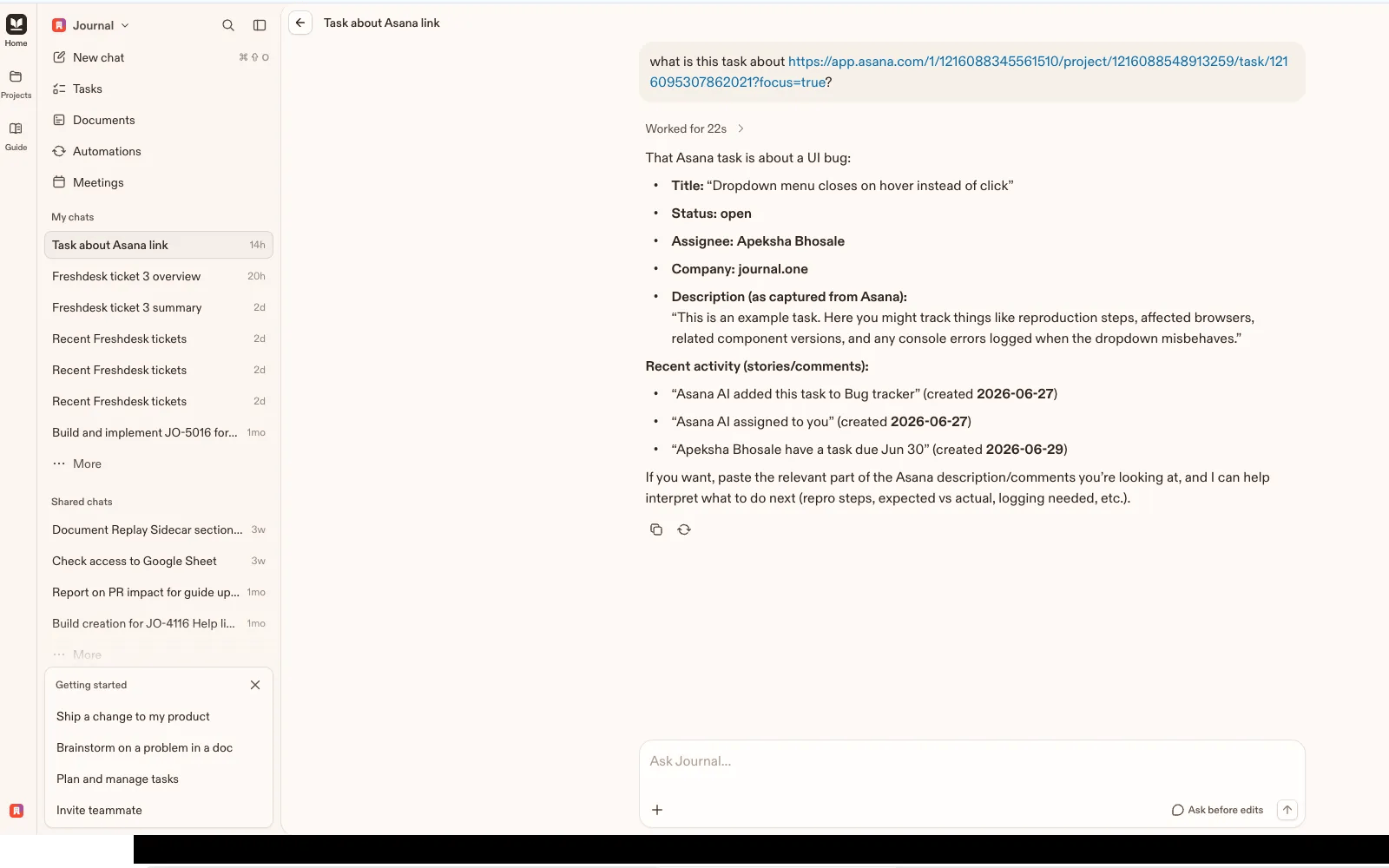
- Reference any task instantly. Paste an Asana task link or mention a task, and Journal pulls in its full description, comments, and metadata — no manual copying.
- See what's on your plate. Journal can surface the tasks assigned to you across your Asana workspaces so you can plan, prioritize, and act without leaving the conversation.
- Turn tasks into work. Draft updates, summarize long comment threads, prepare status reports, or generate the next steps for a task using its real context.
- Keep everything grounded. Because Journal reads directly from Asana, its answers reflect the current state of your projects — assignees, tags, due dates, and progress included.
How to connect Journal + Asana?
- Sign in to Journal as a Journal admin (integrations are managed at the organization level).
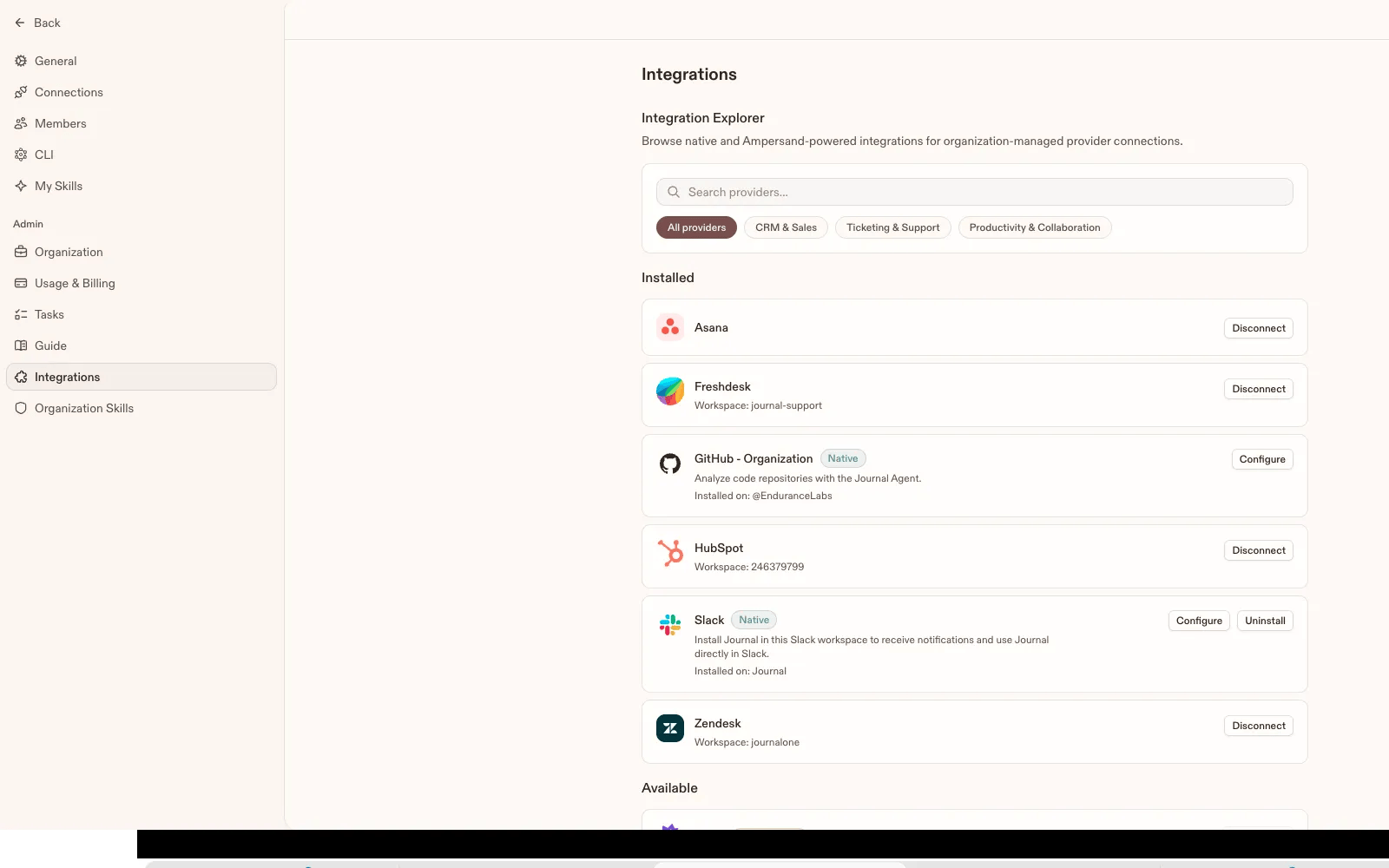
- Go to Settings → Integrations.
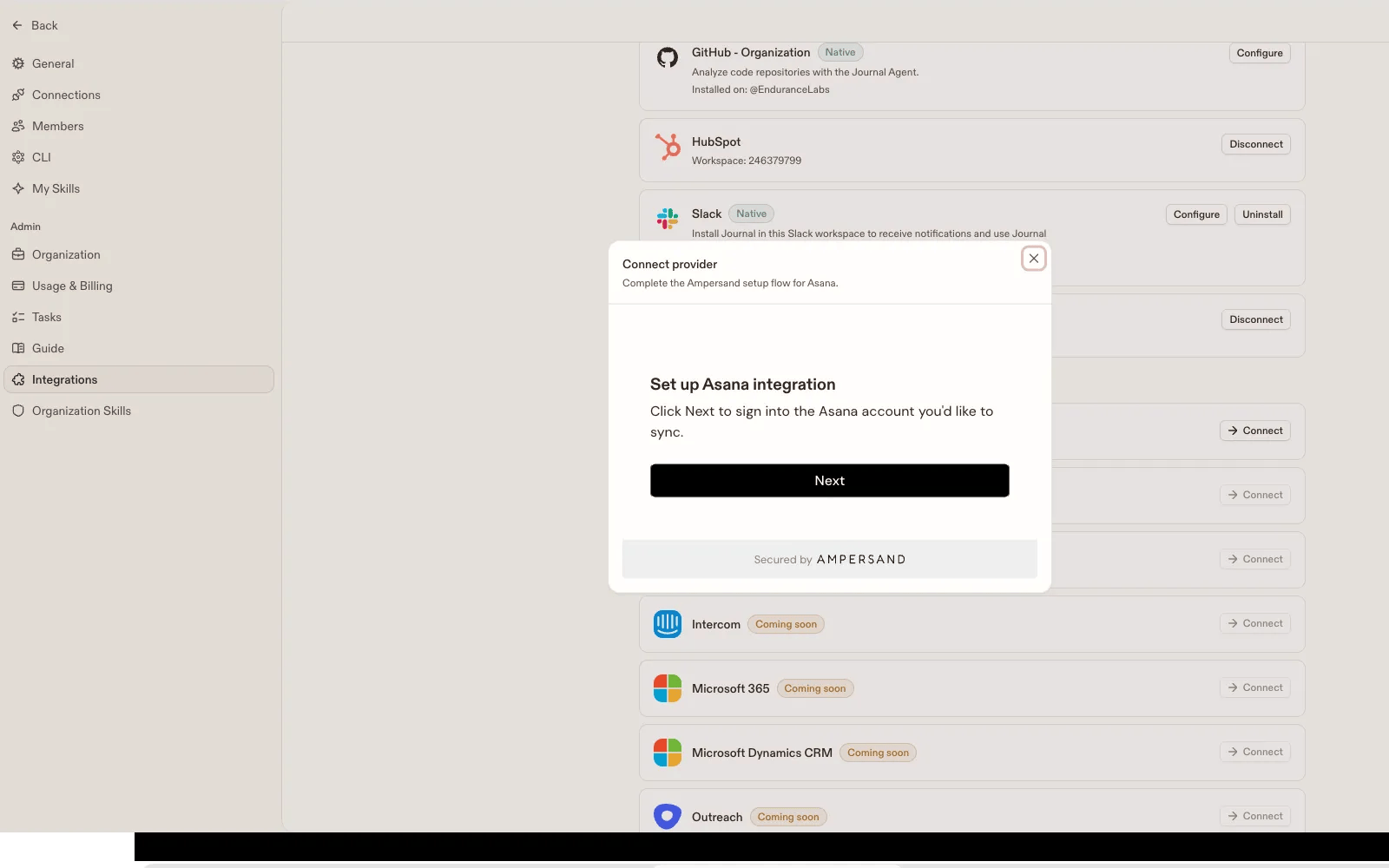
- Find Asana and click Connect.
- Log in to Asana and authorize access (secure OAuth, read-only).
- You'll be returned to Journal — Asana now shows as connected for your organization.
- Anyone on your team can now reference an Asana task by pasting its link or mentioning it, and the Journal agent pulls in its details, comments, and status.
Learn more and get support
To learn more about using the Journal + Asana integration, visit Journal.
If you have questions, feedback, or need support, contact the Journal support team.
Asana does not endorse or certify apps built by third-party developers. If you encounter inappropriate content or behavior, please report it here. Otherwise, please contact the app developer for support.
Collaborate effortlessly with Asana
From the small stuff to the big picture, Asana organizes work so teams know what to do, why it matters, and how to get it done. It's free to get started, simple to use, and powerful enough to run your entire business. Learn more about Asana today.