


Gennie + Asana
AI Powered Voice Assisant for Asana.
What is Gennie?
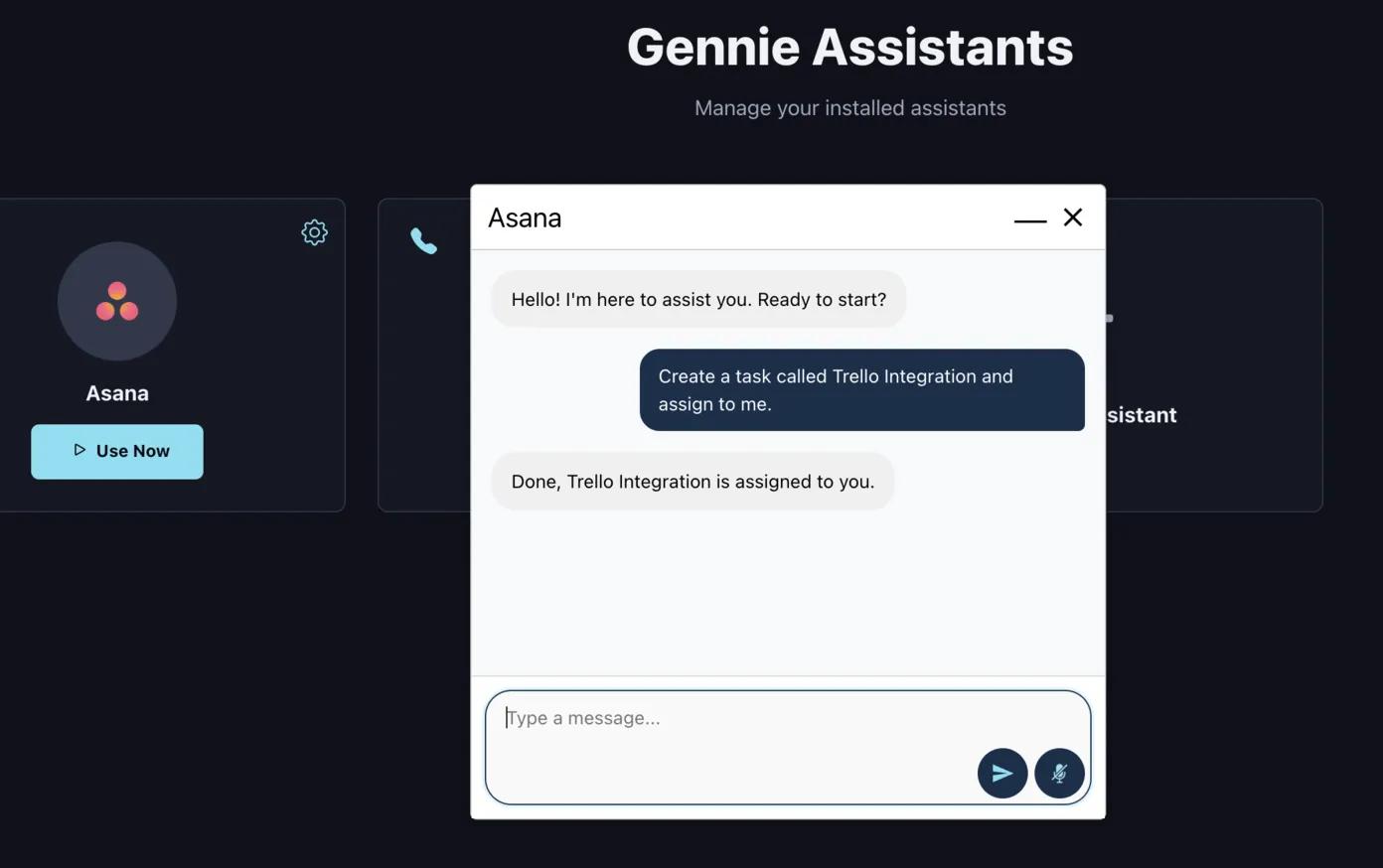
With Gennie, you can manage your Asana projects using simple voice commands or phone calls, anytime, anywhere.
Gennie transforms Asana into a hands-free productivity tool, letting you create, assign, and update tasks through natural voice commands.
Whether you’re commuting, in a meeting, or working offline, your workflow never stops.
Experience seamless Asana offline access across Android and iPhone devices.
How to connect Gennie + Asana?
- Sign in to Gennie.
- In Assistants, click Add Assistant → select Asana → Install.
- Authorize Gennie to access Asana, then choose your workspace and project.
- Return to the dashboard and click Use Now on the Asana card to start creating, finding, or updating tasks using voice or text commands.
Learn more and get support
To learn more about using the Gennie + Asana integration, visit Gennie.
If you have questions, feedback, or need support, visit the Gennie support page.
Asana does not endorse or certify apps built by third-party developers. If you encounter inappropriate content or behavior, please report it here. Otherwise, please contact the app developer for support.
Collaborate effortlessly with Asana
From the small stuff to the big picture, Asana organizes work so teams know what to do, why it matters, and how to get it done. It's free to get started, simple to use, and powerful enough to run your entire business. Learn more about Asana today.