


Formester + Asana
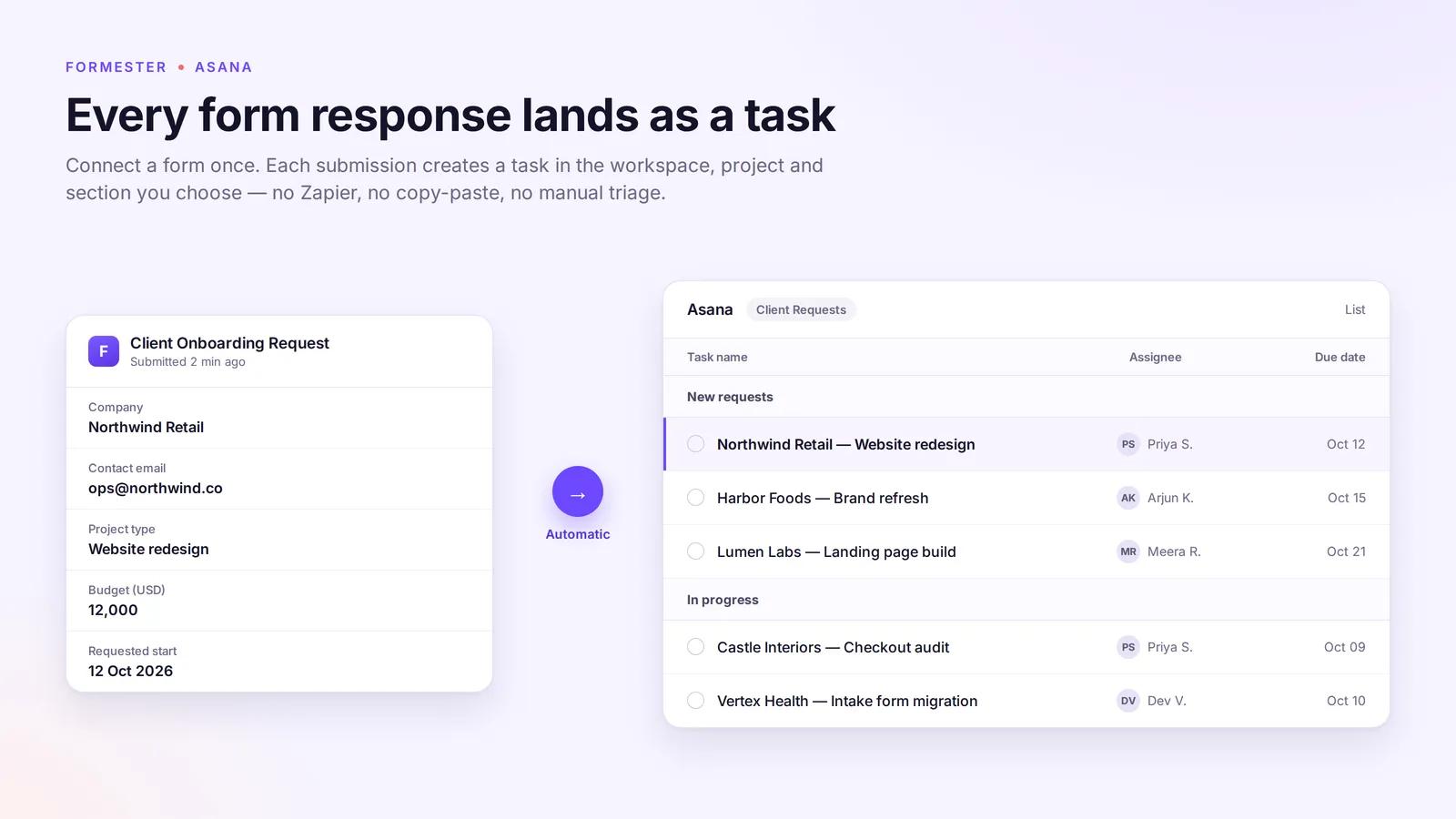
Turn every form submission into a ready-to-work task in the project and section you choose.
What is Formester?
Formester is a no-code form builder for intakes, requests and applications, and this integration sends every response straight into the work your team already tracks. Connect a form once, choose where tasks should land, and each submission arrives with the context needed to start work.
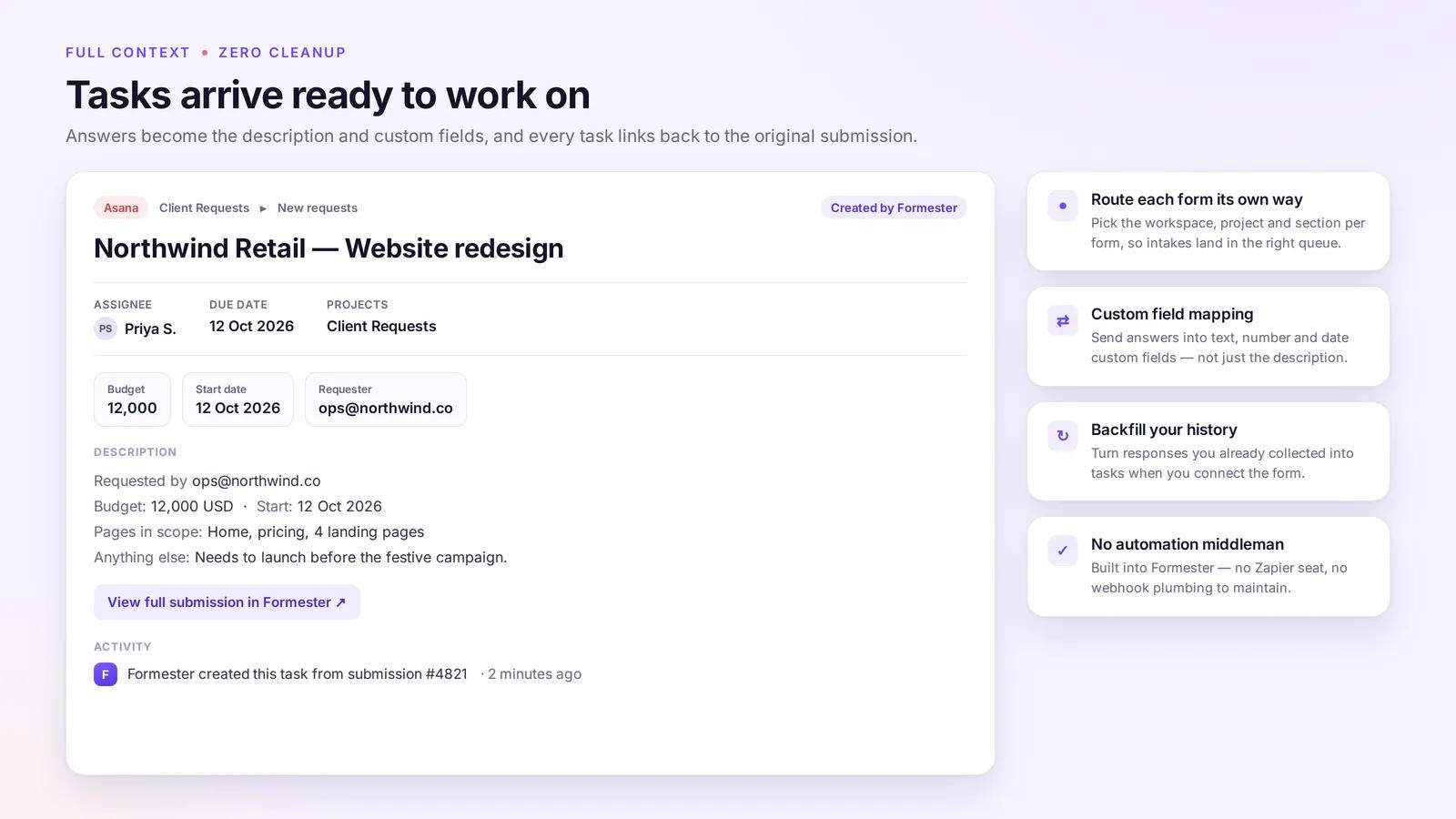
- Route each form to a specific workspace, project and section
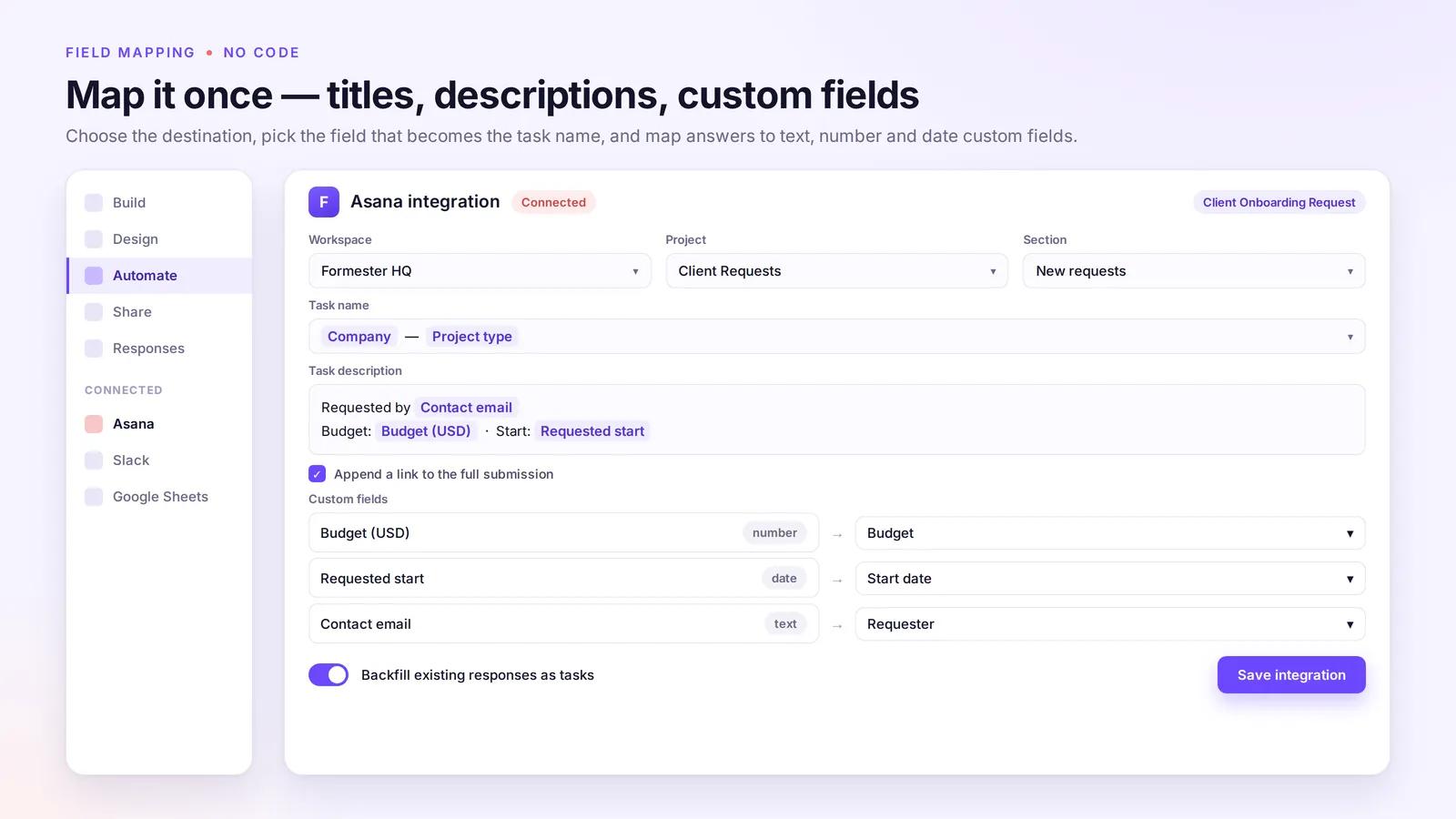
- Map form fields to the task name, description and custom fields (text, number, date)
- Add a link back to the full submission on every task
- Backfill responses you already collected as historical tasks
No Zapier seat, no webhooks, no copy-paste. Available on the Formester Business plan.
How to connect Formester + Asana?
Prerequisites: a Formester account on the Business plan and an Asana account with access to the destination project.
- Sign in to Formester at formester.com and create a form.
- Open the form's Automate tab and add the Asana integration.
- Click Connect and authorize Formester on the Asana OAuth screen.
- Select the destination workspace, project and (optionally) section.
- Choose the form field that becomes the task name, and compose the task description from form fields.
- Map any custom fields you want populated (text, number and date field types are supported).
- Optionally enable "Backfill existing responses" to create tasks for responses collected before the integration was connected.
- Save the integration, then submit a test response on the form. A task appears in the selected project within a few seconds, containing the mapped fields and a link back to the full submission.
Example use case: a client request form routes every submission into the "Client Requests" project, section "New requests", with budget and requested start date mapped to Asana custom fields.
Learn more and get support
To learn more about using the Formester + Asana integration, visit Formester.
If you have questions, feedback, or need support, visit the Formester support page.
Asana does not endorse or certify apps built by third-party developers. If you encounter inappropriate content or behavior, please report it here. Otherwise, please contact the app developer for support.
Collaborate effortlessly with Asana
From the small stuff to the big picture, Asana organizes work so teams know what to do, why it matters, and how to get it done. It's free to get started, simple to use, and powerful enough to run your entire business. Learn more about Asana today.