


Canto by The DAM Consultants + Asana
Automatically upload assets from Asana to Canto
What is Canto by The DAM Consultants?
Streamlined Creative Workflows
Teams manage tasks, collaboration, and production in Asana. When an asset reaches the right stage in the workflow, it is uploaded to Canto with its metadata, creating a smooth handoff from work-in-progress to final storage.
Automated Asset Delivery
Use Asana’s automation rules to define when assets should sync to Canto. Files appear in Canto without manual steps, re-uploads, or extra coordination.
Two-Way Metadata Syncing
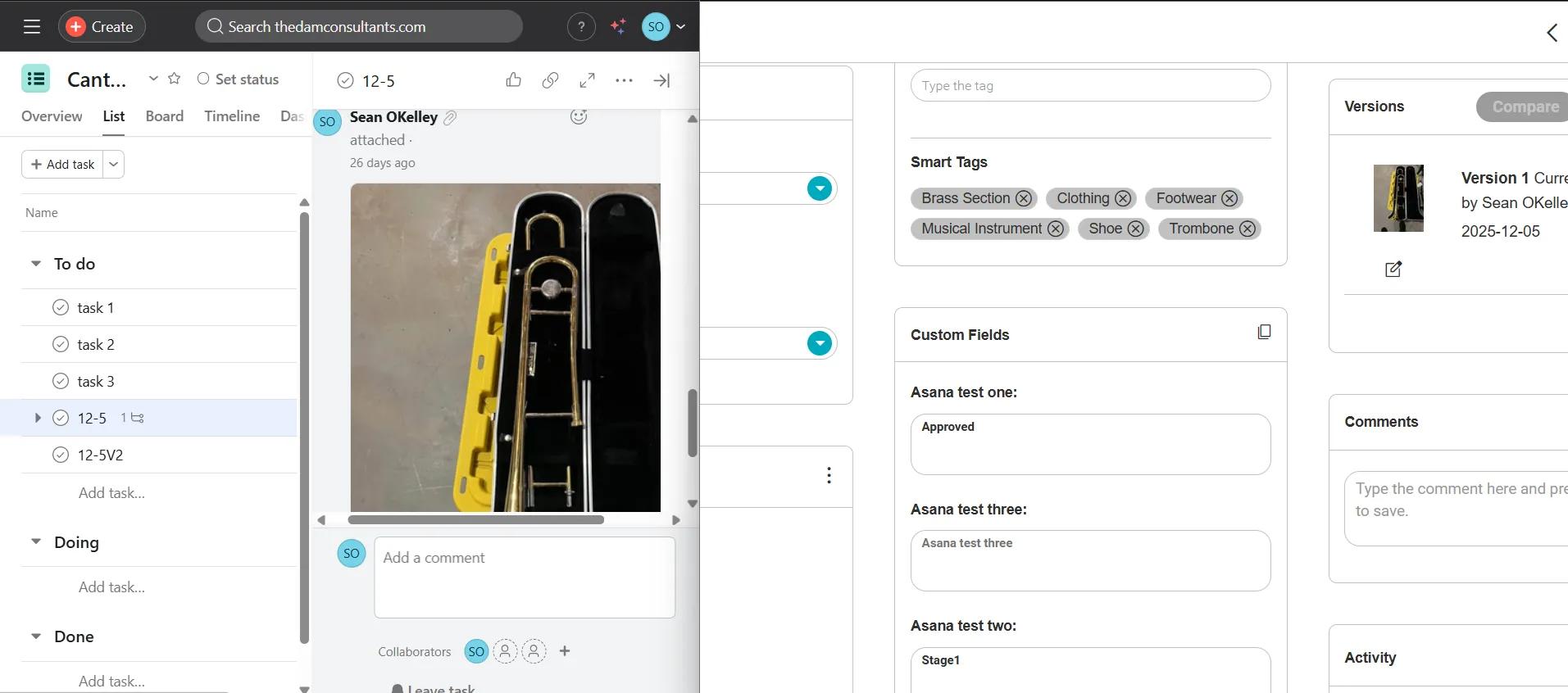
Add metadata to files synced to Canto by using custom Asana fields. The URL of the file will be added to Asana as well.
Less Manual Work and Fewer Errors
Reduce duplicate files, unnecessary uploads, and version issues. Teams stay focused in Asana while Canto stores the final output reliably and accurately.
How to connect Canto by The DAM Consultants + Asana?
- Log into Asana and find the project where you want to enable the Canto widget.
- Click on Customize in the upper right-hand corner.
- Scroll down to the Apps section, then select +Add app.
- Select Canto.
- Click Add to project and follow the steps to connect Canto to Asana.
- Map custom fields using an external portal during connection: Choose any custom field from Asana and determine which custom field from Canto the metadata should map to. You can also select which custom Asana field should display the URL of the file once synced.
- Back in Asana, confirm the custom Rule. It should have the following: 'When Status is changed to Approved', 'Check if Task has an attachment', and the custom Canto Sync trigger. You can designate which album files sync to, or enter a new album name that will be automatically created during the sync.
- Navigate to an Asana task in the project.
- Add any file to the attachment section of the task.
- Change Approval field value to ‘Approved’.
- Rule will run automatically.
- After about 30 seconds, the file should be uploaded to Canto. If not, check to ensure your rule ran in Asana.
- Asana details will show in custom fields in Canto DAM.
Learn more and get support
To learn more about using the Canto by The DAM Consultants + Asana integration, visit The DAM Consultants.
If you have questions, feedback, or need support, visit The DAM Consultants support page.
Asana does not endorse or certify apps built by third-party developers. If you encounter inappropriate content or behavior, please report it here. Otherwise, please contact the app developer for support.
Collaborate effortlessly with Asana
From the small stuff to the big picture, Asana organizes work so teams know what to do, why it matters, and how to get it done. It's free to get started, simple to use, and powerful enough to run your entire business. Learn more about Asana today.