


Getint: DevOps, Jira, Monday.com sync & more + Asana
Connect Asana with Jira, ServiceNow, Azure DevOps, Zendesk, GitHub, GitLab, monday.com, Wrike, or another Asana project. Keep teams aligned with automated one-way or two-way data synchronization — without manual updates or switching tools.
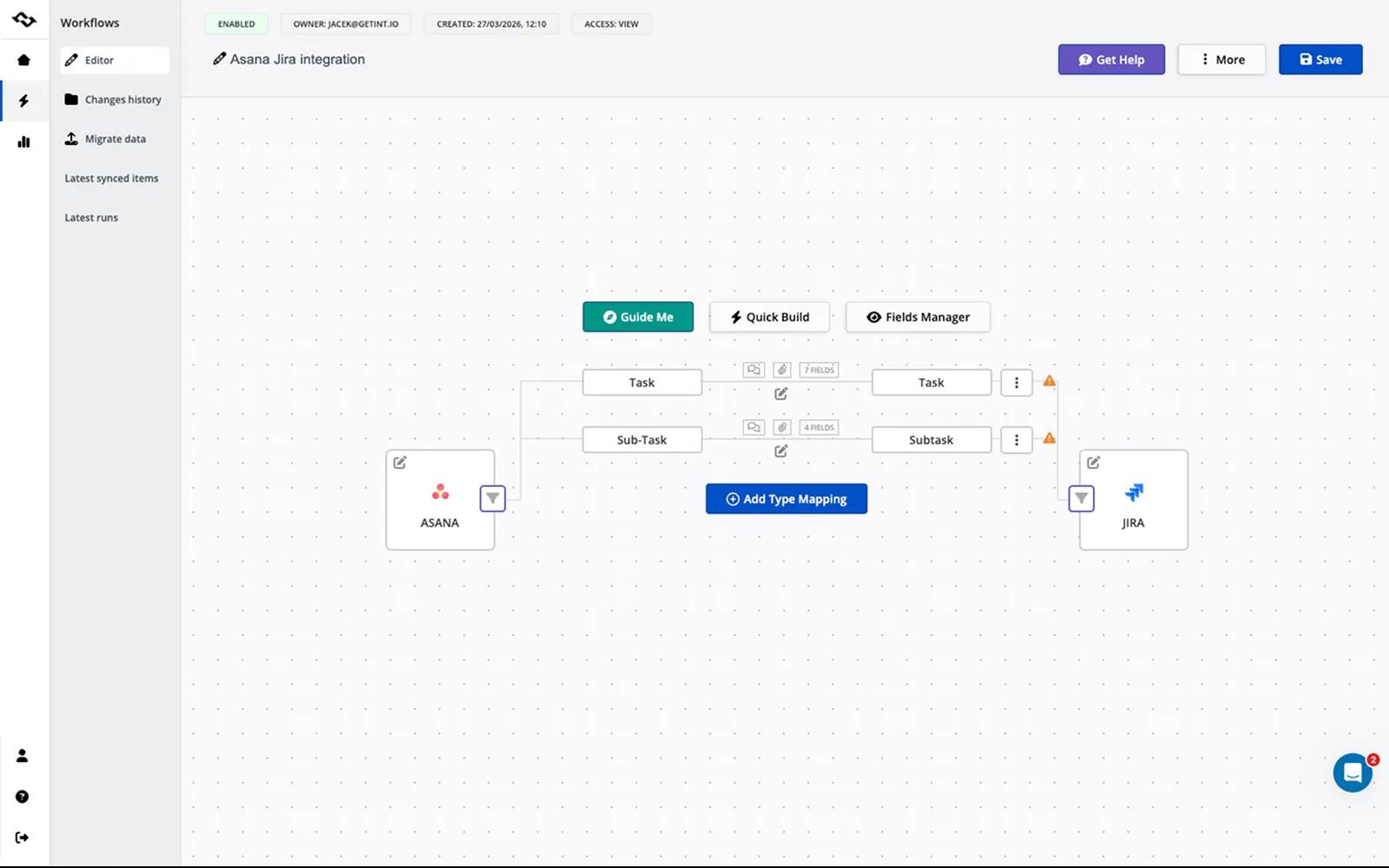
About Getint integrations for Asana
Getint connects Asana with the tools used across your organization, helping teams collaborate while continuing to work in the platforms they know best.
Create flexible one-way or two-way integrations between Asana and Jira, ServiceNow, Azure DevOps, Zendesk, GitHub, GitLab, monday.com, Wrike, and other supported platforms.
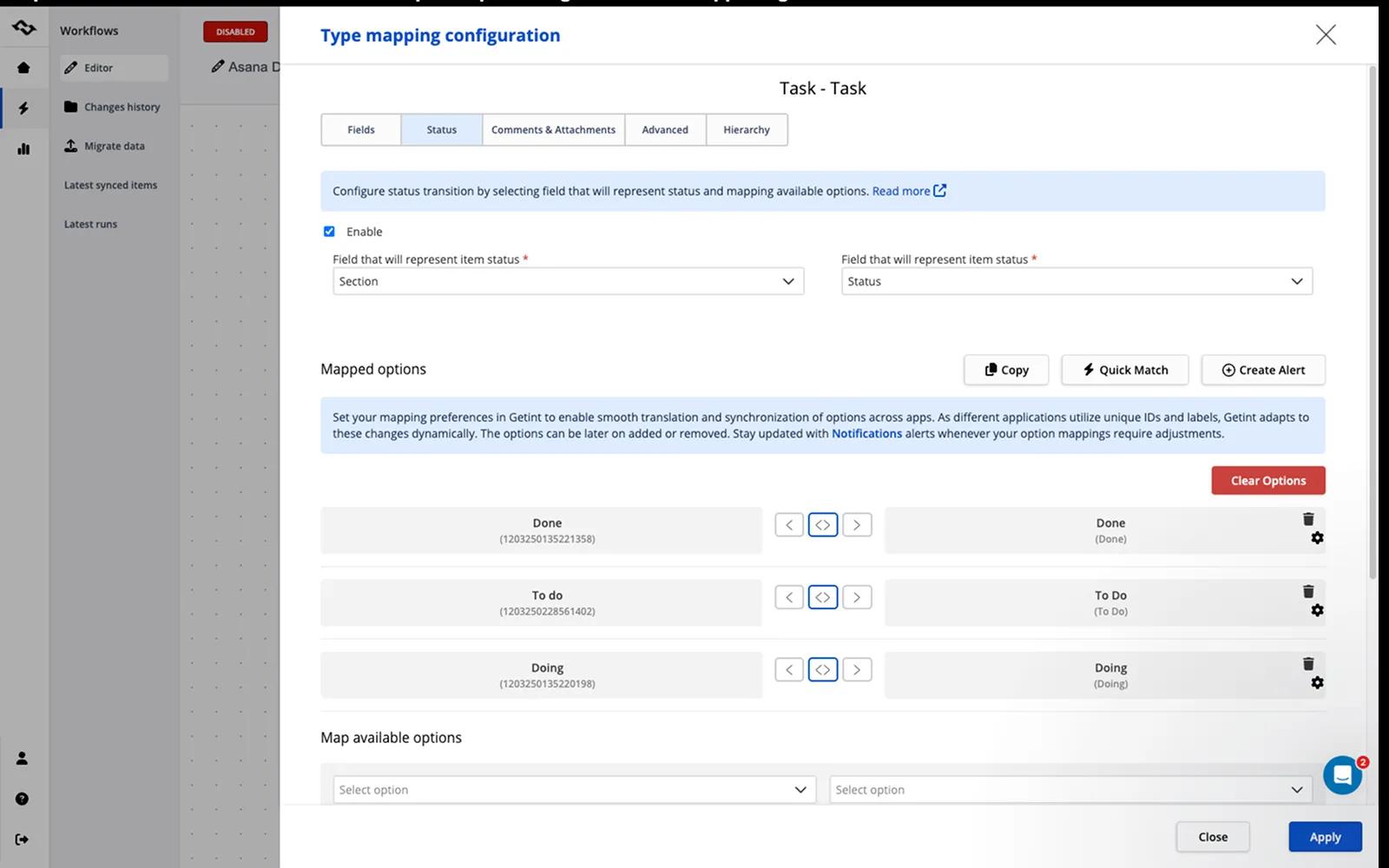
Automatically synchronize tasks, issues, work items, incidents, comments, attachments, statuses, custom fields, and more. Changes made in one connected tool can be reflected in the other, keeping teams and data aligned without manual copying.
Getint can also be used to migrate data between Asana and other supported platforms or between different Asana projects.
No coding is required. Integrations can be configured using Getint's visual interface and flexible field mapping.
What you can do with Getint
- Connect Asana with project management, development, ITSM, and collaboration tools
- Create one-way or two-way synchronization
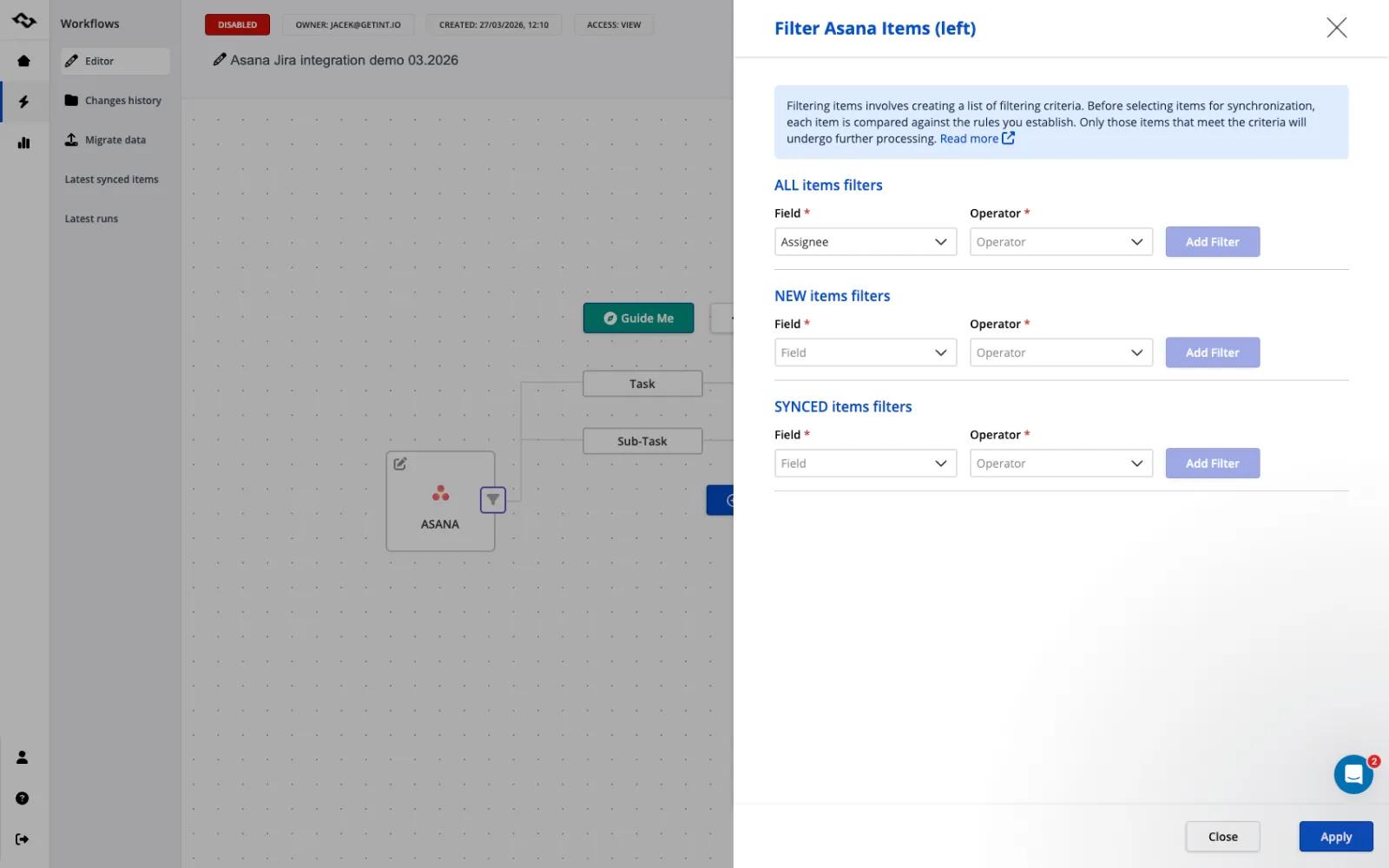
- Sync entire projects or selected tasks and work items
- Automatically synchronize updates between connected platforms
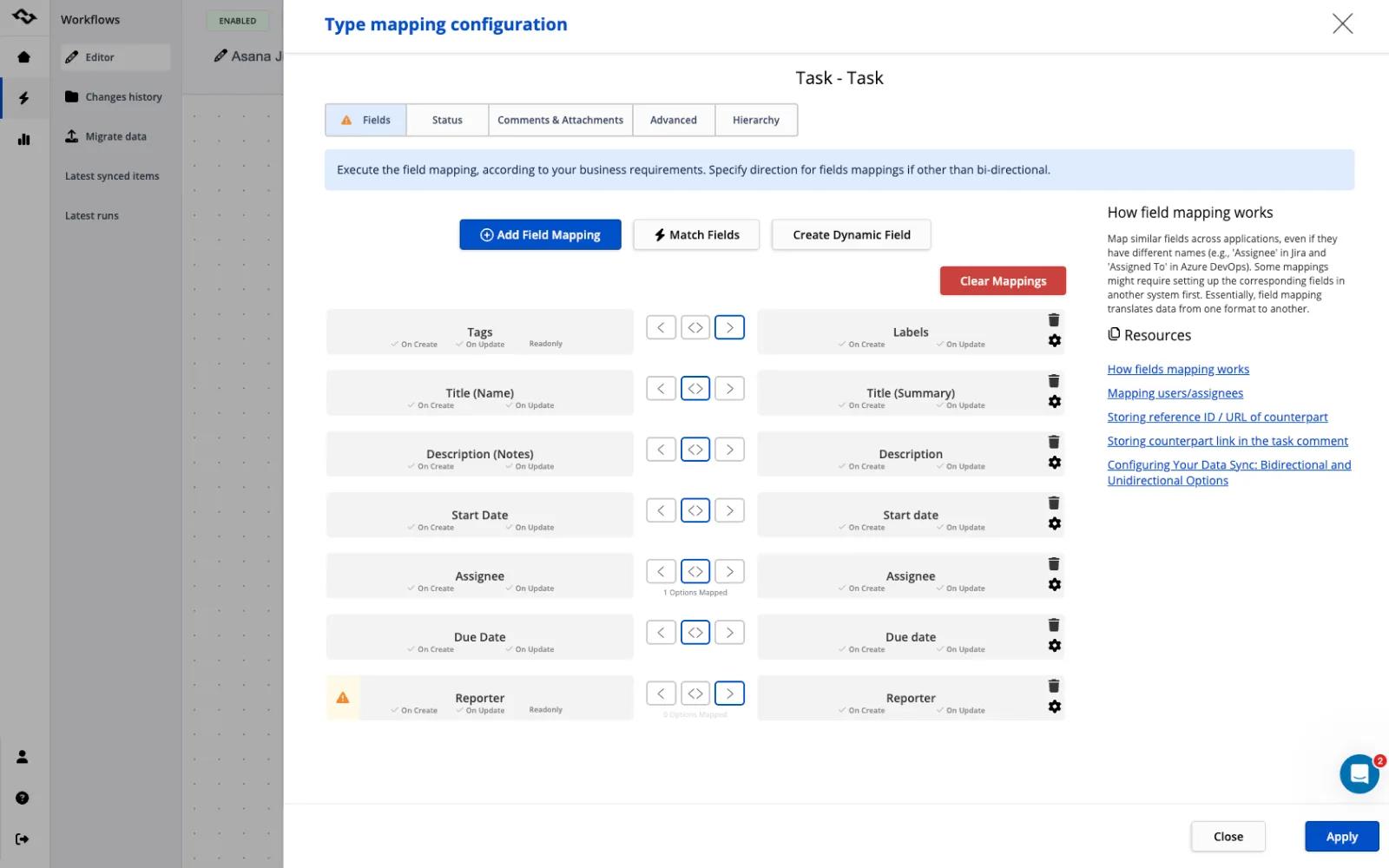
- Map standard and custom fields to match your workflows
- Sync comments, attachments, assignees, statuses, due dates, tags, and more
- Connect teams working in different tools
- Sync data between different Asana projects
- Migrate data to, from, or between Asana projects
- Customize integrations for more complex workflow requirements
Why Getint?
Keep every team in its preferred tool
Engineering can stay in Jira or Azure DevOps, IT teams can work in ServiceNow, and business teams can continue using Asana — while Getint keeps relevant information synchronized.
Flexible one-way and two-way sync
Control how information moves between systems. Build one-way workflows or keep both platforms continuously synchronized.
Advanced field mapping
Map fields and values between different platforms, including custom fields, to match the way your teams actually work.
Built for complex workflows
Go beyond simple task automation with configurable mappings and synchronization rules for cross-team and cross-company workflows.
Asana-to-Asana synchronization
Connect different Asana projects and keep selected data synchronized between them — including projects across different workspaces or organizations, where supported.
Integration and migration in one platform
Use Getint for continuous synchronization or migrate existing data when consolidating, replacing, or restructuring your tools and projects.
Enterprise-ready deployment
Choose between SaaS and On-Premises deployment depending on your organization's infrastructure and security requirements.
Expert support
Get help with setup, customization, troubleshooting, and advanced integration scenarios directly from the Getint team.
What can Getint sync with Asana?
Depending on the connected platform, Getint can synchronize:
- Tasks and subtasks
- Titles and descriptions
- Statuses
- Assignees
- Comments
- Attachments
- Due dates
- Tags
- Custom fields
- Links
- And more
Fields can be configured for one-way or two-way synchronization, giving you control over which system sends or receives updates.
Connect Asana with the rest of your workflow
Stop manually copying updates between tools.
Connect Asana with the platforms used by your engineering, IT, support, operations, and external teams — and keep work synchronized automatically.
Start your free trial and build your first Asana integration with Getint.
How to connect Getint + Asana?
For the full walkthrough, visit Getint's documentation.
Learn more and get support
To learn more about using the Getint + Asana integration, visit Getint.
If you have questions, feedback, or need support, visit the Getint support page.
Asana does not endorse or certify apps built by third-party developers. If you encounter inappropriate content or behavior, please report it here. Otherwise, please contact the app developer for support.
Collaborate effortlessly with Asana
From the small stuff to the big picture, Asana organizes work so teams know what to do, why it matters, and how to get it done. It's free to get started, simple to use, and powerful enough to run your entire business. Learn more about Asana today.