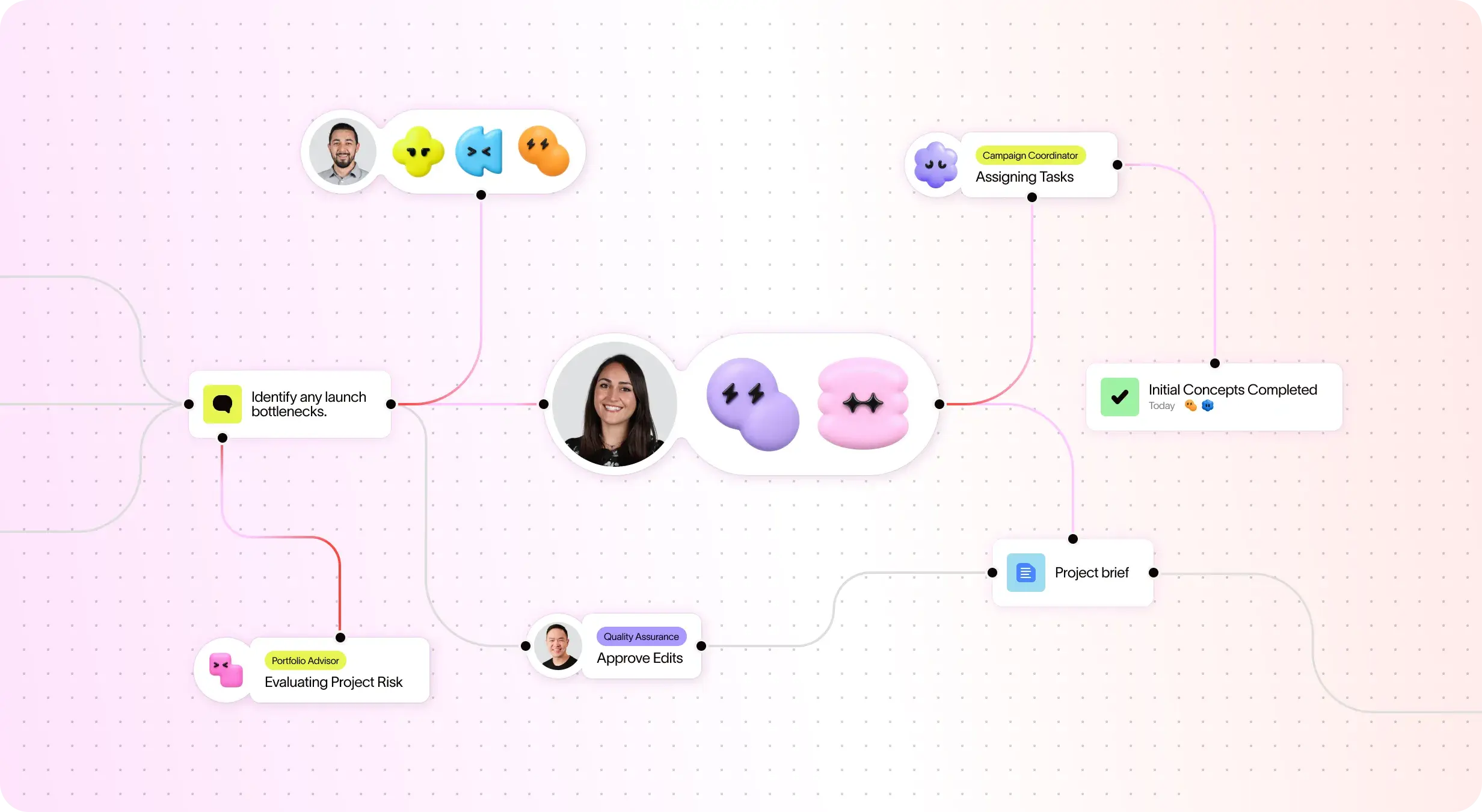
Asana AI 隊友是由 Work Graph 提供支援的 AI 代理,因此他們從第一天起就瞭解您團隊的目標、專案和相依性,且每個 AI 動作都是可查看且可稽核的。 深入瞭解。
在您朝公司目標邁進時,實現跨專案自動同步的任務,從而提升效率。
Asana 提供結構清晰、易於使用的自訂功能,包括自訂欄位、多種專案檢視方式和範本,使團隊能夠快速適應並有效管理工作流程,而不會增加複雜度。 深入瞭解
Asana 將溝通和專案更新連結在一處。評論、檔案分享和集中式收件匣有助於讓每個人都能掌握最新進度,並且任務可以存在於多個專案中,更新會自動跨團隊流動。深入瞭解
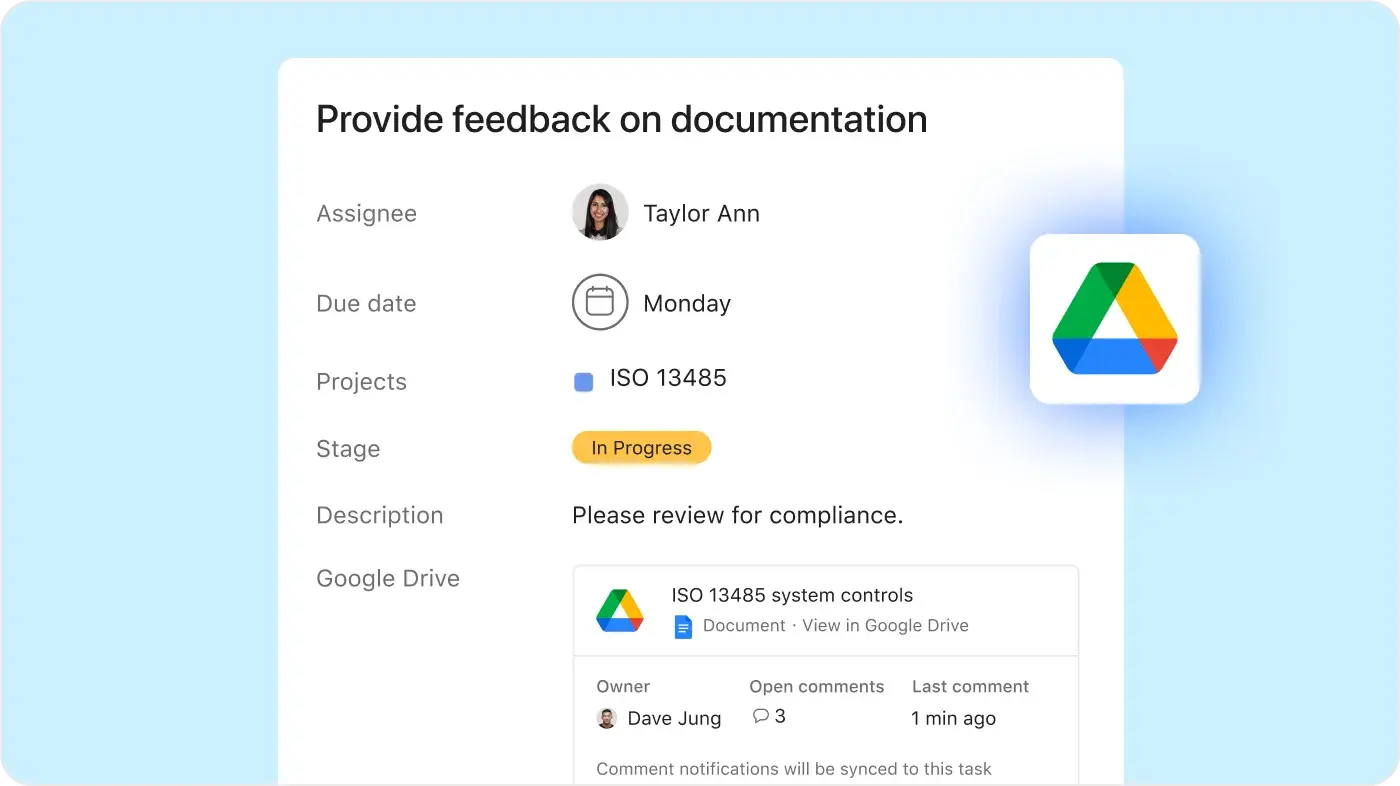
Asana 提供 400 多項原生、第一方整合,涵蓋 Slack、Microsoft Teams、Google Drive 及 Salesforce 等熱門工具,讓團隊能夠跨部門連結工作流程,並有效地擴展協作。 深入瞭解
Asana 透過自動化和 AI 功能簡化您的流程,幫助團隊節省時間並減少手動工作。規則可以觸發跨多個專案的動作,從而使複雜的工作流程自動運行,並隨著您的團隊進行擴展。深入瞭解
Asana 提供一個統一且易於使用的平台,具備無上限自動化、廣泛的整合支援以及全組織範圍的標準化功能,使團隊能夠在不增加營運複雜度的情況下有效地擴展。 深入瞭解
「在嘗試過 Smartsheet 和 Monday 等其他平台後,我們發現 Asana 的設計最乾淨、最易於使用,且無需大量訓練。Asana AI Studio 徹底改變了工作流程和協調的自動化。」
- 財務長 Brandon H.
「在嘗試過 Smartsheet 和 Monday 等其他平台後,我們發現 Asana 的設計最乾淨、最易於使用,且無需大量訓練。Asana AI Studio 徹底改變了工作流程和協調的自動化。」
- 財務長 Brandon H.
「在嘗試過 Smartsheet 和 Monday 等其他平台後,我們發現 Asana 的設計最乾淨、最易於使用,且無需大量訓練。Asana AI Studio 徹底改變了工作流程和協調的自動化。」
- 財務長 Brandon H.
「在嘗試過 Smartsheet 和 Monday 等其他平台後,我們發現 Asana 的設計最乾淨、最易於使用,且無需大量訓練。Asana AI Studio 徹底改變了工作流程和協調的自動化。」
- 財務長 Brandon H.
探索 Asana 如何協助各種規模的團隊在一處位置自訂專案、連結工具並報告進度。
Asana AI Teammates understand your goals, projects, and dependencies—Airtable’s data-first AI can summarize records, but can’t navigate the nuances of shifting project deadlines.
Asana AI Teammates build shared memory that compounds across your whole team—Airtable AI is confined to specific "bases," keeping your team’s intelligence siloed.
Every AI action is visible in your activity log, just like a human teammate—Airtable records AI changes as simple field updates, providing no visibility.
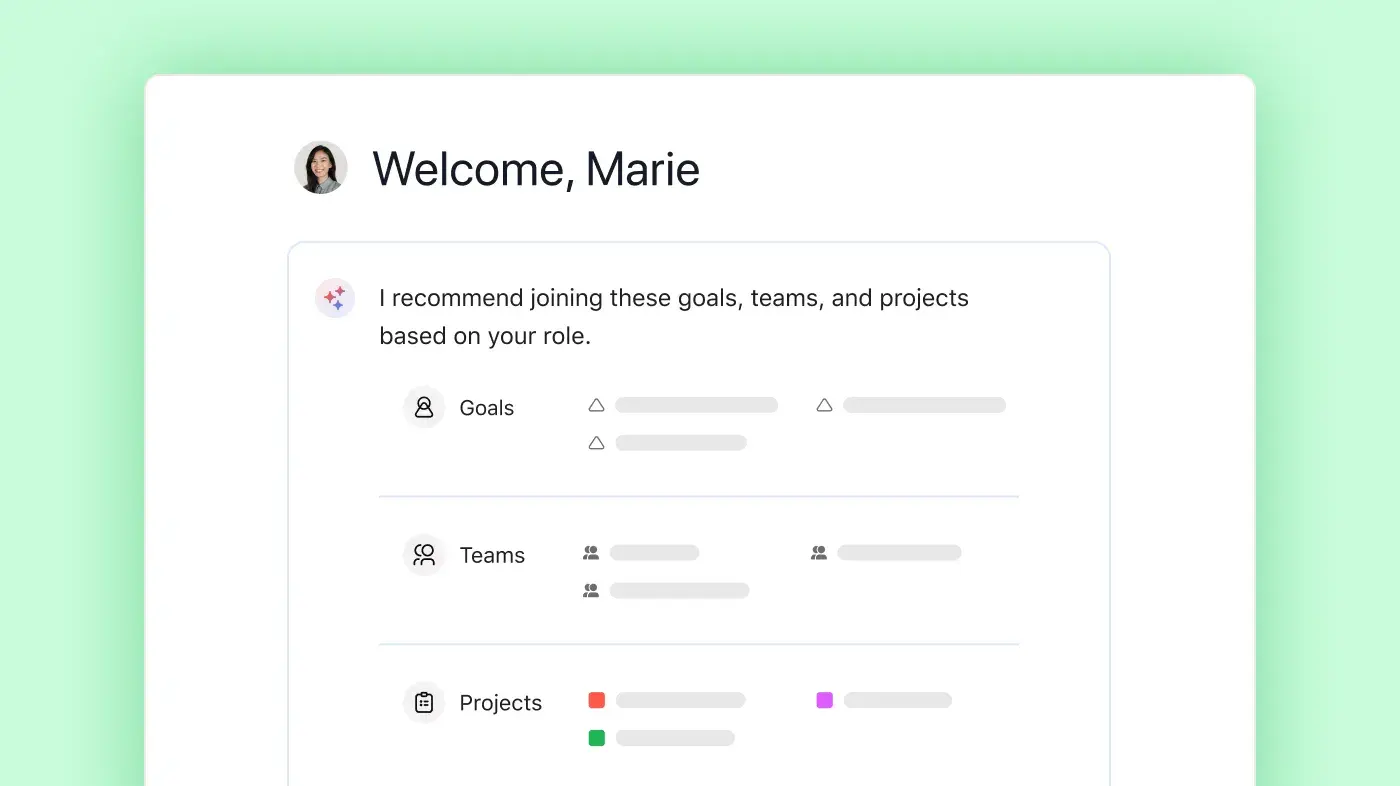
Asana 提供可自訂的到職流程和預先設定的專案範本,讓使用者能夠快速開始,並依循針對其團隊需求量身打造的清晰步驟。
引導資源 (包括 Asana 學院、逐步教學、應用程式內指引和線上訓練) 可協助各種規模的團隊放心採用新的工作流程,從而最大限度地減少對長期訓練或外部顧問的需求。
Airtable’s database-centric model requires significant manual configuration, resulting in a steeper learning curve, while Asana provides a guided, user-friendly onboarding experience that accelerates adoption.
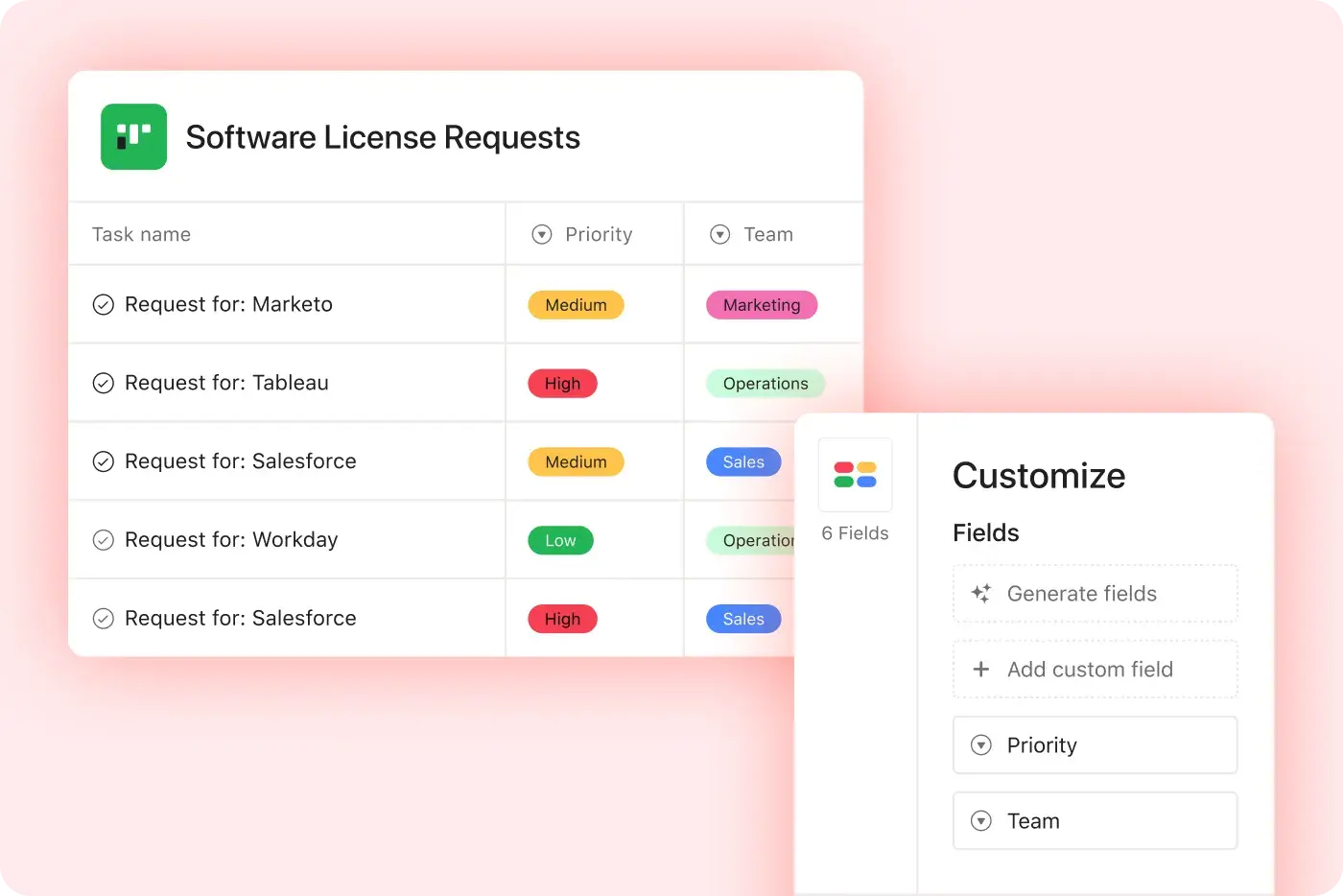
Asana 可讓各種規模的團隊將無限制的自訂欄位 (例如優先順序、階段或管道) 新增至任何專案,以便追蹤和可視化任務組織。
在 Asana 中,團隊可以即時對任務進行顏色編碼、篩選和排序,使每個專案的專案管理清晰且可據以行動。
Airtable requires manual configuration and deep knowledge of its database model to achieve similar visual customization, while Asana simplifies personalization with reusable custom fields and templates across projects.
Asana 可連結超過 400 個應用程式,包括 Slack、Google Workspace、Salesforce 和 Tableau,讓團隊能夠將交接工作自動化,並且在同一處集中管理工作。
團隊將 Asana 連結至行銷、分析和 IT 工具,從而減少手動更新並讓工作內容維持同步。
Trello 支援 200 多項整合,而 Asana 則支援 400 多項整合。
Asana helps teams manage regulatory requirements with audit-ready dashboards, centralized compliance controls, and real-time tracking of compliance status.
Teams can organize documentation, monitor updates, and implement new controls quickly—all from a single platform that keeps teams accountable to changing regulations.
Airtable requires manual configuration to meet IT and regulatory standards, while Asana provides templates and built-in compliance features for secure, compliant workflows.
公司規模
中型市場
產業
科技
我們希望加深與客戶的關係,並同時保有一套統一且一致的方法。 Asana 幫我們辦到了。 我們將它連結至 Zendesk、Zoom、Slack 和我們自己的平台,把 Asana 變成事實來源,仰賴它完成工作、團結各個團隊。
Skai 零售媒體客戶成功部門副總
公司規模
中型市場
產業
科技
We needed a platform that would allow us to track bugs and manage projects. A tall order that many people thought didn’t exist—until we found Asana.
Product Manager, Quora
公司規模
Enterprise 版
產業
科技
Migrating from Airtable to Asana is straightforward for teams, as Asana is designed for user-friendly onboarding and quick adoption, even for those new to project management software. Teams benefit from step-by-step migration resources and robust training through Asana Academy, making it easy to get started quickly and standardize workflows across projects.
Airtable often requires significant manual setup and customization, which can create a steeper learning curve during migration. Asana’s structured onboarding approach reduces complexity and helps teams transition to a dedicated project management platform with greater clarity and consistency.
Asana is designed with an intuitive interface and ready-to-use templates, making it easy for teams—regardless of technical background—to get started quickly, even if they are used to Airtable. Onboarding resources like the Asana Academy and in-product guides help new users learn project management best practices and adopt workflows with minimal friction.
Airtable is often cited as having a steeper learning curve that can slow down adoption, especially for teams without dedicated training support. Asana’s structured approach ensures teams can get productive faster, standardize workflows across projects, and scale project management effectively while minimizing onboarding challenges.
Asana provides a comprehensive onboarding experience for new users, including step-by-step training through Asana Academy, live expert sessions, and detailed onboarding guides for every team. These resources are designed to help teams of all technical backgrounds quickly adopt project management best practices and start managing projects with confidence—whether you’re migrating from Airtable or starting fresh.
Airtable often requires more upfront setup and training to establish workflows, which can slow down onboarding for new users. Asana’s structured onboarding resources and guided support make it easier for teams to get up and running quickly, standardize processes, and scale adoption across the organization with minimal friction.
Asana offers integrated AI features for project management, including Smart Projects, Smart Goals, and Smart Summaries, which automate project planning, goal tracking, and risk identification directly within workflows. Teams can also use AI Studio to build custom automations and leverage AI-powered task creation, editing, and summarization to reduce manual work and improve clarity across projects.
Airtable offers customizable automations focused on data manipulation, which are more general-purpose and less embedded in project management workflows. Asana’s AI is purpose-built for project management tasks, helping teams of all sizes automate routine work, track progress, and achieve measurable outcomes efficiently.
Asana makes workflow automation easier by providing user-friendly, no-code tools like Rules, Forms, and Templates that let any team automate repetitive tasks without technical setup or scripting. Teams can quickly build and scale automations across projects using intuitive interfaces and advanced options like AI Studio for more complex workflows, all within the same project management platform.
Airtable requires more manual configuration and technical steps to achieve similar automation, which can create barriers for teams without dedicated IT resources. Asana’s automation tools enable organizations to standardize processes, reduce manual work, and scale workflows across projects efficiently, making it easier for teams of all skill levels to adopt and benefit from automation.
Yes, non-technical users can easily set up automations in Asana using no-code tools like pre-built automation templates and AI Studio, which require no coding or IT support. Asana’s platform is designed so that anyone can automate routine project management tasks and workflows, helping teams save time and reduce manual work through AI-powered workflow automation.
In contrast, Airtable’s automation setup often involves more manual configuration and technical steps, which can slow adoption for non-technical users. Asana’s intuitive, no-code approach makes it easier for teams to quickly build, manage, and scale automations, improving efficiency and enabling broader adoption across the organization.
Asana uses a hierarchical project management structure that connects goals, portfolios, projects, tasks, and subtasks, giving teams a clear framework for organizing and tracking work from day one. This built-in hierarchy helps teams manage projects of any size with clarity, making it easy to see how daily tasks contribute to broader business objectives through features like project management and task management.
Airtable requires teams to manually configure their own project structure, which can add complexity and increase setup time. Asana’s predefined hierarchy and purpose-built project management features provide immediate clarity, helping teams stay aligned, maintain visibility across work, and scale processes without relying on custom builds.
Asana helps teams track dependencies and deadlines with built-in tools to visualize project timelines, set task relationships, and automatically adjust schedules as work changes. Task management features like Timeline view allow teams to see how work connects, identify blockers early, and maintain accountability across projects.
Airtable relies on manual linking and does not offer the same level of native dependency tracking or dynamic timeline visualization. Asana’s purpose-built project management features provide real-time visibility into task sequencing and deadline impacts, helping teams manage complex schedules with greater clarity and control.
Asana helps teams reduce complexity by supporting over 400 native integrations, allowing you to connect project management workflows with the tools your teams already use, without relying on workarounds or extra connectors. This breadth of integrations enables organizations to centralize project data, automate processes, and manage tasks in one place, making collaboration and reporting more efficient.
Airtable offers a narrower range of native integrations, which can make it harder to consolidate tools and maintain a single source of truth across projects. Asana’s extensive integration ecosystem ensures teams can unify workflows, reduce disconnected tools, and work more effectively across projects without added complexity.
Asana gives distributed teams a robust set of collaboration tools, including real-time project updates, shared task lists, and multiple project views that keep everyone aligned regardless of location. Teams can track progress, comment directly on tasks, and manage cross-functional work using features like Portfolios and Workload for visibility across projects.
Airtable offers customizable dashboards, but often requires more manual setup to coordinate work across teams and maintain real-time visibility. Asana’s built-in collaboration features provide a more structured and connected way to manage projects, helping distributed teams stay aligned, communicate in context, and track progress without relying on additional configuration or external tools.
Asana provides real-time project reporting through fully customizable reporting dashboards that are available out of the box, allowing teams to instantly visualize project data and track progress without technical setup. Teams can also use multiple project views, including boards, lists, timelines, calendars, and charts, giving every user immediate insight into project performance from day one.
Airtable offers reporting flexibility but typically requires manual configuration or low-code app building to achieve similar visibility. Asana’s built-in dashboards and structured reporting tools make it easier for teams to access actionable insights quickly, maintain transparency across projects, and scale reporting without added complexity.
Yes, Asana enables you to directly connect projects and tasks to company goals and KPIs, giving teams and leaders real-time visibility into how daily work drives strategic outcomes. With built-in goal tracking and reporting dashboards, organizations can measure progress, align priorities, and generate executive-level insights without manual setup, making it easy to see the impact of every project.
Airtable focuses on customizable data tables and dashboards, but does not natively link work to organizational goals within a structured project management framework. Asana’s integrated goals and reporting capabilities provide clearer alignment between strategy and execution, helping teams stay focused on measurable business outcomes as they scale.
Asana helps organizations manage costs as they scale by providingtransparent, predictable pricing with no hidden fees for integrations, automations, or file storage, allowing teams to plan budgets with confidence. Unlimited projects and tasks are included, so organizations can grow without worrying about escalating costs or usage limits.
Airtable’s pricing structure can become more complex as teams expand and usage increases, potentially introducing additional costs. Asana’s clear and stable pricing model ensures organizations of all sizes can scale affordably, providing predictability and control for long-term growth.
Asana offers unlimited automation rules and actions, allowing organizations to scale workflows without hitting usage limits or complexity barriers. This means teams can automate processes across projects and departments as they grow, supporting everything from routine task management to advanced, cross-functional workflows using workflow automation.
Airtable applies automation usage limits that can restrict how workflows scale as organizational needs expand, often requiring teams to adjust processes or manage constraints as demand increases. Asana’s approach to automation enables teams to build, adapt, and scale workflows freely, helping maintain efficiency, consistency, and operational momentum as the organization grows.
Asana supports data governance and regulatory compliance through enterprise-grade controls, including advanced role-based access, centralized admin management, and granular permission settings, all designed to help organizations meet strict regulatory requirements. The platform’s security-by-design approach includes encryption, least privilege access controls, and continuous monitoring, along with compliance certifications that address the needs of regulated industries.
Airtable offers features such as EU data residency, but often requires additional configuration to achieve comparable governance and administrative oversight. Asana’s centralized admin controls and built-in security framework make it easier for organizations to enforce policies, manage access at scale, and maintain consistent compliance without added complexity.
Asana gives admins granular control over user and access management, allowing you to set permissions at the organization, team, project, and even task level through the admin console and permission settings. This enables secure collaboration with both internal team members and external guests, supporting flexible workflows and compliance needs.
Airtable restricts guest access to read-only in many cases unless additional permissions are enabled, which can limit how teams collaborate with external partners. Asana’s flexible permission controls and scalable access management make it easier to securely involve stakeholders, maintain visibility, and support collaboration across teams without unnecessary restrictions.
*準確性僅至 2025 年 12 月