


使用共用團隊行事曆軟體按時完成工作
在線上行事曆中檢視團隊工作,使您每次都能確實遵守期限。
藉助共用團隊行事曆應用程式,您可以……
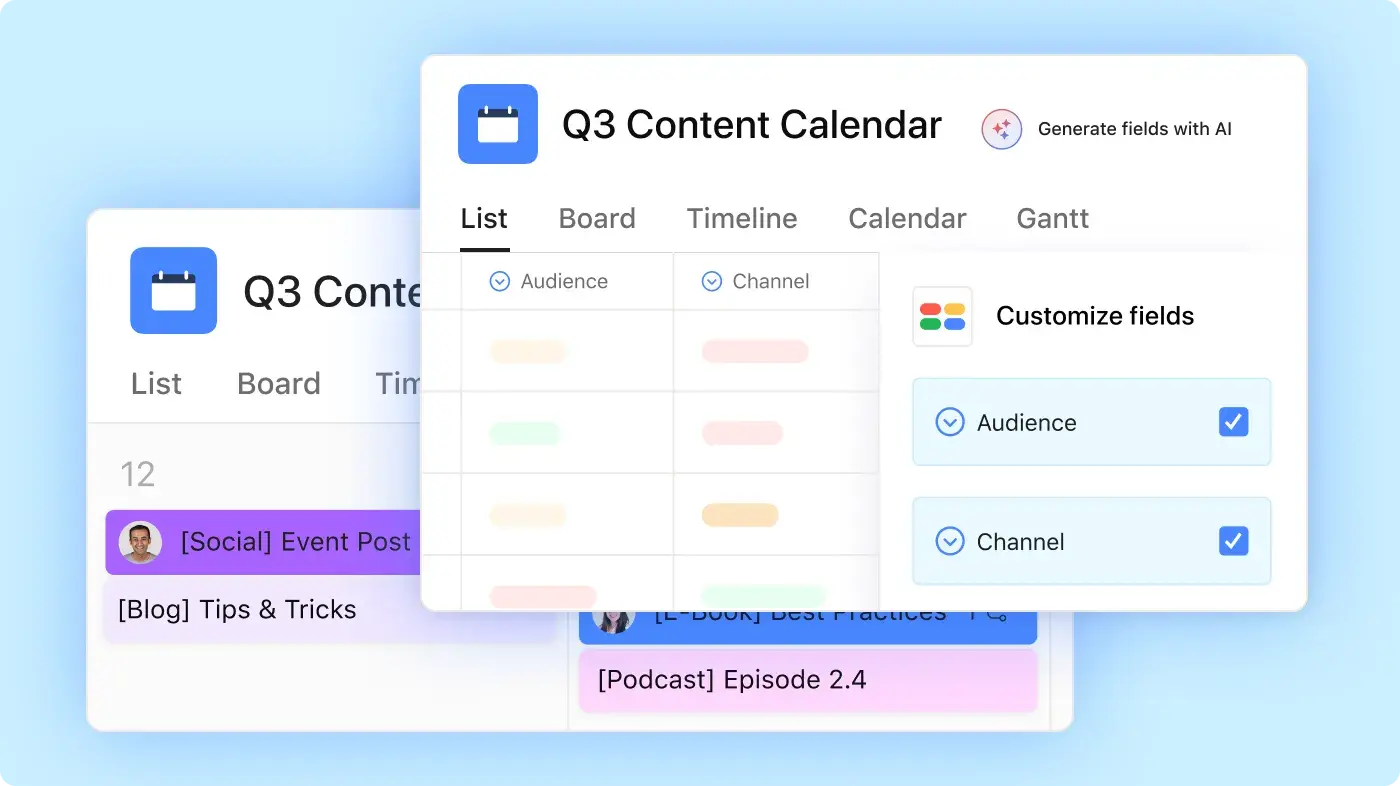
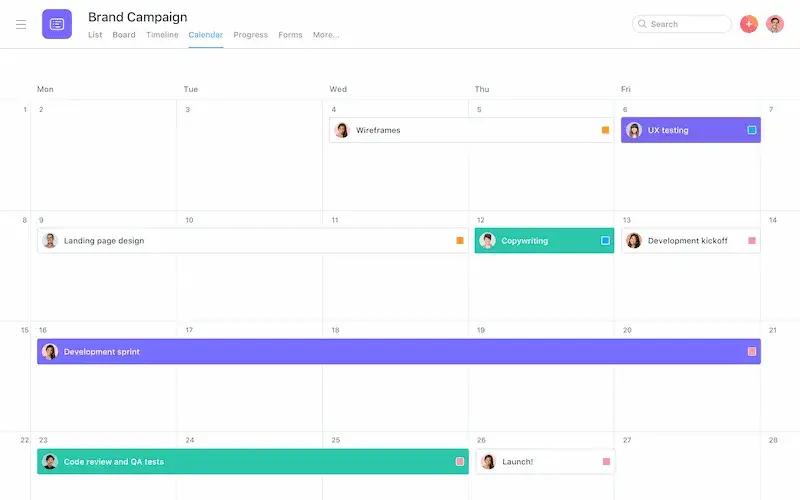
分享整個團隊都能更新的行事曆
為隊友提供一個共用行事曆,用於期限、里程碑、發表及活動。
指派所有者和截止日期,讓每個人都知道誰負責處理每個任務。
隨計劃變更,在 Asana 中更新任務、評論及日期。
將 Asana 與其他排程工具同步
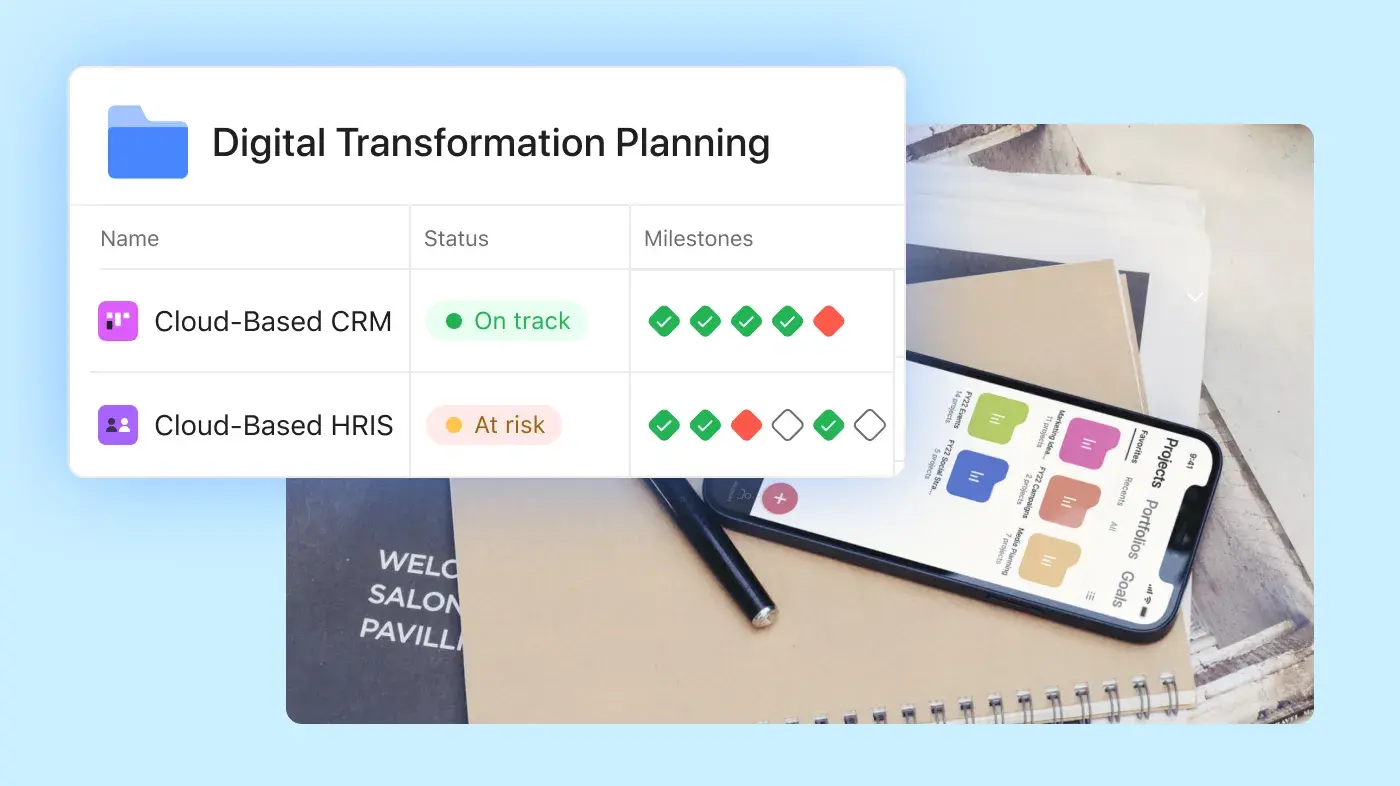
將 Asana 任務連結至您的團隊已使用的行事曆應用程式。
審查專案期限,同時查看會議和約定事項。
開啟已同步的行事曆項目,返回原始 Asana 任務。



追求卓越成果的團隊皆信賴 Asana













公司規模
Enterprise 版
產業
零售與消費品
Asana 的行事曆協助我們提前將工作內容可視化,評估團隊的工作負荷,並且按時交付專案。 我們可以查看接下來幾個月的內容,或者直接深入到本週,確保進展順利,實現我們的目標。
Bene Cipolla
Birchbox 採編營運總監
利用共用團隊行事曆應用程式,不僅可管理會議,還可管理更多內容
使用 Asana 規劃每個期限背後的工作。 為行銷活動、發佈、內容計劃、活動和專案里程碑建立共用行事曆。
![[範本] 編輯行事曆 (卡片圖片)](https://assets.asana.biz/transform/5fac5de2-17f6-4d69-8cd3-091a887a24bd/TG23-web-thumbnail-042-editorial-resource-management-static-2x?io=transform:fill,width:2560&format=webp)
![[範本] 社交媒體行事曆 (卡片)](https://assets.asana.biz/transform/3d20dd82-f67c-47be-a595-0d0019ee7e98/Social-media-calendar-m?io=transform:fill,width:2560&format=webp)
仍有疑問。 我們樂意解答
若要在 Asana 中建立共用團隊行事曆,請先開設免費 Asana 帳戶,並針對您需要規劃的工作建立專案。 Asana 的 Personal 方案包含行事曆檢視、無限制任務及無限制專案,最多可供兩名使用者使用。 Asana 的免費團隊行事曆應用程式非常適合需要共用行事曆來管理期限和專案工作的個人、合作夥伴或非常小的團隊。
簡單的免費團隊行事曆設定如下:
在 Asana 中建立新專案。
為您的團隊需要完成的工作新增任務。
指派所有者,讓隊友知道誰負責處理每個任務。
新增截止日期,以便任務顯示在行事曆檢視中。
使用每月檢視,以便查看即將到來的期限。
新增描述、檔案、評論和核准。
團隊可以使用 Asana 團隊行事曆來規劃活動、建立內容行事曆、追蹤事件和專案里程碑。 由於每個行事曆項目都與任務連結,因此 Asana 不僅適用於活動建立,也適用於任務和時間管理。
是的,每個 Asana 專案都可以有自己的行事曆檢視,因此團隊可以為不同的專案、部門或工作流程建立多個行事曆。 例如,行銷團隊可能會使用一個工作行事曆來追蹤活動期限,另一個用於編輯排程,另一個用於產品發佈里程碑。
當不同團隊需要不同的所有者、日期和專案詳細資料時,共用行事曆應用程式非常有用。 內容行事曆可能會追蹤發佈日期和審核,而活動行事曆可能會追蹤供應商期限、週期性活動和每日任務。
團隊還可以根據所需的規劃類型切換檢視:
使用行事曆檢視,按日期查看期限。
使用清單檢視來管理詳細的待辦清單。
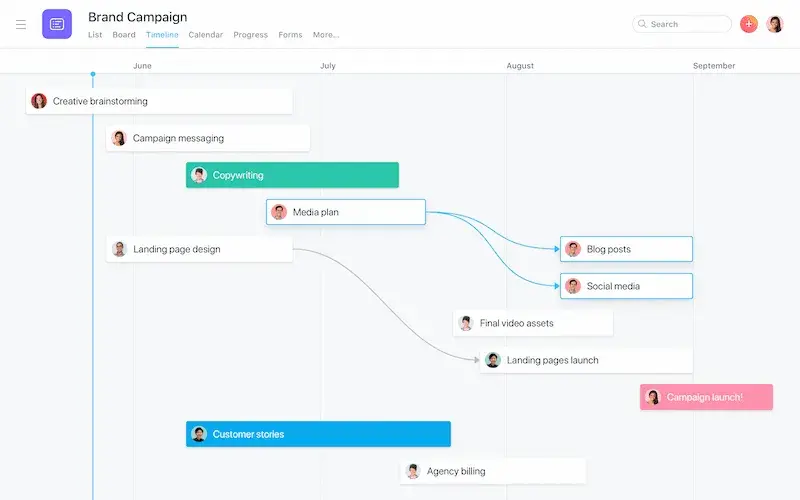
使用時間軸檢查排程和相依性。
使用看板檢視,依狀態 (例如已請求、進行中、審查中和已完成) 將工作分組。
是的,您可以將 Asana 與 Google 行事曆、Microsoft Outlook、Apple 行事曆,以及其他支援透過 URL 訂閱的行事曆工具同步。 同步共用工作行事曆的功能可協助隊友在已用於會議、約定和通知的行事曆應用程式中查看專案期限。
這對於在日常工作中使用 Google Workspace、Gmail 或 Microsoft 365 的團隊特別實用。 例如,擁有 Google 帳戶的顧問可能會使用預約頁面,以便客戶安排會議,然後使用 Asana 管理後續任務和期限。
關於同步共用行事曆的幾項備註:
附帶截止日期的 Asana 任務可顯示在已連結的行事曆中。
每個已同步的行事曆項目都會連結回原始 Asana 任務。
隊友可以開啟任務,以便審查所有者、評論、檔案和專案詳細資料。
Asana 仍然是更新每個期限背後工作的地方。
是的,設定行事曆同步後,Asana 任務可以顯示在您的個人行事曆應用程式中。 這麼做可以幫助您在會議、約定、生日和個人提醒旁邊查看專案期限。 例如,您可以將 Asana 專案或我的任務同步至支援行事曆訂閱的 Google 行事曆、Outlook 或 iCloud 行事曆。 某些行事曆設定使用 CalDAV,但 Asana 同步通常透過行事曆訂閱連結進行。
將 Asana 與您的行事曆應用程式同步,可讓您更輕鬆地規劃一日工作,而無需不斷切換工具。 您的個人行事曆會顯示日期,而 Asana 會儲存任務詳細資料、所有者、評論、檔案以及團隊完成工作所需的後續步驟。
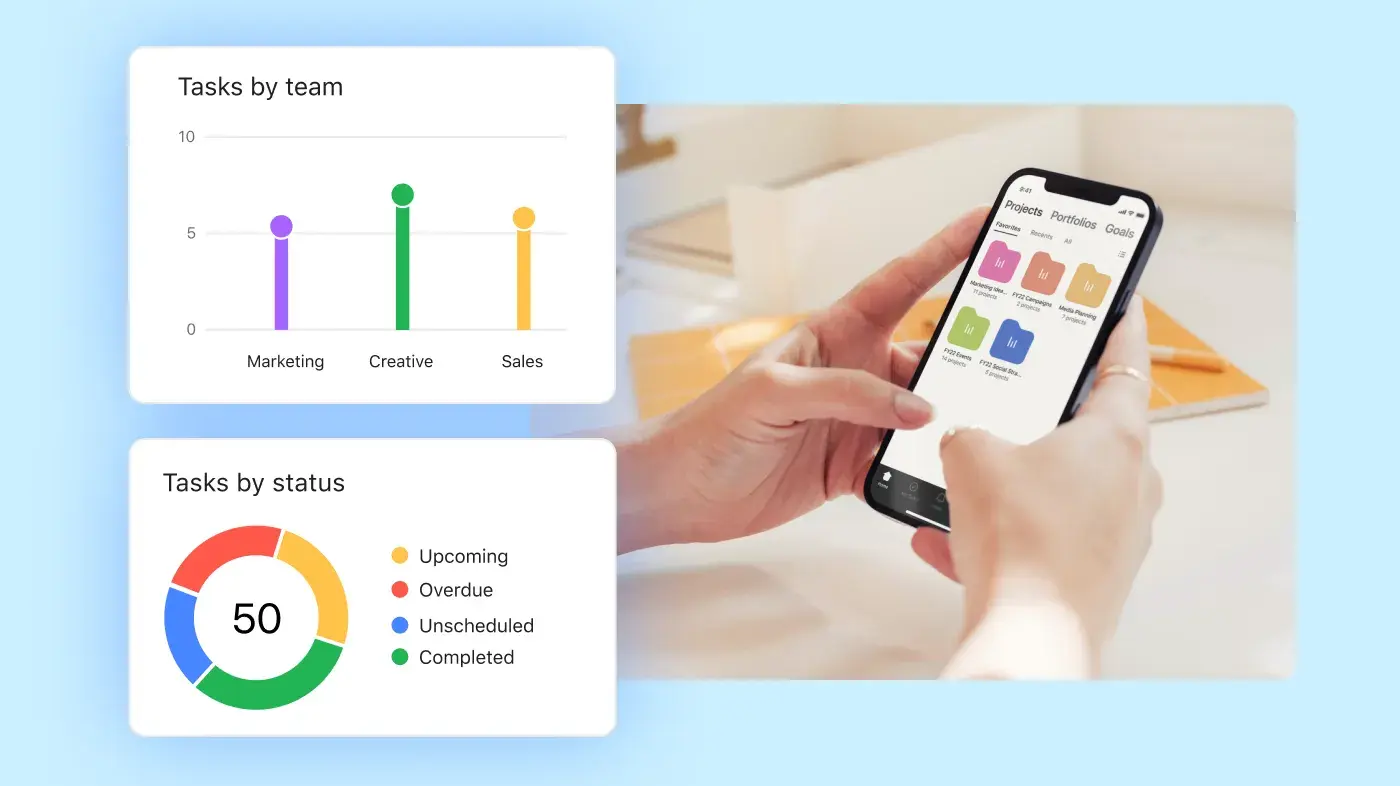
是的,團隊可以在 iPhone、iPad、Apple Watch 及 Android 裝置上使用 Asana,從手機或平板電腦審查專案工作、建立任務、指派所有者並更新截止日期。 Asana 的行動應用程式還可讓使用者在沒有電腦版的情況下新增任務描述、附加檔案並管理工作。
團隊可以在行動裝置上使用 Asana 來進行下列事項:
在有工作時新增新任務。
將任務指派給隊友。
設定或變更截止日期。
在會議前審查專案詳細資料。
針對任務發表評論,並回答後續問題。
從行動裝置附加檔案或圖片。
最佳免費行事曆應用程式取決於您的團隊需要管理的內容。 有些應用程式著重於會議和個人排程,而有些則可協助團隊將日期連結至任務、所有者和專案詳細資料。
以下是幾個常見的選項:
Asana:適用於需要共用行事曆,且該行事曆與任務管理、專案所有者、核准、檔案和期限連結的團隊。
Google 日曆:適合使用 Google 工作空間、Gmail 和共用行事曆進行會議、提醒和活動排程的團隊。
Microsoft Outlook:適合使用 Microsoft 365 和 Outlook 行事曆進行會議、工作排程和團隊空檔管理的團隊。
Apple 行事曆:適合想要一款簡單行事曆應用程式來處理活動、提醒、生日和 iCloud 行事曆的 Apple 使用者。
Simple Calendar:適合需要具有月檢視的基本離線行事曆的 Android 使用者。
Fantastical:適合需要日檢視、小工具、行事曆集以及更詳細的個人排程體驗的 Apple 使用者。
Morgen:適合想要使用行事曆、任務、預訂頁面和排程連結來規劃一天的人。
Todoist:適合需要具有任務期限、週期性任務和行事曆式規劃的待辦清單應用程式的人。
對於團隊專案,當您的可共用行事曆需要的不僅僅是日期和事件時,Asana 更能發揮效用。 在 Asana 中,行事曆項目會連結至任務、所有者、截止日期、評論、檔案、核准及專案檢視。 這有助於團隊管理每個期限背後的工作,而不僅僅是行事曆上的日期。
當您只需要安排會議、約定或活動時,請使用標準行事曆應用程式。 當團隊需要規劃期限、指派所有者、追蹤專案任務,以及從請求到完成的整個過程中管理工作時,請使用 Asana。
是的,Asana 的AI 行事曆會依據期限、優先順序、可用時間和團隊工作量來排定任務。 Asana AI 可以建立時間段、在期限變更時修改計劃,並將排定的工作與 Google 日曆或 Outlook 同步。