AI 제공
이벤트 계획 템플릿
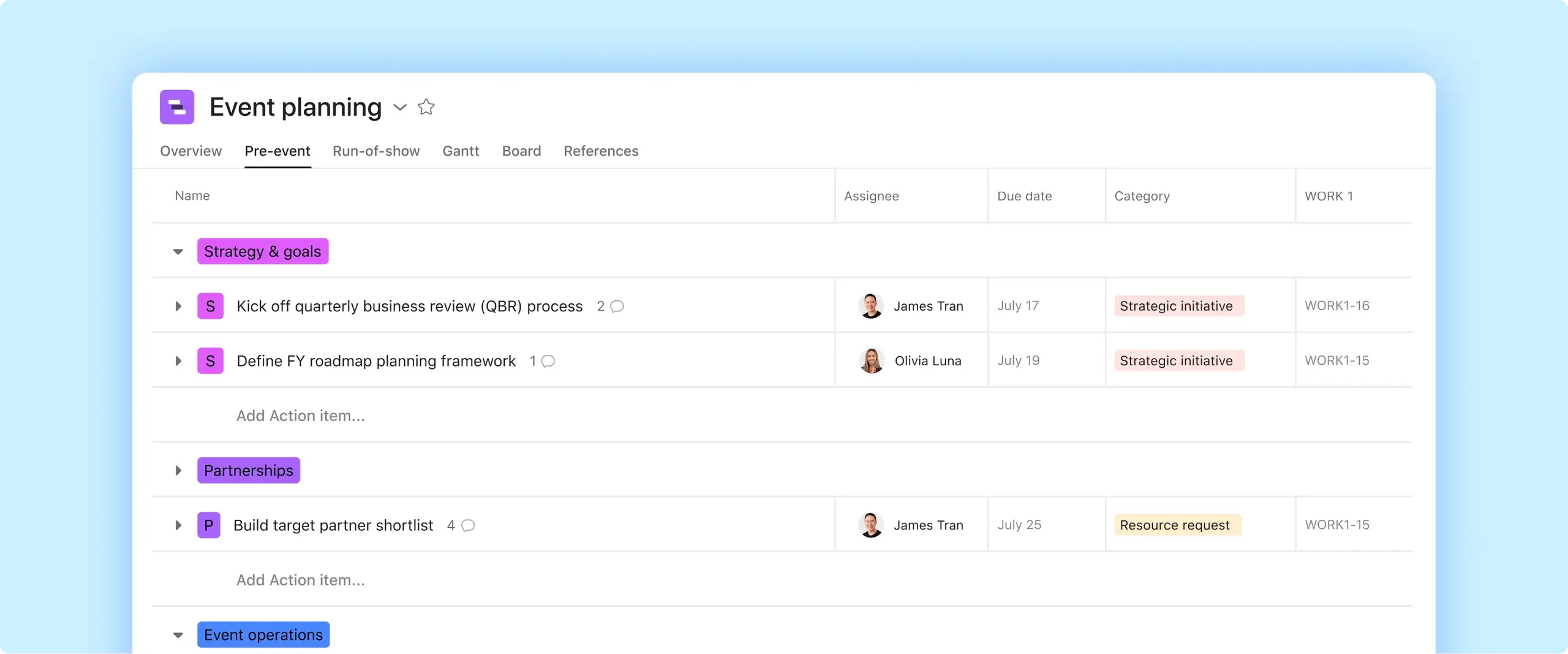
이벤트 계획의 핵심적인 세부 정보를 잊지 마세요. 예산과 벤더 정보부터 예정 작업과 당일의 할 일 목록까지 이벤트와 관련한 모든 정보를 한 곳에서 추적하세요.

AI 제공
이벤트 계획 템플릿
이벤트 계획의 핵심적인 세부 정보를 잊지 마세요. 예산과 벤더 정보부터 예정 작업과 당일의 할 일 목록까지 이벤트와 관련한 모든 정보를 한 곳에서 추적하세요.



이벤트를 쉽게 계획하고 실행하세요
예산 계획, 벤더 협상, 중요한 날을 앞두고 작업 조율 등 이벤트를 계획할 때는 관리해야 할 여러 가지 부분이 있습니다. 이벤트 계획이 원활하게 진행되려면 모든 이벤트 작업과 세부 정보를 쉽게 접근할 수 있는 한 곳에서 체계적으로 정리해야 합니다. Asana의 이벤트 계획 템플릿을 사용하면 타임라인을 개략적으로 파악하고 간편하게 협업할 수 있습니다.
조정된 워크플로로 이벤트를 준비하세요.
팀 간에 작업을 할당하고, 이벤트 물류를 조기에 정리하고, 예산을 수립하여 모두가 동일한 계획에 따라 작업할 수 있습니다.
내장된 AI 지원을 통해 이벤트 내용을 더 빠르게 작성하세요.
AI는 안건, 스크립트, 참석자 자료의 첫 번째 초안 사본을 생성하고, 버전 관리된 자산이 필요할 때 콘텐츠를 추가 언어로 번역합니다.
모든 사람이 이해할 수 있는 구조로 쇼 진행을 정리하세요.
발표자와 직원들이 공유된 일정을 따를 수 있도록 시작 시간, 전환, 주요 신호를 설명합니다.
Asana의 이벤트 계획 템플릿을 사용하는 경우
Asana의 이벤트 계획 템플릿을 사용하면 모든 이벤트 세부 정보를 한 곳에서 관리할 수 있으며, 정적인 Excel 스프레드시트나 Google 스프레드시트에서는 제공되지 않는 기능 을 사용할 수 있습니다. 예산 추적과 이벤트 장소 직원 조율까지, 무료 템플릿을 사용하면 프로젝트 계획을 원활하게 진행할 수 있습니다.
이벤트 플래너 템플릿을 사용하여 다음을 수행하세요.
이벤트 계획 템플릿을 사용하는 방법
이 이벤트 계획 템플릿은 팀이 이벤트의 모든 부분을 준비, 일정 수립 및 전달할 수 있는 사전 구축된 워크플로를 제공합니다. 작업 계획, 내용 제작, 타이밍, 실행일을 하나의 작업 공간에서 정리하여 최고의 이벤트의 모든 요소를 쉽게 조율할 수 있습니다!
이벤트 준비
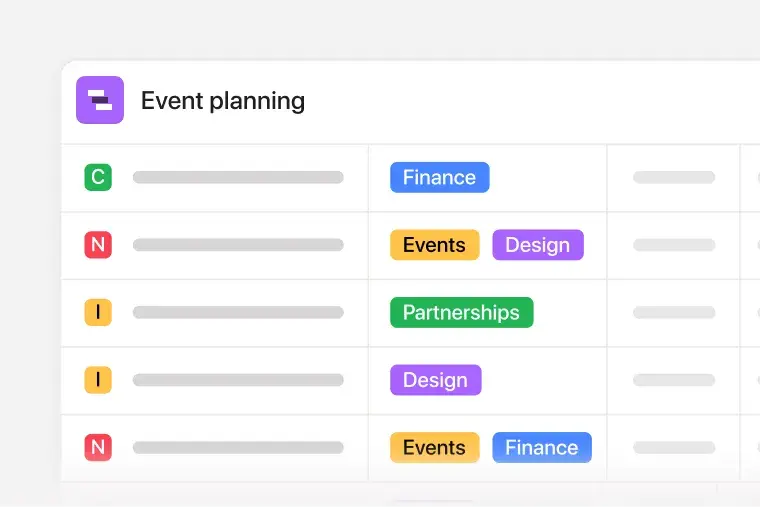
템플릿을 사용하여 팀원에게 작업을 배정하면 마케팅, 운영, 재무, 공급업체 파트너가 자신이 담당하는 업무를 정확히 파악할 수 있습니다. 예를 들어, 마케팅을 할당하여 프로모션을 관리하고, 시설을 할당하여 공간 설정을 처리하고, 재무를 할당하여 계획의 각 활동에 대한 지출을 승인할 수 있습니다. 장소, 케이터링, 프로덕션, 출장과 같은 항목에 대한 예산 필드를 추가하여 실제 비용과 함께 예상 비용을 정의할 수 있습니다.
AI로 이벤트 내용의 초안을 작성합니다
AI는 안건, 스크립트, 이메일, 이벤트 자료의 초기 초안을 작성합니다. 여러 언어로 된 참석자 메시지가 필요한 경우 AI가 번역을 처리하고 다른 버전을 자동으로 생성하므로 수동 번역이나 다시 작성할 필요가 없습니다.

쇼 진행 정리
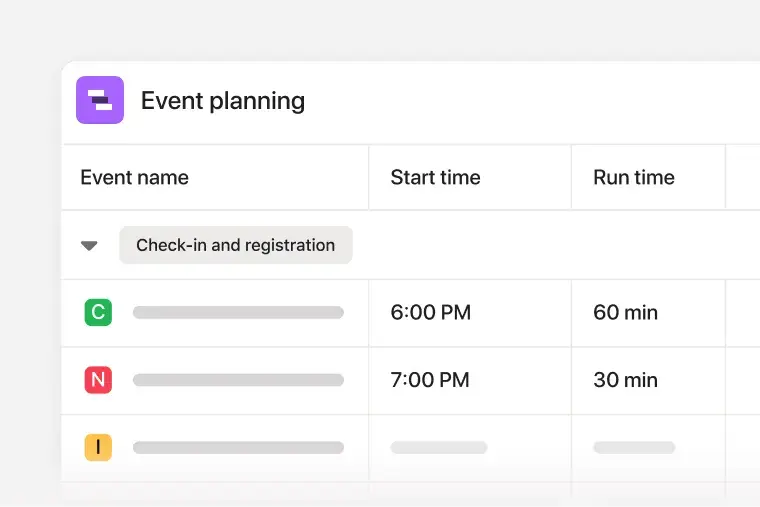
시작 및 실행 시간 필드를 사용하여 이벤트 일정을 구성하여 팀에 활동이 시작되는 시점과 각 활동이 얼마나 지속되는지 표시하세요. 기조 연설이 있고 패널이 뒤따르는 경우, 런오브쇼 테이블에 순서와 타이밍이 명확하게 표시됩니다.
팀은 이 이벤트 계획 템플릿을 사용하여 작업을 배정하고, 하위 작업을 추가하고, 마감일을 설정하고, 종속성을 연결하여 모든 사람이 이벤트를 진행하기 위해 어떤 일이 어떤 순서로 이루어져야 하는지 이해할 수 있습니다. 대시보드는 업무량, 타이밍, 활동 추세를 실시간으로 확인할 수 있어 일정에 영향을 미치기 전에 지연을 식별하고 조정할 수 있습니다. 예를 들어, 디자인 승인이 중단되거나 등록 작업이 쌓이면 대시보드에 속도 저하가 강조 표시되어 개입하여 이벤트를 계획대로 진행할 수 있습니다.
Asana의 이벤트 계획 템플릿에는 커뮤니케이션 속도를 높이고, 반복되는 업무를 줄이며, 세부 정보가 변경됨에 따라 체계적으로 정리할 수 있는 AI 기능이 포함되어 있습니다. 툴을 전환하거나 빈 페이지에서 시작하지 않고도 콘텐츠를 생성하고, 업데이트를 번역하고, 메시지를 구체화할 수 있습니다.
Asana AI 기능은 다음과 같습니다.
AI로 이벤트 내용의 초안을 작성합니다. 설명, 발표자 약력, 홍보 문구 및 기타 이벤트 준비 텍스트를 생성합니다. AI는 편집하고 마무리할 수 있는 첫 번째 초안을 제공하므로 가장 바쁜 계획 기간 동안 시간을 절약할 수 있습니다.
AI가 내용 초안을 작성합니다. AI가 초대장, 상태 업데이트 또는 안건 요약에 대한 문구를 제안하도록 하세요. 이러한 프롬프트는 채널 전반에서 메시지의 일관성을 유지하면서 더 빠르게 소통하는 데 도움이 됩니다.
AI가 모든 언어를 번역합니다. 국제 참석자, 후원자 또는 공급업체를 위한 콘텐츠를 번역하세요. AI는 번역사를 고용하지 않고도 지침과 이벤트 세부 정보를 쉽게 공유할 수 있도록 다국어 계획을 지원합니다.
예를 들어, 팀이 기조 연사를 확정하면 AI에 이벤트 공지 사항 초안을 작성하고, 다른 지역의 언어로 번역하고, 이메일 및 소셜 미디어 게시물에 사용할 수 있는 사용자 지정 버전을 만들도록 요청할 수 있습니다. Asana AI를 사용하면 처음부터 시작할 필요가 없으며, 문구 대신 물류에 집중할 수 있는 시간이 더 많습니다.
FAQs about event planning templates
An event planning template is a ready-made, reusable workflow that outlines the steps your team needs to take to plan and execute a successful event. Asana’s free event planning template comes pre-populated with sections, automations, and custom fields that help you manage important details. Plus, our event template is duplicatable, so you can follow the same planning steps for similar events.
Your event planning template should cover the big-picture planning information and in-depth logistical details. Create your event planning template before you kick off your planning process so you can confirm all dates and deadlines. Use the template to align with your team on a budget and create an event task timeline. Then track who’s doing what and by when so everything gets done on time.
You can use Asana’s event planning template to track key planning details, including your event’s budget and timeline, guest list, and critical logistics. By using Asana’s pre-populated sections, you can track your event tasks from the months leading up to the event through the day of. You can also use the template to track event success and performance metrics.
You can use our event planning template to plan and manage small and large events, including conferences, seminars, webinars, virtual events, trade shows, product launches, and more.
Successful events rely on different templates that support each stage of planning, promotion, execution, and follow-up.
Event marketing plan template: Outline your promotional strategy, channels, messaging, and campaign milestones so you attract the right audience for your next event.
Event budget template: Track costs like venue fees, catering, rentals, staffing, and marketing expenses to keep spending aligned with financial goals.
Event timeline template: Map out every task, dependency, and deadline leading up to the event so your team knows what to do and when.
Run of show template: Organize the sequence of speakers, timing, transitions, cues, and production moments that occur during the event itself.
Event checklist template: An event to-do list that confirms every task, detail, or follow-up item is covered.
Yes, Excel or Google Sheets can work for a simple guest list or budget. But spreadsheets don't assign owners, link dependent tasks, or automatically share status updates. Asana's event planning template keeps tasks, timelines, budgets, and vendor details in one shared project, and you can duplicate it for every similar event.
An event checklist is a to-do list that confirms every task and detail is covered. An event planning template is the full plan: budget, timeline, owners, vendors, and run of show. In Asana, the checklist lives inside the template, so every item has an owner and a due date.
A run-of-show template is the minute-by-minute schedule for the event itself. It lists start times, run times, transitions, and cues so speakers and staff follow the same plan. In Asana's event planning template, the start and run time fields show the order and timing of each session, such as a keynote followed by a panel.