


Perangkat lunak manajemen alur kerja untuk tim
Jadi, Tim Anda selalu tahu siapa melakukan apa dan sebelum kapan.
Apa itu manajemen alur kerja?
Alur kerja adalah proses cara suatu pekerjaan diselesaikan. Ini sistem yang membuat pekerjaan lebih efisien sekaligus memastikan semua orang memiliki pemahaman yang sama. Inti manajemen alur kerja yaitu membangun dan melacak proses-proses ini. Asana seperti rumah yang menaungi semua alur kerja Anda: gunakan Asana sebagai alat untuk membuat alur kerja dan melacak pekerjaan tim. Berikut beberapa contoh alur kerja umum:

Requests arrive in three different ways
A design request lands in a direct message with no deadline and no brief. Two days of back-and-forth later, nobody has started the work. When requests come in through every channel, there's no single place to see what your team has been asked to do, so priorities get set by whoever asks the loudest.

Someone has to remember the next step
An approval waits on a manager who's out on vacation, and nobody realizes it's their turn until the deadline passes. When handoffs happen by memory, your process moves only as fast as whoever is paying attention.

You find the bottleneck in the retrospective
At the quarterly review, your team learns that every request sat for four days waiting on legal. Nobody could see it while it was happening, so a delay you could have fixed in a week cost you a quarter. Spreadsheets and chat threads aren't workflow management tools, so they can't catch any of this. A workflow management system like Asana is built to fix these exact problems.
How to build a workflow management system in Asana
Asana is workflow management software built for the people who run the process. Here's how to turn a process you manage by hand into one that uses Asana AI to run itself.
1. Map the process and its stages
Before you set anything up, write down what kicks off your workflow and who owns each stage along the way. Most teams find at least one step that two people think they own. Our process mapping guide walks through the full method.

2. Build the intake with a form
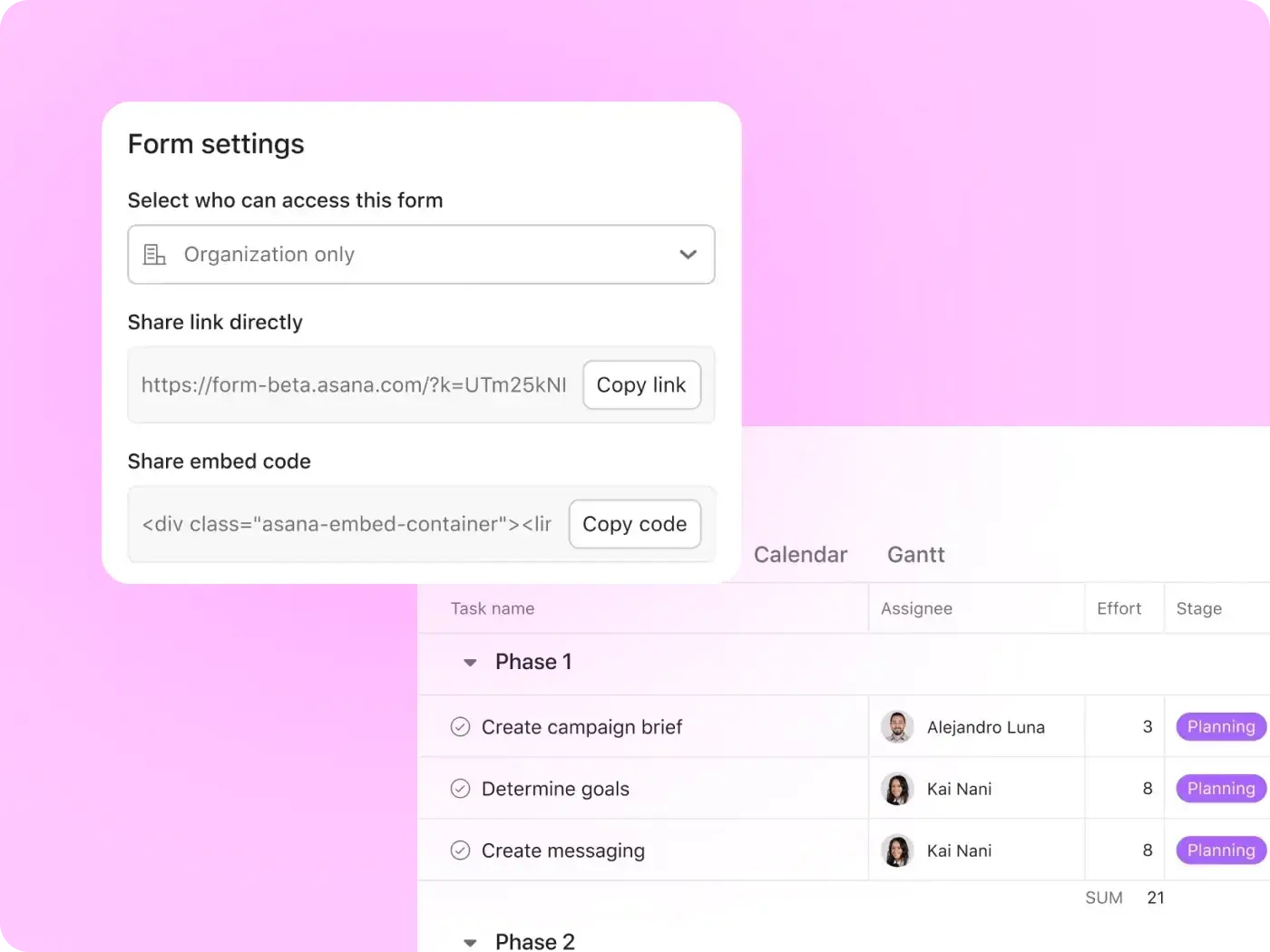
Swap scattered requests for one form that feeds a single project. Turn the details you always end up chasing, like the deadline, into required fields, so every request arrives ready to start. You get one queue for every request your team handles, instead of five inboxes you have to keep checking.

3. Turn the stages into sections or custom fields
The stages you mapped become the structure of your project; where a task sits tells you where the work stands. From there, each team can pick the view that matches how they think. Your designers might move work across a board while you plan dates on a timeline. Someone who just wants a quick status can scan the list, and your launch team can watch deadlines on a calendar. It's one process, seen four ways.

4. Add rules for assignment, routing, and status
When a request moves to review, a Rule can assign it to the right approver and let the requester know it's in progress. With workflow automation handling the handoff, nobody has to remember whose turn it is.

5. Package it as a bundle so other teams reuse it
Once the workflow is up and running, a bundle applies the whole setup to other projects in one step. The next team starts with the version that already works instead of building their own from scratch.

6. Track it on a dashboard and fix the bottleneck
A dashboard shows how many requests sit at each stage and which ones are overdue. If approvals start stacking up at legal, you'll see it this week, while it's still a four-day delay and not a lost quarter. Asana also connects with the apps your teams already use, so work that starts in chat or email can still land in the same workflow.

Purpose-built for teams that run the same process every week
A workflow management system pays off fastest on the processes you run again and again. Here's what that looks like for teams across your organization:

![[Tim] Pemasaran - Pasarkan lebih cepat (gambar)](https://assets.asana.biz/transform/17fa816a-1b4e-4b96-8ea4-508fe4ae322b/teams-marketing-timeline?io=transform:fill,width:2560&format=webp)



![[Tim] Koordinasi SDM di seluruh tim](https://assets.asana.biz/transform/e1610587-0327-4e51-90ee-058d26598246/WEB-PNG-teams-hr-content-1-1x1-en_us?io=transform:fill,width:2560&format=webp)
Campaign and creative requests
How many creative requests are already waiting on review? Your team can answer that before committing to a launch date. Every request comes in through a form that asks for the brief and deadline up front, so no work starts without a brief. A rule then sends each request to the right designer based on what's being asked for, and the work moves through review until it's approved.
We Are Era saved 90 workdays per year on internal coordination
We Are Era is a pan-European talent agency and content studio with 240 employees across eight locations. Work requests and client inquiries now come in through intake forms, rules move work forward based on due dates, and project templates give every team the same starting process. Actions taken in Asana have grown 15% year over year as more projects run through the platform.

![[Case Study]We are Era (share image)](https://assets.asana.biz/transform/933a8f75-7f81-44ce-867d-0fa0b3379e83/card-we-are-era-asana-customer?io=transform:fill,width:1120&format=webp)
By standardizing and automating processes with Asana, our teams stay on top of things, save time, and can focus on what really matters: content that convinces.Christian Röhrich
Team Lead, Pitch & Project Management, We Are Era
What a workflow management system does that a checklist cannot
A checklist tells you what to do. A workflow management system decides who does it next and shows you where the work stopped. The difference is what happens between the steps, and that's where most processes break.
The components of a workflow
Every workflow starts with a trigger, like a submitted form or a new hire's start date. The work then moves through stages, and each stage has an owner who's responsible for it. When there's more than one possible path, conditions decide which way the work goes, such as sending large purchases to finance. Reporting keeps a live record of where everything stands. A checklist has only the stages. It can't tell your teammate when it's their turn, so the moment a second person gets involved, you're back to sending reminders.
Four types of workflow worth knowing
Most processes follow one of four patterns. In a sequential workflow, each step waits for the one before it, the way a contract can't go out for signature until legal signs off. Parallel workflows run steps at the same time, so IT can set up a laptop while HR handles paperwork. A conditional workflow changes course based on an answer: A purchase under $5,000 goes straight to the team lead, and anything larger adds finance. Case workflows leave the path to someone's judgment as the work unfolds, which suits things like customer escalations.
Where workflow management ends
Workflow management sits inside a bigger picture. Business process management is the wider discipline of improving how a company operates, and managing workflows is one part of it. Before you build your workflow in Asana, you'll want to map out the steps of your process and turn them into a workflow diagram.
Build your first workflow this week
Your process already works. Asana makes it work without you holding it together. Set up an intake form and a couple of rules for the request you get asked about most, and Asana handles every handoff from there. Once it's running, share it with the next team in one step. Start free today, and by next Monday, you'll see exactly where your process slows down.
Frequently asked questions about workflow management systems
A workflow management system is software that gives a repeatable process a fixed path. Each request follows the same route and passes to the next owner automatically, so anyone can see where it stands. Unlike a checklist, workflow management tools move the work forward instead of just listing it. In Asana, the person who owns the process can build one without code.
Every workflow has five parts: a trigger that starts it, the stages work moves through, an owner for each stage, the conditions that decide which path it takes, and a record of where things stand. In Asana, you build each part directly into a project, starting with a form that captures the trigger.
Take a creative request process. A form captures the brief, and a rule sends it to the right designer, who moves it through review until it's approved. The same pattern applies to purchase approvals and employee onboarding, where the steps repeat each time.
No. You build workflows in Asana by choosing options in the product, not by writing code, so the person who owns the process can set it up and change it. When a step changes, you update the rule yourself instead of filing a request with engineering and waiting.
A project runs once and has a clear start and end. A workflow runs the same way every time it's triggered. Asana handles both in one place, so your repeatable processes don't need a separate tool. If you're weighing options, you can compare workflow management software side by side.
Yes. A bundle packages a working setup so you can apply it to another project in one step. The second team inherits the version that already works instead of rebuilding it. When you update the bundle, every project using it picks up the change.
You can see where work is held up with a dashboard. It shows how many requests sit at each stage and which ones are overdue, so you can spot a bottleneck while there's still time to act. If purchase approvals start piling up a week before quarter close, you'll see it early enough to reassign them.
Yes. Asana integrates with the apps your teams already rely on, like Slack and Microsoft Teams, so requests that start in chat can still land in the same workflow. You keep intake and handoffs in one place without asking anyone to give up their everyday tools.