


DocFlow + Asana
Create documents from Asana tasks with your Word or Excel templates and send them for e-signature.



What is DocFlow?
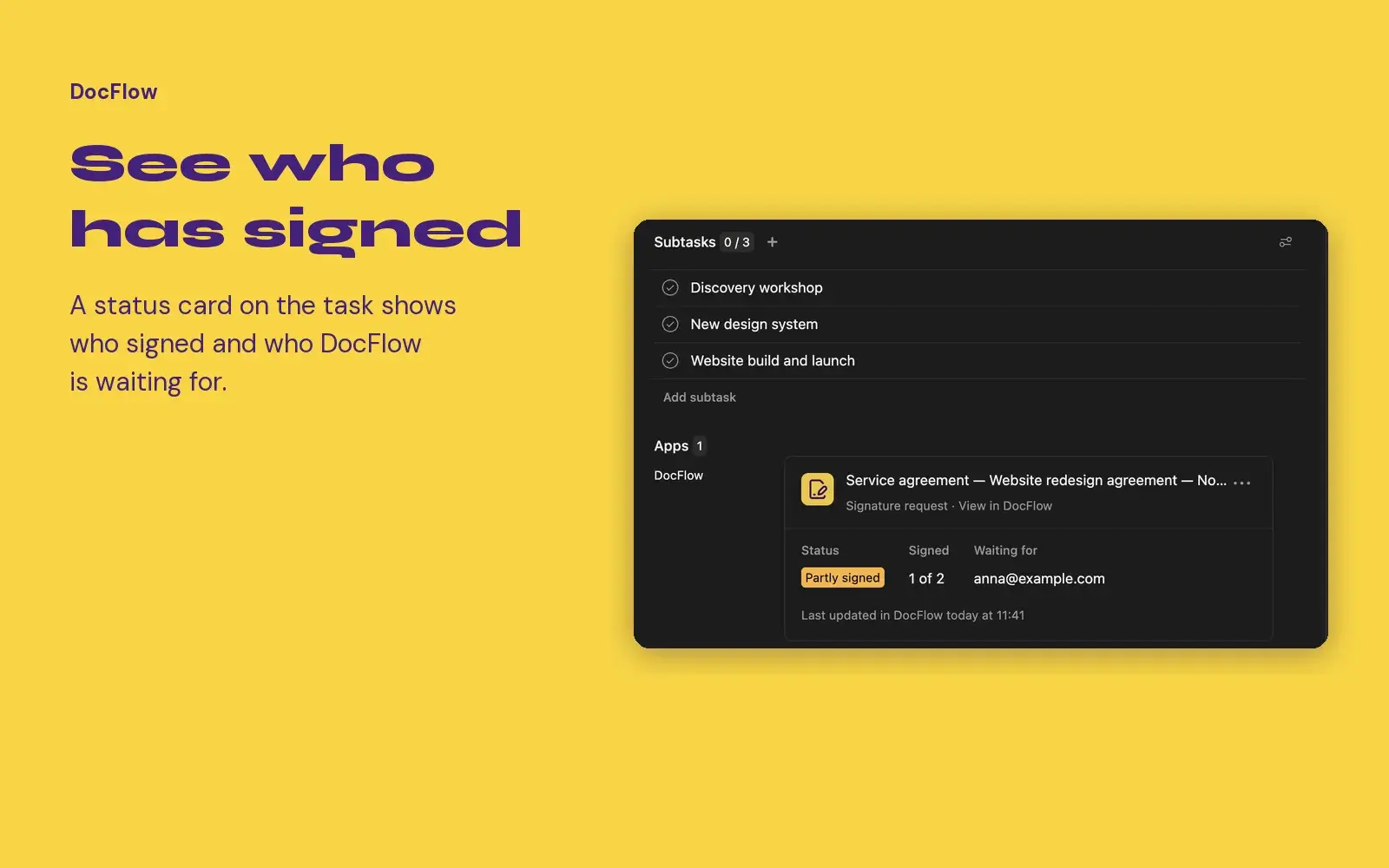
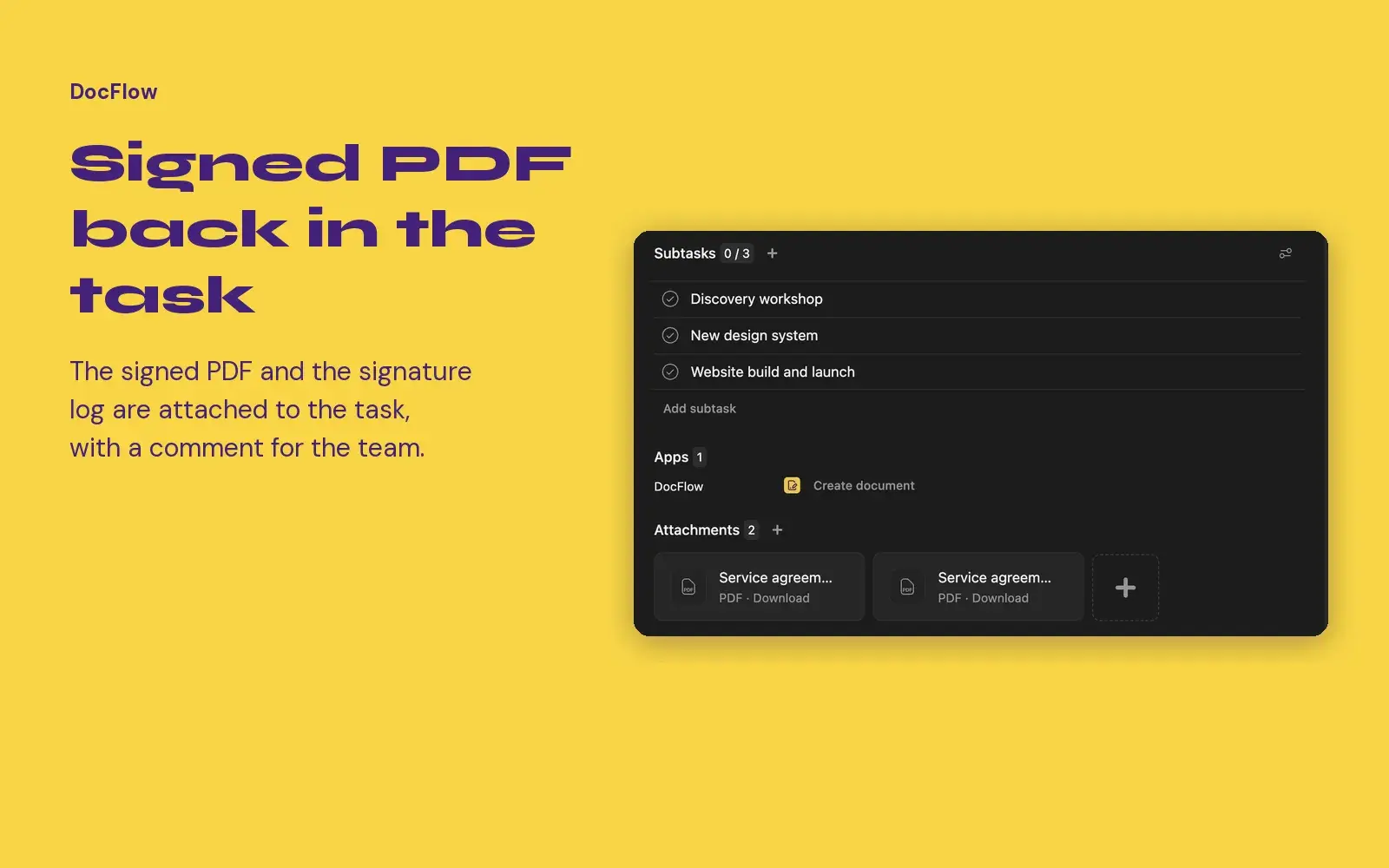
DocFlow fills your Word or Excel template with the data of an Asana task: fields, custom fields and subtasks as table rows. The PDF or Word file is attached to the task, or sent for e-signature to one or more signers. The status card on the task follows the signers, and when everyone has signed, the signed PDF and the signature log come back to the task. Start with seven ready templates (agreement, NDA, invoice, proposal and more) or your own, and automate it with Asana rules.
How to connect DocFlow + Asana?
Follow these steps to connect DocFlow and Asana:
Add DocFlow to a project: Customize (top right) → Apps → Add apps → DocFlow → Add to project. Click "Connect to DocFlow" and click "Allow".
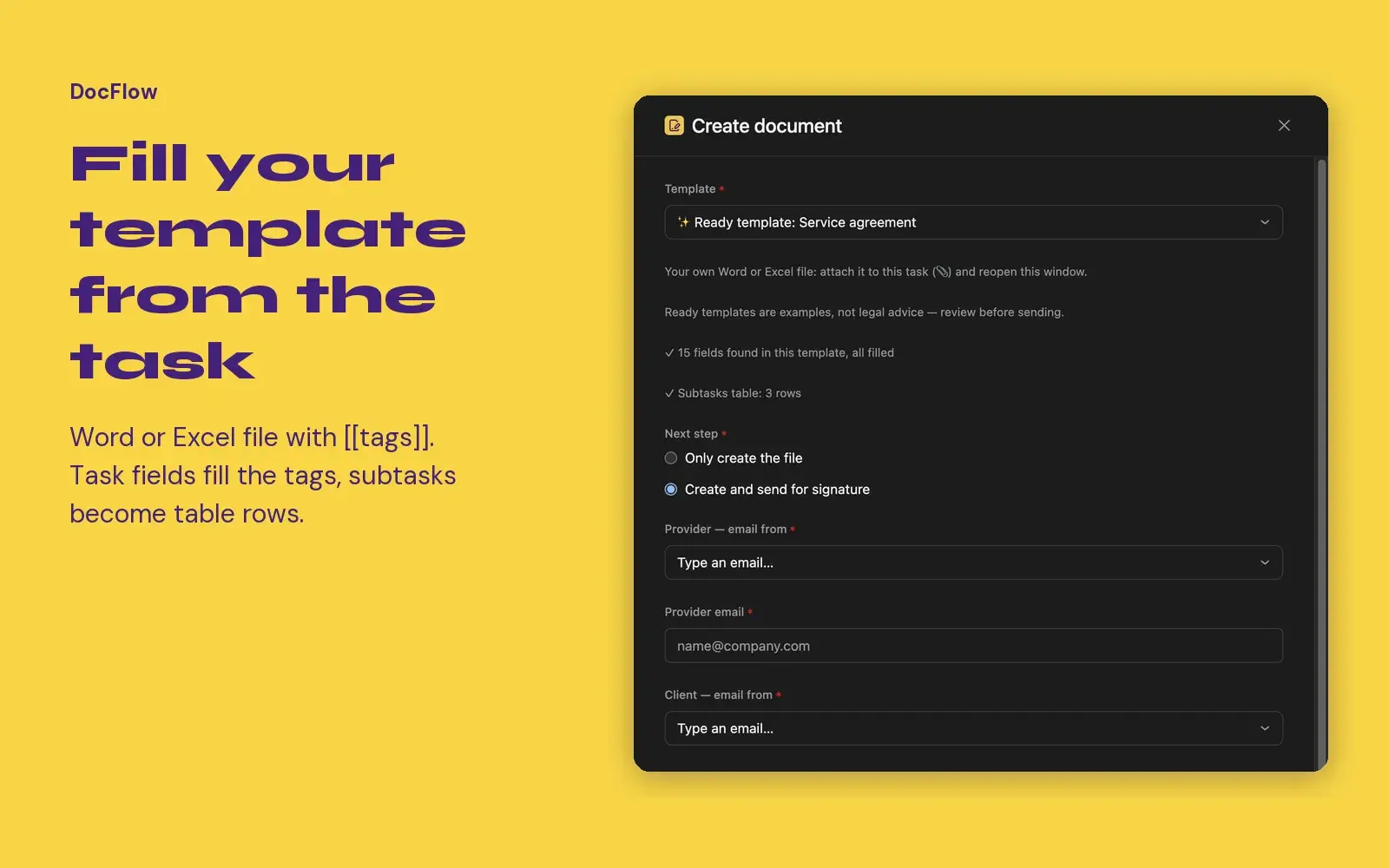
Open any task in that project (add 2-3 subtasks to see table rows). In the Apps section click "Create document".
Template: pick "✨ Ready template: Service agreement" (no file needed). The window shows how many template fields the task fills and how many subtask rows go into the table.
Next step "Only create the file" → Submit. In about 10 seconds, a PDF named after the template and task is attached to the task.
Signature: open "Create document" again, choose "Create and send for signature", type two signer emails (optionally "Sign in order"), and click Submit. A DocFlow status card appears on the task (status, signed count, pending signers). Each signer gets an email with a link; signing needs no account.
When everyone has signed: the signed PDF and the signature log are attached to the task, a comment is posted, the "Signature status" field is set (paid Asana plans), and the card is removed so "Create document" is available again. "View in DocFlow" on the card opens the document page: send a reminder, cancel the request, or fix a signer email.
Own template: a Word (.docx) or Excel (.xlsx) file with tags like
[[Task name]],[[Due date]],[[for:subtasks]]…[[end]]. Attach it to the task, or add it to the project's Overview → Key resources. Tag reference: https://mylittleindiestudio.com/docflow/docs. Ready templates: https://mylittleindiestudio.com/docflow/gallery (download, or add straight to a project's Key resources).Automations: Customize → Automations → Add, pick a trigger, then What happens next → Apps → DocFlow → "Create document" / "Create and send for signature" / "Send signature reminder" / "Cancel signature request". Automation actions use a template from the project's Key resources (step 7).
Learn more and get support
To learn more about using the DocFlow + Asana integration, visit DocFlow.
If you have questions, feedback, or need support, visit the DocFlow support page.
Asana does not endorse or certify apps built by third-party developers. If you encounter inappropriate content or behavior, please report it here. Otherwise, please contact the app developer for support.
Collaborate effortlessly with Asana
From the small stuff to the big picture, Asana organizes work so teams know what to do, why it matters, and how to get it done. It's free to get started, simple to use, and powerful enough to run your entire business. Learn more about Asana today.