


Announcing project templates: An easier way to add new workflows to Asana
At Asana, we know that every organization is unique. When you open Asana for the first time, you see a clean white screen, ready to be set up in whatever way works best for you and your team. There’s a lot of power in being able to structure Asana however you’d like, but there are some common processes that companies share, regardless of their focus or industry. Until now, each company has had to set up those processes in Asana for themselves, but not anymore.
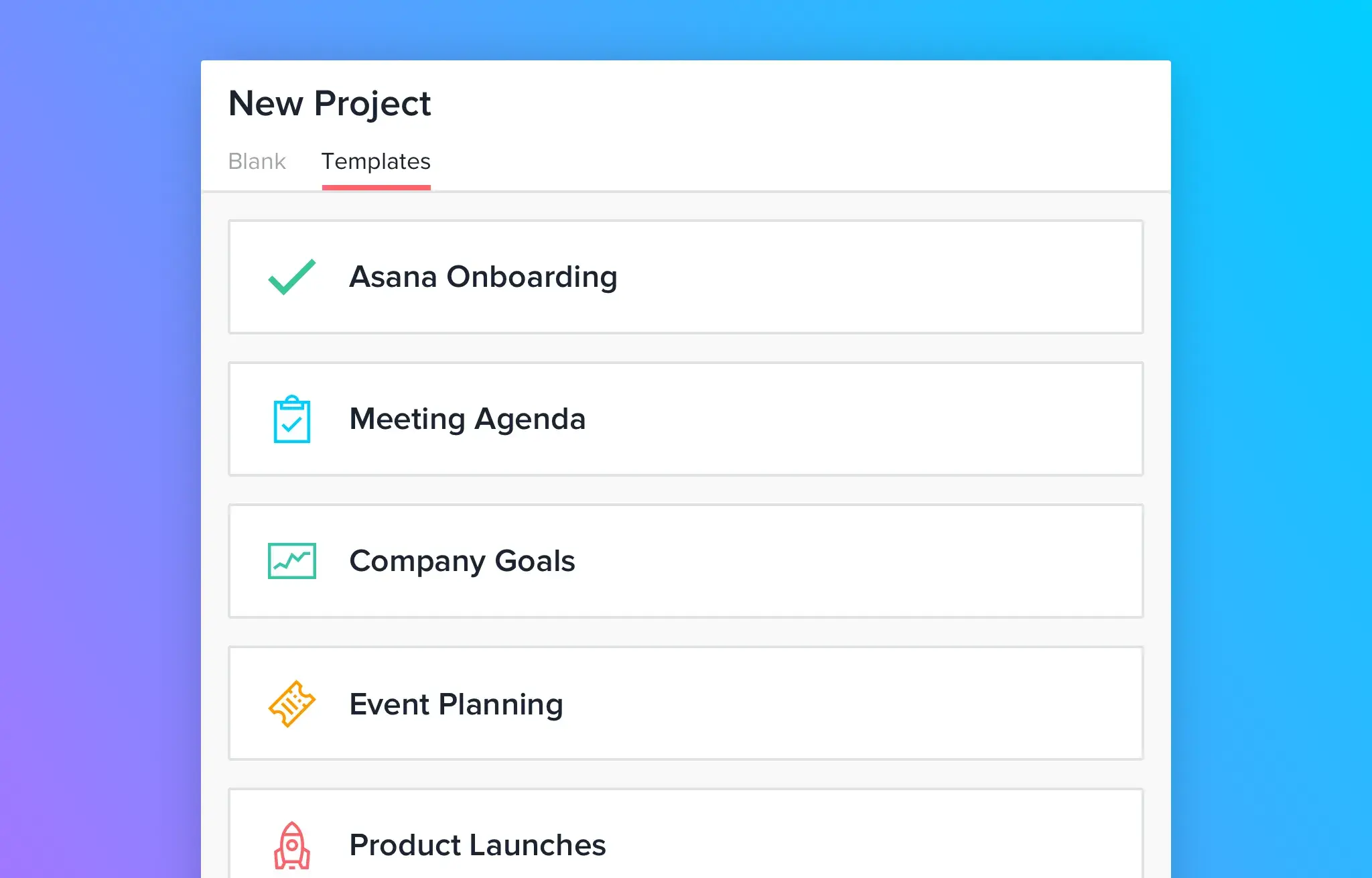
We’re excited to announce pre-made templates in Asana, an easy way to create new projects with workflows that have been set up for you. With templates, you get a clear framework for mapping out a project. As a starting point for tracking your work, templates stay flexible so you can edit them to fit your team’s specific needs. These templates make it easy for any company to run common processes and track more workflows in Asana, so your team can accomplish more together.
Track anything, with less effort
If you’re using the free version of Asana, you’ll have access to two templates that help you learn the basics and start tracking your work in Asana. When you upgrade to Asana Premium, you’ll get six additional templates that contain curated custom fields to help you track additional data in your projects.
Free templates:
Asana Onboarding: Learn the basics and key features of Asana with our onboarding template.
Meeting Agenda: Plan your agenda and use Asana to keep your meetings organized and actionable.
Premium templates:
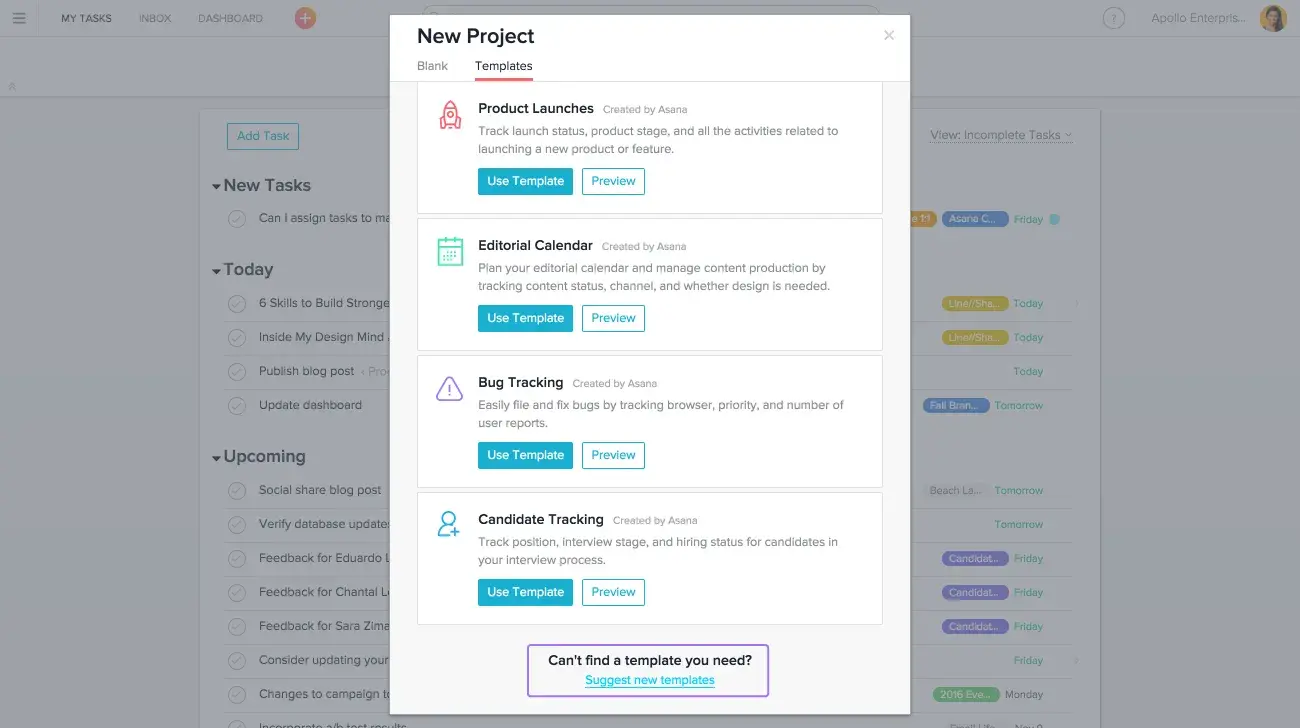
Product Launches: Track all the activities related to launching a new product or feature.
Bug Tracking: Easily file and fix bugs across browsers and platforms.
Event Planning: Smoothly plan and run your next event, from vendor management to the day-of timeline.
Company Goals & Milestones: Set annual company objectives and break them into key milestones, so everyone has visibility into company priorities.
Candidate Tracking: Track every candidate in your interview pipeline from application to hire.
Editorial Calendar: Plan your editorial calendar and track all the content your team is producing.
How to use Asana templates
Now, when you create a project in Asana, you’ll see a new “Templates” tab.
To use a template, follow these steps:
Click on the orange + button in the top left screen of your Asana app.
Select the “Templates” tab.
Preview the templates to see what they look like and how they can work for your team.
Click “Use template” to create a new project from the template.
Check out the instructions and suggestions in the “READ ME” task.
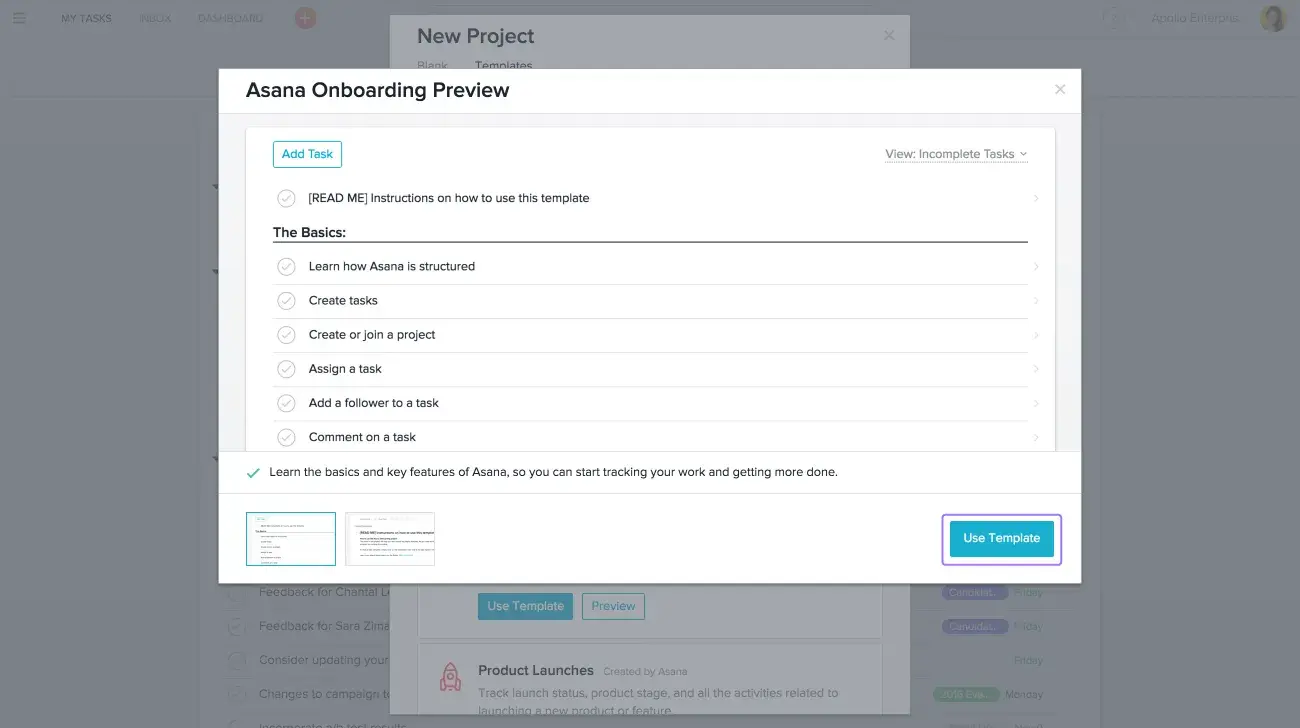
Once you create a project from a template, you’ll be able to edit it to fit your team’s specific requirements. You can change, add, or delete anything in the template to customize the project to fit your workflow.
If you’re on Asana Premium, you’ll also be able to add more custom fields to projects created from a template to help you track the information that’s most important to your team. For more info on using templates, check out the Asana Guide.
Want access to Premium templates? Learn more about the benefits of Premium, contact our sales team for more information, or upgrade now to Asana Premium.
What’s next for templates?
If you’re interested in making your own templates, stay tuned. We’re working on building a way for you to save your own templates into the templates list alongside Asana-created templates. In the meantime, you can use our “Copy project” feature for this: Create a project that will serve as your template, put [TEMPLATE] in front of the project name, and then copy it whenever you need to start a new project from that template.
If you don’t see a template you need for your team, let us know! At the bottom of your template options, you’ll see a link where you can suggest a new template. We’ll consider all your feedback while we continue to expand the types of templates we offer in Asana.
By giving your team structured workflows that are easy to create and customize, project templates make it easier for you to track more of your work in Asana. And tracking more of your team’s work in Asana means having more clarity and accountability across everything you’re working on, which leads to great results.
Editor’s note: We’ve made improvements to templates since they originally launched in December—including launching custom templates.