


Asking for and receiving feedback from stakeholders is an important part of producing amazing designs that help your team reach its goals, whether it’s creating a marketing campaign, launching an email program, or designing new display ads. But when feedback is vague and out of context, it can leave you confused, frustrated, and unsure about what you need to do to complete your work. Reducing the time and friction it takes to get edits and feedback on your images is especially important for teams working on tight timelines to hit their goals.
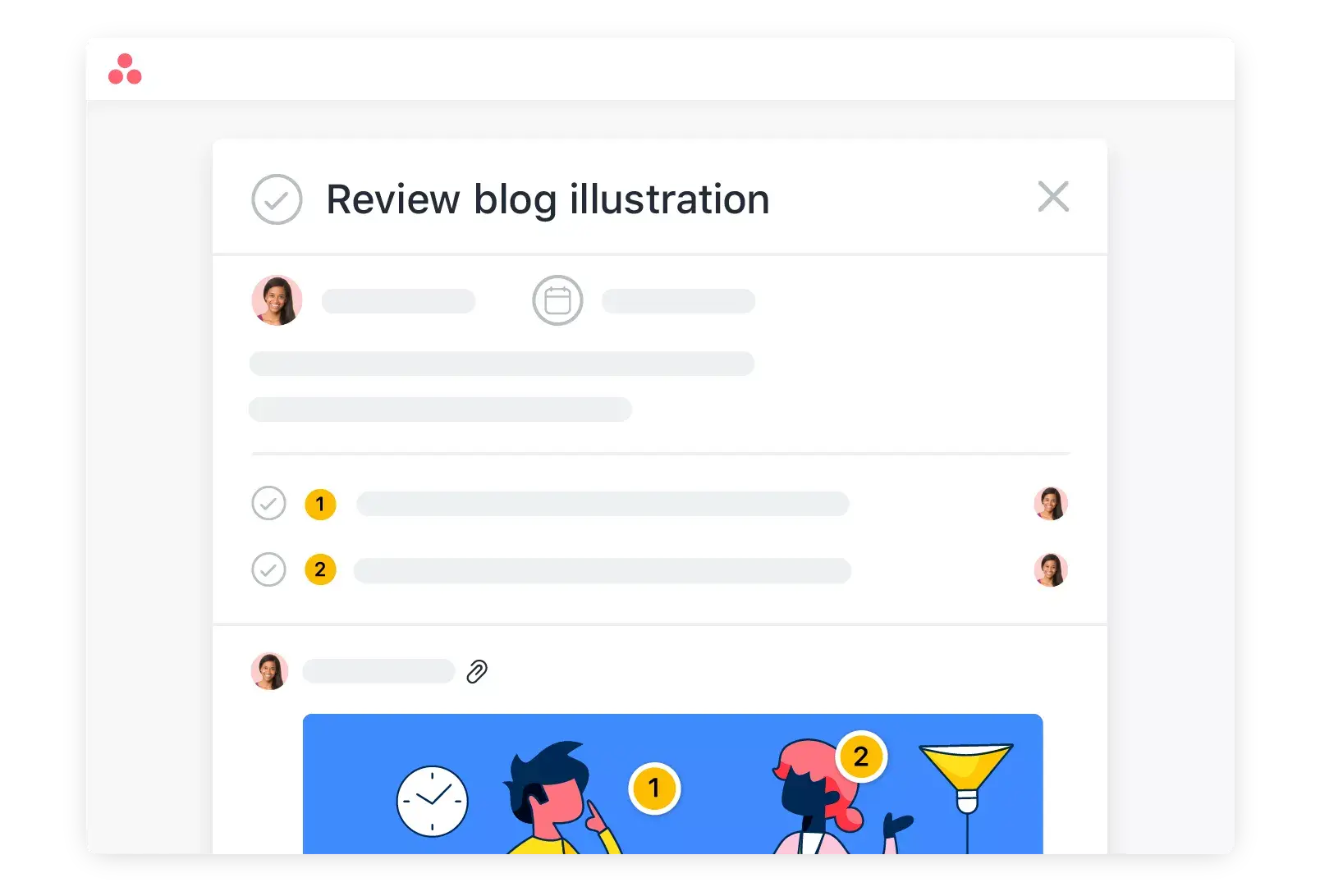
This is why we’re excited to announce Proofing, a new way to leave actionable, specific feedback on images in Asana. With Proofing, you know exactly which part of an image needs edits or changes as well as who gave that piece of feedback. Plus, any feedback left on your image automatically creates a subtask, so you know exactly which edits need to be implemented and can track next steps to get your work across the finish line.
Get actionable feedback, with less friction
Being able to quickly receive and incorporate feedback on creative assets can mean the difference between hitting your deadline or getting your project off track. Proofing lets you capture and respond to edits in one place so you can move through the feedback process faster. Now you can avoid the types of miscommunication that lead to multiple rounds of feedback. Instead, Proofing gives you a centralized, actionable record of all feedback in context with an image, so you can easily reference recommendations as you update your work.
Ways to use Proofing
At Asana, we use Proofing to move through the feedback process faster. Whenever our design team is ready for feedback from the team, they create a task and attach the image they’d like feedback on. Then, they assign a review subtask to each stakeholder, so all feedback is seen by everyone at once. Stakeholders are able to add edits directly to the image, making it easy for them to give designers specific feedback. With Proofing, our design team is able to get clearer, better feedback—not extra feedback.
If you’re looking for some ways to share feedback on your design work more effectively, here are a few templates to get you started.
How to use Proofing
Once you’re ready to receive feedback on an image, simply attach it to a task in Asana.
When reviewers are ready to leave feedback, they can click on the image to open up the lightbox and click “Add Feedback.” Reviewers can then add edits directly to the image, making it easy for them to give you clear, actionable feedback.

Whenever someone adds feedback to the image, it automatically creates a subtask that’s assigned to the person who uploaded the image to decide how to incorporate the feedback. You can work through the recommendations and check off subtasks as you get them done to close the loop on what you’ve taken action on.
For feedback you’re not sure about, you can comment on the subtask to ask clarifying questions and communicate with your reviewer to land on a solution you’re both happy with. Your teammates will be able to track updates on the image in one place. This way, they can quickly get the context they need to give informed recommendations and stay in the loop when you upload a new asset or complete the task.
Need to quickly respond to edit on an image, but you’re not near your computer? We’ve made it easy to upload images, leave feedback, and respond to comments directly from our mobile app. This way, you can work through edits and leave feedback even when you’re on the go.
For a step-by-step instructions and more information on Proofing, visit our Guide.
Start Proofing images in Asana today
We’re excited to see how you use Proofing to help your team create and deliver beautiful images. If you’re on Asana Business or Enterprise, you can start using Proofing today. If not, you can try it for free now or talk to our sales team to learn more.