A more powerful team: Asana now integrates with Microsoft Teams
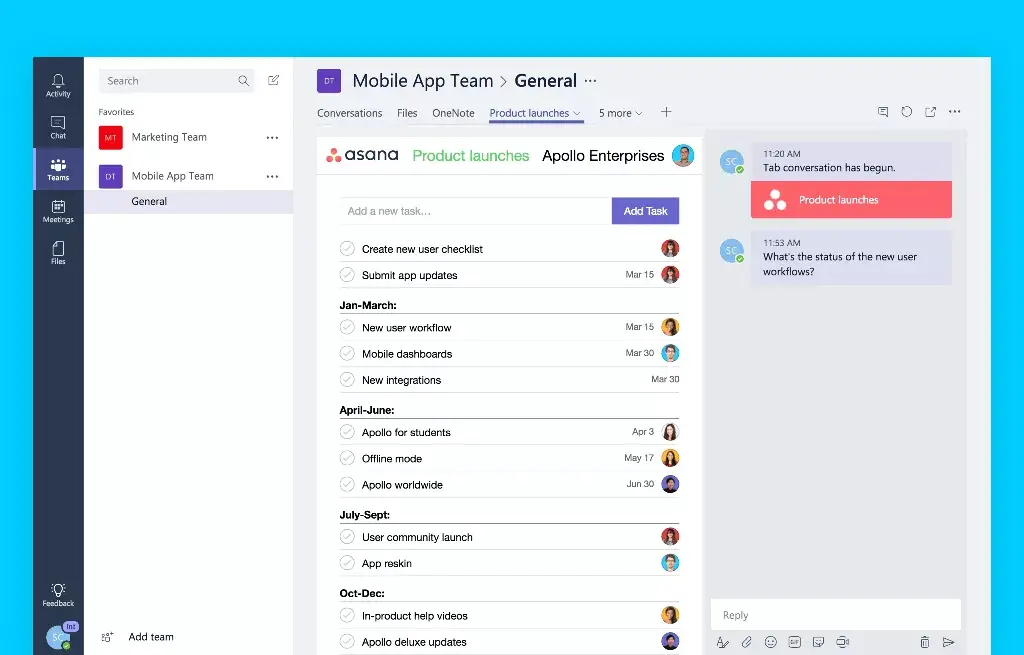
Back in November, we shared our plans to create an integration with Microsoft Teams so people could combine the work tracking power of Asana with their conversations in the team messaging tool for Office 365. We’re excited to announce that the Asana for Microsoft Teams integration is now available. Starting today, teams can add their Asana projects to their group chats and start turning their conversations into actionable work–all in one place.
Keep your work front and center
Messaging apps make communicating with teammates a lot easier. But at the same time, information and next steps can quickly get buried in long chat threads, and sometimes action items fall through the cracks. With the new Asana integration for Teams, you can quickly create tasks for next steps and follow-ups while your team’s discussing them. Plus, having more context around a project during your discussion ensures everyone has the same information.
With this integration, you can:
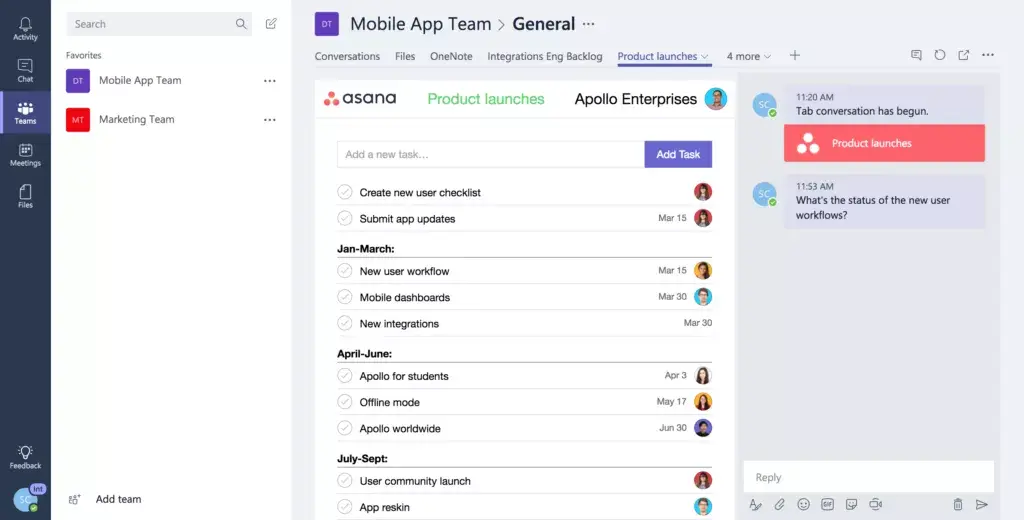
Chat with teammates about a project while looking at the list of tasks
See all the tasks in a project, who they’re assigned to, and when they’re due
Complete tasks when they’re done
How to add Asana projects in Microsoft Teams:
Log in to your Teams account in Office 365
Click the + button in the top navigation to add a tab
Click the Asana icon in the Add a tab dialogue box
Connect your Asana account to your Teams account (or sign up for Asana if you’re not using it yet)
Pick your Organization or Workspace
Search for the project you want to add (or create a new one)
Click Save to add your Asana project as a tab (project permissions will remain the same)
Your team will be notified that an Asana project has been added (unless you uncheck the box in the bottom left corner)
You can add as many Asana projects as you want as tabs within your team
Work together effortlessly
We hope this integration makes it easier for teams that use both Asana and Office 365 to collaborate in real-time, move work forward, and get results. Log in to your Teams account to start adding Asana projects to your group chats.
Interested in learning more about our integrations? Check out our apps page to make tracking your work and customizing your Asana experience even easier.
![[Pemasaran Versi Musim Semi 2026] Gambar Hero](https://assets.asana.biz/transform/365f4526-36ae-48a9-b24e-d5835d7b1d9a/FY26-Spring-Blog-image-1578-x-1052?io=transform:fill,width:2560&format=webp)