Web forms + Asana: Gather and act on requests, bug reports, and more

There is an alternative to the black hole that many requests fall into. You know what we’re talking about… that email, ticket, chat message, or conversation in the hallway where someone asked you to do something. It’s hard to keep track of all the requests we get. Not to mention, when requests come in these unstructured channels, details and context are often missing. And into the black hole they go.
Bid farewell to this breakdown by using web forms with Asana. Web-based forms streamline the process of gathering common requests. By linking these forms to Asana, you can keep track of each request and make sure it gets done. With a web form, your teammates, vendors, or applicants can submit information or requests in a standardized format. Web forms are customizable so you can include fields for all the key details you need to take action. This eliminates back and forth communication that wastes time and can derail work.
Best of all, web forms let you choose where the responses go. And what better place for requests to go than into your favorite tool for managing and tracking work? Today we’re excited to announce our new and improved integration with Wufoo. Wufoo is the market-leading online forms solution trusted by millions to build online forms and accept payments without any coding.
Many forms of action
Our customers are streamlining information gathering and follow up by connecting web forms to Asana. Here are a few of the many ways they’re doing so:
Requests for work: Make it easier to submit work requests between teams, or from agencies, partners, or customers. This is especially useful if the people requesting work aren’t using Asana (so they can’t just create a task for you). Use forms for creative, facilities, IT, and customer service requests. By creating mandatory fields for the information you need, you’ll eliminate tedious back and forth communication.
Applicant tracking: Keep applications sent in by job seekers in one place, and assign it out for review and follow up. Use fields to gather contact information, desired position, and resume or cover letter. Then, use Asana to track candidates through the interview and hiring process.
Bug reporting: While users are often eager to submit bugs, they might not always know what information you need to investigate. Include mandatory fields for the browser, operating system, and more.
Set up a bug tracking project to capture these reports and ensure the bugs are being fixed.

We use forms to collect internship applications within Asana. This way, we don’t lose applications as attachments in email, and we are able to assign follow-up tasks directly within the project.”
Wufoo and Asana
With Wufoo and Asana, responses from your form will become tasks in the Asana project you specify. When you connect a form to a project, you’ll choose how form fields should map to Asana task fields including task name, assignee, due date, and followers. Regardless of how you map these fields, all information from the form also will be captured in the task description.
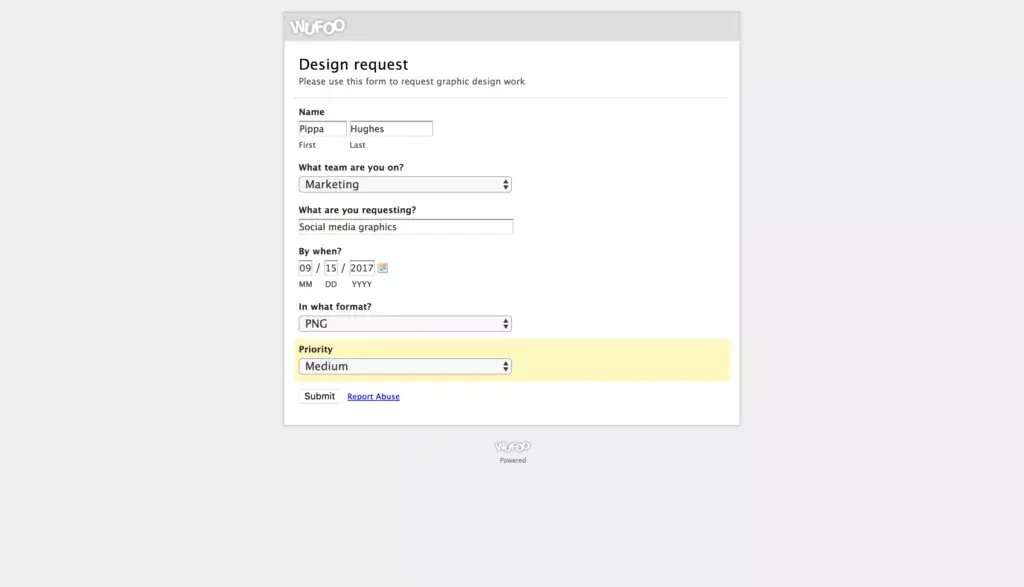
Require specific fields, so all the information is with the initial work request.
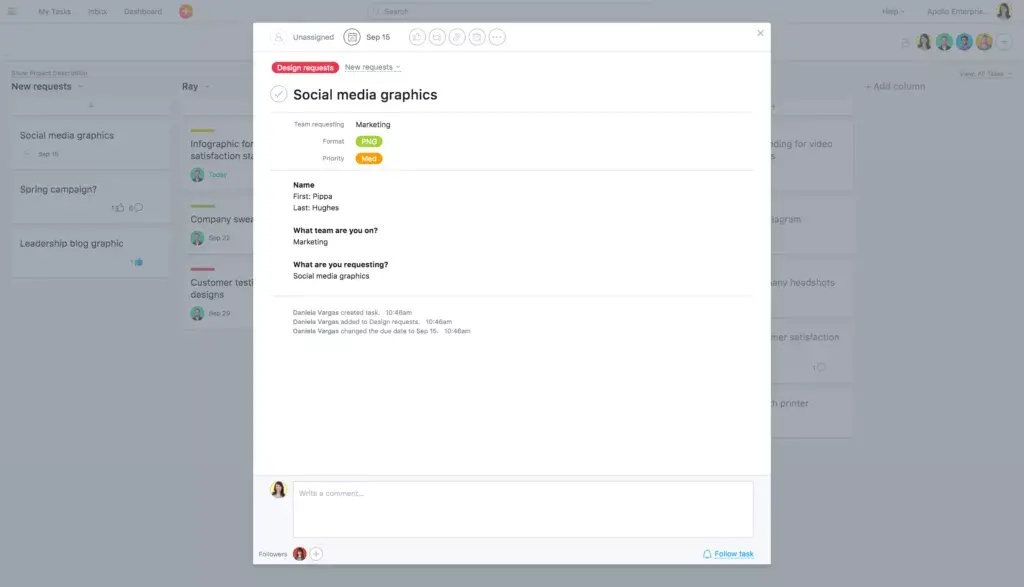
Information is captured in a new task, mapped to the correct project in Asana.
Asana Premium customers can map form fields to custom fields to better understand and action the request or information. For example, map fields for priority and format on your creative requests form to the corresponding custom fields in your design team’s Asana project. By capturing this information from form fields into Asana custom fields, requests will be automatically categorized and prioritized as they are submitted. Not using Premium yet? Learn more about Asana Premium features.
For instructions on how to map Wufoo forms to Asana projects, head over to the Asana Guide.
![[Pemasaran Versi Musim Semi 2026] Gambar Hero](https://assets.asana.biz/transform/365f4526-36ae-48a9-b24e-d5835d7b1d9a/FY26-Spring-Blog-image-1578-x-1052?io=transform:fill,width:2560&format=webp)