


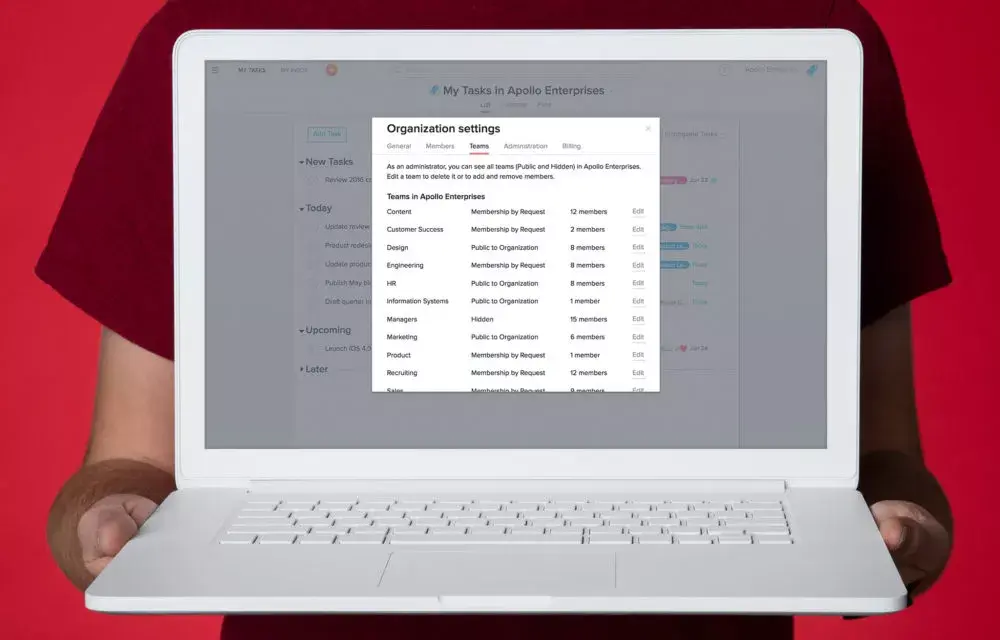
Organization Administrators play a critical part in protecting the data that your company has in Asana and monitoring who has access to it. To help admins manage the teams in your Organization, Organization Settings now has a Teams tab to let admins view and edit all the teams in the Organization.
Manage teams across your Organization
With team management, you can see all the teams in your Organization, make changes to settings, and ensure company data is shared with the right people and has the right level of privacy. Team management in Asana lets you:
Know which teams are Public, Membership by Request, or Hidden, to ensure the right information is shared with the right people, and alter privacy settings if needed
Rescue “abandoned” teams whose owner has left the company but are still necessary to your Organization
Access any team (including Hidden Teams), whether you’re a member or not (remember, with great power comes great responsibility 😉)
Delete teams that are no longer being used, to reduce clutter and potential confusion for Organization members.
How to use team management
Click on your profile picture in the top right corner and go to your Organization Settings
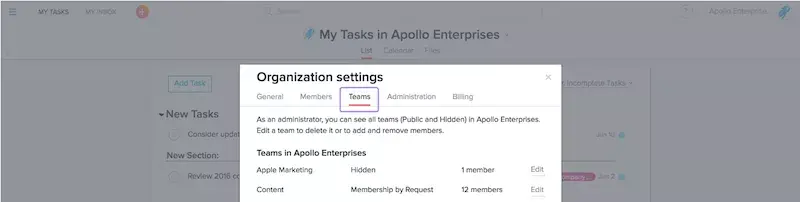
Click on the Teams tab
Click on Edit to:
Change a team’s name or privacy settings. Privacy options include: Membership by Request, Hidden, or Public to the Organization
Add or remove team members
Delete the team
Explore more admin tools
In addition to team management, you have access to many other tools as an admin, including:
Member management
Team management
Authentication/SSO/SAML
Data export
Billing management
We’re continuing to update our admin features to give you the tools you need to manage your company’s use of Asana. We’d love to know what you think of this new team management functionality. Please leave a comment with your feedback!