Asana mengakuisisi StackAI — kini setiap Alur Kerja agen manusia berjalan di satu tempat.Pelajari selengkapnya
Ditch the distribution list: Team Conversations are here
Group email lists are far too common at most companies–these emails flood your inbox, and they are often endless threads of indented, poorly-formatted reply-alls. Deciphering group emails and figuring out what’s important and actionable is nearly impossible.
We built Team Conversations to put an end to these dreaded distribution lists. Team Conversations are available now on the web and in our iOS and Android apps.
How to use Team Conversations
Team Conversations give you another way to communicate in Asana. They allow you to have a more general conversation that’s not tied to a specific task.
Start or join a Team Conversation
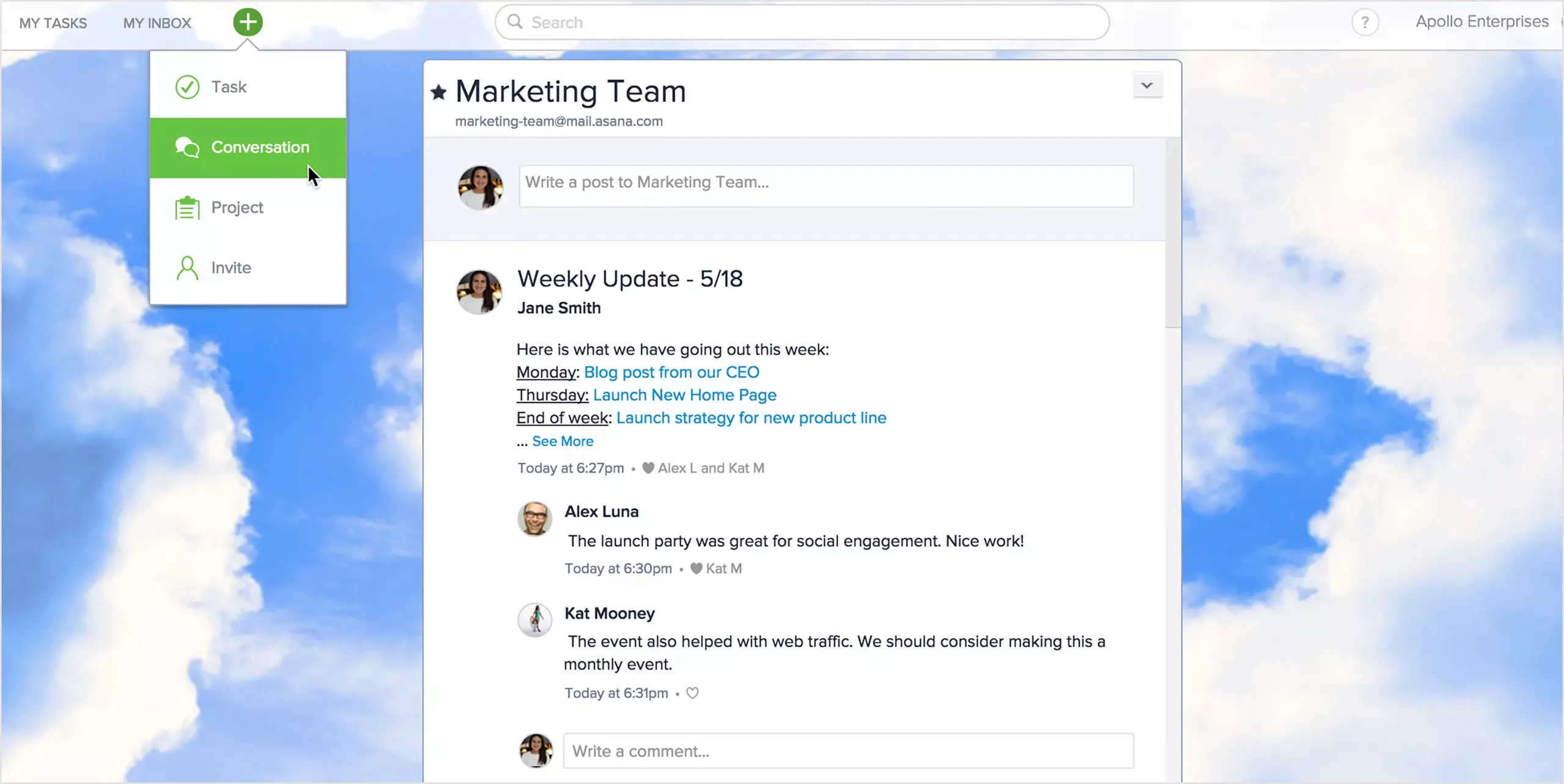
Start a Conversation, read a previous post, or respond to a teammate by accessing Team Conversations under any Team name in the left pane. Or just click on the green + button in the top bar and select “Conversation” from the drop-down. Team members will see new Conversations in their Asana Inbox (or get an email notification). And if you have a teammate who’s really stuck in email, they can start and reply to conversations via email.
Keep the list of recipients in check: Easily add or remove followers
Team members are only notified about the first post in a Conversation. Unless you’re following the Conversation, you won’t get notified of further activity–this means a lot less inbox overload.
All Conversations are visible to any team member, and you can easily add new followers to get notified of what’s happening in the Conversation. To jump out of a Conversation, simply click “Unfollow Conversation” to remove yourself – way easier than asking a teammate to take you off a list by sending a reply-all.
Attachments, Hypertext, and Hearts
Many of your favorite parts of tasks – adding attachments, Hypertext, hearts, and sending in-line comments – work similarly in Team Conversations. You can easily refer to specific tasks, projects, or teammates by using Hypertext, which puts everything related to the Conversation one click away. Add attachments to Team Conversations from Dropbox, Box, Google Drive, or your computer to share and get feedback from your team. Heart a post or comment instead of replying-all, “I agree” or, “Thanks!”
Easily refer to specific tasks, projects or teammates by using Hypertext in conversations, so your team can take action with one click.
Learn more about how to use Team Conversations on the Guide.
When and why to start a Team Conversation
Since all of your work (tasks, projects, attachments) is already in Asana, having work-related discussions in the same place streamlines your workflow–instead of switching between tools like chat and email all the time.
While commenting on tasks is an effective way to talk about a specific piece of work, if you want to talk about a new idea, make an announcement, or source input from your broader team or company, a Team Conversation is the way to go.
Brainstorming and developing ideas
Share an idea that’s not directly related to a task, or tap into your team’s creativity by asking for thoughts about something you’re working on. So next time you’re noodling on an idea, skip the in-person brainstorming session and start a Conversation to gather input from your team.
Getting new teammates up to speed
If you’ve just hired someone, start a Team Conversation to introduce the new member of the team. Team members can comment with welcome notes and suggestions for projects or tasks the new person should follow, helping new members onboard quickly and get caught up on all the relevant work happening across the team. New hires can also read through past Team Conversations for information and context that will help them get up to speed faster.
Team updates, without the meeting
At Asana, we use Marketing Team Conversations for weekly overviews on Mondays. We link to tasks that are launching that week and new projects that are starting. This gets everyone on the team on the same page about what’s happening across multiple projects without having a status meeting.
Every Team you’ve created in Asana has a Team Conversations view. If you have a group of people you’d like to have Conversations with regularly, consider creating a new Team.
And more to come
Next time you plan to use an email distribution list, try a Team Conversation instead and let us know what you think. Over the next few months we will be adding more features that make it easier to ditch team emails and have your conversations side by side with your projects and tasks.