



Editor’s Note: This post is written by Richard Uruchurtu, Vice President of Operations at KlientBoost.
KlientBoost is a digital marketing agency that primarily focuses on direct response and bottom of funnel marketing through PPC, CRO, SEO, and email marketing. At KlientBoost, we value visibility and communication, which is why we have an Asana project for each of our clients dedicated to the work being done for them. Clients can access this project as Guests, in order to stay up to date on any relevant communications or updates.
When we started using Asana to manage advertising campaigns for our clients, we had about 110 clients, or 110 projects in Asana. With Portfolios, we were able to get a bird’s-eye view of all of these projects at once to see which campaign checklists were on track, at risk, or off track.
With a Portfolio that large, we needed a way to quickly determine what was happening within each project at the task level. To get that level of holistic detail, we decided to utilize the Asana API in order to build reports to visualize our campaign progress and analyze the results. After building not one, but two, reports with the Asana API, here are our top three tips to help your team use the Asana API effectively.
1. Be very clear about your process
At KlientBoost, we use the Asana API to build reports for various parts of our business but the largest way we use it is to track the specific marketing strategies we are using for our clients. Each API report is slightly different, but for the largest report, it was critical for us to decide what we wanted from the report before actually building it.
The crux of creating a custom report is deciding which details and processes you care about before you sit down to build anything on the API. If you’re not clear about which processes you’re trying to build, you’re going to have to go back and constantly tweak or change the way you’re trying to look at data. Begin with the end in mind, which will help you have a very clear idea of what you want the inputs to be.
Visualizing data with an API report
The first report we created was exclusively for our designers, who build creative assets for our customers. The goal of this first report was to grab task data from all of our Asana projects in order to see how each designer’s workload was progressing across a large number of projects. Adding tags allowed us to go even further with our reporting, to the point where we could pinpoint specific data, like whether or not a creative test was successful. With this data, we were able to start answering interesting questions and adapting our process.
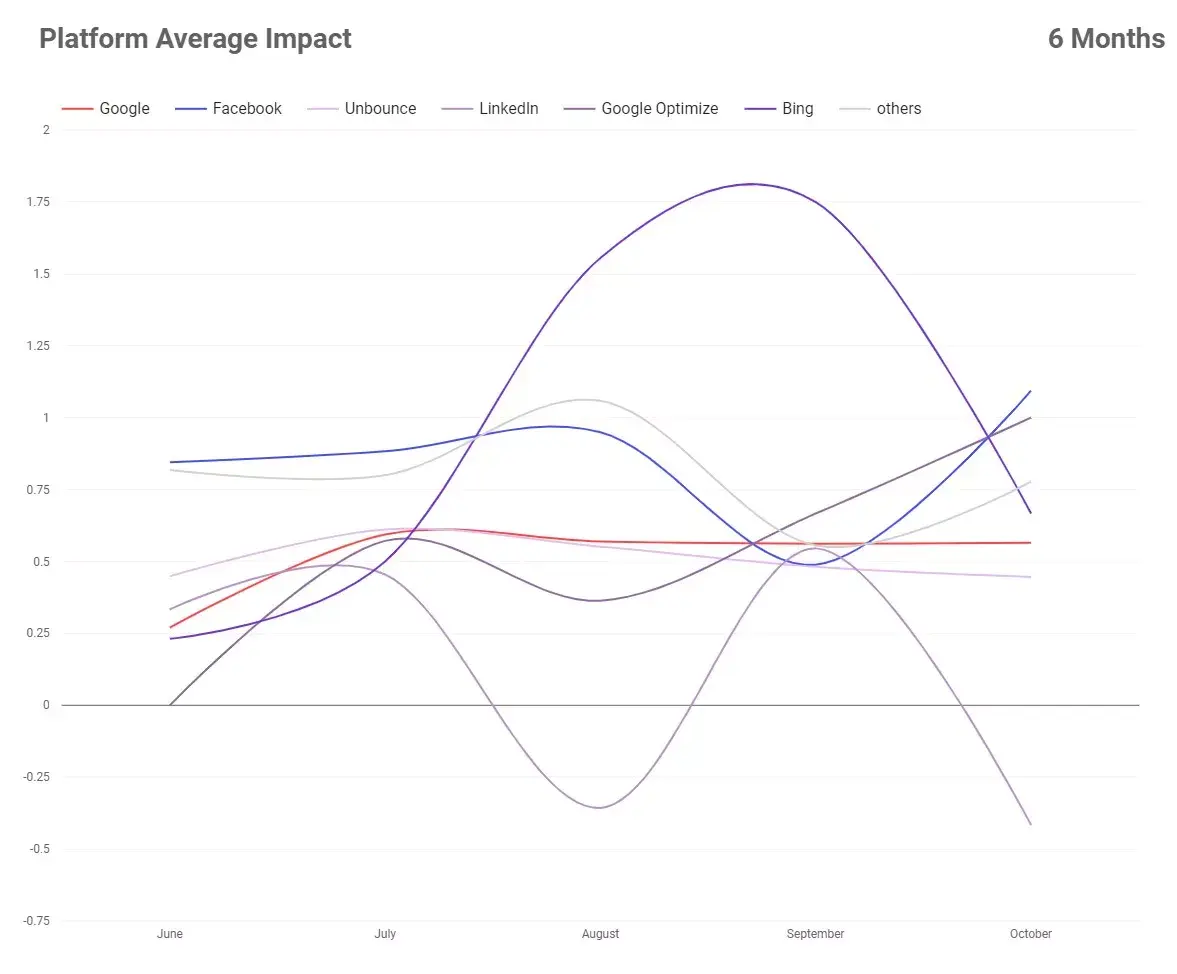
After seeing the benefits of custom API reporting for our designers, we decided to expand reporting for all KlientBoost Account Managers. This is the team that is pulling the levers to optimize our pay-per-click advertisements. Taking what we learned from the first API report we built, we decided to create a second, more robust reporting system, which we call BoostFlow (a branded term for our workflow process and a play on our company name).
Develop a system before creating an API report
Building our BoostFlow reporting was more of a thought exercise than a coding exercise. Before we could finalize this report, we needed a uniform system of how we would input data into Asana that would help us accurately judge the various data elements we wanted to view in reports outside of Asana. There were two main elements to clarify this process:
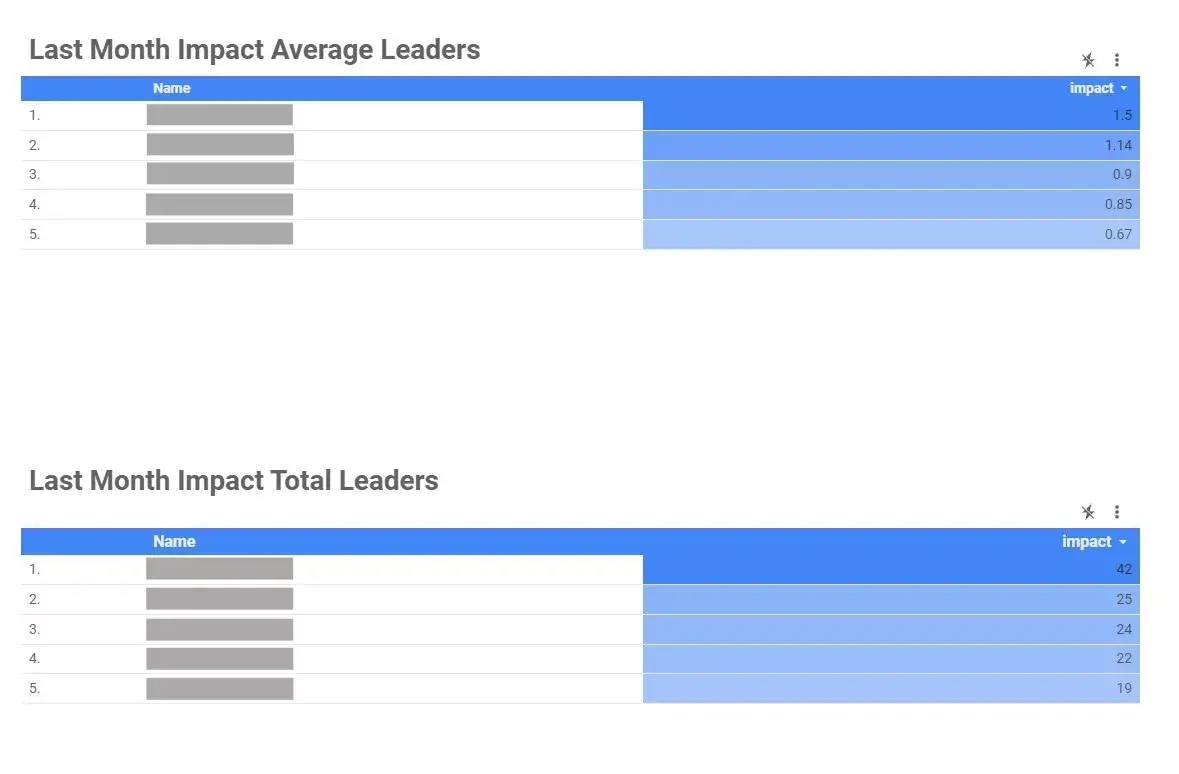
First, we created custom fields in each project to track information—like an Account Manager’s strategy and a numerical value to “grade” the strategy’s impact. For example, being able to measure the impact level of the various ad tests running across different platforms would allow us to understand which Account Managers were the best at Google, Facebook, or Bing.
Then, we developed a system to ensure these custom fields were being uniformly applied and used across our entire Account Management team. To do so, we held robust training programs with all of our Account Managers. For example, each task in Asana has an Impact score ranging from -3 to +3. Many of our trainings focused on standardizing inputs for those scores. We also created space for the team to teach and uplevel the rest of the team.
2. Use custom fields—but don’t overdo it
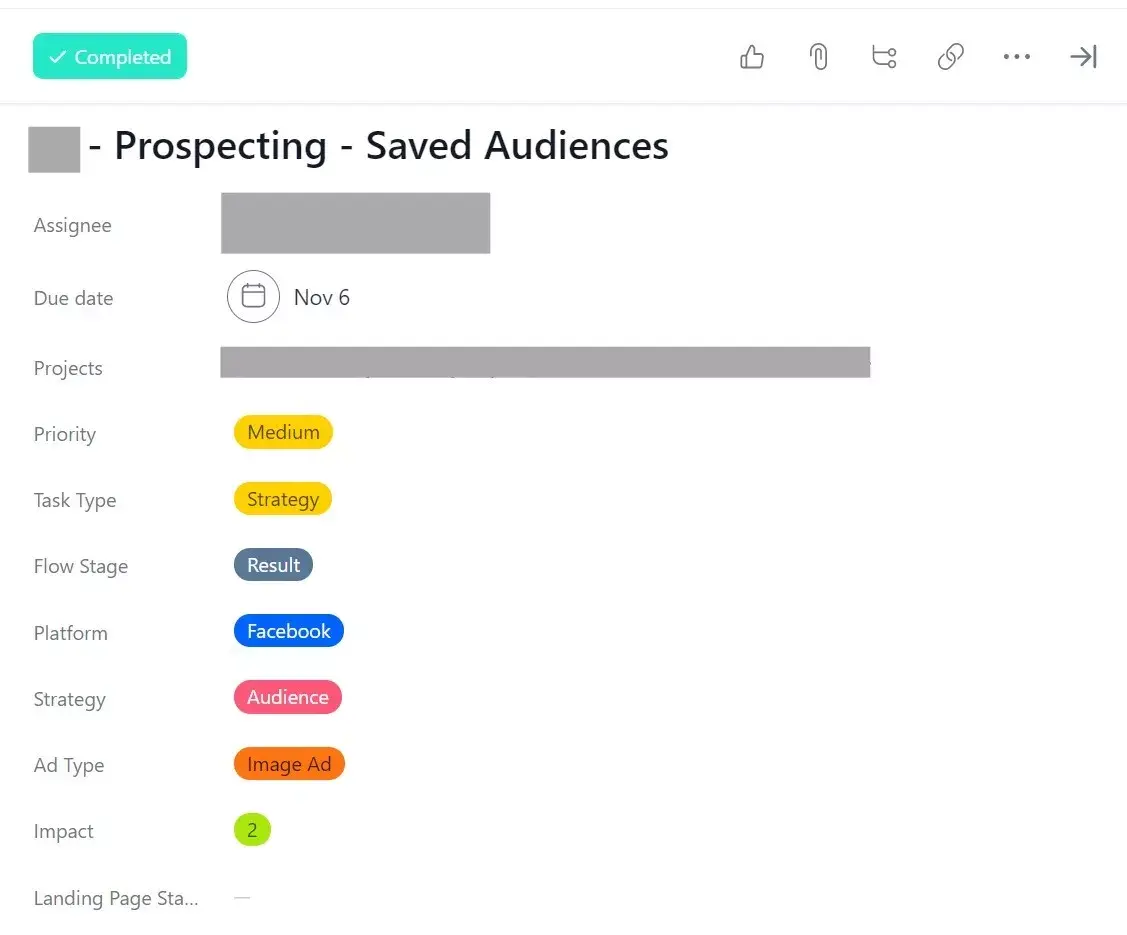
Though we used tags in our first API report, we found custom fields to be an integral part of the BoostFlow API reports we use today, because they are a better way to standardize and capture data.
With custom fields (and training), Account Managers can standardize data across all projects. Then, when we pull information into our data visualization process, we’re able to understand what our Account Managers do on a granular level—with the minimum amount of manual work. We can look at trend lines for the aggregate company, for specific teams, specific platforms, specific ads—whatever we need. All with custom fields.
Having that custom field data is really great to visualize in the reports—but always think about what’s going to impact the user experience in Asana. If you have too many custom fields, you can’t see the task description in Asana. Simplicity is key.
3. Use tools to your advantage
It’s simple to access your Asana data using the API. You don’t have to reinvent the wheel—using tools makes it incredibly easy to pull the data out. Before you begin scripting, make sure you understand how Asana is structured between Teams, Portfolios, projects, and tasks in order to be able to make the correct API calls.
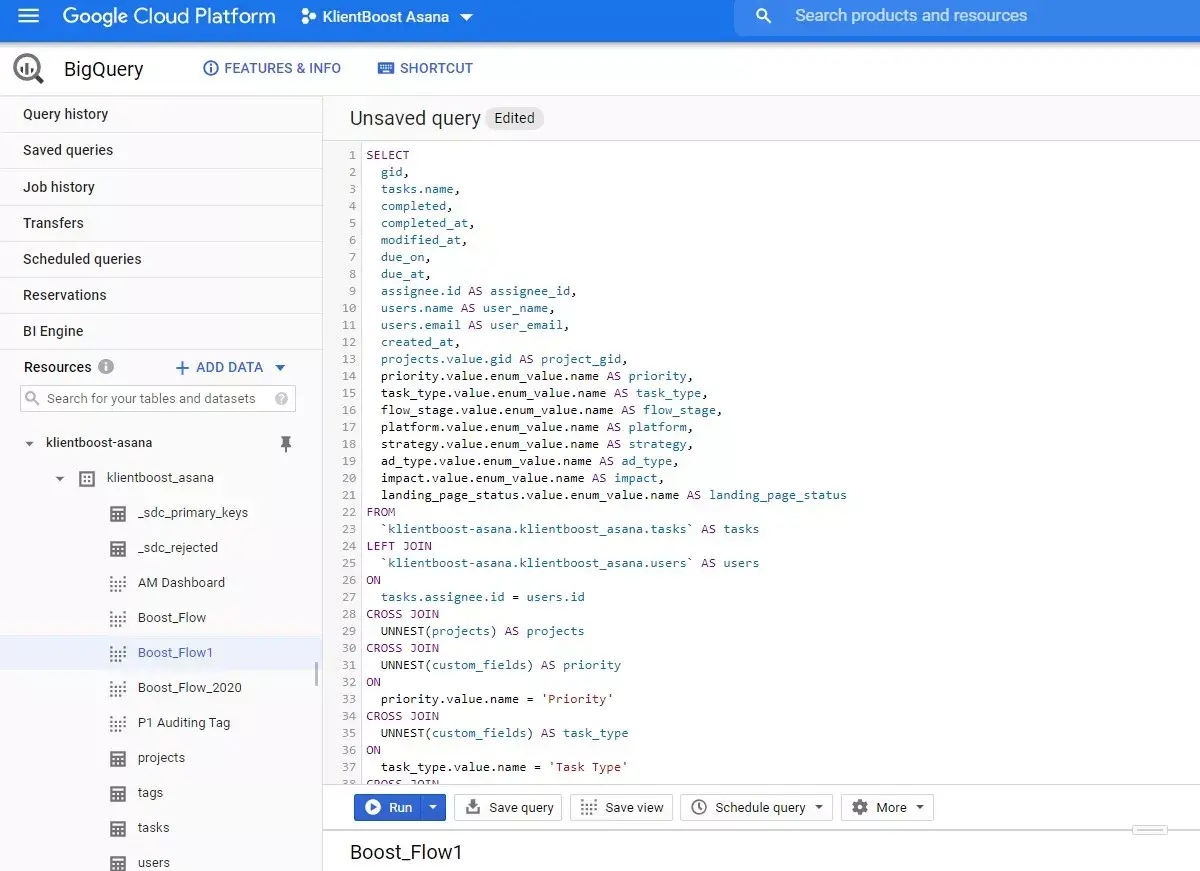
In the first API report we built, we pushed information out to Amazon AWS, and stored it in an Google spreadsheet. For our second API report, BoostFlow, we started with a tool called StitchData, which has a community connector for Asana. With the community connector, I was able to hook into the Asana API and push that data into BigQuery. In BigQuery, I could run a proper SQL query for the specific data I need. Then, I can push that data source into Google Data Studio to create our BoostFlow dashboards.
Onwards and upwards with the Asana API
KlientBoost began as a pay-per-click and conversion rate optimization business—so BoostFlow is optimized for that. But we’ve recently expanded into SEO, email marketing, and creative. BoostFlow was never designed to capture those types of services, and it limits the way we can interpret data for those services. So now we’re being really thoughtful once again about how to integrate these three relatively new services into BoostFlow in a way that makes sense. But with the API, I’m sure it’ll be no problem.
We’re inspired by customers like KlientBoost who are using Asana to achieve their missions. See what teams around the world are doing with Asana.